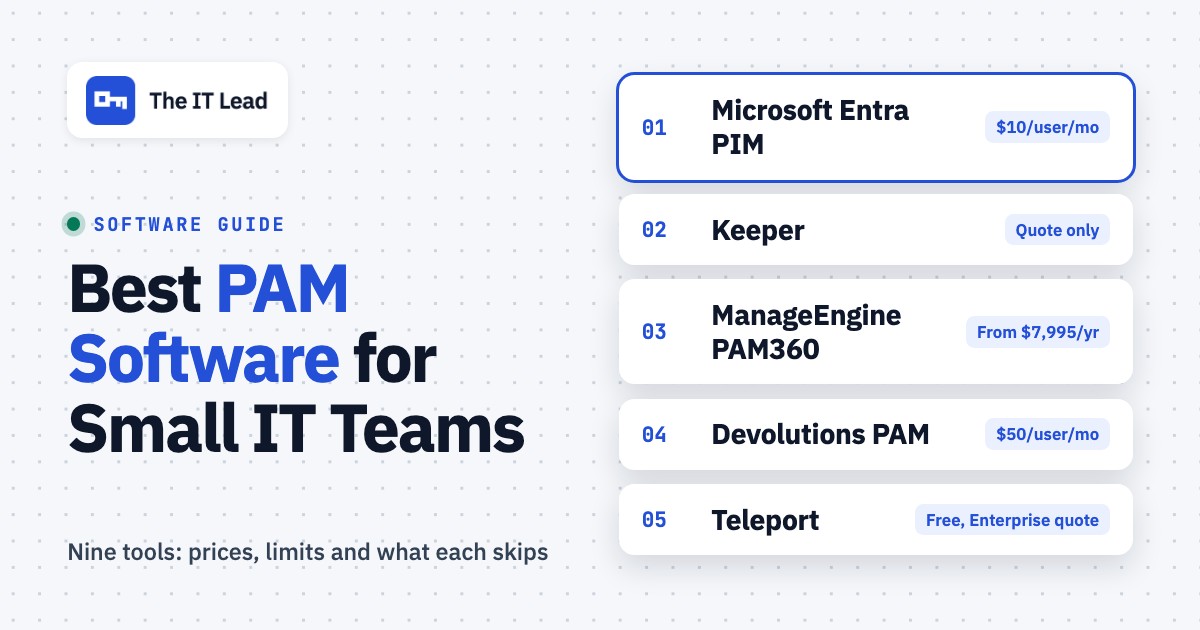
Privileged access management (PAM) software controls who can use admin accounts, for how long, and keeps a record of what they did. For a small IT team the right pick depends less on the feature list than on three questions: do you already pay for Microsoft Entra ID P2, can you host a server, and how many systems outside Microsoft do your admins touch. This page compares nine tools on price status, deployment, just-in-time access, service account coverage and the effort it takes to run each one.
Only three of the nine publish a PAM price on their own site. Another has a free open source edition, and the other five are quote only, so the tables below say "quote only" instead of guessing.
- PAM tools compared
- 9
- publish a PAM price on their own site
- 3
- are quote only
- 5
- a year for five admins on Entra ID P2
- $600
Our picks by situation
 Best if you already pay for Entra ID P2Microsoft Entra PIMTime-limited admin roles in Entra ID, Azure and Microsoft 365 with nothing to install, but it stops at Microsoft roles.
 Best cloud PAM for a small team that will talk to salesKeeper (KeeperPAM)A vault, browser-based sessions and just-in-time access without an on-premises server.
 Best for published prices and self-hostingManageEngine PAM360Prices start at $7,995 a year for 10 administrators, and a free edition covers one.
 Best if your admins live in Remote Desktop ManagerDevolutions PAM$50 per user per month adds checkout, rotation and session recording to a tool they already open.
 Best for MSP technician elevationConnectWise ScreenConnectAdmin rights requested from the UAC prompt and approved in real time, a narrower job than a vault.
 Best for outside vendor accessBeyondTrustVendor and contractor sessions approved, proxied and recorded, plus a vault in the same suite.
 Best for engineers reaching servers and KubernetesTeleportShort-lived certificates replace SSH keys and shared logins, and the Community Edition is free.
 Our product · for the gap PAM leavesThe IT LeadRecords who owns each service account and when it was last reviewed. It doesn't vault or rotate anything.
PAM software compared
| Tool | Type | What it covers | Price as published (USD) | Rating |
|---|---|---|---|---|
| Microsoft Entra PIM | Built into Microsoft Entra ID | Time-bound admin roles in Entra ID, Azure and Microsoft 365 | $10 per user per month (Entra ID P2), billed yearly | 4.4 (Gartner Peer Insights, 1,605) |
| Keeper (KeeperPAM) | Cloud PAM with a vault | Vault, rotation, remote sessions and just-in-time access | Quote only (KeeperPAM is sold through sales) | 4.5 (Gartner Peer Insights, 33) |
| ManageEngine PAM360 | Self-hosted PAM suite | Vault, session monitoring and privilege elevation you host yourself | From $7,995 per year (10 administrators, 25 keys); free edition for 1 administrator | 4.4 (Gartner Peer Insights, 338) |
| Devolutions PAM | PAM module in a remote access suite | Checkout, rotation and session recording inside Remote Desktop Manager | $50 per user per month, billed annually (PAM package) | 4.6 (Gartner Peer Insights, 195) |
| ConnectWise ScreenConnect | Remote support with privilege elevation | Approved admin elevation and recorded sessions for technicians | PAM included in the Enterprise plan (price on request) | 4.7 (Capterra, 1,903) |
 Delinea Secret Server Delinea Secret Server | Enterprise PAM vault | Vault, rotation and approval workflows for privileged accounts | No public price (quote only) | 4.6 (Gartner Peer Insights, 1,315) |
| BeyondTrust | Enterprise PAM suite | Password Safe vault plus Privileged Remote Access for vendors and admins | Quote only | 4.4 (Gartner Peer Insights, 245) |
 CyberArk (Idira) CyberArk (Idira) | Enterprise PAM suite | Vaulting, rotation, session isolation and zero standing privileges | No public list price; AWS Marketplace lists 25 Privilege Cloud users for $44,712 per 12 months | 4.4 (Gartner Peer Insights, 984) |
| Teleport | Infrastructure access with short-lived certificates | SSH, Kubernetes, database and desktop access without shared credentials | Community Edition free; Enterprise quote only (billed per monthly active user and protected resource) | 4.6 (Gartner Peer Insights, 42) |
| The IT Lead Our product | Service account ownership reviews | Collects owner attestations for service accounts and keeps the review trail | Access code | No reviews yet |
Prices come from each vendor's own pages, read on October 17, 2026. Ratings are Gartner Peer Insights unless the cell says Capterra, with the number of ratings in brackets. The Microsoft Entra rating covers Entra ID as a whole because Gartner has no separate PIM listing.
What privileged access management software does (and what it does not)
PAM software puts a control point in front of accounts with admin rights. It does three jobs: it stores or issues credentials so admins don't hold standing passwords, it limits when and for how long privileged access is available, and it records what happened. Most products add automatic password rotation, session recording and approval workflows on top.
PAM controls who can act as an admin. It doesn't watch what happens to sensitive files once an ordinary user has them. That's the job of data loss prevention software, which logs, warns or blocks when customer data heads to a USB drive or a personal cloud account.
PAM vs password manager
A password manager stores logins that people use themselves, such as a SaaS account shared with a teammate. PAM software sits between an admin and a system: it approves the request, changes the password afterwards and records the session. Many teams run both, of course. To find out which SaaS apps people log into in the first place, see our comparison of SaaS management software.
PAM vs PIM
Privileged identity management (PIM) is about roles: who's eligible for an admin role and when it's switched on. Microsoft Entra PIM does this for Entra ID, Azure and Microsoft 365 roles. PAM usually also covers credentials on systems outside one identity provider, such as Linux servers, network devices and databases. The sign-in layer underneath both is covered in our identity and access management software comparison.
Which accounts count as privileged
| Account type | Example | Typical control |
|---|---|---|
| Tenant or domain admin | Global Administrator, Domain Admin | Eligible roles, MFA on activation, approval |
| Local administrator | Windows local admin on servers and laptops | Rotation, elevation on request |
| Service account | The account a backup job or application runs as | Vaulting, rotation, a named owner |
| Break-glass account | Emergency admin that works when SSO is down | Sealed credentials, alert on any use |
| Application admin | Admin login for a SaaS tool or database | Checkout, session recording |
How we chose these tools
The list is built for small IT teams and MSPs, so each PAM tool is judged on six points:
- Just-in-time access. Whether admin rights are granted for a window and revoked automatically.
- Vaulting and rotation. Whether the tool stores credentials and changes them after use.
- Session recording. Whether sessions go through a proxy that records them.
- Service account coverage. Whether it finds and rotates non-human accounts, or only controls human admins.
- Effort to run. Cloud service or self-hosted, and which agents, gateways or connectors you must install.
- Price transparency. A published number, a free edition, or quote only.
Other products rank for this keyword, including One Identity Safeguard, Okta Privileged Access and WALLIX. They aren't covered here, and the list may grow.
Where each tool sits in the privileged access flow
Most PAM tools do more than one step. Each one is shown at the step it's mostly bought for.
- Step 1Find the privileged accounts
- BeyondTrust
- Delinea Secret Server
Breaks when an account nobody listed never reaches the vault - Step 2Vault and rotate the credentials
- CyberArk (Idira)
- Devolutions PAM
- ManageEngine PAM360
Breaks when a rotated service account password breaks the job that still uses the old one - Step 3Grant access for a limited time
- Microsoft Entra PIM
- Keeper (KeeperPAM)
- Teleport
- ConnectWise ScreenConnect
Breaks when the approver is away and no break-glass account exists - Step 4Keep an owner on record
- The IT Lead
Left open nobody can say who owns a service account or why it still exists
PAM for Microsoft-first teams
Microsoft Entra PIM
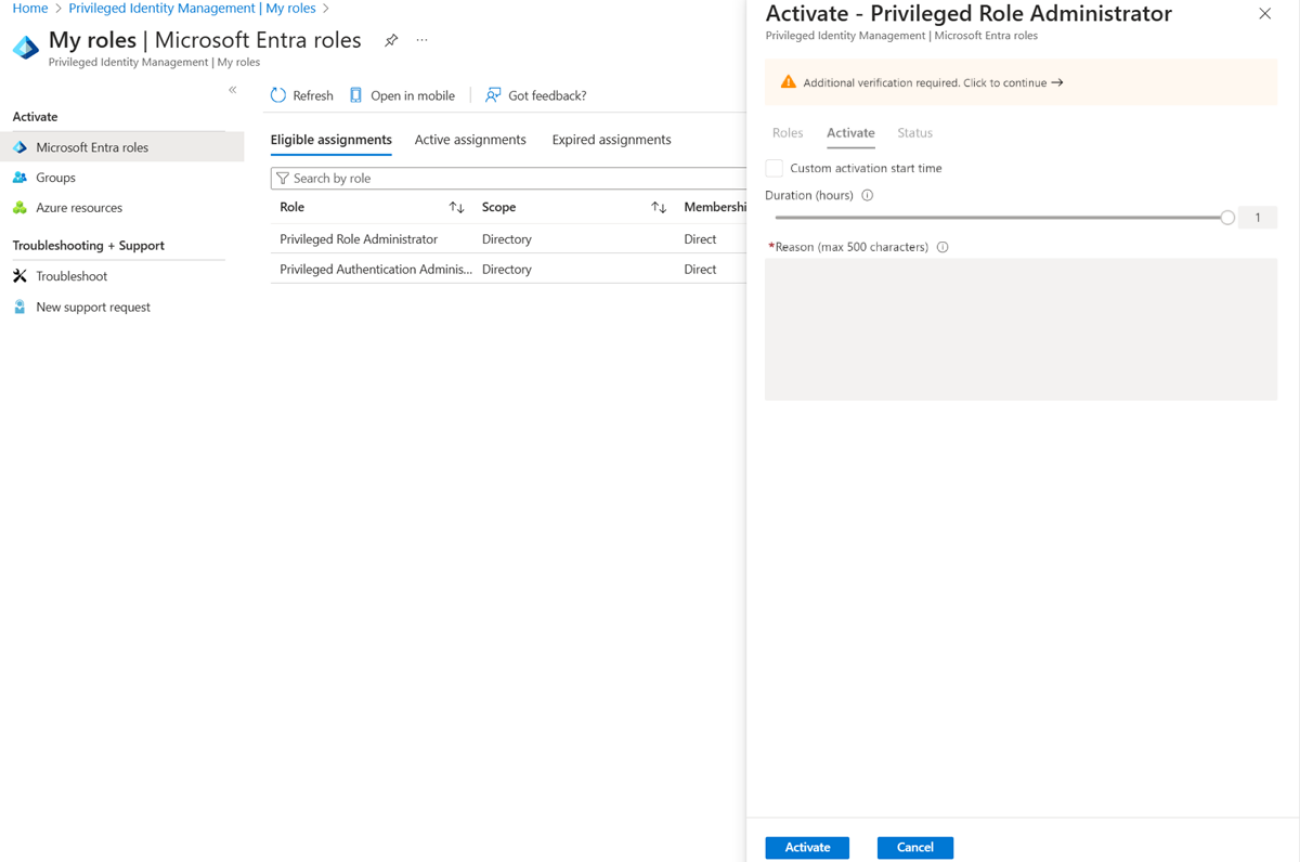
Privileged Identity Management turns permanent admin roles in Microsoft Entra ID and Azure into eligible roles that an admin activates for a limited time, with MFA, a reason and optional approval.
If your admin roles live in Microsoft 365 and Azure, PIM may be the cheapest way to stop admins holding permanent rights.
PIM works on role assignments. An admin is made eligible for a role such as Global Administrator, then activates it when needed: open My roles in the Entra admin center, complete MFA, enter a reason, and the role switches on for up to 24 hours. A role can require approval, in which case designated approvers get an email. Microsoft recommends two approvers per role. Every activation lands in an audit history you can download.
It doesn't vault or rotate passwords. Roles can be assigned to service principals and managed identities, but a service account that logs in with a password on a Linux box or a database is outside what PIM manages.
- your admins work mostly in Microsoft 365, Entra ID and Azure, and those are the roles you need to time-limit
- you want no infrastructure to run: PIM is a feature inside the Entra admin center
- you need a vault for Linux root, network device or database passwords: PIM's documented scope is role assignments in Entra ID, Azure and groups
- your licenses stop at Microsoft 365 Business Premium: that bundle includes Entra ID P1, and PIM needs P2 or Entra ID Governance
- Users like
- fits naturally into the Microsoft ecosystem, per a Gartner reviewer of Entra ID
- Users dislike
- Gartner has no separate PIM listing, so the rating is for Entra ID as a whole. A reviewer's sample complaint concerns license assignment in Entra ID in general, not PIM.
- Source: Gartner Peer Insights, 1,605 reviews
How it works in practice
Licensing is the catch. PIM needs Microsoft Entra ID P2 at $10 per user per month, billed yearly, or Entra ID Governance at $7 per user per month as an add-on on top of P1 or P2. Licenses are required for every user with an eligible assignment and for every approver and reviewer. Microsoft 365 Business Premium includes Entra ID P1, which doesn't include PIM.
For five licensed admins on P2 that's $600 a year (five users at $10 a month for 12 months), the lowest published paid price in this list.
- Starting price
- $10 per user per month (Entra ID P2), billed yearly
- License needed
- Entra ID P2, or Entra ID Governance ($7 add-on on top of P1 or P2)
- Deployment
- Cloud feature, nothing to install
- Activation limit
- 1 to 24 hours per role activation
PAM for small IT teams and MSPs
Keeper (KeeperPAM)
KeeperPAM combines a zero-knowledge vault with browser-based remote sessions, session recording, rotation of service account passwords and just-in-time access, delivered from Keeper's cloud.
A cloud-delivered PAM that puts a vault, remote sessions and time-limited access behind one admin console.
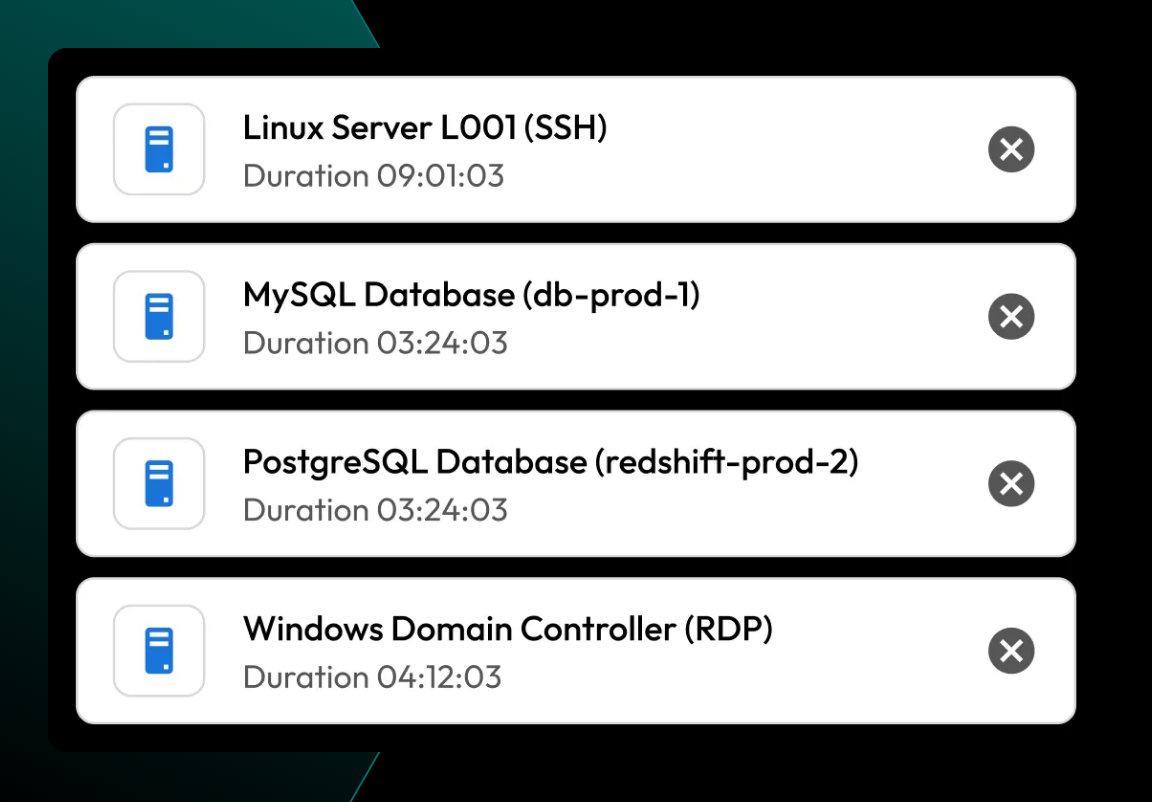
Admins open sessions from the browser to SSH, RDP, VNC, HTTPS and databases such as MySQL, PostgreSQL and SQL Server, without VPN, firewall or ingress changes. A Keeper Gateway installed in each network only makes an outbound connection to Keeper's cloud. Keeper Discovery finds privileged accounts, machines and databases across local networks, AWS and Azure and imports them to the vault, and service account passwords can be rotated on premises and in the cloud.
- you want a cloud PAM with a vault and no on-premises server, and can run a lightweight gateway in each network
- your estate is a mix of Windows, Linux, databases and cloud, and you want sessions without VPN or firewall changes
- you need a published price before talking to sales: the Business password-manager plans aren't PAM and KeeperPAM has no list price
- you need a gateway-redundancy answer today: a Gartner reviewer flags that gateway redundancy isn't supported yet
- Users like
- very advanced access control, per a Gartner reviewer
- Users dislike
- no gateway redundancy yet and product changes without notice, per a Gartner reviewer
- Source: Gartner Peer Insights, 33 reviews
How it works in practice
For just-in-time access, an admin shares a PAM user record with an expiry date and turns on "rotate password upon expiration". When the window closes, access is removed and the credential changes, so every window gets a unique credential, and it's all audit-logged. Approvals, MFA and time limits (the workflow feature) need an active KeeperPAM subscription or trial.
Pricing is the open question. KeeperPAM is available through sales only, according to Keeper's pricing FAQ. The Business password-manager plans are sized for 5 to 10 users, but they aren't PAM. With 33 ratings on Gartner Peer Insights, the sample behind the 4.5 is small.
- Starting price
- Quote only (KeeperPAM is sold through sales)
- Deployment
- Cloud, with a Keeper Gateway in each environment (outbound connection only)
- JIT access
- Yes, time-limited access with rotation on expiry
- Service accounts
- Discovery and rotation of service account passwords
ManageEngine PAM360
PAM360 is a web application you install on Windows or Unix. It stores credentials in a vault, monitors privileged sessions, manages SSH keys and handles privilege elevation, with a free edition for one administrator.
The one dedicated PAM suite here with a full price list and a free edition, in exchange for hosting it yourself.
PAM360 is a web application you install on Windows or Unix with a bundled PostgreSQL database (Microsoft SQL Server, Amazon RDS and Azure SQL are also supported). It reaches targets over native protocols such as SSH, RDP and database ports, and separate application, session and HTTPS gateways cover isolated networks. Users come from Active Directory, Microsoft Entra ID or LDAP. The feature list covers a credential vault with asset discovery, privileged session monitoring, SSH key management and privilege elevation, plus application credential security and non-human identity governance.
- you want published prices and are happy to host the server, database and gateways yourself
- you have around 10 administrators or more and want one suite for vaulting, session monitoring and elevation
- you want a cloud service you don't have to run: the cloud edition is labeled beta on ManageEngine's product page
- you're a one- or two-person team: the smallest paid tier covers 10 administrators
- Users like
- granular role scoping and session recording for audits, per a Gartner reviewer
- Users dislike
- weak Linux remote access, per a single Gartner reviewer (the listing is named Password Manager Pro)
- Source: Gartner Peer Insights, 338 reviews
How it works in practice
Subscriptions are priced by administrators and keys, with unlimited users and resources. The English edition costs $7,995 a year for 10 administrators and 25 keys, $12,995 for 20 and 50, $14,995 for 25 and 100, and $24,995 for 50 and 200. A perpetual license for the smallest tier costs $19,995 plus $3,999 a year in maintenance. The free edition allows one administrator and up to 10 resources with no expiry.
Because you run the server, the database and the gateways, budget for the work. ManageEngine sells online onboarding packages from $2,495. Service account discovery isn't named on the features page, so ask for a demo against your own accounts.
- Starting price
- From $7,995 per year (10 administrators, 25 keys); free edition for 1 administrator
- Deployment
- Self-hosted on Windows or Unix with a bundled PostgreSQL database
- Free edition
- 1 administrator, up to 10 resources, no expiry
- Implementation help
- Online onboarding packages from $2,495
Devolutions PAM
Devolutions PAM is an add-on module for Devolutions Server or Devolutions Cloud, used through Remote Desktop Manager. Admins check out privileged accounts, passwords rotate on check-in and sessions can be recorded.
A per-user PAM module that sits inside Remote Desktop Manager, which many sysadmins already use for connections and passwords.
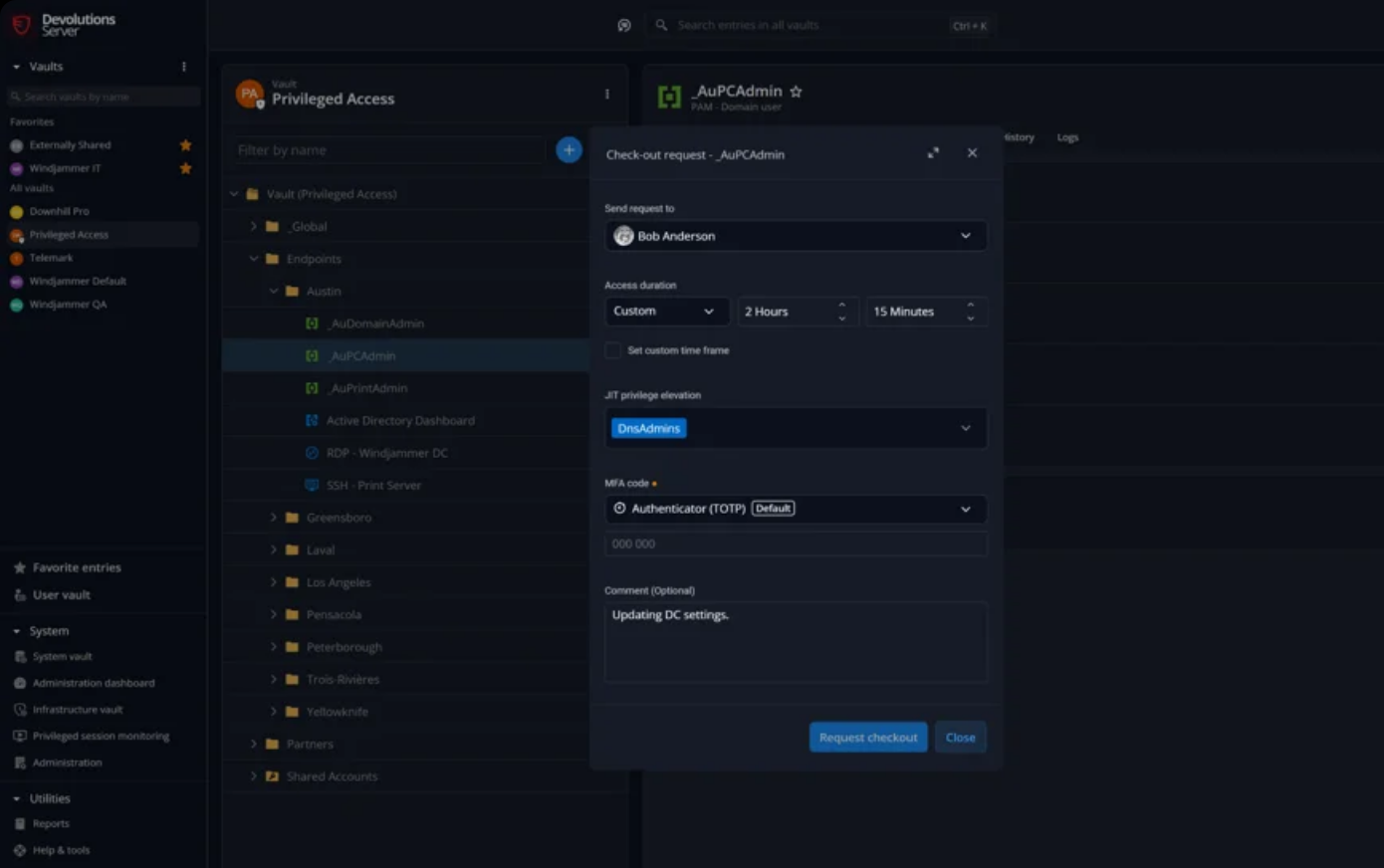
Packages are cumulative and billed per user per month, annually: $3 for workforce password management, $20 for remote access management, $30 for remote desktop management and IT operations, and $50 for privileged access management, which adds Devolutions PAM. Admins check out a privileged account, optionally with approvals and a four-eyes rule. The password rotates on check-in or on a schedule and the new value is propagated to dependent services. Sessions can be watched live or reviewed afterwards, and a recent release added MFA on checkout.
- your team already lives in Remote Desktop Manager and wants checkout and rotation added to it
- you want per-user pricing you can read on the pricing page, and a choice between self-hosted Server and Devolutions Cloud
- you need a standalone PAM with its own agentless session proxy: Devolutions PAM runs as a module on its Server or Hub platform
- you want published gateway and system requirements before sizing a rollout: the Devolutions pages read for this comparison don't list them, so ask first
- Users like
- access granted without exposing the password, per a Gartner reviewer
- Users dislike
- needs some expertise during initial setup, per a Gartner reviewer (the listing is Remote Desktop Manager)
- Source: Gartner Peer Insights, 195 reviews
How it works in practice
Account discovery covers Active Directory, Entra ID, SSH, SQL Server and local Windows accounts. The module runs on Devolutions Server, which you host, or on Devolutions Cloud. A team of five users on the $50 package pays $3,000 a year (five users at $50 a month for 12 months).
The Gartner listing is for Remote Desktop Manager, the client the PAM module runs in, not for the PAM module alone. A reviewer there says initial setup needs some expertise because of the number of functions.
- Starting price
- $50 per user per month, billed annually (PAM package)
- Deployment
- Devolutions Server (self-hosted) or Devolutions Cloud
- JIT access
- Yes, access is granted for a limited time and revoked automatically
- Service accounts
- Discovery from Active Directory, Entra ID, SSH, SQL Server and local Windows accounts
ConnectWise ScreenConnect
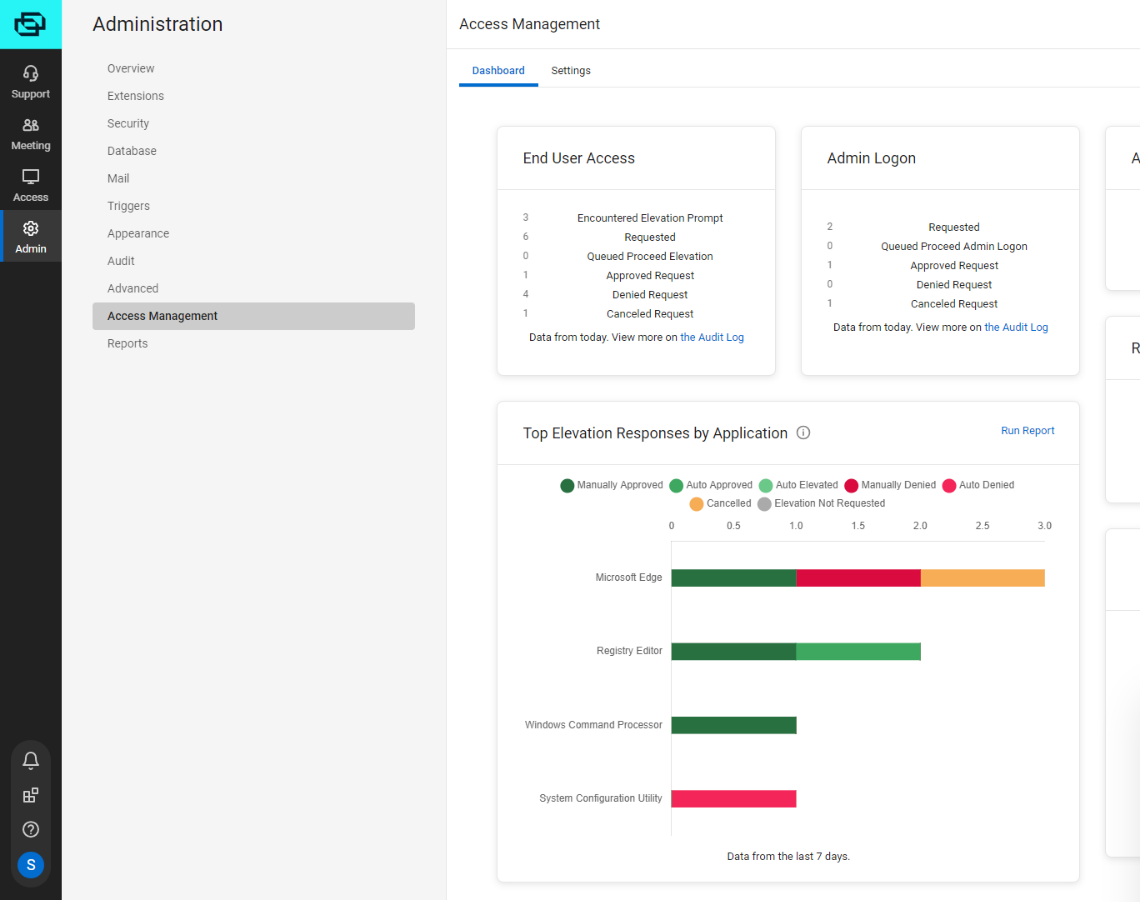
ScreenConnect's privileged access features let end users request admin rights from the Windows UAC prompt. Technicians approve or deny in real time, including from Slack and Microsoft Teams, and sessions are recorded.
For MSPs and help desks the main risk is often technicians holding shared admin passwords, and ScreenConnect's privileged access features address that narrower problem.
End users submit an elevation request from the Windows UAC prompt. Technicians approve or deny it in real time, including from Slack and Microsoft Teams. Sessions are recorded and can be exported for review, and there are audit logs and alerts. The product page doesn't describe a credential vault or service account coverage.
- you already use ScreenConnect for remote support and want admin elevation requests approved and logged
- you're an MSP and your main risk is technicians holding shared admin credentials
- you need a credential vault with rotation: the product page doesn't describe one
- you need to cover service accounts: the page doesn't mention them
- Users like
- easy setup and reliable remote access, per Capterra reviews of ScreenConnect
- Users dislike
- pricing that feels high as device counts grow, per Capterra reviews (the listing covers ScreenConnect as a whole)
- Source: Capterra, 1,903 reviews
How it works in practice
The pricing page lists Privileged Access Management as included in the Enterprise plan, price on request. The Standard plan at $47 and the Premium plan at $57 per concurrent technician a month, billed annually, don't list it. The Capterra rating of 4.7 from 1,903 reviews covers ScreenConnect as a whole, not the privileged access features.
- Starting price
- PAM included in the Enterprise plan (price on request)
- Integrations
- ConnectWise RMM and PSA, Slack, Microsoft Teams
- Other plans
- Standard $47 and Premium $57 per concurrent technician a month, billed annually, list no PAM
PAM for larger and regulated teams
Delinea Secret Server
Secret Server is Delinea's privileged account vault. It discovers accounts, rotates passwords through templates, runs approval workflows and records sessions, in the cloud or on premises.
A long-established privileged account vault for organizations with hundreds of privileged accounts and someone to run it.
Secret Server discovers privileged accounts, stores credentials in an encrypted vault and rotates passwords through remote password changing scripts. A heartbeat checks that the stored password still works after a change. Any secret or folder can require approval first, and checkout gives one person exclusive access for a fixed window.
- you manage hundreds of privileged accounts across Windows, Linux, databases and network gear and need discovery plus rotation
- you need an established vault with approval workflows, available as cloud or on premises
- you're a small team without a PAM administrator: Secret Server Cloud needs a Distributed Engine, a Windows service you install and run in your network
- you need a price before a sales call: Delinea doesn't publish one
- Users like
- tracked checkout of shared credentials, per a Gartner reviewer
- Users dislike
- a confusing interface that needs training, per a Gartner reviewer
- Source: Gartner Peer Insights, 1,315 reviews
How it works in practice
In Secret Server Cloud, Delinea hosts the web servers and the database, but Delinea's documentation says distributed engines are mandatory: a distributed engine is a lightweight Windows service installed in your network to reach your targets. On premises they're optional but typical for any non-trivial network.
Delinea publishes no price. Vendr, a software buying service, reports a median contract of $40,488 a year across 42 purchases, with a range of $10,000 to $98,834. That's third-party data, not a Delinea price list. The Gartner rating of 4.6 comes from 1,315 ratings, the largest sample among the dedicated PAM vaults here.
- Starting price
- No public price (quote only)
- Deployment
- Cloud or on premises (cloud needs a Distributed Engine in your network)
- Pricing basis
- Quote; third-party buyer data (Vendr) shows a median contract of $40,488 a year
- Service accounts
- Discovery and password rotation through templates
BeyondTrust
BeyondTrust sells Password Safe (vaulting, rotation, session recording) and Privileged Remote Access (vendor and admin sessions without a VPN), alone or as one bundle.
The one to look at when outside vendors and contractors need access to your systems and you want every session approved, proxied and recorded.
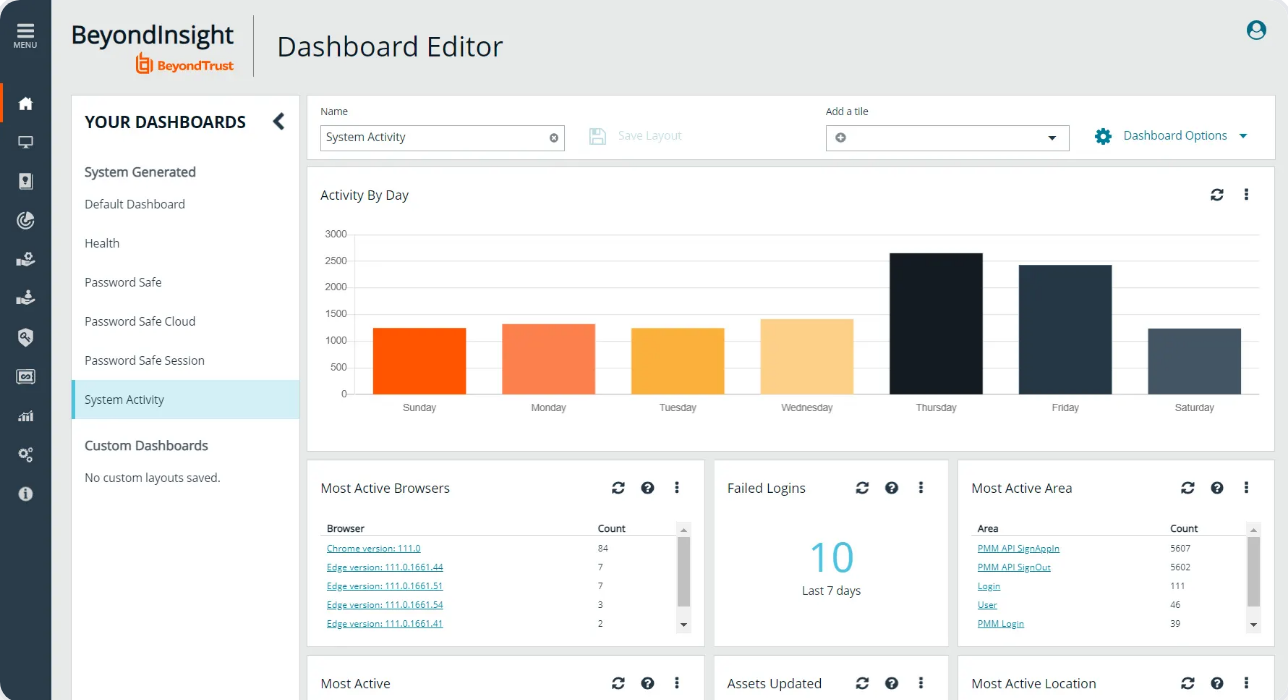
BeyondTrust sells two products that can be bought as one bundle. Password Safe discovers and onboards privileged, shared and service accounts and SSH keys, rotates credentials, and records or terminates sessions. Privileged Remote Access gives vendors and admins access to cloud, on-premises and OT systems with no VPN, injects credentials and keeps session recordings and audit trails.
- you give outside vendors or contractors access to internal systems and want every session approved, proxied and recorded
- you need discovery of privileged, shared and service accounts, SSH keys and application passwords in one suite
- you have no one to run the setup: onboarding needs a functional account, a Resource Broker on Windows and an ordered discovery process, and a Gartner reviewer calls onboarding very convoluted
- you need a published price: the pricing page leads to a request form
- Users like
- vaulting, rotation and session recording in one product, per a Gartner reviewer
- Users dislike
- convoluted onboarding and discovery, per a Gartner reviewer
- Source: Gartner Peer Insights, 245 reviews
How it works in practice
In Password Safe Cloud, BeyondTrust hosts the console while a Resource Broker, an agent on a Windows system in your network, handles discovery, credential management and session proxying. Onboarding follows a fixed order: create a functional account and a password policy, discover assets, onboard systems, then onboard accounts. Onboarding is blocked without the functional account.
The pricing page leads to a request form. Privileged Remote Access has its own Gartner listing at 4.6 from 337 ratings.
- Starting price
- Quote only
- Deployment
- Cloud, virtual or physical appliance
- Ratings
- Privileged Remote Access has 4.6 from 337 ratings on Gartner Peer Insights
- Service accounts
- Discovers and onboards privileged, shared and service accounts
CyberArk (Idira)
CyberArk, now part of Palo Alto Networks and sold under the Idira name, covers vaulting, credential rotation, isolated and recorded sessions and just-in-time cloud entitlements. Privilege Cloud is the SaaS version.
CyberArk, now part of Palo Alto Networks and sold under the Idira name, is a suite built for large environments.
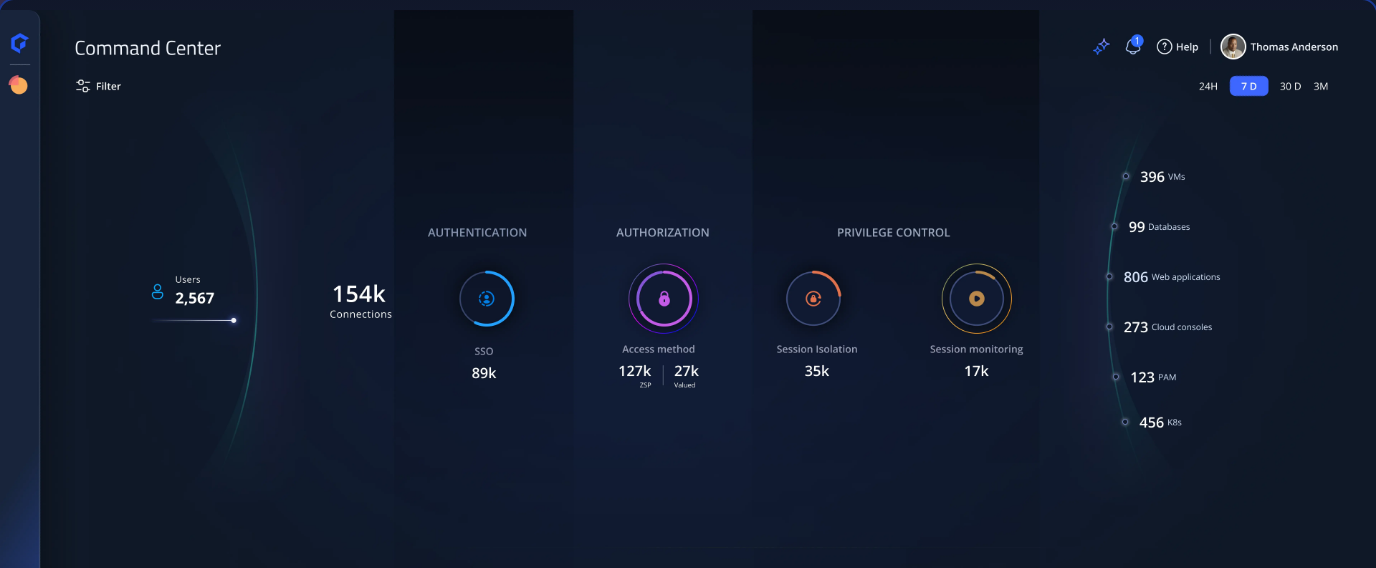
Privilege Cloud keeps the vault in CyberArk's SaaS, but the connector components run on a server in your network: a Connector Management agent, the PSM session proxy that also records sessions, and optionally CPM, which changes passwords on target machines. Palo Alto's Idira page also describes zero standing privileges, with privileges created per task and removed afterwards, agentless brokered access to AWS, Azure, Google Cloud and Kubernetes, and endpoint privilege management on Windows, macOS and Linux as a separate product.
- you run a large or regulated environment and need vaulting, session isolation and machine-identity products from one vendor
- you want a SaaS vault and can run the connector server it needs in your own network
- you have fewer than 25 privileged users: the smallest published Marketplace pack is 25 users
- you want to avoid running servers: Privilege Cloud needs a connector server in your network that hosts the session proxy and password manager components
- Users like
- strong control and session recording for audits, per a Gartner reviewer
- Users dislike
- remote sessions that keep disconnecting, per a Gartner reviewer
- Source: Gartner Peer Insights, 984 reviews
How it works in practice
cyberark.com now redirects to Palo Alto Networks' Idira pages, and the FAQ there tells existing customers they can keep using the platform as before.
The only price we found is a listing on the AWS Marketplace: 25 Standard Privilege Cloud users for $44,712 for 12 months, which works out to about $1,788 per user per year. We found no smaller pack and no small-business edition.
- Starting price
- No public list price; AWS Marketplace lists 25 Privilege Cloud users for $44,712 per 12 months
- Deployment
- SaaS vault with a connector server you run in your network
- Brand
- cyberark.com now redirects to Palo Alto Networks' Idira pages
- Service accounts
- Automated vaulting and rotation, plus separate Secrets Management products
PAM for infrastructure and DevOps access
Teleport
Teleport replaces long-lived SSH keys and shared logins with short-lived certificates. Engineers request access to servers, Kubernetes clusters and databases, reviewers approve it and sessions are recorded.
A different model: no password vault, short-lived certificates instead.
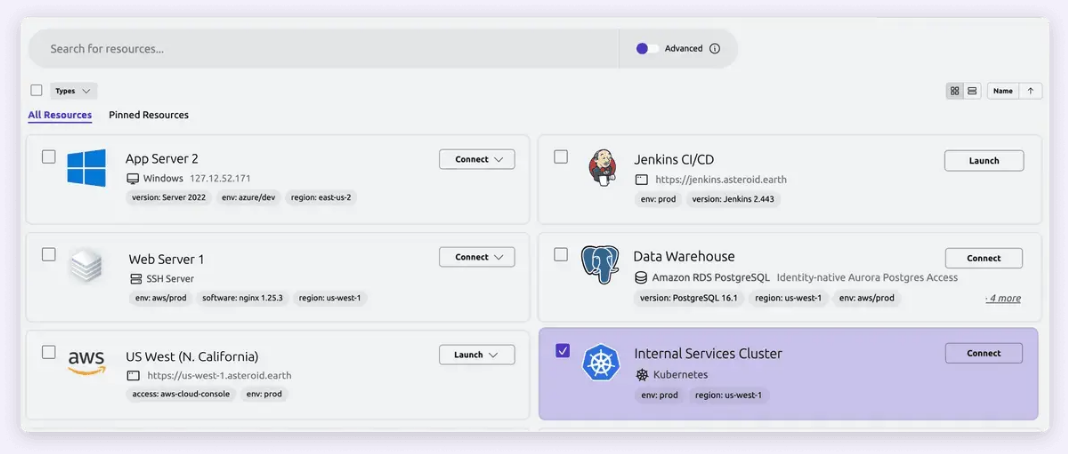
Engineers sign in with SSO and get a short-lived certificate for SSH servers, Kubernetes clusters, databases, internal applications and Windows desktops. Access requests let configured reviewers approve elevated access that lasts a limited time, and nobody can approve their own request. SSH and Kubernetes sessions capture the full terminal output, database sessions record queries and desktop sessions record the screen and mouse input.
- your privileged work is mostly engineers reaching servers, Kubernetes clusters and databases
- you want short-lived certificates instead of vaulted passwords, and the free Community Edition is enough to start
- you need a password vault for existing Windows or network accounts: Teleport issues certificates instead of storing passwords
- you want access requests in the web UI on the free tier: Identity Governance is Enterprise only
- Users like
- access to infrastructure without VPNs or distributed SSH keys, per a Gartner reviewer
- Users dislike
- some complexity configuring certain application types, per a Gartner reviewer
- Source: Gartner Peer Insights, 42 reviews
How it works in practice
For CI/CD and workloads, bots authenticate with join tokens and receive short-lived certificates instead of static secrets. This is certificate-based identity, not a vault for existing service account passwords.
The Community Edition is free, open source and aimed at small teams. Access requests in the web UI and Identity Governance need Enterprise. Enterprise is quote only, billed per monthly active user and per protected resource, with no minimums stated in the pricing guide. A reviewer notes some complexity configuring certain application types.
- Starting price
- Community Edition free; Enterprise quote only (billed per monthly active user and protected resource)
- Deployment
- Self-hosted or Teleport-hosted cloud
- Machine identity
- Bots use short-lived certificates instead of static secrets
- Free tier
- Community Edition, open source
What PAM software costs for a small team
Dedicated PAM is the part of the IT software market where "contact sales" is still the norm. Of the nine tools here, only three publish a PAM price on their own site, and one more has a free edition.
| Tool | Published price (USD) | Basis |
|---|---|---|
| Microsoft Entra PIM | $10 per user per month | Entra ID P2, billed yearly |
| Devolutions PAM | $50 per user per month | PAM package, billed annually |
| ManageEngine PAM360 | From $7,995 per year | 10 administrators and 25 keys |
| Teleport Community | Free | Open source, self-hosted |
| CyberArk (Idira) | $44,712 per 12 months | 25 Privilege Cloud users, AWS Marketplace listing |
Keeper, Delinea, BeyondTrust and the ScreenConnect Enterprise plan are quote only. For a five-admin team, the published prices work out to $600 a year on Entra ID P2, $3,000 a year on the Devolutions PAM package, and $7,995 a year for the smallest PAM360 tier, which covers 10 administrators.
Yearly list prices only. Entra ID P2 needs a license for every approver and reviewer as well as every eligible admin. PAM360 tiers also cap keys (25, 50 and 100), and onboarding services cost extra.
What PAM doesn't answer: who owns your service accounts
Vaulting a service account password answers how the account is used. It plainly doesn't answer who owns it, why it exists or whether anyone still needs it. Discovery tools in this list will happily find accounts that nobody on the team can explain, and the vault then protects them indefinitely. An inventory of the devices those accounts run on is a separate job, covered in our guide to IT asset management software. Vendors sometimes split the market into credential security (vault, rotate, record) and access governance (who owns it, who reviewed it). The tools above sit on the first side.
The IT Lead covers one question from the second side: it imports service accounts from a CSV, asks the nominated owner to confirm ownership and purpose by email, and keeps the review trail. It doesn't vault, rotate or disable anything, and it reads from CSV today, not from live directory connections.
Which tool to pick
- Admin roles in Microsoft 365, Entra ID and Azure onlyMicrosoft Entra PIM, if you hold or will buy Entra ID P2
- A cloud PAM with a vault and no server to hostKeeper, after a quote
- Published prices and a server you can hostManageEngine PAM360, or the free edition for one administrator
- Checkout and rotation added to Remote Desktop ManagerDevolutions PAM at $50 per user per month
- Technicians holding shared admin passwords at an MSPScreenConnect privileged access, on the Enterprise plan
- Outside vendors and contractors reaching internal systemsBeyondTrust Privileged Remote Access
- Hundreds of privileged accounts and a dedicated PAM administratorDelinea Secret Server or CyberArk (Idira)
- Engineers reaching servers, Kubernetes and databasesTeleport, starting on the Community Edition
FAQ
What is privileged access management software?
Privileged access management software controls, limits and records the use of accounts with admin rights. It typically stores or issues credentials, grants access for a limited time, rotates passwords and records sessions.
What is the difference between a password manager and PAM software?
A password manager stores credentials for individual users, while PAM software controls admin accounts with approvals, rotation, time limits and session recording.
Is Microsoft Entra PIM enough for a small IT team?
It's enough if the roles you need to protect are in Entra ID, Azure and Microsoft 365. It manages role assignments, so Linux root accounts, network devices, databases and service account passwords sit outside it. It also needs Entra ID P2 or Entra ID Governance licenses.
How much does PAM software cost?
PAM software prices are mostly quote only. The published prices in this comparison are $10 per user per month for Entra ID P2 (which includes PIM), $50 per user per month for the Devolutions PAM package, and from $7,995 a year for ManageEngine PAM360 with 10 administrators. Teleport's Community Edition is free.
Are there free PAM options?
ManageEngine PAM360 has a free edition for one administrator and up to 10 resources, and Teleport has a free open source Community Edition. Both are limited, and neither is a drop-in replacement for a paid suite with approvals across many systems.
Does PAM software manage service accounts?
PAM software can manage service accounts, but coverage varies by tool. Keeper, Delinea, BeyondTrust and CyberArk describe discovery or rotation for service account credentials. Entra PIM can assign roles to service principals but doesn't vault their passwords. Who owns each account and whether it's still needed is a separate review process that a vault doesn't run.