SaaS management software gives IT one inventory of the SaaS apps a company pays for and uses: who has an account, how often they log in, what each app costs and when the contract renews. On top of that inventory it reclaims unused seats, flags shadow IT and runs onboarding and offboarding across apps. Most products in this category are built for enterprises with a procurement team, so this comparison starts from a different question: which tool a small IT team can actually run, and which one fits the person who owns the problem in your company.
The market also moved a lot in 2026. BetterCloud, Zluri and Torii have new owners or signed deals, and Productiv shut down. Each entry below says how the tool finds your apps, what it automates, what it costs if the vendor publishes a price, and who should skip it.
- SaaS management tools compared
- 9
- free tier (BetterCloud Spend Optimization Basic)
- 1
- tools that sell by quote only
- 7
- vendors with a new owner or a signed deal since 2025
- 4
Our picks by situation
 Best if you already run JumpCloudJumpCloud SaaS ManagementShadow IT and AI app discovery through the browser extension and device agent you may already deploy, with warn or block rules for unapproved apps.
 Best when the problem is spend and surprise renewalsCledaraEvery SaaS bill runs through its own virtual card, so the app list builds itself from payments.
 Best for no-code onboarding and offboardingBetterCloudWorkflow builder across Google Workspace, Microsoft 365 and Okta, plus a free Spend Optimization Basic tier to start.
 Widest discovery and access reviews in one toolZluriSSO, finance, MDM, CASB and agent discovery, scheduled license reclamation and a non-human identity inventory.
 Best for access reviews outside SSO1Password SaaS ManagerRecurring reviews and offboarding through 400+ integrations, with an exportable audit trail.
 Best when finance owns renewalsZyloFinance-first discovery and renewals ranked by savings potential.
SaaS management software compared
| Tool | Type | How it finds your apps | Price (USD unless noted) | G2 rating |
|---|---|---|---|---|
| JumpCloud SaaS Management | SaaS management and shadow IT discovery inside an identity platform | Browser extension, device agent, SSO, API connectors | Included in Platform Prime (contact sales); SaaS License Management alone $3 per user per month, annual | 4.5 (4,121) |
| Cledara | SaaS spend and subscription management | Virtual card payments, browser extension, accounting sync | GBP only: Basic charged GBP 100 per month unless 10 apps run on Cledara cards; IT Management add-on GBP 150 per month; Premium and Pro by demo | 4.6 (251) |
| BetterCloud | SaaS management and IT automation | SSO, finance data, Chrome extension, app integrations | Spend Optimization Basic $0/month; every paid module by quote | 4.4 (486) |
 Torii Torii | SaaS management and identity governance | Browser extension, SSO, finance, HR and MDM feeds, 200+ integrations | Quote only; Vendr buyer data shows a median of about $32,000 per year | 4.5 (325) |
| Zluri | SaaS management and identity governance | SSO, direct integrations, finance, MDM, CASB, browser and desktop agents | No public pricing, demo request only | 4.6 (177) |
| 1Password SaaS Manager | SaaS management (formerly Trelica) | Identity provider, finance, HR, MDM, 1Password browser extension | Request a quote; no published price | 4.8 (41) |
 Josys Josys | Identity governance and SaaS management | Identity provider and its audit logs, browser extension, 350+ integrations | By quote, priced per identity governed; free 14-day trial and a free health check for 5 apps | 4.3 (131) |
| Zylo | Enterprise SaaS spend management | Finance and expense data, SSO logins, direct integrations | Quote only (Core, Premium, Enterprise); Vendr buyer data shows a median of about $36,000 per year | 4.7 (53) |
 CloudEagle CloudEagle | SaaS management, identity governance and procurement | SSO, finance, HRIS and procurement tools, 500+ integrations | Quote only; its UK G-Cloud price document gives GBP 8,000 to 25,000 per year at 50 to 100 employees | 4.7 (107) |
 The IT Lead Our product The IT Lead Our product | Service account ownership reviews | Collects owner attestations for service accounts and keeps the review trail | Access code | No reviews yet |
Prices from each vendor's pricing page or documentation, read October 21, 2026. Seven of the nine sell by quote only; Cledara lists GBP prices only. G2 ratings were read on G2 the same day. JumpCloud's rating covers the whole JumpCloud platform, not only SaaS management.
What SaaS management software does
SaaS itself is software you rent and use over the internet instead of installing it, such as Slack, Zoom, Salesforce or QuickBooks Online, and most companies run many of them at once. A SaaS management platform (SMP) is the system of record for those subscriptions. It answers four questions IT gets asked every week: which apps do we have, who uses them, what do they cost, and who still has access after leaving. The products in this list do some or all of the following.
- Discovery. It finds apps, including shadow IT that nobody bought through IT, from your identity provider, finance data, a browser extension, device agents or direct API integrations.
- License optimization. It compares paid seats with real logins and flags or reclaims unused licenses after a threshold you set, such as 30, 60 or 90 days without activity.
- Renewals and contracts. It keeps a renewal calendar, reads contract terms such as notice periods and auto-renew clauses, and alerts the app owner before the deadline.
- Onboarding and offboarding. It grants and removes app access when someone joins, changes roles or leaves, either natively or by handing the change to your identity provider.
- Access reviews. It asks app owners to confirm who should keep access and keeps the evidence for SOC 2 or ISO 27001 audits.
The category overlaps with two others, and buyers often mix them up.
| Software type | Main question it answers | Examples | Where it stops |
|---|---|---|---|
| SaaS management platform | Which SaaS apps do we use, who uses them and what do they cost? | Torii, Zylo, BetterCloud, Zluri | Rarely covers laptops, on-prem software or privileged admin sessions |
| Identity governance (IGA) | Who should have access to what, and can we prove it? | Josys, Zluri's IGA module, Lumos | Light on spend, contracts and renewals |
| IT asset management | What hardware and installed software do we own? | Lansweeper, Snipe-IT, NinjaOne | Sees SaaS only as a license line, not usage |
If laptops and installed software are your bigger gap, our guide to IT asset management software covers that side. For admin accounts and vaulted credentials, see privileged access management software.
How SaaS management tools find your apps
SaaS management tools find apps from five sources: your identity provider, finance and expense data, a browser extension, device agents and direct API integrations. Each source misses something, so vendors stack several instead of relying on one. Ask every vendor which ones it uses, because the list decides how much shadow IT you'll actually see. If you're still choosing the identity provider itself, our Okta vs Microsoft Entra ID comparison covers that decision.
| Discovery source | What it finds | What it misses | Tools here that use it |
|---|---|---|---|
| Identity provider and SSO logs (Okta, Microsoft Entra ID, Google Workspace) | Every app behind single sign-on, plus apps people log into with Google or Microsoft accounts | Apps with their own username and password, and personal sign-ups | Every tool here except Cledara, which uses Okta and Google only for sign-in |
| Finance, expense and card data | Anything someone pays for, including on a personal card that's expensed | Free and freemium apps, and paid seats nobody uses | Cledara, Zylo, Torii, Zluri, BetterCloud, CloudEagle, 1Password SaaS Manager |
| Browser extension | Logins and time spent in web apps, including apps outside SSO | Desktop apps, and browsers where the extension isn't installed | JumpCloud, Cledara, BetterCloud, Torii, Zluri, 1Password SaaS Manager, Josys |
| Device agent or MDM data | Installed desktop apps and usage on managed laptops | Unmanaged and personal devices | JumpCloud, Torii, Zluri, 1Password SaaS Manager |
| Direct API integrations | Accounts, license types and last activity inside each connected app | Apps without an API connector | Every tool, with very different counts: from 200+ at Torii to 500+ at CloudEagle, per each vendor's own pages |
How we chose these tools
We picked tools for IT teams of 1 to 10 people and for MSPs that run IT for small companies, then checked every fact on the vendor's pricing, product and documentation pages and on G2. Each tool was judged on six points.
- Discovery sources. How many of the five sources above it uses, and whether it finds apps outside SSO.
- What it changes, not just what it shows. Whether offboarding and license reclamation run inside the tool or get handed to Okta, Entra ID or a Jira ticket.
- Access reviews. Whether it runs review campaigns with evidence an auditor will accept.
- Non-human accounts. Whether it lists service accounts, API tokens, OAuth grants and AI agents, not only people.
- Price transparency. What the vendor publishes, and the unit it counts.
- Effort for a small team. Setup work, documentation quality and what reviewers say about running it.
Lumos is left out of the ranking: it's a capable access tool, but its product navigation lists no spend, license or renewal module, which makes it identity governance rather than SaaS management. Flexera and Calero lean toward enterprise software asset management. Productiv is gone.
Which job each tool is built for
Every tool in this list builds an app inventory, but they differ in what they do with it, so the map below places each tool at the job it's mostly bought for.
- Job 1See every app and what you pay
- JumpCloud SaaS Management
- Cledara
Breaks when tracking only: neither removes access inside apps by itself - Job 2Run joiners, movers and leavers
- BetterCloud
- Torii
Breaks when needs clean HR or directory data to trigger the right workflow - Job 3Prove access for audits
- Zluri
- 1Password SaaS Manager
- Josys
Breaks when reviews are only as good as the app owners who answer them - Job 4Own renewals and negotiation
- Zylo
- CloudEagle
Breaks when priced and staffed for a procurement or FinOps owner
Visibility first on a small budget
These two fit a company where one or two IT people own SaaS on top of everything else and the first goal is a reliable list of apps, owners and renewal dates. Neither one deprovisions accounts inside apps, however, so plan the cleanup work yourself.
JumpCloud SaaS Management
JumpCloud's AI and SaaS Management module finds shadow IT and AI tools through a browser extension, device agent, SSO and API connectors, and tracks usage and licenses for apps already in your JumpCloud directory.
If your company already runs JumpCloud for directory, SSO or device management, SaaS discovery sits in the console you already use. It isn't sold on its own: JumpCloud's documentation says AI and SaaS Management requires the Platform Prime package.
You switch it on under Access > AI & SaaS Management in the Admin Portal and pick the discovery methods. The JumpCloud Go browser extension starts tracking a few minutes after someone signs in to the User Portal or through SSO. The JumpCloud agent on macOS, Windows and Linux checks every 30 minutes whether an app is open and active. SSO apps you've already configured appear automatically as approved, and connectors pull account lists and activity from provider APIs.
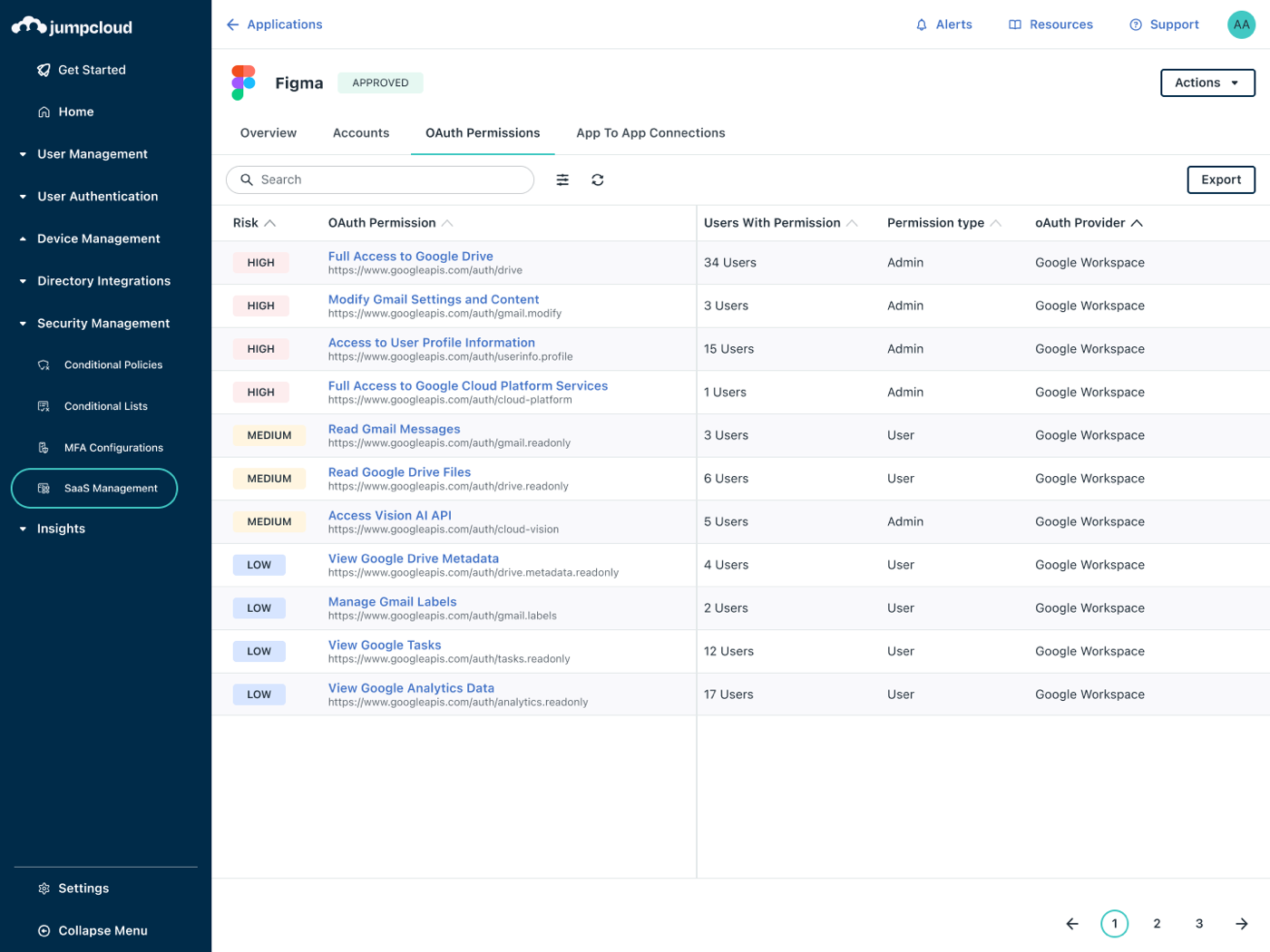
New apps land under Newly Discovered, where you mark each one Approved, Unapproved or Ignored. For unapproved apps you can show a warning, redirect people to an approved alternative or block the app, and blocking needs the browser extension. A Shadow AI dashboard shows which AI tools each department uses. The Google Workspace connector also lists OAuth permissions per app with a risk level, so you can see which third-party apps people granted access to their Google accounts.
- you already run JumpCloud for directory, SSO or device management and want discovery in the same console
- you want to block or warn on unapproved apps and see Google Workspace OAuth grants by risk
- you don't use JumpCloud: the feature is only sold with the Platform Prime package, not on its own
- you need renewal alerts, contract tracking or license sync beyond Google Workspace, Entra ID, Slack and PagerDuty
- Users like
- efficiency and stronger company security, per G2 reviewers of the JumpCloud platform
- Users dislike
- price, plus missing integrations, per G2 reviewers of the JumpCloud platform
- Source: G2, 4,121 reviews
How it works in practice
License data syncs automatically only for Google Workspace, PagerDuty, Microsoft Entra ID and Slack. For every other app you enter costs, seat counts and renewal dates by hand, and JumpCloud's documentation calls license management a tracking and visibility feature: it doesn't remove access. There's no contract repository or renewal alert workflow in the pages we read.
Two details matter in daily use. When you delete a user in JumpCloud, their SaaS accounts stay listed without an owner unless you configure automatic deletion. And turning the feature off deletes all SaaS Management data from the Admin Portal and the devices.
On G2, JumpCloud as a whole has 4.5 out of 5 from 4,121 reviews. That rating covers the identity and device platform, not only SaaS discovery. Reviewers credit one platform for directory, SSO and devices, and price is the complaint that comes up most.
- Starting price
- Included in Platform Prime (contact sales); SaaS License Management alone $3 per user per month, annual
- Discovers via
- Go extension, device agent, SSO, API connectors
- License sync
- Google Workspace, Entra ID, Slack, PagerDuty
- Plan
- Platform Prime
- Automatic license sync
- Google Workspace, Entra ID, Slack, PagerDuty
Cledara
Cledara is a finance-led SaaS management platform that pays software bills through virtual cards, tracks renewals and seats in an application directory and adds an extension for usage and shadow subscriptions.
Cledara starts from the money. Every SaaS subscription gets its own virtual card, and the app directory builds itself from what those cards pay.
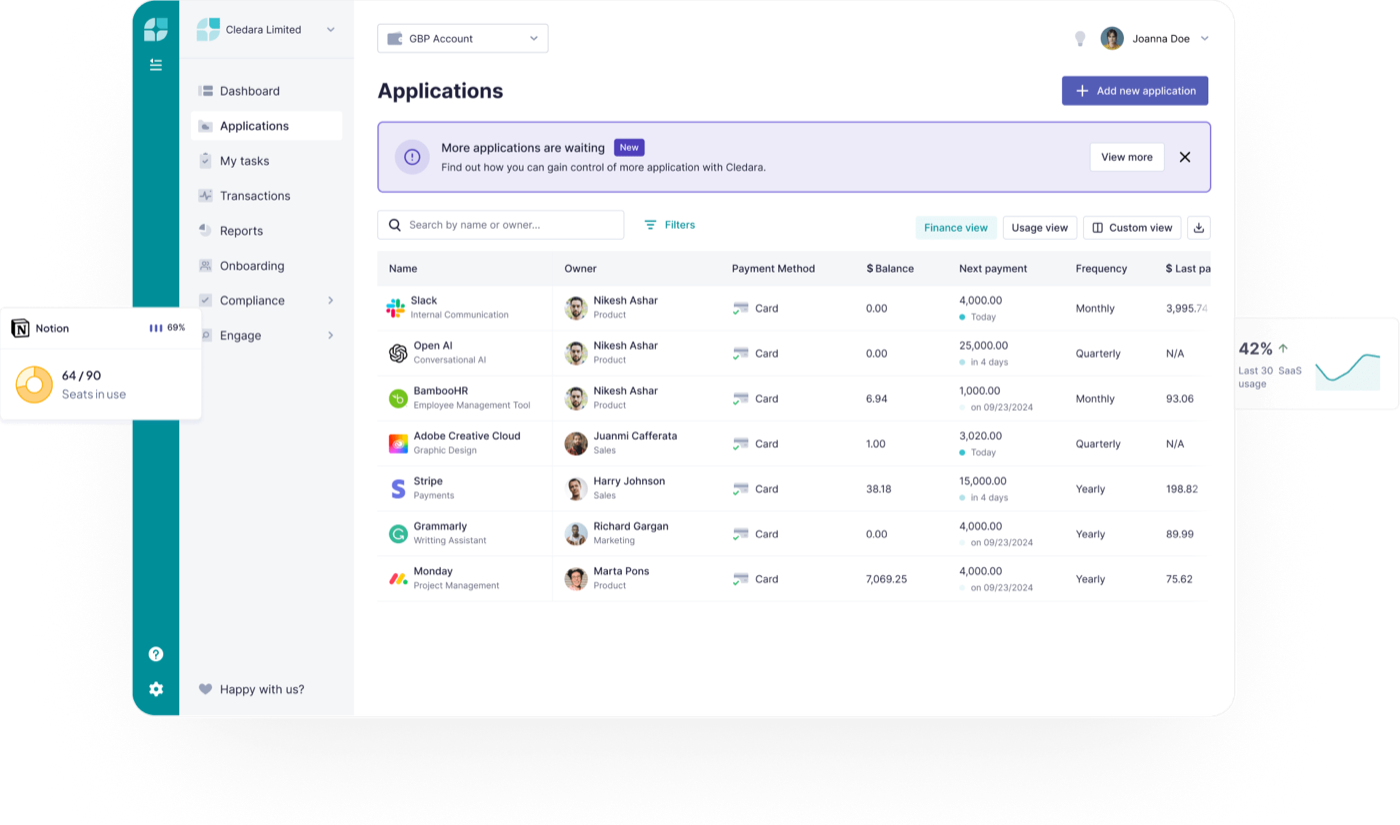
Each app paid through Cledara shows up in the Application Directory with its owner, payment method, next payment date and billing frequency. Spending limits and budgets sit on each card, so a tool can't quietly double its bill. Apps paid some other way come in through the Cledara Engage browser extension, which runs on Chrome, Safari, Edge, Firefox, Opera and Vivaldi, or you add them by hand. Accounting sync with Xero, QuickBooks or NetSuite matches invoices to payments.
The plans are sized by company: Basic is typically for 25 to 50 staff and up to 20 apps, Premium for 51 to 150 staff and up to 75 apps with approval workflows and automatic invoice capture, and Pro for 151 or more staff with Okta SSO. The IT Management add-on adds access requests, shadow IT insights and onboarding and offboarding tied to your HR system, with 36 HRIS integrations listed.
- the SaaS problem in your company is spend and surprise renewals, and you want one card per tool with limits
- you have a 25 to 150 person company and want HRIS-linked onboarding and offboarding tasks without an identity platform
- you need to find apps through your IdP, MDM or SaaS APIs rather than payments and a browser extension
- you want to see service accounts, API tokens or AI agents, which Cledara does not track
- Users like
- easy to use, with all subscriptions and invoices in one place, per G2 reviewers
- Users dislike
- reporting is thin, and Capterra reviewers say Gmail invoice capture misses invoices
- Source: G2, 251 reviews
How it works in practice
Cledara is a finance tool first, not an identity tool. It doesn't discover apps from your identity provider, MDM or SaaS APIs, and it doesn't track service accounts, API tokens or AI agents. Offboarding is described at a high level on its site, without detail on what it removes inside each app. If your auditor asks who has access to your production tools, you'll need something else.
Prices are published in GBP only. Basic has no fixed fee: it's charged at GBP 100 a month unless at least 10 apps run on Cledara cards in the first month. US customers get a Mastercard issued through CBW Bank and can hold USD balances.
G2 shows 4.6 out of 5 from 251 reviews. Reviewers like having every subscription and invoice in one place, and Capterra reviewers say Gmail invoice capture sometimes misses invoices.
- Starting price
- GBP only: Basic charged GBP 100 per month unless 10 apps run on Cledara cards; IT Management add-on GBP 150 per month; Premium and Pro by demo
- Discovers via
- Card payments, browser extension, accounting sync
- Currency
- GBP list prices, US cards via CBW Bank
- Offboarding
- HRIS-linked workflows (IT add-on)
- Plans
- Basic, Premium, Pro plus add-ons
When IT runs onboarding and offboarding
Pick a tool from this onboarding and offboarding group when the daily pain is lifecycle tickets: new hires waiting for access, and leavers who keep accounts in apps your identity provider doesn't manage. Those tickets still start in your service desk; our service desk software comparison covers the tools that route and time them.
BetterCloud
BetterCloud is a modular SaaS management platform that combines no-code user lifecycle automation, SaaS spend and license optimization, and Google Workspace administration, with a human-approved IT Agent.
BetterCloud is built around a no-code workflow engine for joiner, mover and leaver changes across Google Workspace, Microsoft 365, Okta and connected SaaS apps. CoreStack, a cloud governance vendor, acquired it in March 2026.
User Automation workflows start from a trigger, such as a new hire in your HR system or a termination date, and run actions across connected apps: create accounts, change groups, transfer files, remove licenses. Workflows support HR attributes, if/else branching and schedules. In August 2026 BetterCloud released a rebuilt freeform workflow canvas with parallel paths. On-demand runs work there today, while scheduled and event-based triggers were listed as coming soon, so check which console your account uses.
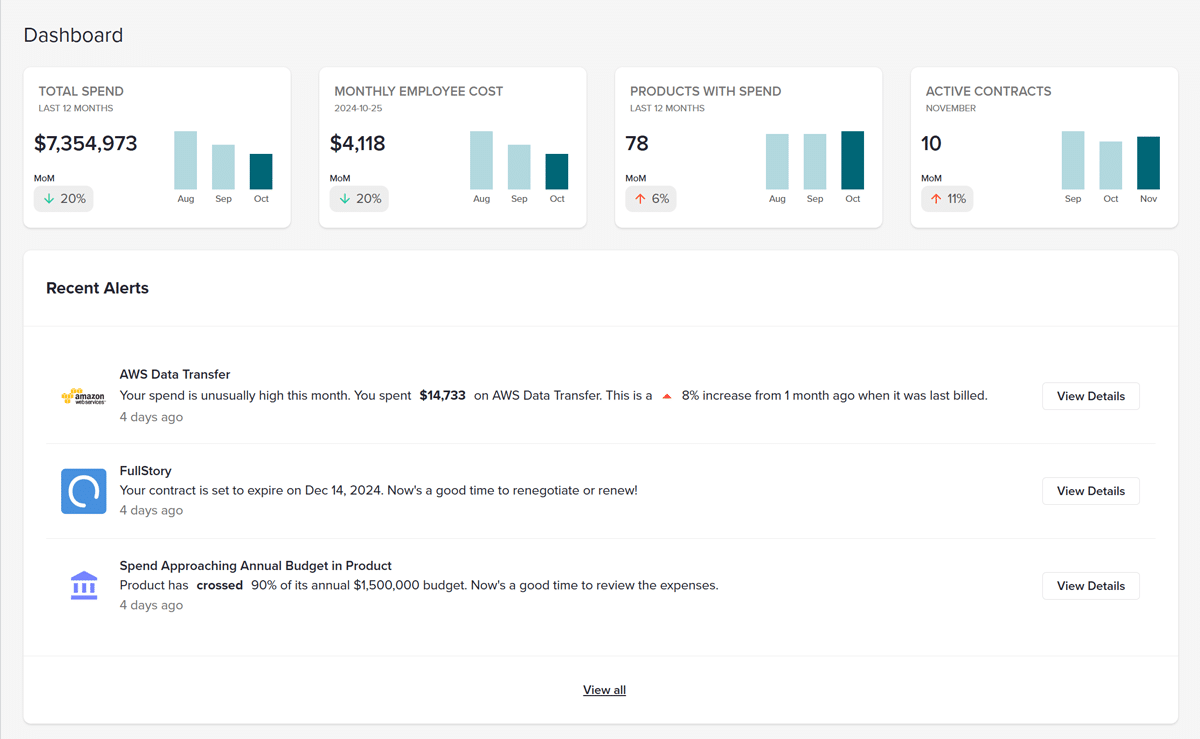
Spend Optimization builds the app inventory from SSO, finance and ERP data and a Chrome extension launched in March 2026 that detects usage by URL and domain. It flags unused and overlapping licenses, sends 30, 60 and 90 day renewal alerts, and can start a reclamation workflow for inactive accounts. The IT Agent takes admin requests in plain language and asks for human approval before every action.
- you run Google Workspace, Microsoft 365 or Okta and want onboarding and offboarding workflows built without code
- you want a free $0 Spend Optimization Basic tier to see license use and contracts before paying
- you need a published per-user price: every paid module is quote-only
- you need a full access review module or a broad service account and API token inventory
- Users like
- no-code automation of onboarding and offboarding, ease of use and responsive support, per G2 reviewers
- Users dislike
- high cost, slow syncing on large data sets and thin documentation, per G2 reviewers
- Source: G2, 486 reviews
How it works in practice
BetterCloud has no dedicated access review module on its product pages, so audit-driven teams should look at the next group. Its AI Governance inventory, added in August 2026, lists API keys, MCP servers and service accounts, but only for Cursor, Anthropic, OpenAI and GitHub Copilot. It isn't a general service account inventory for the rest of your stack.
The $0 Spend Optimization Basic tier gives a first look at license use and contracts. Every paid module, including User Automation, is priced by quote based on license count, connected apps and modules. Spend Optimization and File Governance also offer free trials.
G2 shows 4.4 out of 5 from 486 reviews. Reviewers praise automating onboarding and offboarding without code and complain about cost, slow syncs on large data sets and thin documentation.
- Starting price
- Spend Optimization Basic $0/month; every paid module by quote
- Discovery
- SSO, finance/ERP and Chrome extension
- Free tier
- Spend Optimization Basic, $0 a month
- Owner
- CoreStack (acquired March 2026)
- Discovers via
- SSO, finance and ERP data, Chrome extension
Torii
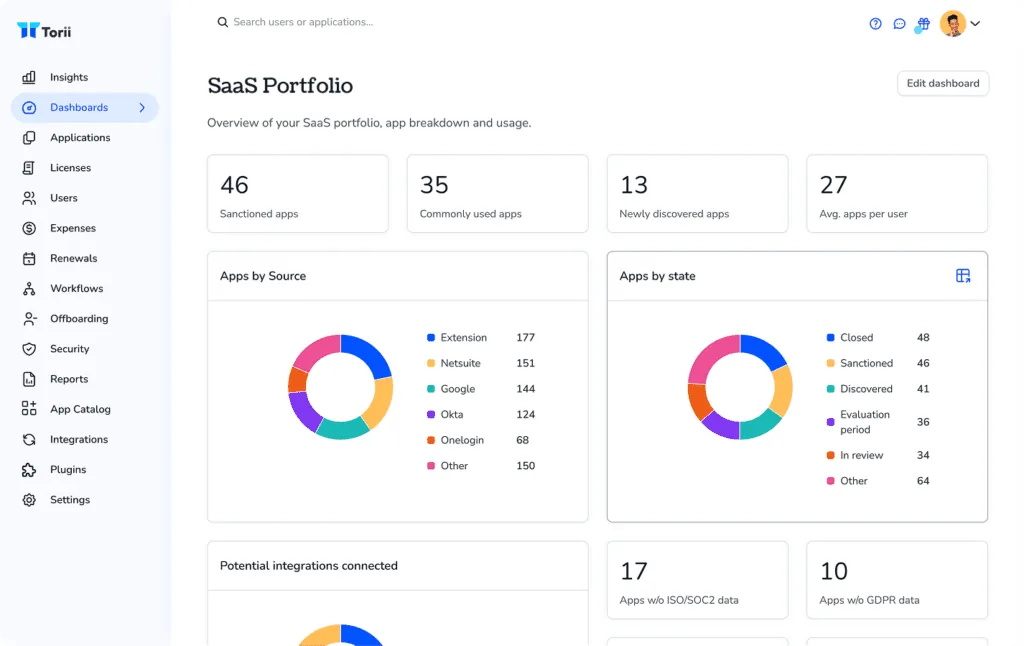
Torii is a SaaS management platform that builds an app inventory from a browser extension, SSO, finance feeds and 200+ integrations, then runs no-code workflows for license reclamation, renewals and onboarding and offboarding.
Torii covers the widest set of jobs in this group: discovery beyond the IdP, license reclamation, renewals and no-code lifecycle workflows. Freshworks signed an agreement to acquire it on October 12, 2026.
Discovery combines a browser extension with your identity provider (Okta, Entra ID, Google Workspace or OneLogin), finance and expense feeds such as Ramp, Coupa, Concur and NetSuite, HR systems such as Workday and Personio, device tools such as Intune and JumpCloud, and 200+ direct integrations. The extension is what catches apps that never pass through SSO, and it measures how often each app is actually used.
Offboarding runs as a workflow. Torii's help center example starts from an Okta event, User was deactivated, and then suspends the Google Workspace user, removes their group memberships, signs them out of all sessions and transfers their Drive files to the manager. License reclamation can ask for approval in Slack before a seat is removed. Contracts are read by AI to capture renewal dates and auto-renew clauses.
- you want browser-extension discovery that catches apps your IdP never sees
- you want offboarding workflows that revoke access and reclaim seats in one place
- you need a published price or a budget under roughly $15,000 per year
- you want certainty about the product's direction: Freshworks has agreed to acquire Torii
- Users like
- ease of use and automation that make SaaS usage visible, per G2 reviewers
- Users dislike
- missing features and weak reporting are the most cited cons on G2
- Source: G2, 325 reviews
How it works in practice
Torii also runs access reviews and access requests, and says its discovery finds non-human identities such as service accounts, API keys, bots and AI agents, assigns them an owner and includes them in reviews. That's broader than most tools here.
For a small team, though, the drawback is price and fit. Torii doesn't publish prices, and Vendr's buyer data shows a median of about $32,000 a year across 53 purchases. The pending Freshworks deal is also worth a question in the sales call: Torii hasn't published long-term plans for customers who don't use Freshworks for IT service management.
G2 shows 4.5 out of 5 from 325 reviews. Reviewers mention ease of use and automation most often, and missing features and weak reporting are the most cited cons.
- Starting price
- Quote only; Vendr buyer data shows a median of about $32,000 per year
- Discovery
- Browser extension, SSO, finance, 200+ integrations
- Non-human IDs
- Service accounts, API keys, AI agents
- Owner
- Freshworks deal signed October 12, 2026
- Discovers via
- Extension, IdP, finance, HR, MDM, 200+ integrations
- Non-human accounts
- Service accounts, API keys, bots, AI agents
When access reviews and audits drive the purchase
Choose from this access review group when SOC 2, ISO 27001 or a customer security questionnaire is why you're buying. All three run review campaigns with app owners as reviewers and keep the evidence.
Zluri
Zluri is a SaaS management and identity governance platform that discovers apps through SSO, finance, MDM and agents, auto-reclaims unused licenses, tracks renewals and also inventories non-human identities.
Zluri pairs a SaaS management platform with identity governance, and it uses more discovery sources than any other tool here. Infotech, formerly Info-Tech Research Group, announced on October 14, 2026 that it had acquired Zluri.
You connect an SSO provider first (Azure AD, Google Workspace, Okta, OneLogin or JumpCloud), then add direct integrations, finance transactions, MDM and browser or desktop agents. Zluri's help center says finance data is disabled by default and never adds an app on its own, which keeps expense noise out of the inventory. Each discovered app gets a primary source and a status.
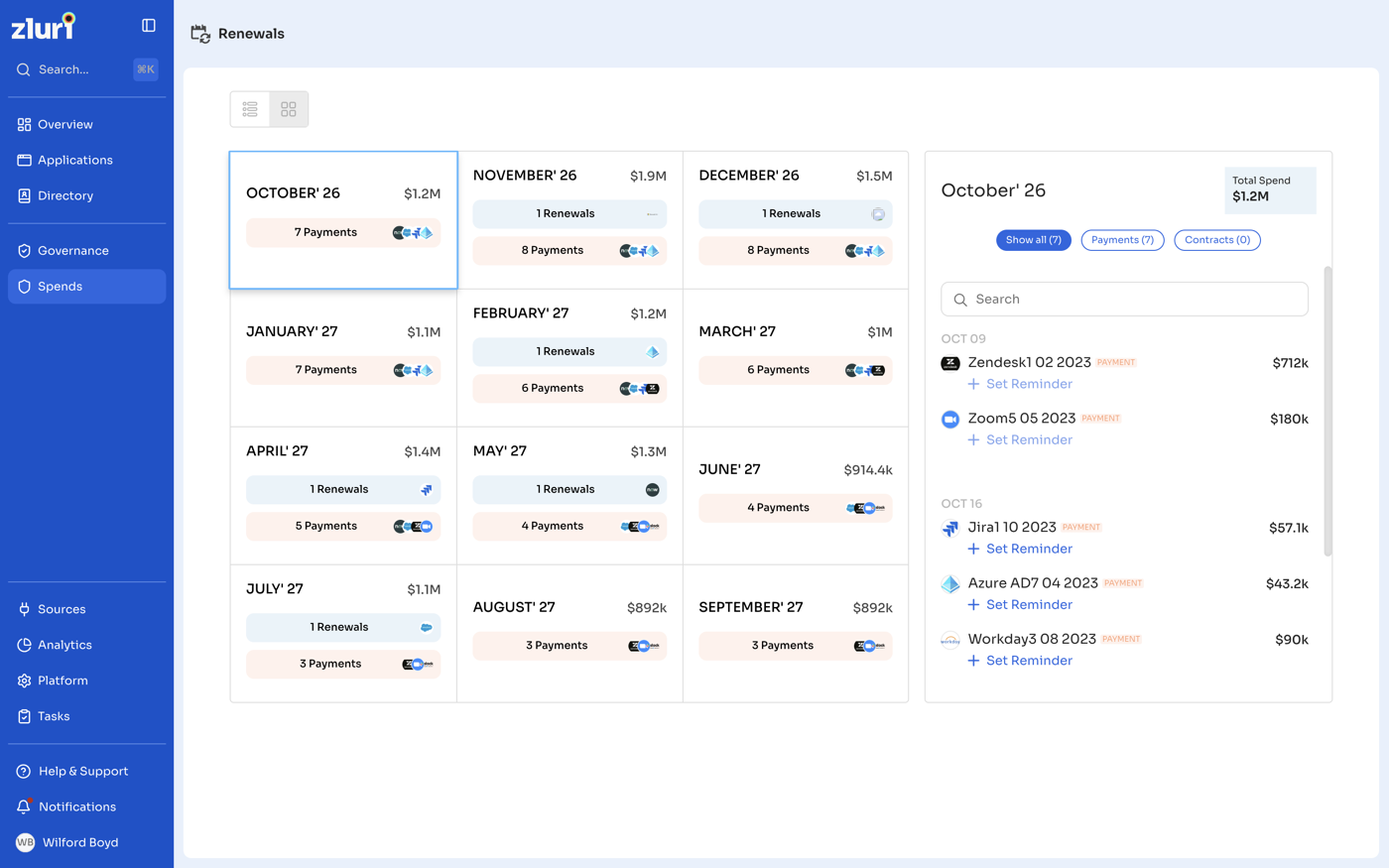
License optimization is set per app: you pick an unused threshold of 30, 60 or 90 days, the account types to exclude (group, service or external accounts) and a playbook that reclaims or downgrades licenses on a schedule. Settings changes can take up to 12 hours to apply. A Renewals page shows the next 12 months of renewals and payments. Access Reviews, Access Requests and segregation of duties checks sit in the identity governance part of the product.
- you want the widest discovery sources (SSO, finance, MDM, CASB, browser and desktop agents) and automatic license reclamation on a schedule
- you also need access reviews and a service account and API token inventory in the same tool
- you want to see a price before talking to sales: there is no pricing page
- you need highly customized workflows or hourly data: reviewers cite limited customization and a 24 hour refresh
- Users like
- ease of use, automatic app discovery and standout support, per G2 reviewers
- Users dislike
- limited connectors, limited workflow customization and a 24 hour data refresh, per Gartner Peer Insights reviewers
- Source: G2, 177 reviews
How it works in practice
Zluri's non-human identity product lists service accounts, API keys, tokens, bots and OAuth grants inside connected apps, groups them by type, and lets you assign owners and archive stale ones. Nothing extra is installed: the identities come from integrations you already connected.
There's no pricing page; zluri.com/pricing sends you to a demo request. The help center counts nearly 300 direct integrations while the website says 300+, and some apps are listed as available on request.
G2 shows 4.6 out of 5 from 177 reviews, with ease of use, automatic discovery and support praised most. Gartner Peer Insights reviewers mention limited connectors, limited workflow customization and a 24 hour data refresh.
- Starting price
- No public pricing, demo request only
- Discovery
- SSO, finance, MDM, CASB, agents
- Non-human IDs
- Service accounts, keys, tokens, bots
- Owner
- Infotech (acquired October 2026)
- Discovers via
- SSO, finance, MDM, CASB, browser and desktop agents
- Non-human accounts
- Service accounts, API keys, tokens, bots, OAuth grants
1Password SaaS Manager
1Password SaaS Manager, formerly Trelica, discovers apps through IdP, finance, HR, device and browser extension data, then drives license reclamation, renewals, offboarding workflows and recurring access reviews.
1Password SaaS Manager, formerly Trelica, runs access reviews and offboarding for apps that aren't behind SSO or don't support SCIM, through the 400+ integrations listed on its product page.
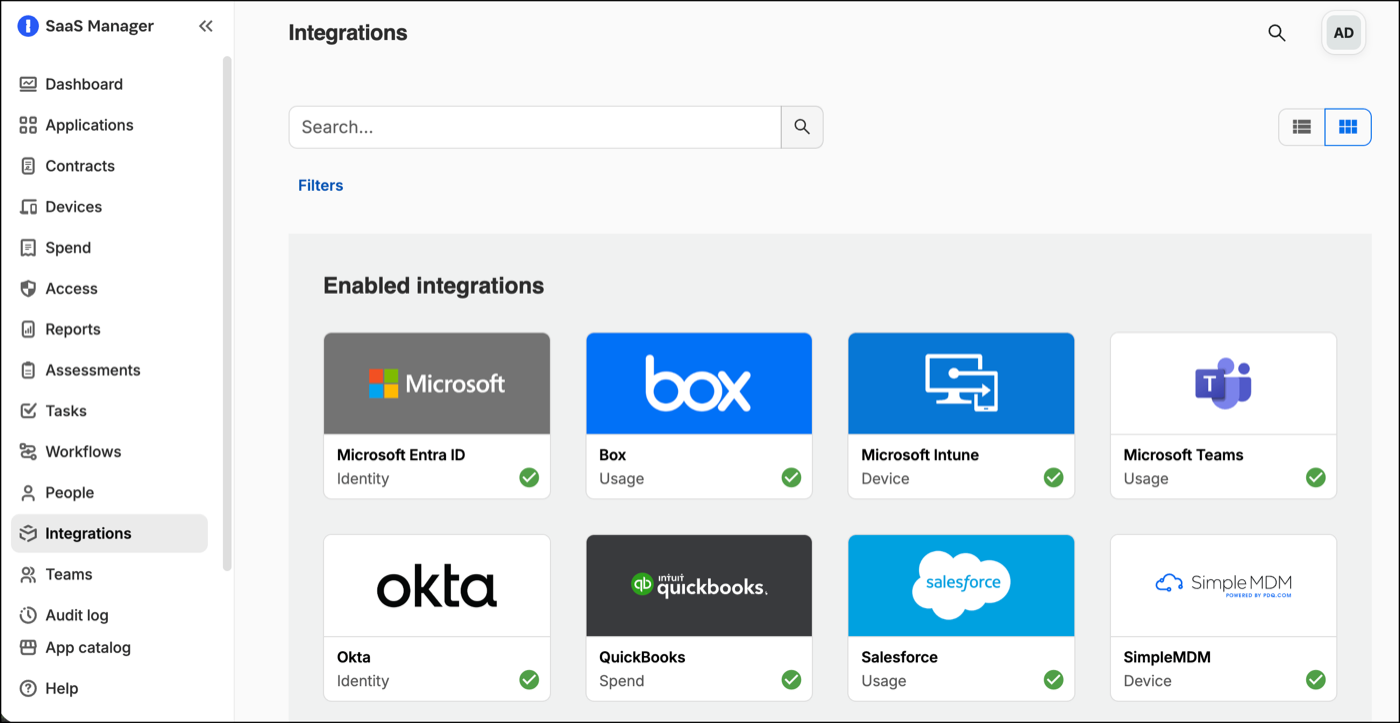
Setup starts with your identity provider: every SSO or OAuth app lands in the App Catalog and every person in the People directory. You then add finance, HR, device and app integrations and deploy the 1Password browser extension to catch apps used outside SSO. 1Password says it doesn't scan email by design. The app library holds 40,000+ apps for matching.
Offboarding uses a workflow template called Offboard employee with a Person leaves trigger from your HR system or IdP. Steps can deprovision apps through their API or through IdP SCIM, revoke OAuth tokens, lock the device, notify people in Slack or Teams and wait for approval. If an automatic removal fails, SaaS Manager creates a task for the app owner instead of failing silently. Access reviews run one-off or on a schedule, with app owners as reviewers, reminders and an exportable PDF audit trail.
- you need access reviews and offboarding that work for apps without SSO or SCIM via 400+ integrations
- you already use 1Password and want SaaS discovery, spend and an AI spend view from the same vendor
- you want a posted price: SaaS Manager is quote only
- you need a service account or API token inventory: it isn't documented on the SaaS Manager pages
- Users like
- automation, ease of use and responsive support, per G2 reviewers
- Users dislike
- missing features and a learning curve at setup, per G2 reviewers
- Source: G2, 41 reviews
How it works in practice
You don't need 1Password's password manager to buy it. The pricing FAQ says the products in 1Password's Unified Access platform can be bought individually, and the password manager's vaults are just one optional discovery source. An AI spend view breaks down costs for tools like Cursor, Claude and OpenAI by team, user, model and API key, and a read-only MCP server lets AI assistants query SaaS Manager data.
We didn't find a service account or API token inventory on the SaaS Manager pages, so treat non-human accounts as a gap. Pricing is quote only.
G2 lists it under the old Trelica name with 4.8 out of 5 from 41 reviews. Reviewers praise the automation and support, and missing features and a learning curve at setup are the most common complaints.
- Starting price
- Request a quote; no published price
- Discovery
- IdP, finance, HR, MDM, browser extension
- Integrations
- 400+ listed on the product page
- EPM required
- No, sold separately
- Discovers via
- IdP, finance, HR, MDM, 1Password extension
- Password manager needed
- No, sold separately
Josys
Josys is an identity governance and SaaS management platform that discovers apps, accounts and AI agents, then automates onboarding, offboarding and access reviews across 350+ integrations.
Josys moved its positioning in March 2026 from SaaS management to identity governance, and its strengths match that: native offboarding, access review campaigns and discovery of AI agents.
You connect Microsoft Entra ID or Google Workspace to build the user list, and Josys reads the IdP's sign-in logs to find apps outside SSO. A browser extension adds unsanctioned SaaS and AI tools over the following weeks. Discovered apps get a status (Approved, Unapproved, Under Review, Ignored or Unclassified) and can be updated in bulk.
Policies automate onboarding and offboarding from HR events such as a new hire, role change or termination in BambooHR or Zoho People, with actions that create accounts, assign roles and suspend or delete them. Access review campaigns cover one or many apps, run monthly to annually, chase reviewers by email, Slack or Teams, and export CSV evidence. Reviewers don't need a Josys license, and a revoke decision triggers deprovisioning.
- you want offboarding and recurring access reviews that remove access across apps, including ones outside SSO
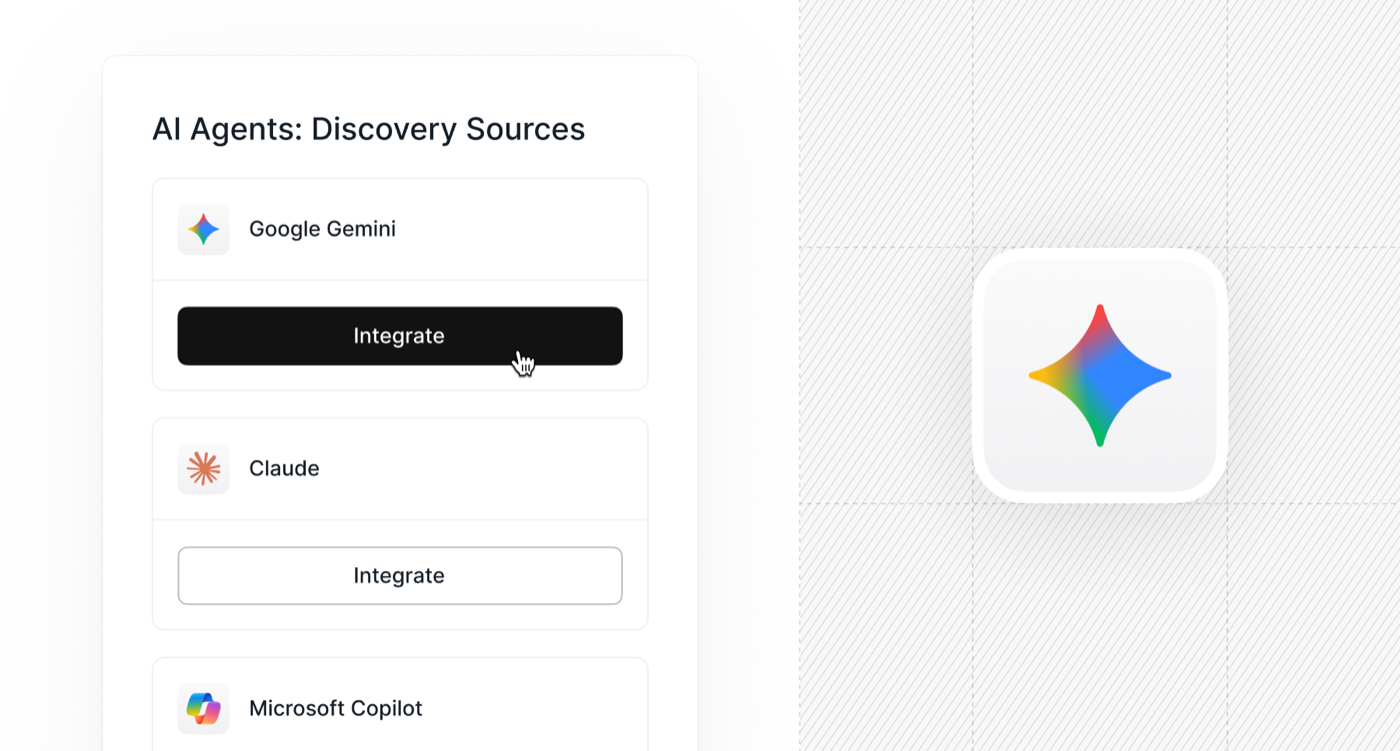
- you need to inventory AI agents built on Copilot, Claude and Gemini next to human accounts
- renewal dates and contract tracking are your main need, since the pages read describe none
- you want a published price: Josys is quote-only and priced per identity governed
- Users like
- visibility into who has access to which apps and less manual IT work, per G2 reviewers
- Users dislike
- missing features and integration gaps, per a tally of G2 review themes
- Source: G2, 131 reviews
How it works in practice
Access reviews include service accounts in scope, and Josys lists service accounts and orphaned admin credentials among the unmanaged identities it surfaces. Since August 2026 its AI agent discovery covers agents built on Microsoft Copilot, Claude and Google Gemini Enterprise, with owner, permissions and activity for each.
The finance side is much thinner: we found no renewal alerts or contract tracking. Pricing is by quote, per identity governed. The free health check for up to 5 apps is a cheap way to see what it finds before a sales call.
G2 shows 4.3 out of 5 from 131 reviews. Reviewers credit clearer visibility into who has access to what, and missing features and integration gaps are the most common complaint themes.
- Starting price
- By quote, priced per identity governed; free 14-day trial and a free health check for 5 apps
- Discovers via
- IdP and sign-in logs, extension, 350+ integrations
- Integrations
- 350+ native
- Priced by
- Identities governed
- Trial
- 14 days free, plus a free health check for 5 apps
When finance or procurement owns renewals
These two are bought by companies where a finance, FinOps or procurement person owns SaaS spend while IT supports them. For a two-person IT team at a 100-person company they're usually more tool than you need.
Zylo
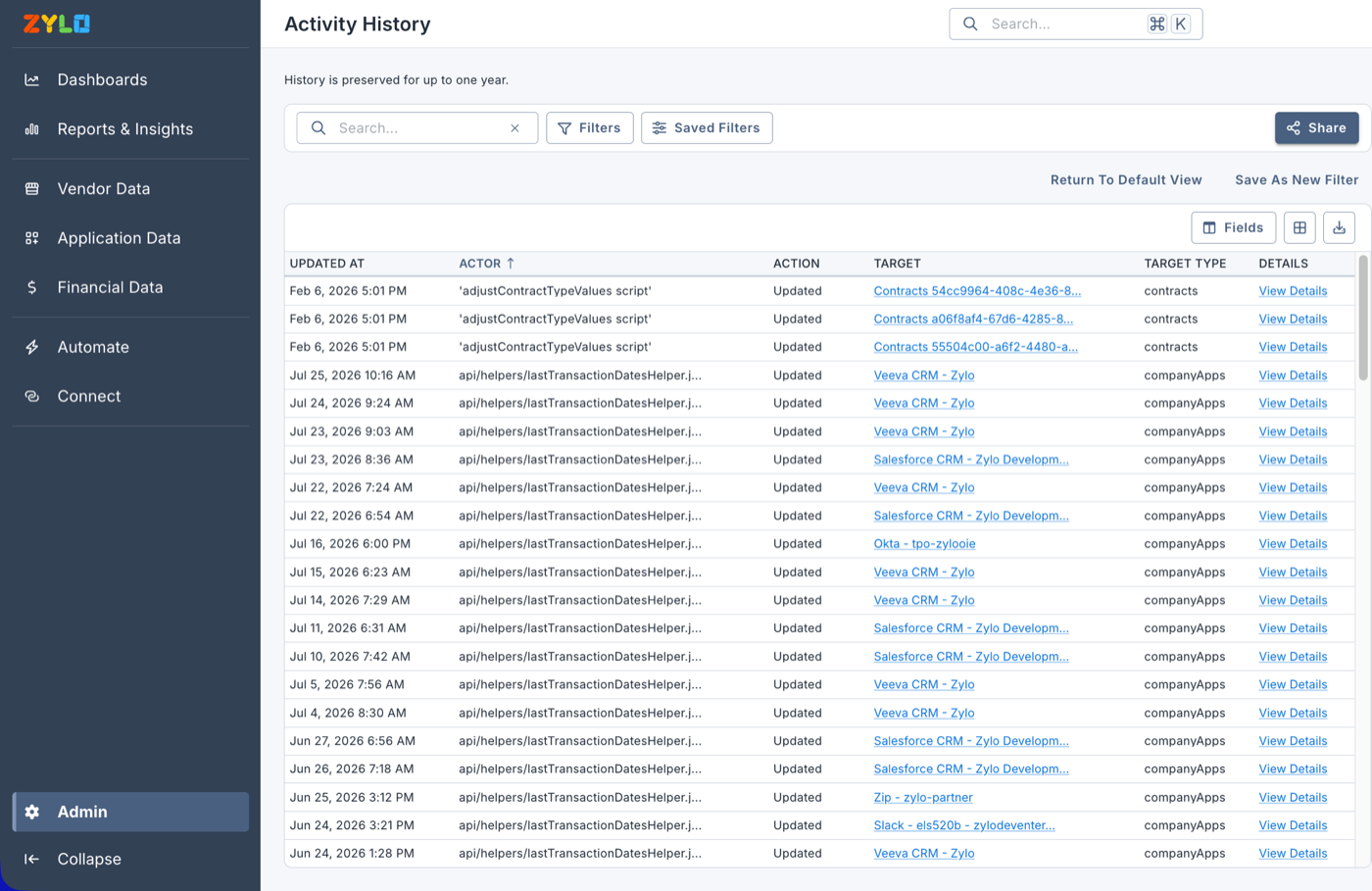
Zylo is an enterprise SaaS and AI spend management platform that discovers apps from finance and SSO data, tracks license usage and renewals, and relies on Okta or Entra to carry out deprovisioning.
Zylo is a finance-first SaaS and AI spend platform. It finds apps from the money and leaves access changes to your identity provider.
An AI discovery engine reads spend from accounts payable, ERP, expense tools, resellers and marketplaces and matches it against a library of more than 28,000 apps. SSO login data from Okta, Entra ID or Google adds usage, and direct integrations add license detail where they exist. Usage data refreshes every 24 hours.
Reclamation runs through Zylo Workflows: a rule such as no activity in 30 days alerts the app owner and sends the user a survey asking whether they still need the license. If they say no, or don't answer, Zylo opens a Jira ticket or, on the Premium and Enterprise plans, triggers deprovisioning through Okta Actions or Microsoft Entra. Renewals are ranked by savings potential rather than by date, and a Contract Assist agent pulls metadata from uploaded contracts.
- you want a finance-led system of record with renewal prioritization and benchmarks
- you have a procurement or FinOps owner alongside IT
- you need native onboarding, provisioning or access reviews: Zylo hands enforcement to Okta, Entra or Jira
- you run a small team: pricing is quote-only and aimed at enterprise
- Users like
- clear SaaS spend visibility and help with renewals, per G2 reviewers
- Users dislike
- usage data that depends on Okta logins, per Capterra reviewers, and slow support on new contract entry, per Gartner Peer Insights reviewers
- Source: G2, 53 reviews
How it works in practice
Zylo's own blog says it doesn't run deprovisioning natively, and we found no access review or non-human identity features. Clarity, an AI assistant included in every plan, answers questions about your data and runs workflows, and Zylo also offers an MCP server and token-based AI cost tracking.
Zylo says it's a Leader in the 2026 Gartner Magic Quadrant for SaaS Management Platforms for the third year. Prices are quote only, and Vendr's buyer data shows a median of about $36,000 a year.
G2 shows 4.7 out of 5 from 53 reviews. Reviewers like the spend visibility and renewal help. On Capterra, a reviewer notes that usage only registers for apps logged into through Okta, and Gartner Peer Insights reviewers mention slow support when entering new contracts.
- Starting price
- Quote only (Core, Premium, Enterprise); Vendr buyer data shows a median of about $36,000 per year
- Discovery
- Finance, SSO and direct integrations
- Offboarding
- Through Okta or Entra on Premium and Enterprise
- Pricing
- Core, Premium, Enterprise; quote only
- Discovers via
- Finance data, SSO logins, direct integrations
- Plans
- Core, Premium, Enterprise, all by quote
CloudEagle
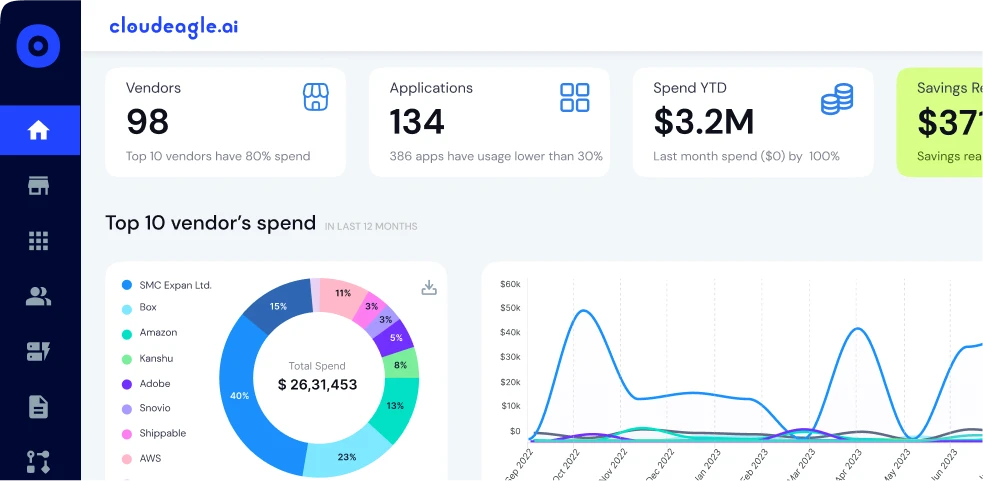
CloudEagle is a SaaS management and identity governance platform covering license harvesting, AI contract extraction, native onboarding and offboarding, access reviews and non-human identity inventory.
CloudEagle has by far the deepest procurement toolkit here, with price benchmarks, buying guides and intake workflows, plus native lifecycle automation and access reviews.
CloudEagle connects to SSO, finance and expense tools, HR systems and procurement tools through 500+ integrations. AI reads contracts for renewal dates, notice terms, opt-out clauses, SKUs and license counts and feeds an auto-updated renewal calendar. Intake-to-procurement workflows connect to Slack, Coupa and help desks, so a request for a new tool can go through approval before anyone buys it.
License harvesting runs on an inactivity rule with an exempt-user list, and you can review the matched users before anything is removed. Each run is logged. A joiner, mover and leaver console provisions and revokes access in apps with and without SCIM, and automated access reviews go down to the permission level for SOC 2.
- you want one tool for license harvesting, JML access changes and access reviews
- you need non-human identity visibility (service accounts, API tokens, AI agents)
- you want public USD pricing: only GBP ballparks are published
- you expect deep public documentation: reviewers call the docs thin
- Users like
- automated provisioning, one usage and cost dashboard and AI contract extraction, per G2 AI analysis
- Users dislike
- thin documentation and a confusing initial setup, per G2 AI analysis
- Source: G2, 107 reviews
How it works in practice
A non-human identity registry pulls service accounts, managed identities, OAuth service apps, API tokens and AI agents from Azure AD and Okta, with owner, credential type and last activity, and flags inactive or over-privileged ones.
There's no public USD price. CloudEagle's UK G-Cloud 15 pricing document from January 2026 gives a ballpark of GBP 8,000 to 25,000 a year for 50 to 100 employees and GBP 20,000 to 60,000 for 100 to 500 employees. CloudEagle says it moved from Niche Player in 2025 to Leader in the 2026 Gartner Magic Quadrant for SaaS Management Platforms.
G2 shows 4.7 out of 5 from 107 reviews. G2's review summary credits automated provisioning and AI contract extraction, and notes thin documentation and a confusing initial setup that needed several departments.
- Starting price
- Quote only; its UK G-Cloud price document gives GBP 8,000 to 25,000 per year at 50 to 100 employees
- Discovery
- SSO, finance, HRIS, 500+ integrations
- Offboarding
- Native console, IdP and non-IdP apps
- Entry price
- GBP 8K to 25K/yr at 50 to 100 staff
- Discovers via
- SSO, finance, HRIS, procurement tools
- Integrations
- 500+
- Non-human accounts
- Service accounts, OAuth apps, API tokens, AI agents
What SaaS management software costs
SaaS management software is mostly sold by quote: only two of the nine tools publish a price you can plan with, and both are entry points rather than the full product. BetterCloud's Spend Optimization Basic tier costs $0 a month. JumpCloud lists SaaS License Management at $3 per user per month on annual billing, but discovery needs the Platform Prime package, which is sold through sales. Cledara publishes GBP prices for its Basic plan and add-ons. Everyone else sells by quote.
Third-party data gives a rough idea of the rest, though it reflects mid-market deals rather than small teams. Vendr's buyer data shows a median of about $32,000 a year for Torii and $36,000 for Zylo. CloudEagle's own G-Cloud document starts at GBP 8,000 a year for 50 to 100 employees.
Quotes usually grow with these factors:
- Headcount or identities governed. Most vendors price by employees or by identities, and Josys says so outright.
- Modules. Spend, lifecycle automation, access reviews and AI governance are often separate line items at BetterCloud, Zluri and CloudEagle.
- Number of apps managed. CloudEagle's pricing document names it as a factor, and Cledara's plans are capped at 20 and 75 apps.
- Setup and onboarding fees. Ask whether implementation is included, especially for finance-feed and contract imports.
How to roll out SaaS management in 30 days
Rolling out SaaS management doesn't need a six-month project. This plan works with any tool on the list and assumes one IT person with a few hours a week.
Connect the identity provider and one finance source
Start with Okta, Entra ID or Google Workspace, then add the card or expense export finance already has. These two sources usually find most paid apps in the first days, although free tools and personal sign-ups won't show up yet.
Name an owner for every paid app
Pick one person per app who approves access and answers renewal questions. Apps without an owner go on a short list to cancel or consolidate.
Add browser discovery, with a note to staff
Deploy the extension through your MDM to managed browsers and tell employees what it collects. Expect a second wave of apps that never touched SSO.
Set one reclamation rule and test it
Pick your most expensive per-seat app and set a rule such as 60 days without login. Run it in review mode first, so you see who would lose a seat before anyone does.
Load renewal dates for the next 90 days
Enter or import the contracts that renew in the next quarter and set alerts at least 30 days before each notice deadline.
What SaaS management tools don't cover
SaaS management tools are built around people: an employee joins, uses apps, and leaves. Yet the accounts that cause the most audit findings often aren't people. Service accounts in Active Directory or Entra ID, API tokens behind integrations, OAuth apps that someone connected years ago and AI agents with production access all keep running after their creator leaves.
Some tools here have started to list these. Torii, Zluri and CloudEagle inventory service accounts and tokens from connected apps, Josys includes service accounts in access reviews, and JumpCloud shows Google Workspace OAuth grants. But they only see what flows through their integrations. A backup service account in on-prem Active Directory, a reporting login in SQL Server or an IAM user in AWS usually sits outside a SaaS inventory, and an auditor will still ask who owns it and why it exists.
For admin accounts that need vaulting and session control, that's a privileged access management job. For the ownership question itself, a lightweight review tool is enough.
Questions to ask in every demo
- Which discovery sources does it use, and how does it find apps that never pass through SSO?
- Does it remove access inside apps itself, or hand the change to Okta, Entra ID or a ticket?
- Which plan includes automated license reclamation, and does it have a review mode before seats are removed?
- Does it list service accounts, API tokens, OAuth grants and AI agents, or only people?
- What evidence does an access review export, and in what format?
- How do we export our app, usage and contract history if the vendor is acquired or shuts down?
Frequently asked questions
What is SaaS management software?
SaaS management software keeps one inventory of the SaaS apps a company uses, with who has an account, how often they log in, what each app costs and when it renews. Most tools also flag unused licenses and shadow IT, and some run onboarding, offboarding and access reviews across apps.
What is the difference between a SaaS management platform and identity governance?
A SaaS management platform focuses on apps, usage, spend and renewals. Identity governance focuses on who should have access and on proving it with access reviews. Tools such as Zluri, Josys and 1Password SaaS Manager do both, while Zylo and Cledara stay on the spend side.
How much does SaaS management software cost?
SaaS management software is mostly sold by quote. BetterCloud offers a $0 Spend Optimization Basic tier, JumpCloud lists SaaS License Management at $3 per user per month but needs Platform Prime for discovery, and Cledara publishes GBP prices. Vendr's buyer data shows a median of about $32,000 a year for Torii and $36,000 for Zylo.
Do I need a browser extension for SaaS discovery?
You need one if you want to find apps that never pass through your identity provider, such as tools people signed up for with a work email and password. Identity provider and finance data find most paid and SSO apps, and the extension adds the rest from managed browsers.
Which SaaS management tool is best for a small IT team?
If you already run JumpCloud, start with its SaaS Management module. If spend and renewals are the main problem, Cledara is built for companies of 25 to 150 people. For onboarding and offboarding automation, BetterCloud has a free tier to start, and Josys offers a 14-day trial and a free health check for 5 apps.