Okta is a workforce identity platform, and many small IT teams find its price tiers and setup heavier than they need. The usual replacements are Microsoft Entra ID, JumpCloud, Google Cloud Identity, OneLogin, Cisco Duo, Zoho Directory and Rippling IT, plus Keycloak if you want open source. This page compares those eight against Okta Workforce Identity for teams of roughly 10 to 250 employees and for managed service providers (MSPs). It covers the part of Okta that signs your employees in. If you're building login for your own customers' apps, which Okta sells as Auth0, this list doesn't apply.
Each entry says which kind of team the tool fits, what it does for single sign-on (SSO), multi-factor authentication (MFA) and provisioning, what it costs, what reviewers complain about and who should skip it. Prices were read on the vendors' own pricing pages between October 23 and 31, 2026, and ratings come from G2 as noted.
Why teams leave Okta
The most common complaint about Okta on G2 is authentication trouble, with 77 mentions, followed by sign-in problems at 64, cost at 46 and a complex initial setup at 44. G2 rates Okta 4.5 out of 5 from 1,429 reviews, so these are complaints about a product most reviewers still like. That's worth keeping in mind: nobody here is calling Okta broken.
The same G2 page shows why people stay: ease of use leads the praise list with 207 mentions, then security with 158 and SSO and MFA strength with 153. Two reviewers who tagged themselves as small businesses (50 or fewer employees) name the cost and a complex first configuration as what they dislike. Okta's pricing page also sets a $1,500 annual contract minimum, which is about 21 Starter users or 7 Essentials users at list price, so a very small team can't buy in for less, even if it only needs a handful of seats.
Price is only part of it. Okta's Starter suite at $6 per user per month covers SSO, MFA, Universal Directory and 5 Workflows. Lifecycle Management, Access Governance and Adaptive MFA are listed on Essentials at $17, so a team that outgrows Starter pays almost three times as much per user.
Our picks: Okta alternatives by team scenario
Microsoft Entra ID is the natural switch for most Microsoft 365 shops, but the right Okta alternative depends on the stack you run today. The picks below match one tool to each scenario, and they aren't ranked.
 Best if you run Microsoft 365Microsoft Entra IDConditional Access and provisioning in the tenant you already pay for, with P1 included in Business Premium, E3 and E5.
 Best if you also manage devicesJumpCloudDirectory, SSO, and Windows, macOS and Linux device management in one console, from $9 per user per month.
 Best if you run Google WorkspaceGoogle Cloud IdentityA free directory with SAML SSO and 2-Step Verification, with Premium at $8.40 per user per month.
 Best standalone identity provider with published pricesOneLoginThree public price points from $3 to $10 per user per month, with Active Directory sync on every plan.
 Best if you keep your directoryCisco DuoMFA, SSO and device checks in front of the directory you already run, free for up to 10 users.
 Lowest price for a small teamZoho DirectoryFree for 10 users, then $2 per user per month, with hosted LDAP and RADIUS included.
 Best if HR and IT share one systemRippling ITJoiner, mover and leaver changes in the HR record drive accounts, groups and devices. Quote only.
 Best open source optionKeycloakNo licence fee under Apache 2.0, if someone on the team can run it.
Okta vs the alternatives at a glance
Rippling IT is the only alternative sold by quote alone, and the other seven start at or below $11 per user per month or are free. Okta's own Professional and Enterprise tiers are quote only too. The table puts Okta first so you can read each alternative against it.
| Tool | Category | Free plan | Entry price (USD) | Rating |
|---|---|---|---|---|
 Okta | Workforce identity suite | No free plan, trial offered | Starter $6/user/mo; Core Essentials $14/user/mo; Essentials $17/user/mo, billed annually; $1,500 annual contract minimum | 4.5 (1,429) |
| Microsoft Entra ID | Identity layer for Microsoft 365 | Free edition (SSO, MFA through security defaults) | P1 $7 per user per month and P2 $10 per user per month, paid yearly; included in certain Microsoft 365 plans | 4.5 (915) |
| JumpCloud | Directory plus device management | No free plan, 30 day trial | Device Management $9/user/mo; SSO $11/user/mo; Device Identity Management $13/user/mo, billed annually; Platform packages quote-only | 4.5 (4,121) |
| Google Cloud Identity | Google directory and SSO | Free edition, 50 user cap to start | Free edition $0 (starts with a 50-user cap); Premium $8.40 per user per month on the flexible plan, billed through Google Workspace | 4.3 (34) |
| OneLogin | Standalone identity provider | No free plan | Basic $3, Essentials $6, Business $10 per user per month; Enterprise by quote; Workflows add-on $2 | 4.4 (291) |
| Cisco Duo | MFA and SSO layer | Free for up to 10 users | Free up to 10 users; Essentials $3, Advantage $6, Premier $9 per user per month | 4.5 (590) |
| Zoho Directory | Low cost cloud directory | Free for 10 users | Free for 10 users; Standard $2, Professional $7 per user per month billed monthly; 15% off billed yearly | 4.0 (2) |
| Rippling IT | HR driven identity and devices | No free plan | No published IT price; plans start at $8 per employee per month with a monthly base fee, per Rippling's pricing page | 4.7 (1,204) |
| Keycloak | Open source, self-hosted identity provider | Free software, you host it | Free under the Apache 2.0 license; you pay for hosting, a database and the admin time to run it | No reviews yet |
 The IT Lead Our product | Service account ownership reviews | Collects owner attestations for service accounts and keeps the review trail | Team $49/month (up to 250 service accounts), MSP $129/month (up to 1,000), per workspace | No reviews yet |
Prices are per user per month on annual billing unless the entry says otherwise, checked October 23 to 31, 2026. Zoho Directory's $2 is its monthly-billed price and Google's $8.40 is the flexible plan price. Keycloak has no G2 reviews of its own. Zoho Directory's rating rests on 2 reviews.
Should you leave Okta at all?
Leave Okta if its tier gates or setup effort are out of proportion to your team, but stay if your real problem is a policy that locks people out, because a new vendor will inherit the same policy. It's a common mistake to blame the product for rules you wrote. Of the five complaint themes on G2, three are about sign-in friction. Some of that friction can come from session lengths and MFA rules that you set, and you'd rebuild the same policy in any tool.
Okta's packaging helps you judge fit. According to its pricing page, Starter has SSO, MFA, Universal Directory and 5 Workflows. Essentials adds Adaptive MFA, Lifecycle Management, Access Governance, 2 Privileged Access admins and 50 Workflows. Professional adds Device Access and Identity Threat Protection and is quoted on request.
- You pay for Essentials mainly to get lifecycle automationPrice the same job elsewhere: Entra ID P1 lists HR driven provisioning, and OneLogin Essentials has unlimited provisioning rules at $6
- Your people live in Microsoft 365Check what your existing license already includes before you buy anything: Entra ID P1 sits inside Business Premium, E3 and E5
- You also manage Windows, Mac and Linux machines by handLook at JumpCloud, which puts device management next to the directory
- You run Google Workspace and need basic SSOStart with Google Cloud Identity Free and add Premium only when automated provisioning becomes the gap
- You have 10 users or fewer and only need MFAUse Cisco Duo Free or Zoho Directory Free and skip a paid suite
- Employee records in HR should decide who gets which app and laptopLook at Rippling IT, and expect a sales call
- Your complaints are lockouts and repeated MFA promptsReview session length and MFA rules first; every vendor on this page enforces what you configure
- Many custom Okta Workflows run your joiner and leaver processBudget time to rebuild them by hand before you commit to a date
How we chose the alternatives
We kept workforce identity tools a small IT team can run without a dedicated identity engineer, and dropped customer identity products and large governance suites. We didn't take payment from any vendor, and we didn't rank by who has the longest feature list. For each tool we read the vendor's pricing page, a feature or product page, a docs or help page and one review source, and we recorded what we found with the date. Prices we found only on non-USD pages are labeled as such.
- Scope: tools that sign employees in to SaaS and internal apps, with MFA.
- Price: a published per-user price, a free plan or an open source licence. Rippling IT is the one quote-only exception because it's the only tool here that's driven by the HR record.
- Evidence: a G2 rating and review count where a real review base exists.
- Not researched: Ping Identity, ForgeRock, Auth0, CyberArk Workforce Identity and SailPoint. They target large enterprises or customer identity, outside the small-team range this page covers.
The best Okta alternatives, reviewed
The eight tools below follow the order of the picks. Each card shows the price once, the rating, and when to choose or skip the tool. The text under "Moving from Okta" covers what you give up and what to check before you switch.
Microsoft Entra ID
Microsoft Entra ID
Best if you run Microsoft 365
A 40 person company on Microsoft 365 Business Premium already owns Entra ID P1, so the switch is often a configuration project with no new invoice.
Admins build sign-in rules under Entra ID > Conditional Access, either from scratch or from a template. A policy picks users, groups and apps, then conditions such as location, device state or risk, and ends in block, require MFA or require a compliant device. Report-only mode lets you watch what a policy would do before you enforce it.
Provisioning runs through a service that connects to an app's SCIM endpoint. It does an initial pass over every in-scope user, then incremental passes. A user who leaves scope or is disabled is disabled in the target app, and a hard delete follows 30 days after a soft delete. P1 also lists HR driven inbound provisioning from Workday and SuccessFactors.
The free edition covers SSO and MFA through security defaults. P1 is $7 per user per month paid yearly and adds Conditional Access. P2 at $10 adds risk-based Conditional Access and Privileged Identity Management. Lifecycle Workflows, with up to 50 workflows, sit in the separate Governance license at $7.
- Microsoft 365 is the center of how your team works and your licenses already include P1
- you want Conditional Access policies tied to device compliance in Intune
- you want an identity layer that's independent of your Microsoft tenant: reviewers on Capterra call it a single point of failure for Microsoft 365 access
- you run mostly non-Microsoft apps and want a simple price: the P1, P2 and Governance split is a common complaint
- Users like
- MFA, single sign-on and an intuitive layout, per G2's summary of reviewer themes
- Users dislike
- configuration complexity, a complex licensing structure and a single point of failure for Microsoft 365 access, per Capterra reviewers
- Source: G2, 915 reviews

Moving from Okta
What you rebuild: Plan to recreate Okta Workflows by hand. The nearest Entra feature is Lifecycle Workflows, which needs the Governance license on top of P1.
What carries over: apps that speak SAML, OpenID Connect or SCIM can be connected again in the Entra admin center, and Okta can sit beside it during a pilot.
On G2, Microsoft Entra ID holds 4.5 out of 5 from 915 reviews. Reviewers praise MFA, single sign-on and an intuitive layout. The recurring complaints are configuration complexity and a licensing structure that's hard to read. Our Microsoft Entra ID review covers the plans in detail.
- Starting price
- P1 $7 per user per month and P2 $10 per user per month, paid yearly; included in certain Microsoft 365 plans
- Free
- SSO and MFA
- P1
- Conditional Access
- P2
- Risk-based Conditional Access and PIM
- Governance
- Check separate entitlement and per-user coverage
- Plans
- Free; P1 $7; P2 $10 per user/mo, paid yearly
- In Microsoft 365
- P1 in Business Premium, E3, E5
- Lifecycle Workflows
- Governance license, $7 per user/mo
JumpCloud
JumpCloud
Best if you also manage devices
JumpCloud suits an IT team of two that signs in to apps through the same directory that logs people in to their Mac, Windows and Linux machines.
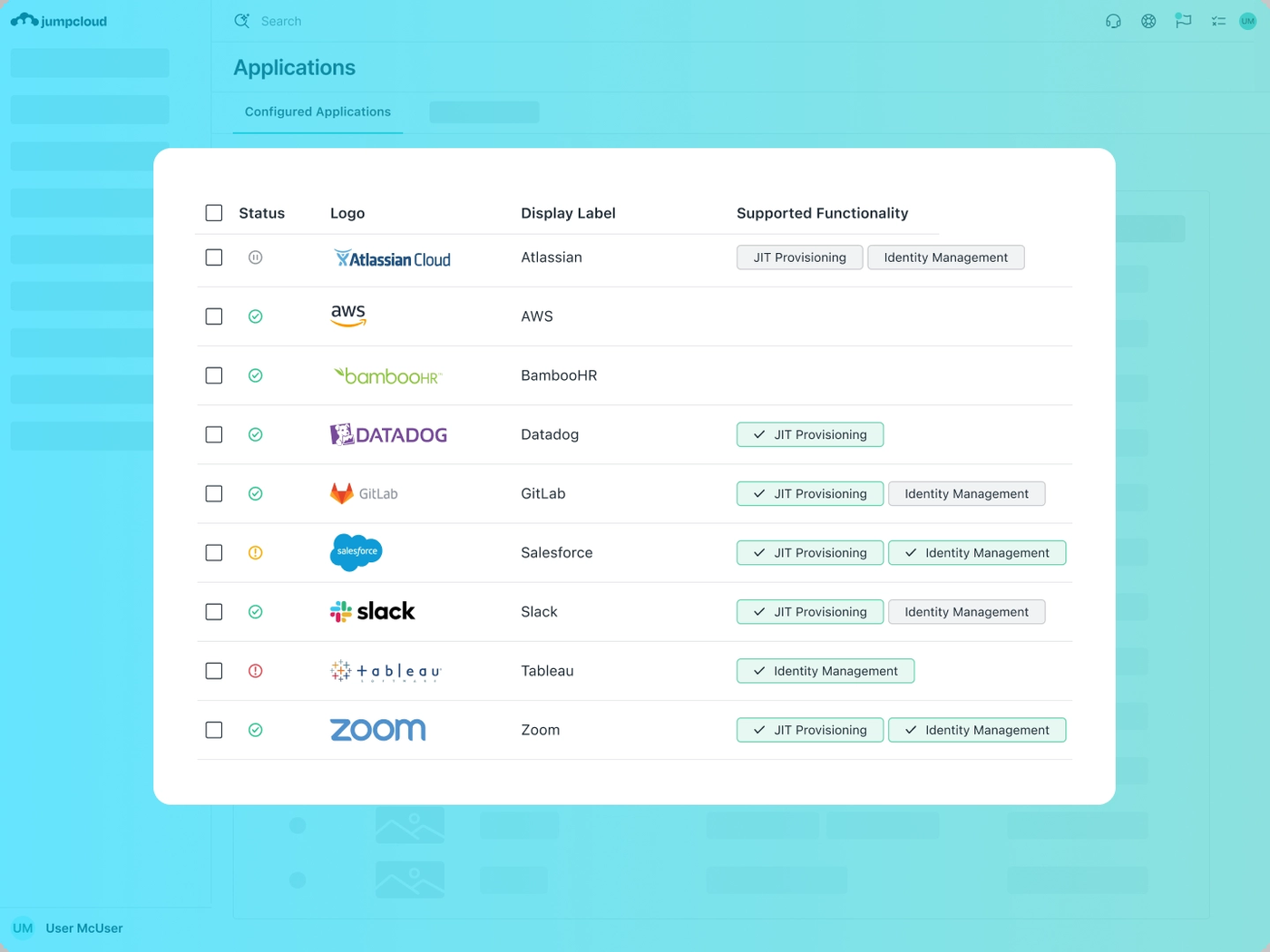
JumpCloud is a cloud directory with SSO over SAML 2.0 and OIDC, MFA and SCIM based lifecycle management through user groups. Device management covers Windows, macOS, Linux and mobile, with patch management, remote access and system insights as add-ons.
It also hosts LDAP and RADIUS for you. Cloud LDAP answers at ldap.jumpcloud.com on port 389 with STARTTLS or 636 with LDAPS, and plaintext isn't allowed. The directory is read-only, so changes go through the console or API. For a small team that means no LDAP server to patch.
Pricing is built from bundles. Device Management is $9 per user per month on annual billing, SSO is $11 and Device Identity Management is $13. Add-ons such as Cloud Directory, MFA or Conditional Access cost $3 each. Platform packages are quote only, and Platform Essentials is capped at 300 users. There is no free plan for new customers, only a 30 day trial.
- the same people run the directory and the laptops, and your fleet mixes Windows, macOS and Linux
- you need hosted LDAP or RADIUS for Wi-Fi, VPN or printers without running servers
- you want a formal access certification workflow as the center of the purchase
- you already have mature endpoint tools and only need SSO: the device bundle is money you don't use
- Users like
- easy onboarding and unified management of identity and devices, per G2's summary of reviewer themes
- Users dislike
- Windows group policy gaps, MFA gaps with LDAP and a learning curve, per G2's summary of reviewer themes
- Source: G2, 4,121 reviews
Moving from Okta
What you give up: We found SCIM lifecycle through user groups on JumpCloud's pages, but no HR system driven provisioning of the kind Okta Lifecycle Management offers from Workday or BambooHR. If HR drives your joiners today, check this first.
What carries over: SAML and OIDC apps, Microsoft 365 and Google Workspace integrations, and an Active Directory import path.
On G2, JumpCloud holds 4.5 out of 5 from 4,121 reviews. Reviewers praise easy onboarding and unified management of identity and devices. The recurring complaints are Windows group policy gaps, MFA gaps with LDAP and a learning curve. Our JumpCloud review and the Okta vs JumpCloud comparison go deeper.
- Starting price
- Device Management $9/user/mo; SSO $11/user/mo; Device Identity Management $13/user/mo, billed annually; Platform packages quote-only
- Entry price
- $9 per user per month, annual
- MDM add-on
- $5 per user per month, annual
- Trial
- 30 days
- Public Device Management
- $9/user/mo annual
- Public SSO
- $11/user/mo annual
- Public Device Identity Management
- $13/user/mo annual
- Platform packages
- Contact Sales
- Legacy free
- Only eligible pre-February 2024 accounts
- Plans
- Device Management $9, SSO $11, Device Identity Management $13 per user/mo, billed annually
- Free plan
- None for new customers, 30 day trial
- Suspended users
- Remain billable
Google Cloud Identity
Google Cloud Identity
Best if you run Google Workspace
A 15 person agency that lives in Google Workspace can get SAML SSO and 2-Step Verification for its apps from a free directory.
Cloud Identity Free is a directory with Google as the identity provider for pre-built and custom SAML apps, 2-Step Verification and security keys, groups, organizational units, admin roles and basic device management. It starts with a cap of 50 user licenses, which rises when you buy paid Google services such as Workspace.
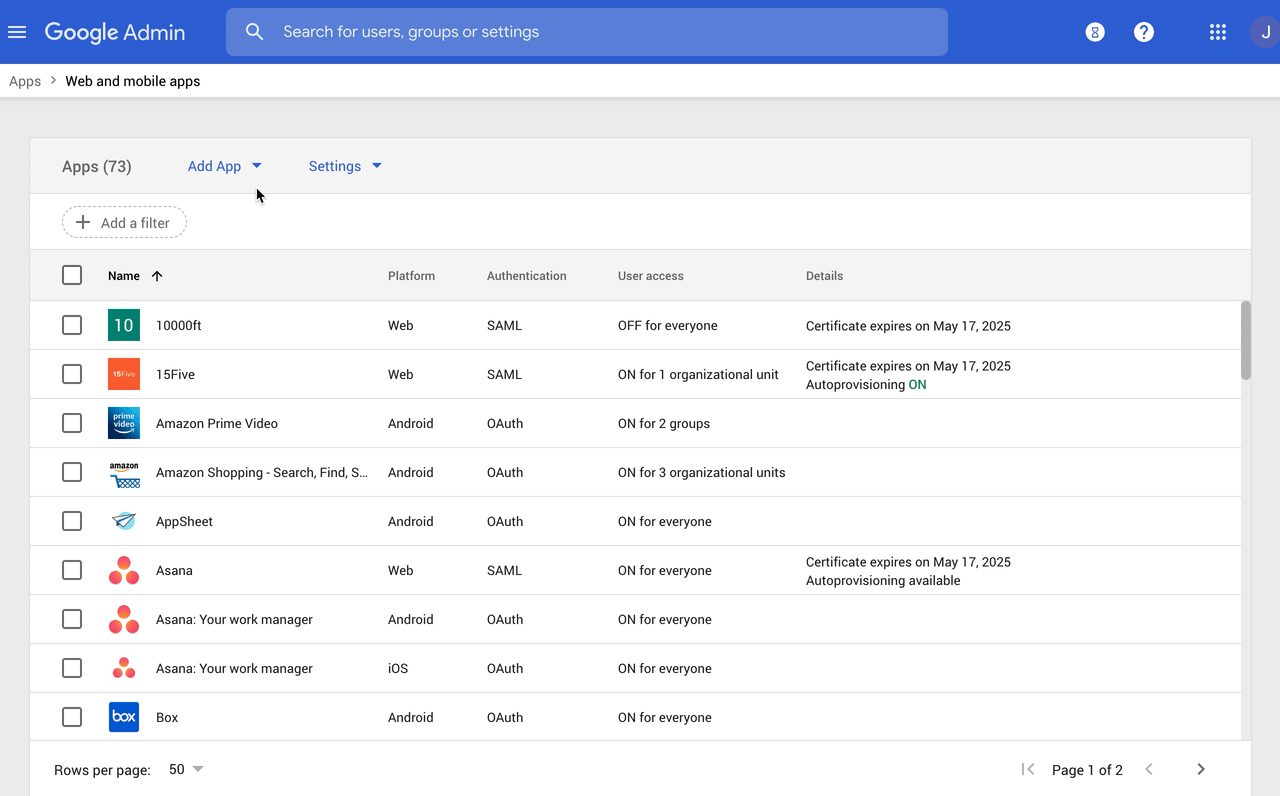
Setting up an app is an eight step routine in the Admin console under Apps > Web and mobile apps. You add the app, copy Google's SSO URL, Entity ID and certificate into the service provider, enter the app's ACS URL and Entity ID, map attributes and groups, then turn it on for users. Google's docs set a limit of 75 groups per app and say changes can take up to 24 hours to propagate.
Cloud Identity Premium adds automated user provisioning, Context-Aware Access, Secure LDAP and advanced device management. It's billed through a Google Workspace subscription at $8.40 per user per month on the flexible plan. We found no annual price for Premium on Google's pages.
- your team already lives in Google Workspace or you want a free directory with SAML SSO and 2-Step Verification for up to 50 users
- you can stay on the Free edition and only pay for Premium when automated provisioning or context-aware access becomes the gap
- you run mainly Microsoft 365 and Windows, where Entra ID gives you Conditional Access and device compliance in one place
- you need automated provisioning to many SaaS apps but have more than 50 users and no Workspace or Premium licenses
- Users like
- the admin console, Google integration, and SSO and MFA, per G2's summary of reviewer themes
- Users dislike
- confusing setup for small teams, advanced policies that need technical skill, and limited native reporting, per G2's summary of reviewer themes
- Source: G2, 34 reviews
Moving from Okta
What you give up: Okta's workflow builder has no free equivalent here, and automated provisioning to third-party apps is a Premium feature.
What carries over: custom SAML apps, groups and organizational units, and Active Directory or LDAP users through Google Cloud Directory Sync.
On G2, Google Cloud Identity holds 4.3 out of 5 from 34 reviews, a small base. Reviewers praise the admin console, Google integration, and SSO and MFA. The recurring complaints are confusing setup for small teams, advanced policies that need technical skill, and limited native reporting.
- Starting price
- Free edition $0 (starts with a 50-user cap); Premium $8.40 per user per month on the flexible plan, billed through Google Workspace
- Free edition
- SAML SSO, 2-Step Verification, groups, basic device management
- Premium adds
- Automated provisioning, Context-Aware Access, Secure LDAP
- User cap
- Free starts at 50 users
- Custom SAML app limit
- 75 groups per app
- Support
- Premium carries a 99.9% SLA
OneLogin
OneLogin
Best standalone identity provider with published prices
OneLogin fits a 60 person company that wants an independent identity provider with the price list on the website and Active Directory sync from the cheapest plan.
OneLogin covers SSO, MFA, directory sync and role-based provisioning, and it publishes three price points. Basic is $3 per user per month and includes SSO, MFA and Active Directory sync, with provisioning rules limited to 5. Essentials at $6 has unlimited provisioning rules and Entra ID and Google Workspace sync. Business at $10 adds SmartFactor adaptive MFA, Desktop MFA, HR directory sync from Workday, UKG, Namely and BambooHR, and RADIUS and virtual LDAP. Enterprise is sold by quote, and a Workflows add-on costs $2 per user per month.
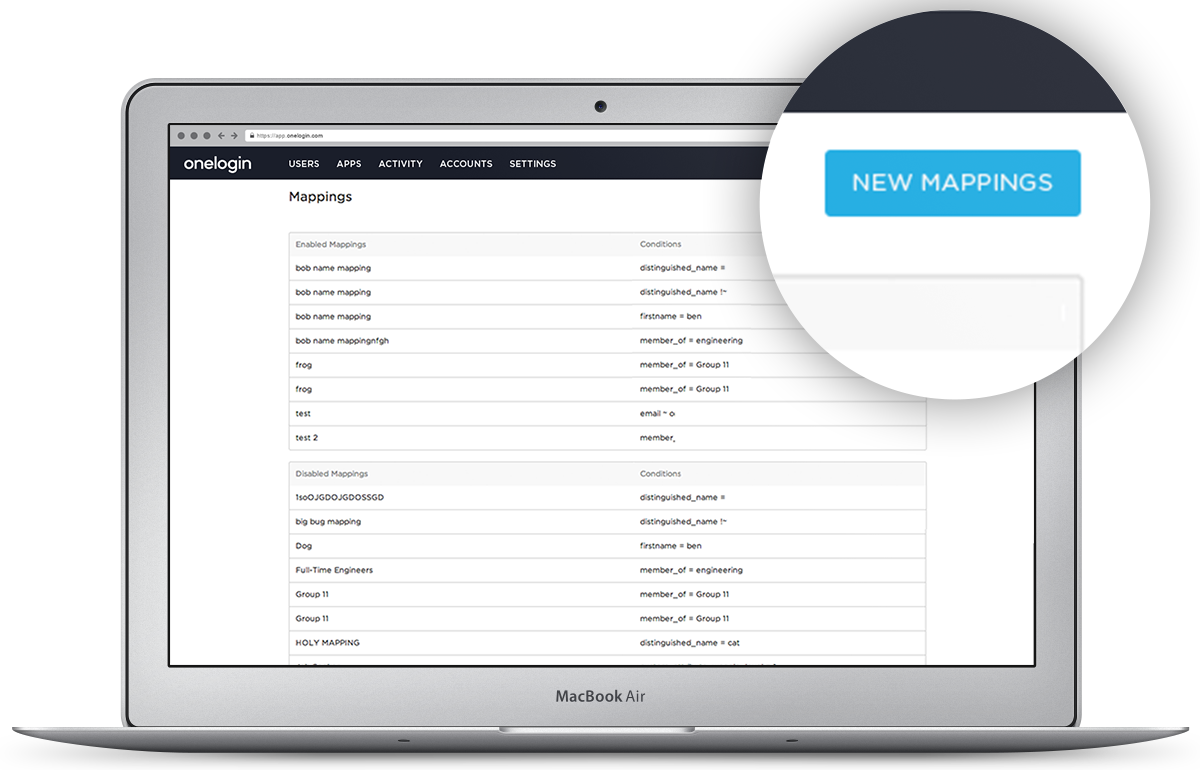
Access is controlled by user mappings, which are if/then rules. In OneLogin's developer example, users whose city attribute equals Montreal automatically receive a MontrealReader role. Mappings run when a user is created or updated, or when an admin runs Reapply Mappings in the UI.
OneLogin is a One Identity product.
- you want a standalone identity provider with published per-user prices and directory sync from Active Directory, Entra ID, Google Workspace or an HR system
- you need RADIUS or virtual LDAP for Wi-Fi, VPN and legacy apps on the Business plan
- you want identity and device management in one product, because nothing on OneLogin's pages shows MDM
- you need delegated administration, LDAP sync or API access management for multi-tenant MSP use, which are Enterprise only with no public price
- Users like
- MFA and password vaulting, and one access point for many apps, per G2's summary of reviewer themes
- Users dislike
- limited advanced IAM features, occasional login issues and slow support during outages, per G2's summary of reviewer themes
- Source: G2, 291 reviews
Moving from Okta
What you give up: Okta's automation depth. OneLogin Workflows is a paid add-on, and roles assigned by mappings can't be removed manually, which complicates cleanup.
What carries over: SAML, OIDC and forms-based apps, with a large app catalog and generic connectors for apps not in it.
On G2, OneLogin holds 4.4 out of 5 from 291 reviews. Reviewers praise MFA, password vaulting and one access point for many apps. The recurring complaints are limited advanced identity and access management features, occasional login issues and slow support during outages.
- Starting price
- Basic $3, Essentials $6, Business $10 per user per month; Enterprise by quote; Workflows add-on $2
- Basic ($3)
- SSO, MFA, AD sync, 5 provisioning rules
- Essentials ($6)
- Unlimited provisioning rules, Entra ID and Google sync
- Business ($10)
- SmartFactor adaptive MFA, Desktop MFA, HR sync, RBAC
- Workflows
- $2 per user/mo add-on
- Plans
- Basic $3, Essentials $6, Business $10 per user/mo
- HR sync
- Business plan and up
Cisco Duo
Cisco Duo
Best if you keep your directory
Duo suits a 30 person team that already runs Active Directory, Entra ID or Google Workspace and wants stronger MFA and device checks without moving its users.
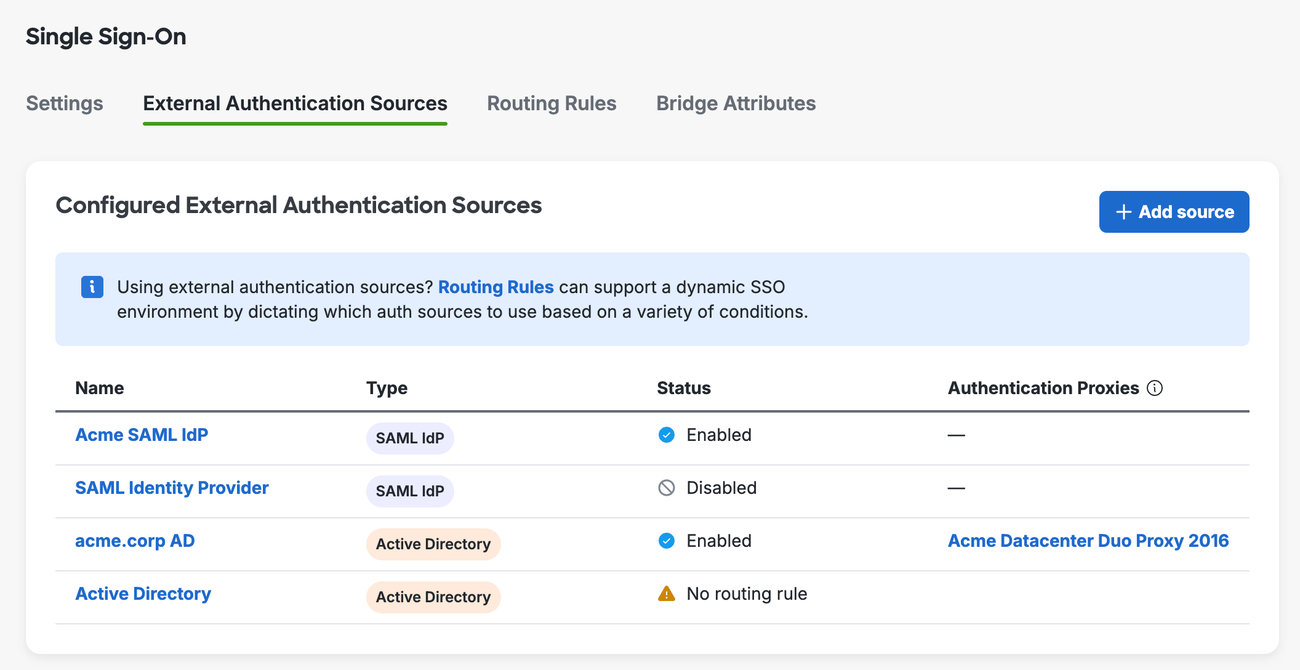
Duo sits in front of the identity system you already run. For SSO, an admin picks an authentication source: Duo Directory, where Duo hosts the users, on-premises Active Directory through the Duo Authentication Proxy, or an external SAML identity provider such as Entra ID, Google Workspace or Okta. Routing rules, up to 30 of them, pick the source for each login. When Active Directory or a SAML provider is the source, that system still manages passwords and policies.
The free plan covers up to 10 users with MFA. Essentials is $3 per user per month and adds Duo Directory, phishing-resistant MFA, passwordless sign-in, SSO, Trusted Endpoints and unlimited applications. Advantage at $6 adds risk-based authentication and Active Directory Defense. Premier at $9 adds device trust and VPN-less remote access. Self-service licenses under 100 users are sold in increments of 10.
Trusted Endpoints marks a device as known through one of 17 integrations, including Microsoft Intune, Jamf Pro and CrowdStrike Falcon. Directory sync runs one way, from your directory into Duo, every 30 minutes.
- you already have a directory and want strong MFA, SSO and device checks on top of it at a published per-user price
- you have 10 or fewer users and want free MFA, or you want phishing-resistant MFA from the $3 Essentials tier
- you need one product that hosts the directory and automates app provisioning and deprovisioning, because Duo's docs describe MFA, SSO and inbound sync only
- you want device trust or VPN-less access on a tight budget, since those start at Advantage ($6) or Premier ($9)
Moving from Okta
What you give up: lifecycle automation. Duo doesn't create or remove accounts in your apps, so joiner and leaver handling stays with whatever directory you keep.
What carries over: Duo's docs list Okta as a supported external identity provider, so you can put Duo in front of Okta during a transition and move apps over in stages.
On G2, Cisco Duo holds 4.5 out of 5 from 590 reviews. We didn't read written praise or complaint themes for Duo on G2.
- Starting price
- Free up to 10 users; Essentials $3, Advantage $6, Premier $9 per user per month
- Free
- Up to 10 users, MFA only
- Essentials ($3)
- SSO, Duo Directory, Trusted Endpoints, passwordless
- Advantage ($6)
- Passport, risk-based authentication, Active Directory Defense
- Premier ($9)
- Device trust, VPN-less access
- Plans
- Free to 10 users; Essentials $3, Advantage $6, Premier $9 per user/mo
- SSO sources
- Duo Directory, Active Directory, external SAML IdP
- Directory sync
- Inbound only, every 30 minutes
Zoho Directory
Zoho Directory
Lowest price for a small team
Zoho Directory fits a 12 person company that wants SSO, MFA and laptop login for the price of a coffee per person.
Zoho Directory is a cloud console with SSO, MFA through the Zoho OneAuth app, Active Directory sync, conditional access and routing policies, device login for Windows, macOS and Linux, and hosted Cloud LDAP and RADIUS. Zoho cites 350+ prebuilt integrations on its product page.
The Free plan covers 10 users with SSO for 3 third-party apps (Zoho apps are unlimited), MFA, default provisioning, 7 day logs and Cloud LDAP and RADIUS for those 10 users. Standard is $2 per user per month billed monthly and adds unlimited SSO apps, custom provisioning, 30 day logs and custom conditional access. Professional is $7 and adds 10 directory stores and custom admin roles. Billing yearly saves 15 percent, and the trial lasts 45 days.
The pricing page showed euros in our browser, so confirm the USD figure at checkout.
- you want the cheapest credible all-in-one directory with SSO, MFA and device login, especially if you already run Zoho apps
- you need hosted Cloud LDAP or RADIUS for Wi-Fi, VPN or printers without running servers
- you need independent proof from many reviews, because G2 shows only 2 reviews and Capterra and GetApp show none
- you need full device management with patching and app deployment, since the pages we read describe device login only
- Users like
- too few reviews to name themes
- Users dislike
- too few reviews to name themes
- Source: G2, 2 reviews

Moving from Okta
What you give up: depth and evidence. Zoho Directory is the thinnest option on review support, and we found no HR system driven provisioning on the pages we read.
What carries over: Zoho's own guide shows how to add Okta as an external identity provider over SAML 2.0 for chosen groups, which makes a gradual move practical.
On G2, Zoho Directory holds 4.0 out of 5 from 2 reviews, too few to name themes.
- Starting price
- Free for 10 users; Standard $2, Professional $7 per user per month billed monthly; 15% off billed yearly
- Free plan
- 10 users, SSO for 3 third-party apps
- Standard ($2)
- Unlimited SSO apps, custom provisioning
- Professional ($7)
- 10 directory stores, custom admin roles
- Trial
- 45 days
- Plans
- Free (10 users); Standard $2; Professional $7 per user/mo, billed monthly
- Free plan SSO
- 3 third-party apps, unlimited Zoho apps
Rippling IT
Rippling IT
Best if HR and IT share one system
Rippling IT fits a 150 person company that wants a new hire's record in HR to create the accounts, groups and laptop policies without a ticket.
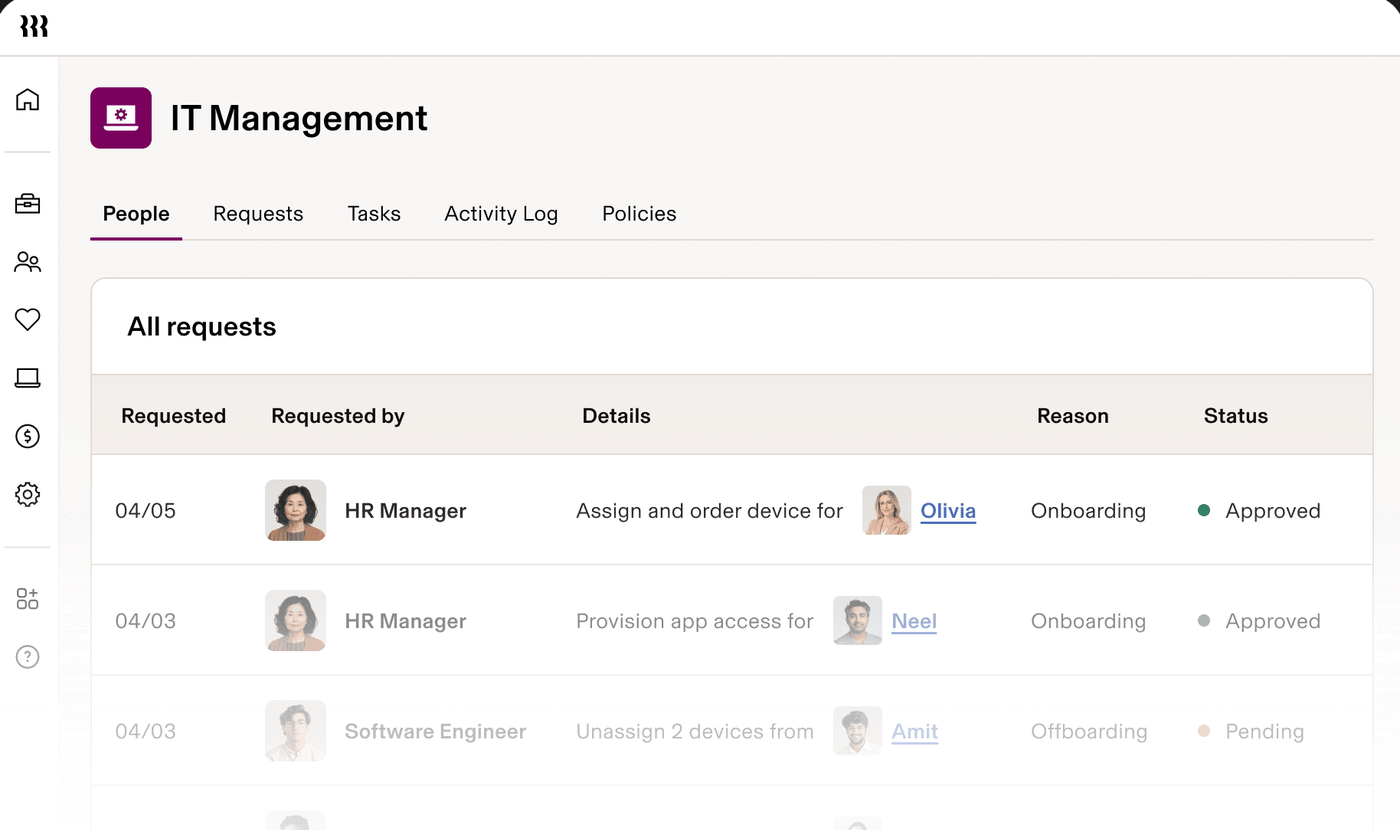
Rippling IT drives identity, SSO, MFA, app provisioning and device management from the same employee record as HR and payroll. Provisioning rules create, update or suspend accounts and licenses based on that record, and Supergroups are dynamic groups that add or remove people by department, location or tenure. Custom apps connect over SAML for sign-in and SCIM or just-in-time provisioning for accounts.
Device management covers macOS, Windows, iOS and iPadOS, including patching and remote lock and wipe. Rippling also handles device shipping and retrieval.
There is no published IT price list. Rippling's pricing page says plans start at $8 per employee per month with a monthly base fee, and it asks you to contact sales for a quote. Rippling's own guide says SSO needs a connected directory or HR system and defined employee attributes.
- you also want HR and payroll in the same system, so employee data decides app access and device policy
- you want joiner, mover and leaver changes to provision and suspend accounts automatically instead of by ticket
- you need a published price or a predictable per-user bill, because Rippling IT is quote only
- you want a standalone identity provider with no HR layer, or device management for Android and Linux, since Rippling lists macOS, Windows, iOS and iPadOS
- Users like
- HR and IT in one place and automated provisioning and offboarding, per G2 reviewers
- Users dislike
- complex setup for smaller teams without IT experience and device-agent prompts during meetings, per G2 reviewers
- Source: G2, 1,204 reviews
Moving from Okta
What you give up: price transparency and the option to change HR systems later without touching identity.
What carries over: HR-driven lifecycle, which Okta also offers from its Essentials tier, now with the HR system and identity provider from one vendor.
On G2, Rippling IT holds 4.7 out of 5 from 1,204 reviews. Reviewers praise HR and IT in one place and automated provisioning and offboarding. The recurring complaints are a complex setup for smaller teams without IT experience and device agent prompts during meetings.
- Starting price
- No published IT price; plans start at $8 per employee per month with a monthly base fee, per Rippling's pricing page
- Pricing
- Quote only, monthly base fee
- Provisioning
- SAML and SCIM, rule based from HR data
- Devices
- macOS, Windows, iOS, iPadOS
- Dynamic groups
- Supergroups by department, location or tenure
Keycloak
Keycloak
Best open source option
Keycloak suits a team with one engineer who runs a Java service on Kubernetes anyway and wants an identity provider with no per-user licence fee.
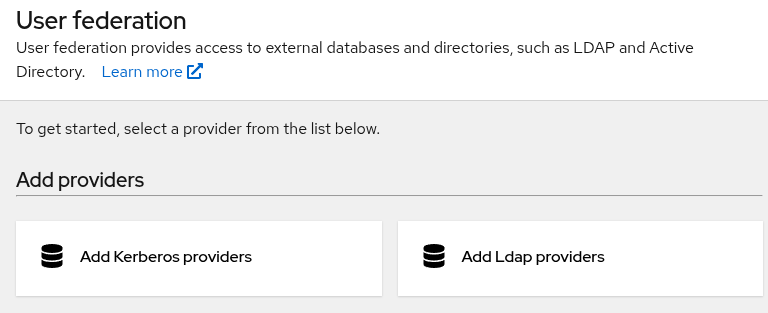
Keycloak is an open source identity provider under the Apache 2.0 license and a Cloud Native Computing Foundation incubation project. Applications redirect users to Keycloak to sign in, so they never handle login forms or store users. It supports OpenID Connect, OAuth 2.0 and SAML 2.0, social login, identity brokering to other OIDC or SAML providers, and built-in federation with LDAP or Active Directory. Administrators work in an admin console, and users set up two-factor authentication in an account console.
You run it yourself, on a server with OpenJDK, in Docker or Podman, or on Kubernetes or OpenShift. The project's guides cover what that means: a relational database, TLS certificates, the hostname, a reverse proxy, distributed caches and a production checklist. Its high availability guide says deployers are responsible for designing, validating and operating their end-to-end architecture.
The latest release on GitHub is 26.8.1, published October 13, 2026.
- you have someone who can run a Java service, a database and TLS, and you want no per-user licence fee
- you need a standards-based identity provider (OpenID Connect, OAuth 2.0, SAML 2.0) for internal or custom applications
- nobody on the team can own upgrades, backups and high availability, because Keycloak's own guides put that on the deployer
- you want a vendor to answer the phone: the project is community supported, and Red Hat sells a separate supported build we didn't price
Moving from Okta
What you give up: a managed service. Uptime, patching, backups and the login page itself become your job, and a sign-in outage hits every app behind it.
What carries over: SAML and OpenID Connect apps, and LDAP or Active Directory users through user federation.
Keycloak has no G2 product page with a usable review base, so there's no rating here. We didn't find user-reported strengths or weaknesses on a review site, so the points above come from the project's own documentation.
- Starting price
- Free under the Apache 2.0 license; you pay for hosting, a database and the admin time to run it
- License
- Apache 2.0, free
- Latest release
- 26.8.1, October 13, 2026
- Protocols
- OpenID Connect, OAuth 2.0, SAML 2.0
- User federation
- LDAP and Active Directory built in
- Hosting
- You run it: server, Docker, Podman, Kubernetes or OpenShift
Free and open source Okta alternatives: what the limits are
Five of the eight tools have a free way in, and each one caps something. Free here means the licence costs nothing, which isn't the same as costing nothing to run, as Keycloak shows.
| Tool | What is free | Where the free part ends |
|---|---|---|
| Cisco Duo | MFA for up to 10 users | SSO, Duo Directory and Trusted Endpoints start at Essentials ($3) |
| Zoho Directory | 10 users, MFA, SSO for 3 third-party apps | Unlimited SSO apps and custom provisioning start at Standard ($2, billed monthly) |
| Google Cloud Identity | SAML SSO, 2-Step Verification, groups, basic device management | Starts with a 50 user cap, and automated provisioning is Premium |
| Microsoft Entra ID | SSO and MFA through security defaults | Conditional Access starts at P1 ($7) |
| Keycloak | The software, under Apache 2.0 | Hosting, a database, TLS, upgrades and high availability are yours |
None of the free tiers include what Okta sells on Essentials: lifecycle automation driven by an HR system plus access governance. If you need those, you'll want the paid tiers in the next section, though even there the plans aren't equal.
What 25 and 100 users cost per year
For 25 users, the cheapest paid plan with SSO and MFA on this list costs between $600 and $3,300 per year, against $1,800 for Okta Starter and $5,100 for Okta Essentials. The table multiplies each list price by users and 12 months, so it ignores discounts, taxes and add-ons.
| Plan | Per user per month | 25 users per year | 100 users per year |
|---|---|---|---|
| Okta Starter | $6 | $1,800 | $7,200 |
| Okta Essentials | $17 | $5,100 | $20,400 |
| Microsoft Entra ID P1 | $7 | $2,100 | $8,400 |
| JumpCloud SSO | $11 | $3,300 | $13,200 |
| Google Cloud Identity Premium (flexible plan) | $8.40 | $2,520 | $10,080 |
| OneLogin Basic | $3 | $900 | $3,600 |
| OneLogin Essentials | $6 | $1,800 | $7,200 |
| Cisco Duo Essentials | $3 | $1,080 (30 licenses) | $3,600 |
| Zoho Directory Standard (billed monthly) | $2 | $600 | $2,400 |
| Rippling IT | Quote only | n/a | n/a |
| Keycloak | $0 licence | Hosting and admin time | Hosting and admin time |
The plans aren't equal. Entra ID P1 is $0 extra if your Microsoft 365 plan already includes it, OneLogin Basic limits provisioning rules to 5, and Duo doesn't host your directory or provision accounts. Duo's page doesn't state a billing term, so we computed 12 months. Compare scope first, then price. A $2 plan that can't do what you need is more expensive than a $7 plan that can.
What you give up when you leave Okta
You mostly give up Okta's breadth of automation, but the amount depends on which Okta features you use today. The table maps three that teams rely on to what the alternatives list.
| Okta capability | Okta tier where it starts | What the alternatives list |
|---|---|---|
| HR driven lifecycle management | Essentials, $17 | Entra ID P1 lists HR driven inbound provisioning; OneLogin lists HR sync from Business ($10); Rippling IT is the HR system |
| No-code automation | 5 Workflows on Starter, 50 on Essentials | Entra Lifecycle Workflows (up to 50) in Governance at $7; OneLogin Workflows add-on at $2; JumpCloud and Duo list none on the pages we read |
| Device based access | Device Access in Professional (quote) | JumpCloud device management from $9; Duo Trusted Endpoints from $3; Rippling and Google list device management |
Okta Workflows are the item most likely to cost you time. Okta's own docs warn that mixing standard provisioning with custom actions in flows can create conflicting changes, so audit your flows before you copy any of them. Some won't be worth rebuilding at all.
Migration checklist: moving off Okta
- List every app behind Okta SSO and mark whether it uses SAML, OpenID Connect or SCIM
- List every service account, API token and automation that authenticates through Okta, and name an owner for each
- Export the System Log and any access review evidence you need for audits, and check how many days Okta keeps it for your plan
- Write down each Okta Workflow, what triggers it and what it changes, so you can rebuild it by hand
- Pilot with one group, using Okta as an external identity provider where the new tool supports it (Duo and Zoho Directory document this)
- Plan MFA re-enrollment and tell users which authenticator they will use
- Disable a test user and confirm access is removed in every connected app
- Keep read access to Okta until the contract ends for audit questions
The gap no identity platform closes: who owns each service account
Whichever identity provider you choose, moving off Okta forces the question of which service accounts and tokens signed in through it. A directory won't tell you who owns each one or when it was last reviewed, and that's the part auditors ask about. That question sits between your directory and your auditors.
For more on the tools in this list, read our identity and access management software guide, Okta pricing and Okta review, and the head to head posts on Okta vs JumpCloud and Okta vs Microsoft Entra ID.
Frequently asked questions
Who are Okta's main competitors?
For workforce identity, the main competitors are Microsoft Entra ID, JumpCloud, OneLogin, Cisco Duo, Google Cloud Identity and Rippling IT. Zoho Directory competes on price and Keycloak is the open source option. Larger rivals such as Ping Identity also compete at enterprise scale; we didn't research them.
Is there a better alternative to Keycloak?
A better alternative to Keycloak depends on who runs it. If nobody on your team wants to own upgrades, backups and high availability, a hosted option such as Microsoft Entra ID, Google Cloud Identity or Zoho Directory removes that work, and each has a free way in. If you need a standards-based provider for custom apps and have the engineers, Keycloak is still the open source default.
What kind of app is Okta?
Okta Workforce Identity is a cloud identity provider. It handles single sign-on, multi-factor authentication, a cloud directory, lifecycle automation and access governance for the apps your employees use. Its suites run from $6 per user per month on Starter to quote-only Professional and Enterprise tiers.
What are the top SSO providers?
The top SSO providers on G2 are Okta, Microsoft Entra ID, JumpCloud and Cisco Duo, which each hold 4.5 out of 5, and OneLogin holds 4.4. Rippling IT holds 4.7 and Google Cloud Identity 4.3. Review counts differ a lot, from 2 for Zoho Directory to 4,121 for JumpCloud.
What is the cheapest Okta alternative?
The cheapest Okta alternatives are Cisco Duo and Zoho Directory, which are free for up to 10 users, Google Cloud Identity Free and Microsoft Entra ID Free cover basic SSO, and Keycloak has no licence fee. For paid plans, Zoho Directory starts at $2 per user per month billed monthly, and Duo and OneLogin Basic start at $3.
Is this list for workforce or customer identity?
Workforce identity only, meaning the sign-in for your employees. If you need login for your own customers' apps, you're looking at customer identity products, and Okta sells those under the Auth0 name.