IT service management (ITSM) software is the system an IT team uses to run incidents, service requests, problems and changes as defined processes, with a service catalog, SLAs, a knowledge base and records of the assets behind each service. The part that separates the products is not ticket handling, which every one of them does. It is how early each plan unlocks change and problem management, because that is where the price jumps.
The nine tools below range from free (GLPI if you host it yourself, Jira Service Management for three agents) to quote-only platforms like ServiceNow. Each entry follows one change request through the tool, then lists which ITIL practices come with the plan and which need a higher one. If you only need a ticket inbox with an SLA, our service desk software comparison is the better start.
- ITSM tools compared
- 9
- tools that put change management on a higher plan than their cheapest one
- 6 of 9
- tools that include change management from the first plan (HaloITSM, SysAid, GLPI)
- 3
- practices InvGate lists for its PinkVERIFY ITIL 4 certification (blog dated December 5, 2024)
- 7
Our picks: the best IT service management software by situation
Freshservice is the best ITSM software for most small internal IT teams that want a first process-led rollout, but the right tool depends on whether you need change control now or later. The picks below match one tool to each situation.
 Best for a first ITSM rolloutFreshserviceA clean portal and service catalog from Growth, with problem and change management waiting on Pro when you need them.
 Best all-inclusive ITSMHaloITSMOne per-agent price covers every module, so change, problem and the CMDB do not sit behind a tier.
 Best published price with change includedSysAidA single Professional plan at $89 per agent per month includes change, problem, the catalog and the CMDB.
 Best free start and best for Jira teamsJira Service ManagementFree for 3 agents, with change and problem management on Premium when the process needs them.
 Best for ITIL 4 claims and public USD pricingInvGate Service ManagementThree published tiers, a PinkVERIFY ITIL 4 claim and change management from the Pro plan.
 Best open sourceGLPIProblems, changes, a catalog and a CMDB in the free core, if someone on the team can host and patch it.
 Best for large or regulated ITServiceNow IT Service ManagementThe reference platform, with change, problem and major incident in the Advanced package, sold by quote.
IT service management software compared
The table lists each tool from the easiest access to change management to the hardest, which is also the order of the reviews below.
| Tool | Category | How a request flows | Entry price (USD unless noted) | Review rating |
|---|---|---|---|---|
| HaloITSM | All-in-one ITSM, one flat price | Email, portal, Teams, phone or alerts create a ticket, rules route it, SLA and OLA timers escalate, and AI suggests knowledge and replies | US$99 per agent per month billed annually at 5 to 10 agents, falling to US$85 at 100 or more; onboarding package required | 4.8 (22) |
| SysAid | AI-first ITSM help desk | Chatbot, portal, email or Teams request is tried by AI first, otherwise a routed ticket gets an SLA and escalation rules run every five minutes | US$89 per agent per month on the Professional plan (quote required, billing period not stated); Enterprise custom from 20 agents | 4.5 (756) |
| GLPI | Open-source ITSM and asset management | Email receivers, web forms or portal create tickets; business rules assign, SLA and OLA timers escalate, CMDB assets link in | Free self-hosted (open source); Teclib' cloud from 19 € per user per month excl. VAT; self-hosted support subscriptions 100 € to 4,500 € per month; EUR only | 4.5 (42) |
| InvGate Service Management | ITSM with ITIL 4 practice accreditation | A request arrives by portal, email, Slack or Teams, a no-code workflow routes it, change requests go through risk and approval steps, and the AI Hub drafts replies and summaries | Starter $1,499 per year for 5 agents (no Change module); Pro $500 per agent per year, from $2,500 per year; Enterprise from $12,000 per year (USD, excl. taxes) | No reviews yet |
 TOPdesk TOPdesk | ITSM platform built on ITIL practices | Requests come in by portal, email or Teams, the catalog and processes route them, and change and problem handling start on the Engaged plan | GBP 51 (Essential), GBP 72 (Engaged), GBP 101 (Excellent) per agent per month, excl. taxes; no USD amounts shown, US pricing by quote | No reviews yet |
| Freshservice | Service desk with a discovery agent | Discovery agent and probe feed the CMDB next to tickets | Asset management from the Growth plan at $49 per agent per month billed annually, with 100 Asset Units included; standalone ITAM plans are quote only | 4.5 (Capterra, 805) |
| Jira Service Management | ITSM service desk for Atlassian teams | Portal, email, Slack or Teams request lands in a queue; rules assign it; SLA goals track deadlines; agent resolves and links to knowledge base article | Free for 3 agents; Standard $21.50 per agent / month, Premium $55.28 per agent / month (monthly billing) | 4.3 (986) |
 ManageEngine ServiceDesk Plus ManageEngine ServiceDesk Plus | ITSM help desk with free tier | Email, portal, chat, Teams or monitoring alerts create a ticket, rules and AI route it, an SLA with escalation starts, and solutions feed the knowledge base | Free for up to 5 technicians; cloud paid from US$13 per technician per month billed yearly (US$16 billed monthly) | 4.2 (253) |
| ServiceNow IT Service Management | Enterprise ITSM platform with AI agents | Portal, chatbot, email or phone creates an incident; ML routes it to a group; agent resolves in one workspace; knowledge feeds the portal | Quote only (ITSM Foundation, Advanced and Prime; no public prices) | 4.5 (2,006) |
 The IT Lead Our product The IT Lead Our product | Service account ownership reviews | Collects owner attestations for service accounts and keeps the review trail | Access code | No reviews yet |
Entry prices as published on each vendor's pricing page in October 2026. TOPdesk lists GBP only, GLPI cloud lists EUR only. Ratings were read on G2 or Capterra and are labelled per tool; InvGate and TOPdesk could not be read.
What IT service management software does
IT service management software helps an IT team design, deliver and support IT services through defined processes: incident, request, problem and change, tied together by a service catalog, SLAs, a knowledge base and a configuration database (CMDB). ITIL, the framework most vendors build on, calls these processes practices.
The three tool types people confuse sit on one ladder.
| Tool type | What it covers | Typical buyer |
|---|---|---|
| Service desk | Tickets, SLAs, a portal and a knowledge base for employee requests | Teams that fix issues as they come in |
| ITSM platform | Service desk plus problem, change and release management, a catalog and a CMDB | Teams with change control, audits or several services to run |
| IT asset management (ITAM) | Inventory, lifecycle and contracts for hardware and software | Teams that need to know what they own; see our IT asset management software comparison |
Most tools here do a bit of all three, but where they differ is how much of the ITSM column you get on the entry plan.
Which ITIL practices a small IT team needs
A small IT team needs incident, request, knowledge and SLA management from day one, and problem and change management as soon as the same issue returns or one change breaks something. The matrix shows where each tool stands, based on the vendor pricing, product and documentation pages read in October 2026.
- Incident and service request turn a broken laptop or a new-hire request into a tracked ticket. Every tool in the list covers them from its first plan, so the matrix leaves the request column out.
- Problem management finds the root cause behind repeated incidents, so the same failure stops generating tickets.
- Change enablement controls risky changes with approvals, a risk check and a calendar, so a patch window doesn't collide with a payroll run.
- A service catalog lists standard requests with forms and approvals.
- A CMDB links tickets to the assets and services they affect.
| Tool | Incident | Problem | Change | Catalog | CMDB or assets | SLA | PinkVERIFY claim |
|---|---|---|---|---|---|---|---|
| HaloITSM | Included | Included | Included | Included | Included | Included | None found |
| SysAid | Professional | Professional | Professional | Professional | Professional | Professional | Incident, change, problem (version not stated) |
| GLPI | Core | Core | Core | Core | Core | Core | None found |
| InvGate | Starter | Starter | Pro | Starter | Starter | Starter | ITIL 4, 7 practices |
| TOPdesk | Essential | Engaged | Engaged | Essential | Essential | Engaged | None found |
| Freshservice | Starter | Pro | Pro | Growth | Asset Units | Growth | 6 processes (2019, version not stated) |
| Jira Service Management | Free | Premium | Premium | Free (portal) | Standard | Free | ITIL 4 (practice list not found) |
| ServiceDesk Plus | Standard | Enterprise or add-on | Enterprise or add-on | Enterprise or add-on | Enterprise or add-on | Standard | 10 processes; ITIL 4 on 4 practices (2021 release) |
| ServiceNow ITSM | Foundation | Advanced | Advanced | Foundation | Foundation | Not found | No current claim found |
"Not found" and "None found" mean the vendor pages we read do not say, not that the feature is missing. A PinkVERIFY badge says a vendor's tool passed a third-party check against named ITIL processes at a point in time. It doesn't say how well it fits your team, so ask for the practice list and the date.
How a change request moves through ITSM software
A change request moves through an ITSM tool in seven steps, and the tools differ mainly in how many of them they automate. The steps are also the script for your trial: walk one real change through each step and note what you still do by hand.
- Requester or engineerRaises a change request from a template, such as a firewall rule or a server patch Request
- ITSM toolScores impact and risk from the change type and the affected services in the CMDB Assessment
- ApproversApprove or reject by role or by a change advisory board (CAB) in the tool Approval
- Change managerPlaces the change on the calendar and checks for clashes with other changes Scheduling
- EngineerImplements the change and records the result against the ticket Implementation
- Change managerReviews the outcome, links any incident it caused and closes the change Review
- IT leadUpdates the CMDB record and the knowledge article so the next change starts from the new state Follow-up
Small teams often skip steps two and four, yet a short risk score and a calendar are the cheapest ways to avoid the Friday-afternoon outage, and they're the first features that vanish on lower plans.
How we chose these tools
We started from the tools named in the top results for this term and kept the ones built for IT service management for internal IT teams and managed service providers (MSPs). Then we read vendor sources per tool: the pricing page, a product or feature page, a documentation or help page for change and problem management, and a review site for the rating where one could be read. We dropped remote monitoring tools and customer-support help desks that do not run ITIL processes.
Each tool had to meet the criteria below.
- It runs incident, request, problem and change as separate processes, or says plainly which it does not.
- It publishes a price, a free plan, or a clear statement that pricing is by quote.
- It fits an IT team of 1 to 20 people or an MSP, even if it also serves large enterprises.
ServiceNow is included as the enterprise reference point, because many buyers compare against it even when it is too big for them. If you are already leaving it, see our ServiceNow alternatives page.
The best IT service management software, reviewed
Each review below follows one change request through the tool and then lists the practices that come with each plan. Reviews are ordered by how easily the tool gives you change and problem management.
HaloITSM
Best all-inclusive ITSM, one price for every module
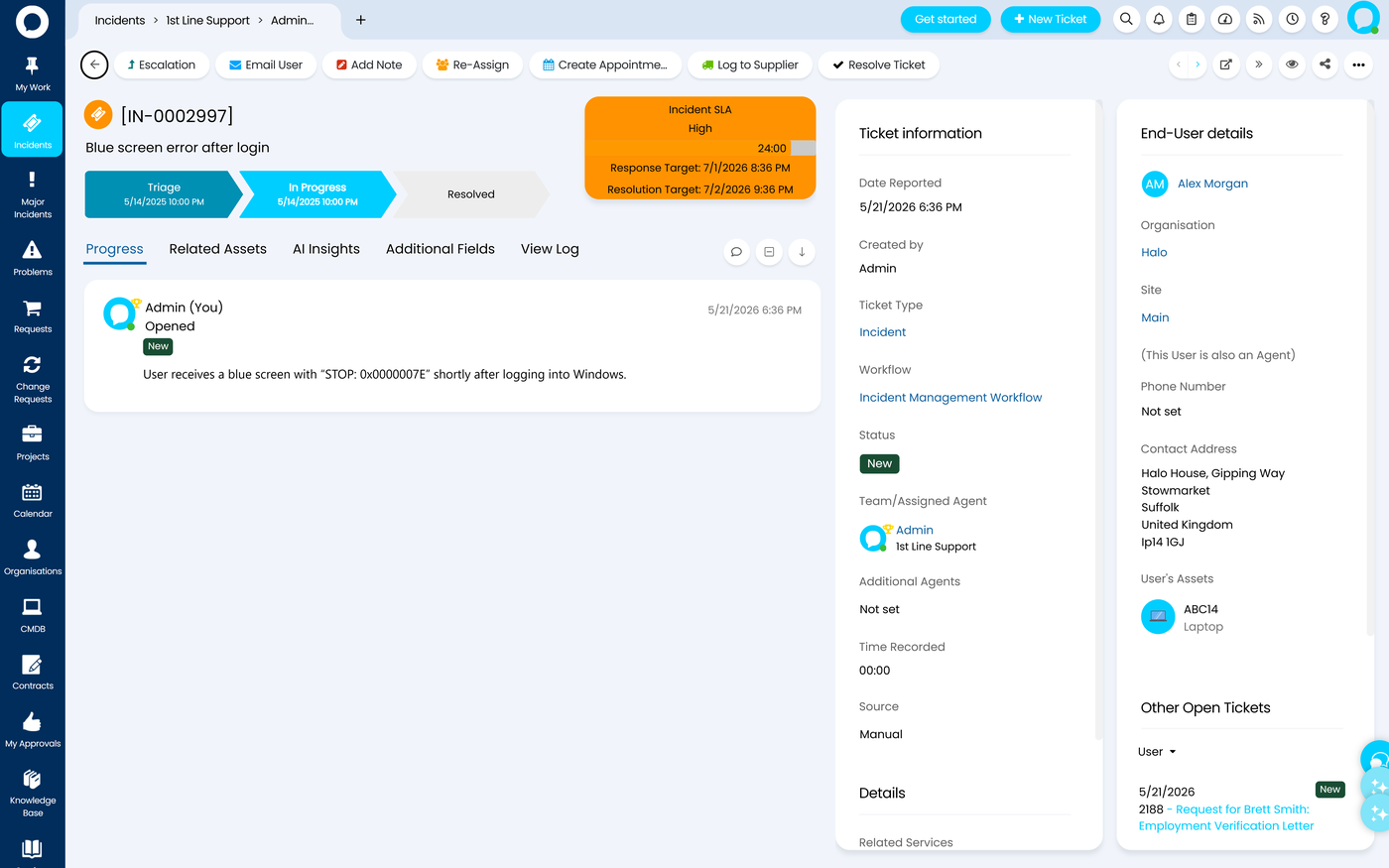
HaloITSM is the ITSM tool with no tiers: incident, request, change, problem, major incident, the CMDB and the self-service portal are all in one per-agent price, so the first change request doesn't need a plan upgrade.
A change in HaloITSM is a ticket type with its own workflow. The vendor's pages describe approvals, a change calendar and a CAB in the same platform, and the CMDB records the affected assets. Halo says the AI agents are part of the licence as well, and the 2026 final release added a built-in search index for hosted customers.
What the sources don't show is a PinkVERIFY or ITIL certification: Halo calls itself ITIL aligned and lists security certifications such as ISO 27001 and SOC 2 Type II instead. On-call scheduling is not native either; Halo points to integrations with tools such as ilert and Splunk On-Call.
- you want change, problem and the CMDB without checking which tier unlocks them
- you run an MSP or a mixed IT and customer service team and may add other Halo modules later
- you want a free plan or a price below about $99 per agent for a team of 5 to 10
- you want a published implementation cost, since onboarding is mandatory and quoted separately
- Users like
- easy setup and ease of use, per G2 reviewers
- Users dislike
- limited UI and workflow customization and report building needing SQL, per G2 reviewers
- Source: G2, 22 reviews
Price and licence details
HaloITSM sells one plan per agent per month on annual billing. The pricing page defaults to pounds for UK visitors (£69 at 10 agents), and switching the region to the United States shows $99 per agent per month at 5 to 10 agents, falling to $85 at 100 agents or more. Named and concurrent licences cost the same, and end users and portal customers are free.
An onboarding package is required at a bespoke cost, so budget for it on top of the licence. Halo also lists an Enterprise Package at a fixed $1 million per year for very large organizations.
On G2, HaloITSM holds 4.8 out of 5 from 22 reviews, a small sample. Reviewers praise easy setup and ease of use, though complaints mention limited UI and workflow customization and reporting that needs SQL knowledge.
- Starting price
- US$99 per agent per month billed annually at 5 to 10 agents, falling to US$85 at 100 or more; onboarding package required
- SLA management
- Unlimited SLAs and OLAs, all included
- Self-service portal
- Included, embeds in Teams
- AI
- AI agents included, no separate licence
- Change and problem
- Included in the single plan
- Deployment
- Hosted, private cloud or on premises
- ITIL certification
- None found; ITIL aligned
SysAid
Best published price with change and problem included
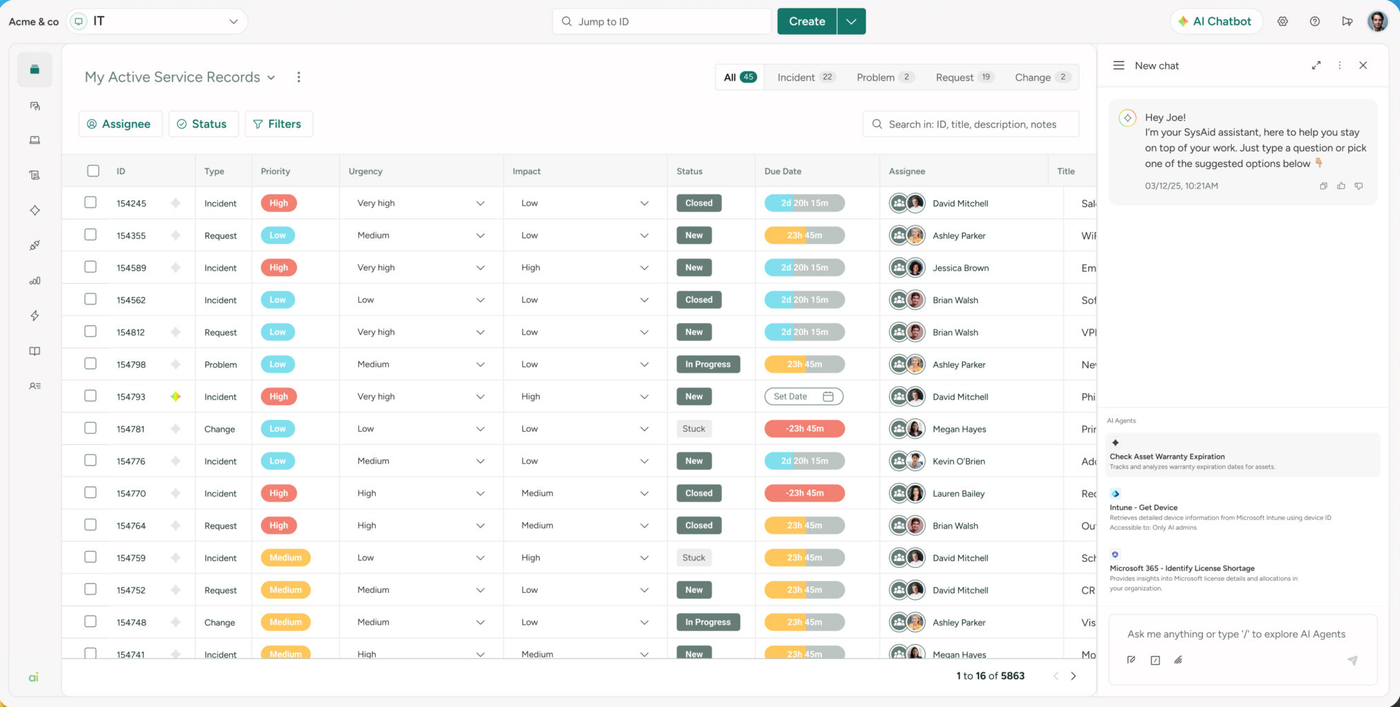
SysAid has one paid ITSM plan, Professional, at $89 per agent per month, and incident, request, change, problem, the service catalog and the CMDB are all in it. It is the easiest published price to compare against Freshservice Pro or Jira Service Management Premium.
A change request in SysAid runs through the change module of the Professional plan, with the CMDB behind it. SysAid says it is PinkVERIFY certified for incident, change and problem management; the certificate page does not state an ITIL version, and a separate PeopleCert badge for ITIL 4 shows seven practices while naming two. Treat the claim as a starting point for a demo question, not as proof of depth.
SysAid integrates with Microsoft Teams and Slack, and its Microsoft Intune integration imports device inventory, on the cloud edition only. Entra ID is reachable through the AI Agent Builder and Okta through its Workato-based connector.
- you want change and problem management and a catalog in one published plan
- you want device inventory from Intune in the same tool as your tickets
- you need on-call scheduling or a documented major incident process, neither of which the sources show
- you want a clear self-serve checkout, since Professional is sold by quote even though the price is shown
- Users like
- ease of use, helpful support and automated ticket routing, per G2 reviewers
- Users dislike
- complexity and learning curve, with a clunky interface in places, per G2 reviewers
- Source: G2, 756 reviews
Price and plan details
SysAid's pricing page lists Professional at $89 per agent per month with the billing period not stated, so confirm monthly or annual billing in the quote. Enterprise is custom with a 20 agent minimum and adds a sandbox, custom AI agents, advanced BI and more automation credits. The same page also shows Dex plans at $89 and $189 per technician per month, which are a separate product and should not be added to an ITSM quote.
On G2, SysAid holds 4.5 out of 5 from 756 reviews. Reviewers praise ease of use, helpful support and automated routing. The recurring complaints are complexity, a learning curve and a clunky interface in places.
- Starting price
- US$89 per agent per month on the Professional plan (quote required, billing period not stated); Enterprise custom from 20 agents
- SLA management
- Routing, escalation and alerts in Professional
- Self-service portal
- Portal and KB in all plans
- AI
- Copilot and 100+ AI agents included
- Change and problem
- Included in Professional
- Enterprise plan
- Custom, 20 agent minimum
- ITIL certification
- PinkVERIFY for incident, change, problem
GLPI
Best open source ITSM with change and problem in the core
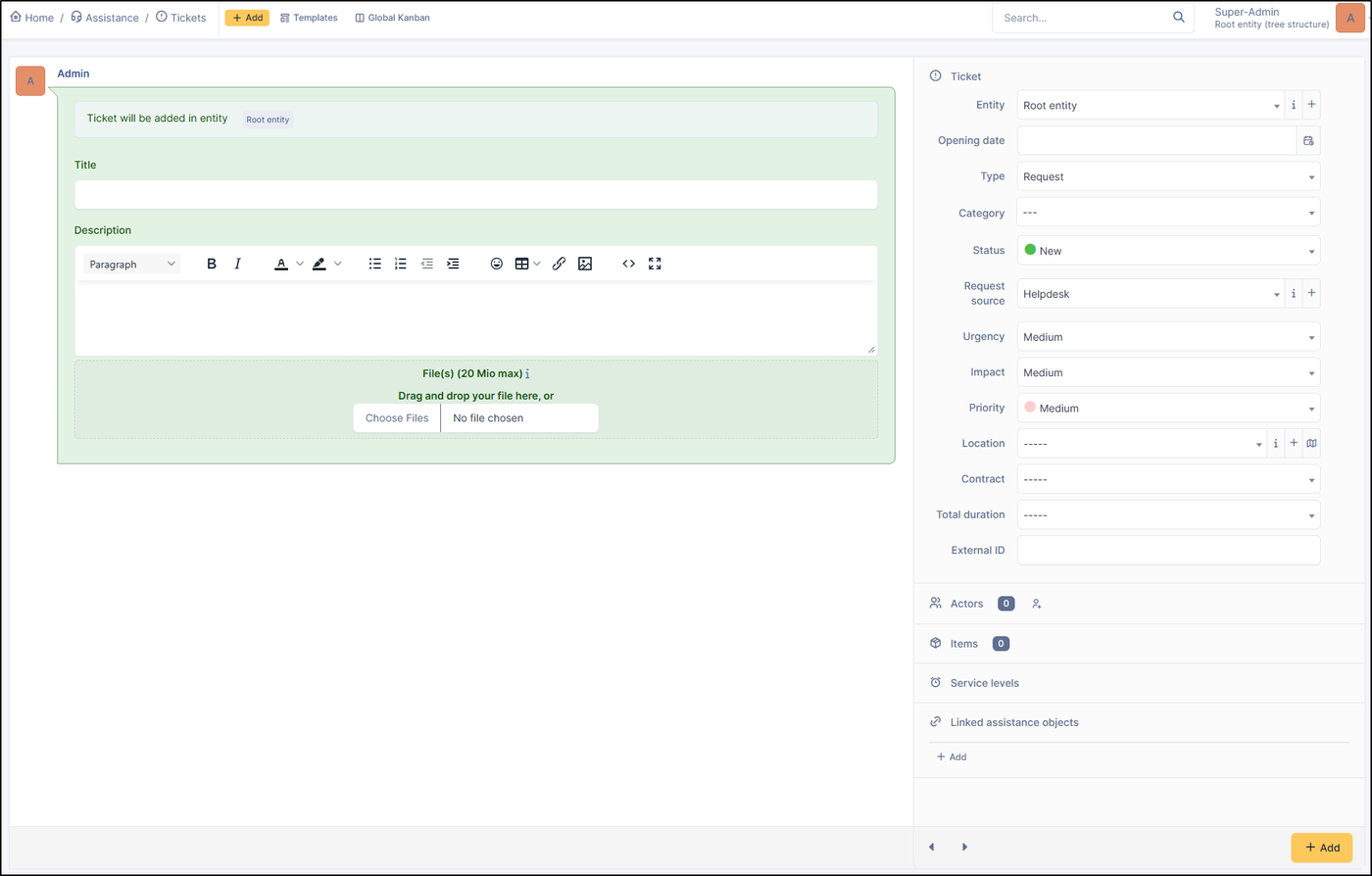
GLPI is open source and includes tickets, problems, changes, a service catalog, SLAs, a CMDB and a knowledge base in the free core, with no user limit if you host it yourself.
A change in GLPI is its own object with a form, tasks and linked tickets and problems. The documentation describes the change module and the service catalog introduced in GLPI 11, and the CMDB links changes to the assets they touch. The depth of approval workflows is not shown in the pages we read, so test the approval path in a trial.
GLPI makes no PinkVERIFY or PeopleCert claim that we could find. It connects to Slack through a plugin, and sign-in options include LDAP, CAS and mail; SSO and SCIM are named only on the paid self-hosted tiers.
- you want change, problem and a CMDB with no license fee and someone who can host and patch the server
- you want to keep data on your own infrastructure
- you want a vendor to run it and expect US pricing in dollars, since the paid cloud and support tiers are in euros
- you need major incident handling or on-call scheduling, which the pages don't show
- Users like
- easy to use and customizable open source, per G2 reviewers
- Users dislike
- reporting and plugin updates between versions, per G2 reviewers
- Source: G2, 42 reviews
Hosting and support costs
GLPI's community edition is free to self-host. Teclib' runs hosted cloud versions from €19 per user per month for the public cloud and €21 for the private cloud, which needs at least 25 users, excluding VAT and priced in euros only. Self-hosted support subscriptions called GLPI Network run from €100 to €4,500 per month, and the pricing page lists GLPI AI on the Basic tier.
On G2, GLPI holds 4.5 out of 5 from 42 reviews. Reviewers praise ease of use and customization. The complaints concern reporting and plugin updates between versions.
- Starting price
- Free self-hosted (open source); Teclib' cloud from 19 € per user per month excl. VAT; self-hosted support subscriptions 100 € to 4,500 € per month; EUR only
- Free plan
- Self-hosted, no license fee
- SLA
- SLA and OLA with TTO and TTR
- Cloud
- Public €19, Private €21 per user per month
- Change and problem
- In the free core
- ITIL certification
- None found
InvGate Service Management
Best for public USD pricing and an ITIL 4 certification claim
InvGate Service Management publishes three USD tiers and claims PinkVERIFY ITIL 4 certification on seven practices. Incident, request, problem, catalog and SLA come with Starter, while change management starts on Pro.
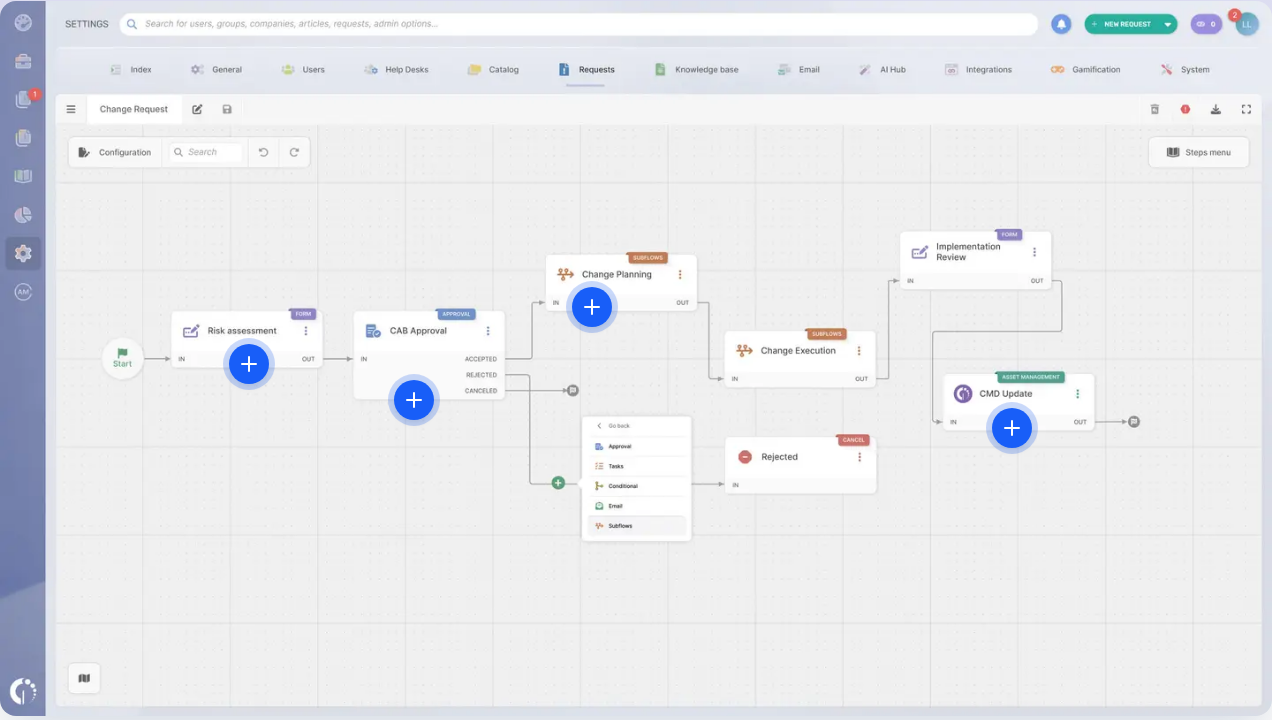
On Pro, a change request goes through ITIL-style steps with risk assessment and approval, which InvGate documents under its ITIL page along with a PeopleCert accreditation claim for 15 practices. The PinkVERIFY practices are change, incident, IT operations, knowledge, problem, request and service desk, per a blog post dated December 5, 2024; ask for the current certificate before you rely on it.
Slack, Teams, Okta and Entra ID connect to the service desk, and Intune data arrives through the separate InvGate Asset Management product, which also holds the automatic CMDB mapping on Pro and above. Major incident appears only as a detection feature in the AI Hub, and the pages show no on-call scheduling.
- you want a published USD price and change management from the Pro tier
- you want a vendor that documents which ITIL practices it covers
- you need change management on the cheapest tier, because Starter excludes it
- you need native on-call scheduling or a full major incident process
Plans, prices and AI
InvGate prices Starter at $1,499 per year for 5 agents, Pro at $500 per agent per year with a $2,500 annual minimum for 5 to 100 agents, and Enterprise from $12,000 per year, all in USD excluding taxes. That puts Pro at about $42 per agent per month at the 5 agent minimum. Asset Management is a separate product with its own price.
The 2026 AI Hub adds AI replies, ticket summaries and a virtual agent. We could not read a G2, Capterra or TrustRadius rating for InvGate, because those sites blocked our access, so we show no rating.
- Starting price
- Starter $1,499 per year for 5 agents (no Change module); Pro $500 per agent per year, from $2,500 per year; Enterprise from $12,000 per year (USD, excl. taxes)
- Change management
- Pro and Enterprise, not Starter
- Deployment
- Cloud; cloud or on premises on Enterprise
- ITIL 4 claim
- PinkVERIFY on 7 practices (blog dated 2024-12-05)
- Change and problem
- Problem from Starter, change from Pro
- ITIL certification
- PinkVERIFY ITIL 4, 7 practices
TOPdesk
Best for catalog and CMDB on the entry plan
TOPdesk is an ITSM platform with the service catalog, knowledge, major incident handling and asset records on the entry plan, and problem, change and SLA management on Engaged.
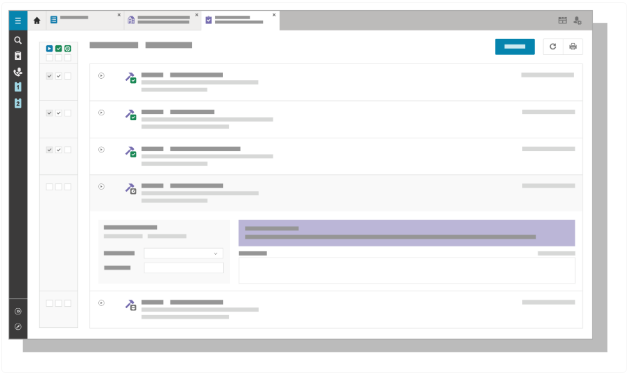
A change in TOPdesk starts as a request for change on the Engaged plan, with the process described in its change management documentation. We found no documented change calendar or CAB tooling in the pages read, so ask to see both in a demo. The platform page says it is built on ITIL best practice and lists SOC 2, but we found no PinkVERIFY claim.
TOPdesk's Microsoft Teams app is available to all customers, Entra SCIM is described in an OAuth 2.0 release post, and Slack and Intune links come through its partner marketplace. 2026 additions labelled new on the pricing page, Robin and AI Triage, sit on the Excellent plan.
- you want a catalog, knowledge and asset records from the first plan and change unlocked on Engaged
- you want an ITSM vendor with a marketplace of integrations
- you need public USD pricing, because the list is in pounds and US buyers get a quote
- you need documented change calendar, CAB or on-call scheduling features
Plans and prices
TOPdesk lists Essential at £51, Engaged at £72 and Excellent at £101 per agent per month, excluding taxes, with unlimited light agents. Teams of 50 or more agents need a custom quote, and the US pricing page we tried returned an error, so US pricing is a quote. Consulting hours are billed separately.
We could not read a G2 rating for TOPdesk, because the site blocked our access, so no rating is shown.
- Starting price
- GBP 51 (Essential), GBP 72 (Engaged), GBP 101 (Excellent) per agent per month, excl. taxes; no USD amounts shown, US pricing by quote
- Change and problem
- Engaged and above
- SLA management
- Engaged and above
- Deployment
- Mostly cloud, on premises available
Freshservice
Best for a first ITSM rollout with room to grow
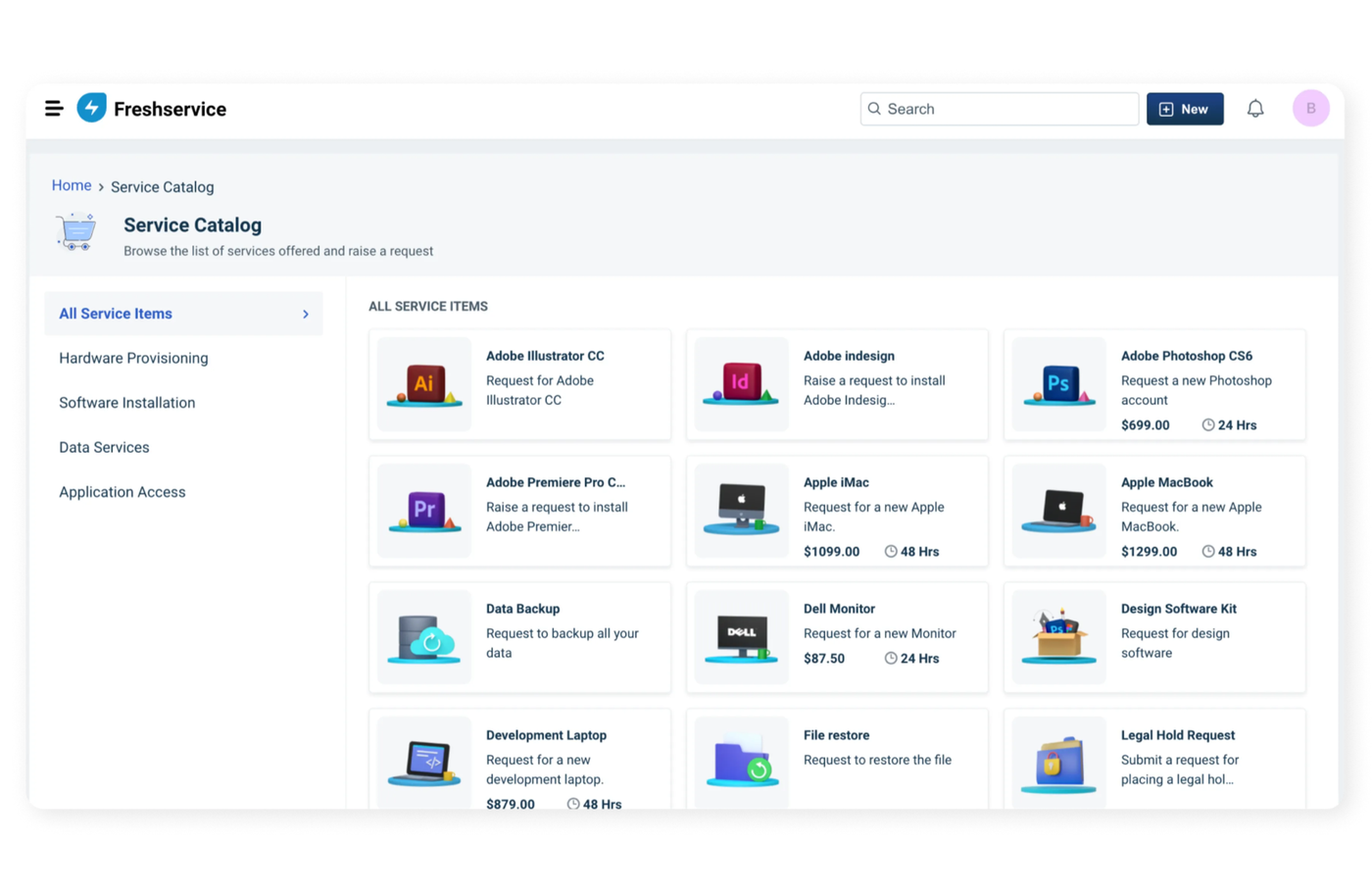
Freshservice is the ITSM tool most small teams can set up in an afternoon. The ladder is clear: SLAs, the catalog and on-call start on Growth, and problem, change, major incident and release management start on Pro.
A change in Freshservice is a change ticket on the Pro plan, with impact assessment and risk identification described on the features page. A dedicated CAB view and change calendar are Pro-level per the pricing page, though the features page does not spell out the CAB wording, so confirm it in a trial. Freshservice says it is ITIL aligned, and an older vendor post from 2019 claims PinkVERIFY for six processes without an ITIL version.
The CMDB is metered in Asset Units, so the price depends on how many assets you track, not only on agents. Teams, Slack and the other channels feed the same agent view.
- you want a modern portal and a catalog without a long implementation, and expect to add change control later
- you are comfortable paying for Pro once change or problem management matters
- you need change or problem management below $99 per agent per month
- you want AI drafting included, because the Freddy AI Copilot is an extra per agent per month cost on Pro
- Users like
- a clean interface and quick adoption, per Capterra reviewers
- Users dislike
- reporting that is hard to customize, per Capterra reviewers
- Source: Capterra, 805 reviews
Price and asset details
Freshservice prices Starter at $19, Growth at $49 and Pro at $99 per agent per month on annual billing, with Enterprise by quote. There is no free plan, only a trial. The CMDB runs on Asset Units sold in packs of 500, and the pricing page doesn't state which plan carries the base CMDB, so ask for it in writing.
An earlier check of the Growth asset package found 100 Asset Units included. Freshworks announced on October 12, 2026 that it will acquire the SaaS management vendor Torii, which we cover in our SaaS management software comparison.
We read a 4.5 out of 5 rating from 805 reviews on Capterra, where G2 was not readable that day. Reviewers praise a clean interface and quick adoption. The recurring complaint is reporting that is hard to customize.
- Starting price
- Asset management from the Growth plan at $49 per agent per month billed annually, with 100 Asset Units included; standalone ITAM plans are quote only
- Discovery
- Discovery Agent and Discovery Probe
- Asset metering
- Asset Units; a server counts 4, a desktop 1
- Plan gate
- Not on Starter
- Plans
- Starter $19, Growth $49, Pro $99 per agent/mo, billed annually
- SLA and catalog
- From Growth
- Change and problem
- From Pro
Jira Service Management
Best free start and best for teams already in Jira
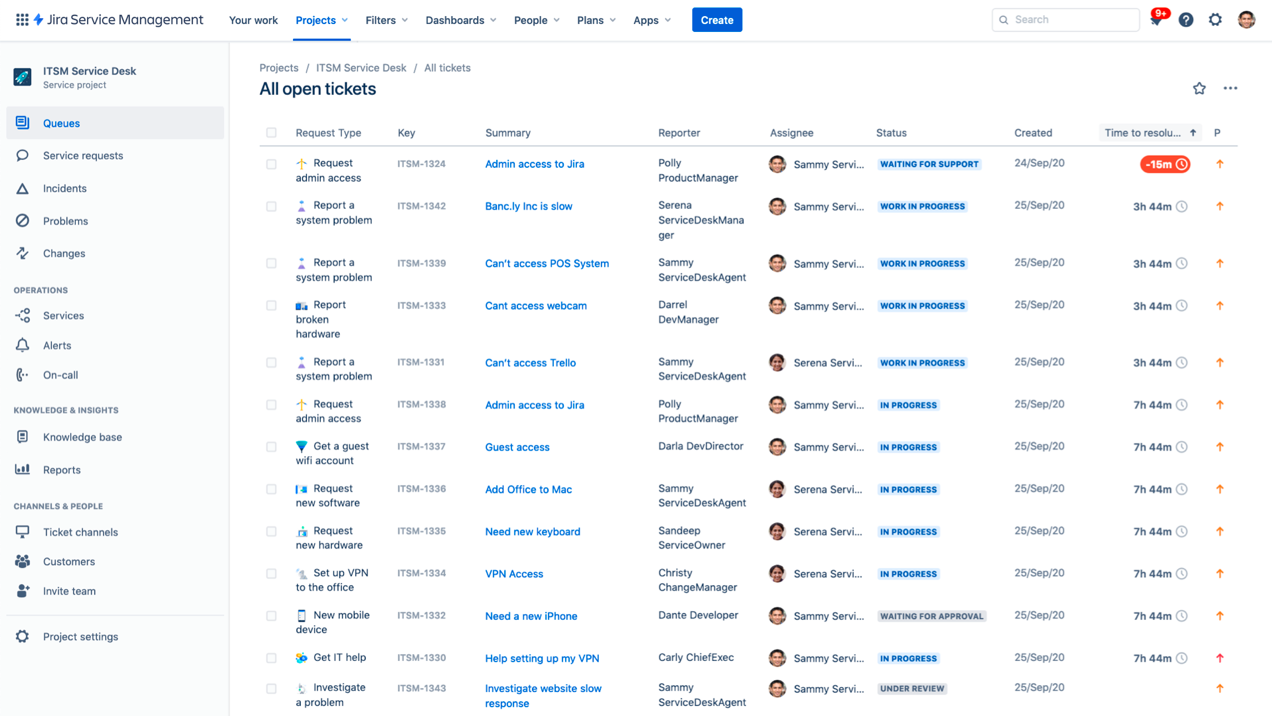
Jira Service Management is free for 3 agents, with request management, SLAs and a knowledge base on every plan. Change, problem and major incident management sit on Premium, which Atlassian moved there from Standard on October 16, 2024.
On Premium, a change request goes through approval workflows by change type, with AI risk assessment or CAB procedures, and deployment gating through CI/CD for teams that ship software. The compare table also lists a change calendar and risk assessment, but the per-plan marks were not readable in text, so confirm them on the page.
Atlassian announced PinkVERIFY ITIL 4 certification in a community post; a reply cites seven practices, and we found no primary practice list or renewal date. Assets, the CMDB layer, starts on Standard with 5,000 objects and grows to 50,000 on Premium. Teams and Slack connect to requests, and major incident swarming runs in chat.
- you already run Jira for engineering and want change linked to deployments
- you want a free plan for 3 agents now and a process upgrade later
- you need change or problem management and do not want to pay Premium at $55.28 per agent per month
- you want a simple setup, since reviewers describe a steep learning curve and complex configuration
- Users like
- customizable workflows and Atlassian integration, per G2 reviewers
- Users dislike
- steep learning curve and complex setup, per G2 reviewers
- Source: G2, 986 reviews
Price and AI details
On monthly billing, Standard costs $21.50 and Premium $55.28 per agent per month, and Enterprise is annual and sold through sales. Premium and Enterprise add advanced incident management, major incident escalation, change management and the Virtual Service Agent. The pricing page bundles Rovo AI credits per plan, and a customer service AI agent is billed per resolution.
On G2, Jira Service Management holds 4.3 out of 5 from 986 reviews. Reviewers praise customizable workflows and Atlassian integration. The recurring complaints are a steep learning curve and complex setup.
- Starting price
- Free for 3 agents; Standard $21.50 per agent / month, Premium $55.28 per agent / month (monthly billing)
- SLA management
- SLA goals with JQL and calendars
- Assets/CMDB
- From Standard, 5,000 objects
- AI
- Rovo credits; virtual agent on Premium
- Plans
- Free, Standard $21.50, Premium $55.28 per agent/mo (monthly billing)
- Change and problem
- Premium
- Assets
- From Standard
ManageEngine ServiceDesk Plus
Best free plan to start, with ITIL processes on Enterprise
ManageEngine ServiceDesk Plus gives up to 5 technicians a free Standard edition with incident, request, SLAs and a knowledge base. Problem, change, the service catalog and the CMDB need Enterprise, or paid add-ons on Standard and Professional.
On Enterprise, a change request runs through the change module with the CMDB, and ManageEngine lists a PinkVERIFY certification covering ten processes and a PeopleCert listing covering fourteen practices. A 2021 release says the cloud edition passed PinkVERIFY ITIL 4 for four practices: incident, change enablement, problem and service request. The listing pages show no dates, and one older certificate letter shows an expiry in 2025, so ask for the current certificate.
The cloud edition integrates with Teams and Slack, and ServiceDesk Plus offers both cloud and on-premises deployment. AI features are tiered: Zia Agents arrived in March 2026 on Enterprise only, and Claude was added as an AI provider in September 2026.
- you want a free plan for up to 5 technicians and a vendor with cloud and on-premises options
- you want a long ITIL certification list and expect to move to Enterprise for change and the CMDB
- you need change or problem management on a low plan, since they are Enterprise or add-ons
- you want clear per-technician cloud pricing, because the page shows yearly bundles
- Users like
- easy to use, customizable and integration-friendly, per G2 reviewers
- Users dislike
- limited functionality for some teams and support that could be quicker, per G2 reviewers
- Source: G2, 253 reviews
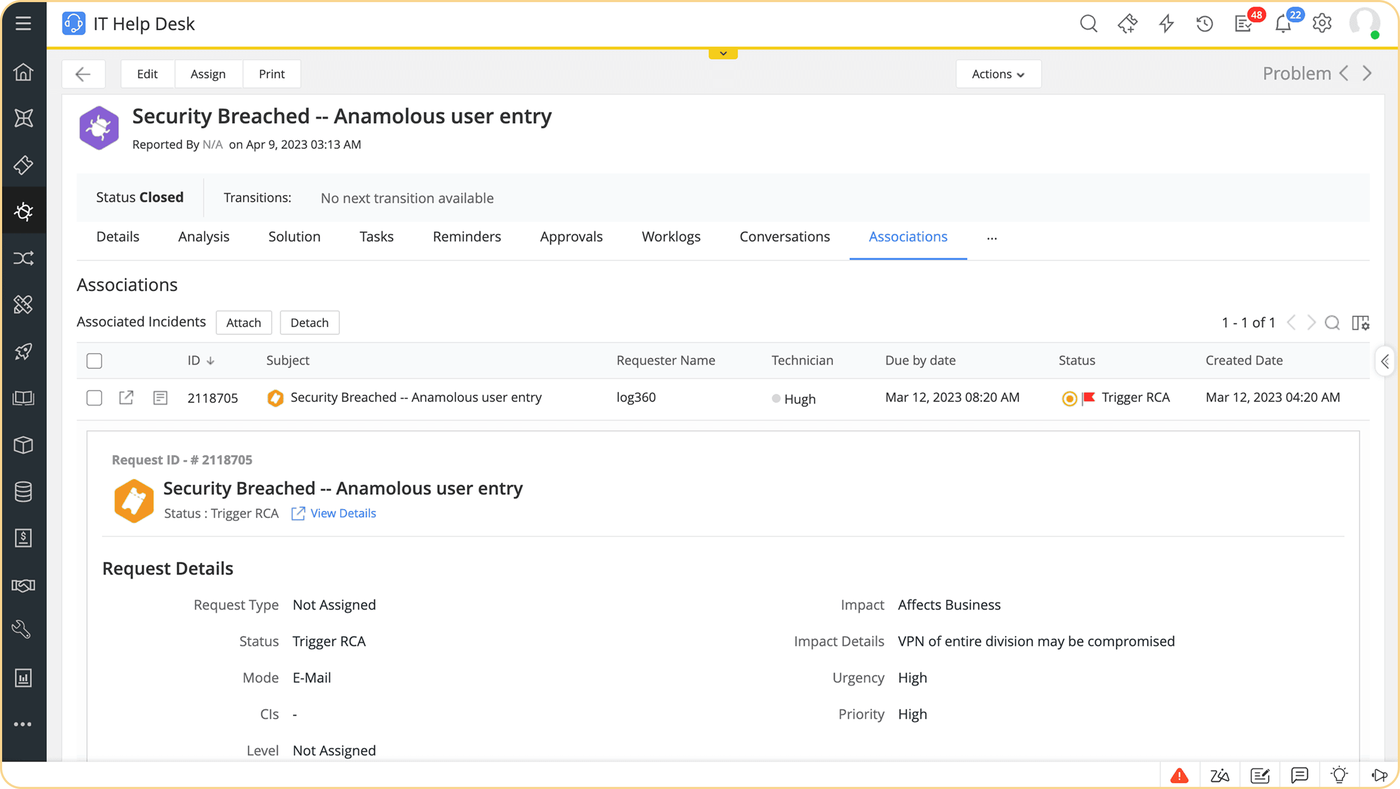
Price details
The pricing page shows ServiceDesk Plus cloud as yearly bundles: Standard from $1,545 per year for 10 technicians, Professional from $645 per year for 2 technicians and 250 assets, and Enterprise from $1,595 per year for the same starting size. Those work out to roughly $13, $27 and $67 per technician per month. The problem and change add-on prices differed between two reads of the page, so we do not quote them.
On G2, ServiceDesk Plus holds 4.2 out of 5 from 253 reviews. Reviewers praise ease of use, customization and integrations. Complaints mention limited functionality for some teams and support that could be quicker.
- Starting price
- Free for up to 5 technicians; cloud paid from US$13 per technician per month billed yearly (US$16 billed monthly)
- SLA management
- Multi-level SLAs and escalations, all editions
- Self-service portal
- Portal and KB in base edition
- AI
- Included in all editions, Zia Agents Enterprise only
- Plans
- Standard (free to 5 technicians), Professional, Enterprise
- Change and problem
- Enterprise, or add-on on Standard and Professional
- Deployment
- Cloud and on premises
ServiceNow IT Service Management
Best for large or regulated IT with the deepest process set
ServiceNow ITSM is the reference platform for enterprise IT. Incident, the service catalog, request management and the CMDB are in the Foundation package, and problem, change, major incident and on-call management start in Advanced.
A change request in ServiceNow runs through Change Management in the Advanced package, tied to the shared CMDB that incidents, changes, problems and requests all use. The pricing page does not list approval, calendar, CAB or risk detail, so treat those as demo items. ServiceNow's pages mention Guided Setup that was PinkVERIFY aligned in an older release, and we found no current ITIL 4 claim.
The pricing page now names three packages, Foundation, Advanced and Prime, with AI in each; Prime adds the L1 Service Desk AI Specialist and AI agents for ITSM. Employees can raise requests from Microsoft Teams and Slack.
- you run a large or regulated IT organization that needs the deepest process set and a shared platform
- you can fund a partner-led implementation
- you want a published price or a small-team rollout in weeks, because pricing is by quote and projects are heavy
- you need SLA management confirmed on a package, which the pages we read don't state
- Users like
- customizable functionality and automation, per G2 reviewers
- Users dislike
- steep learning curve and high cost, per G2 reviewers
- Source: G2, 2,006 reviews
Packages and reviews
ServiceNow lists no prices for Foundation, Advanced or Prime and asks for a custom quote. Third-party estimates exist, but we don't repeat them. Deployment options are not stated on the pages we read.
On G2, ServiceNow IT Service Management holds 4.5 out of 5 from 2,006 reviews. Reviewers praise customizable functionality and automation. The recurring complaints are a steep learning curve and high cost.
- Starting price
- Quote only (ITSM Foundation, Advanced and Prime; no public prices)
- SLA management
- Platform SLAs, plan unverified
- Self-service portal
- Employee Center, Virtual Agent
- AI
- Now Assist, Moveworks, AI agents
- Packages
- Foundation, Advanced, Prime (quote only)
- Change and problem
- Advanced
- Major incident and on-call
- Advanced
What ITSM software costs
ITSM software costs from $0 to about $100 per agent per month in this list, and the number that matters is the price of the plan that includes change management. Three tools have a free option, ServiceNow publishes no price, and SysAid, InvGate and Freshservice show figures on public pages. Most vendors charge per agent per month, discount annual billing and keep change, problem or AI on higher plans.
The calculator uses the lowest plan that includes change management, because that's the realistic minimum for an IT team that wants more than a ticket inbox. HaloITSM and SysAid include it on the plan shown, GLPI is free to self-host, and TOPdesk and ServiceNow are left out because their prices are in pounds or by quote.
Prices as published in October 2026.
Five things raise the bill after the first quote.
- Plan gates move you up a tier: Freshservice and InvGate put change on Pro, Jira Service Management on Premium, ServiceDesk Plus on Enterprise and TOPdesk on Engaged.
- Onboarding fees apply at HaloITSM, where an onboarding package is required, and ServiceNow projects usually involve a partner.
- Asset metering raises the price as the fleet grows: Freshservice counts Asset Units, Jira Service Management caps Assets objects by plan, and InvGate sells Asset Management separately.
- AI add-ons cost extra in some tools, such as Freshservice's Freddy Copilot, while HaloITSM and SysAid include theirs.
- Currency and region change what you pay: TOPdesk quotes in pounds, GLPI cloud in euros and HaloITSM defaults to pounds until you pick the US view.
Free ITSM options
Free ITSM software comes in three forms here: a hosted free plan, a free edition of a commercial tool, and open source.
- GLPI is open source with no user limit and includes problems, changes, a catalog and a CMDB in the core. You host and patch it yourself, or pay Teclib' for the cloud version.
- Jira Service Management Free covers 3 agents with request management, SLAs and a knowledge base. Change and problem management are Premium features, so the free plan is a service desk, not an ITSM process set.
- ManageEngine ServiceDesk Plus Standard is free for up to 5 technicians with SLAs and a knowledge base. Problem and change are Enterprise or add-ons.
Free costs time or features. Hosted free plans cap agents and hold back change and problem management, while a self-hosted tool costs admin hours for updates and backups. GLPI is the only free option here that includes change and problem management.
How to run a 30-day ITSM pilot
Pick two real processes
Choose one incident type and one change you handled last month, such as a laptop failure and a server patch. These are your test scripts for every vendor.
Shortlist three tools
Use the matrix to pick three tools that include the practices you need on a plan you can afford, and ask each vendor for the plan name in writing.
Walk the change request through each trial
Raise the change, score its risk, route the approval, schedule it and close it. Note every step you still do by hand and every screen that needs an upgrade.
Check the numbers
Ask for the all-in cost for your agent count: plan, add-ons, onboarding, asset packs and AI. Check the PinkVERIFY practice list and date if certification matters.
Decide and set a review date
Pick the tool, import your categories and SLAs, and book a review after 60 days to see whether change and problem records are actually being used.
Requests ITSM software can't close alone
Some changes close cleanly but leave a loose end. A typical one: a change request creates a service account for a backup job, an integration or a CI pipeline. The change is approved and closed, the account exists, and a year later nobody remembers who owns it or whether it is still needed. The ITSM tool records that the change happened, but it doesn't track who is responsible for the account afterwards or ask anyone to confirm it.
That's the gap our own product fills. The IT Lead imports your service accounts from a CSV, assigns a nominated owner to each one, emails owners a time-limited link to confirm ownership, purpose and whether access is still needed, and keeps a review trail. It doesn't change accounts in your directory or replace your ITSM tool. If you want to start with a spreadsheet, our service account inventory template has the columns.
Questions to ask in every demo
- Which plan includes change, problem and the CMDB, and what does it cost for our agent count on annual and monthly billing?
- Can we see approvals by role, a risk score and a change calendar in the tool, not on a slide?
- Which ITIL practices are certified, by whom and on what date?
- What do approvers and occasional helpers pay, if anything?
- Which AI features are included, and which are add-ons or billed per resolution?
- How do we export every ticket, change record and knowledge article if we leave?
Bring a real change from last quarter, such as a firewall rule that needed two approvals, and ask each vendor to build it live. The gaps show up faster than in a slide deck.
Frequently asked questions
What is the best IT service management software for a small IT team?
The best IT service management software for most small internal IT teams is Freshservice for a first rollout, with SLAs and a catalog from Growth at $49 per agent per month billed annually, and change and problem management on Pro. If change control matters on day one, HaloITSM and SysAid include it in one plan, and GLPI includes it free if you host it.
What is the difference between ITSM software and a service desk?
A service desk handles employee tickets with SLAs, a portal and a knowledge base. ITSM software adds the processes behind them, mainly problem, change and release management, a service catalog and a CMDB. In practice, many products blend the two, so check which plan includes change and problem management.
Is there free ITSM software?
Yes, free ITSM software exists. GLPI is open source and free to self-host with change and problem management in the core. Jira Service Management is free for 3 agents and ServiceDesk Plus Standard is free for 5 technicians, but both put change and problem management on higher plans or add-ons.
How much does ITSM software cost?
ITSM software prices in this comparison start at $0 for free tiers and reach about $99 per agent per month for HaloITSM or Freshservice Pro. SysAid Professional is $89 and Jira Service Management Premium is $55.28 on monthly billing. ServiceNow sells by quote only.
Does ITSM software need to be ITIL certified?
No. ITIL certification of a tool, for example PinkVERIFY, is a third-party check of named processes at a point in time and isn't required to run ITSM, but it helps when auditors or buyers ask for it, so request the practice list and date and treat badges without a version or date with caution.