A service account inventory template is a register of non-human identities that tells your IT team what each account does, who is accountable for it, what it can access, and when someone last confirmed it should exist. The useful version is more than a list of usernames. It's a repeatable decision record: keep, reduce access, investigate, disable after validation, or retire.
Below is a copy-ready CSV schema, fictional sample entries, an owner-attestation workflow, and a review log. You can use it in Excel, Google Sheets, a CMDB, or your identity governance system. The approach is platform-neutral, so an account running a nightly Windows task doesn't disappear behind a list of cloud service principals.
- Create one inventory row per distinct identity, not per application or employee.
- Record a named business owner, purpose, privileges, dependencies, and the evidence source.
- Reconcile exports against the register, then ask owners for an explicit keep, change, or retire decision.
- Store review decisions and follow-up tickets separately so the inventory remains readable.
Service account inventory template: copy these columns
Start with the header below. Copy the CSV into a plain text file, save it with a .csv extension, and import it into your spreadsheet. You'll have a working register in minutes. If you also need to track the laptops and phones these accounts run on, see our guide to IT inventory software. The example records are fictional and show how to distinguish a workload identity from the system that consumes it. Replace both sample rows before you use the file.
record_id,platform,account_identifier,identity_type,environment,business_owner,owner_department,technical_owner,purpose,consuming_workload,access_scope,privilege_level,credential_method,secret_reference,last_activity_evidence,last_review_date,next_review_due,review_decision,exception_ticket,lifecycle_status
EXAMPLE-PAYROLL,Active Directory,svc-payroll-export,AD service user,Production,Payroll manager,Payroll,Identity engineer,Exports approved payroll file,Payroll export scheduler,HR export share read and payroll drop write,Elevated,Managed credential,Vault path,Job log reference,YYYY-MM-DD,YYYY-MM-DD,Keep,Not applicable,Active
EXAMPLE-BACKUP,AWS,backup-job-role,IAM role,Production,Infrastructure lead,IT,Cloud engineer,Runs scheduled backup,Backup orchestration,Backup repository write,Scoped,Temporary role credentials,Not applicable,CloudTrail reference,YYYY-MM-DD,YYYY-MM-DD,Reduce privileges,IT ticket reference,Active
Treat this as a schema; it's not proof that the sample permissions are safe. In production, account_identifier should be the stable identifier your source system actually exports. If the display name changes often, keep it in a separate optional column. The record_id is your inventory's permanent join key for the review log, even when an account gets renamed.
Minimum fields versus operational fields
CIS Control 5.5 calls for an inventory containing department owner, review date, and purpose, and for service account reviews at least quarterly. Those are the control's stated minimum elements, and they're not a complete operating model. An auditor or incident responder also needs to know which application uses the account, which privileges it holds, and where evidence can be found.
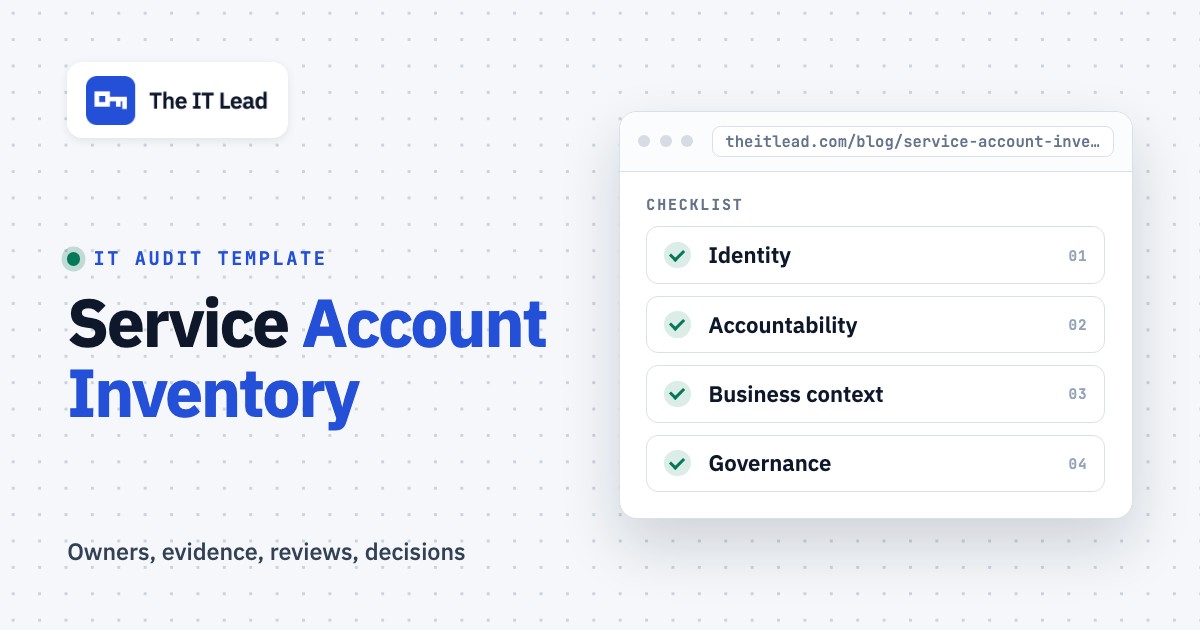
| Field group | Keep in the core register | Why an IT lead needs it |
|---|---|---|
| Identity | Stable account ID, platform, identity type, environment | Prevents similarly named accounts from being confused |
| Accountability | Named business owner, department, technical contact | Makes attestation actionable when staff change |
| Business context | Purpose, consuming workload, dependency | Explains what may break if access changes |
| Access | Resource scope, role or group, privilege level | Allows a reviewer to compare access with business need |
| Credential posture | Authentication method and vault reference | Records the control without storing a secret |
| Activity | Last observed use and evidence source, with the log window noted | Separates verified inactivity from missing telemetry |
| Governance | Last review, next due, decision, ticket, lifecycle state | Shows the decision and follow-through |
Never put passwords, API keys, private keys, recovery codes, or live tokens in this spreadsheet. A vault path or secret identifier is enough. Limit access to the register itself, because names, permissions, and system dependencies are useful intelligence for an attacker.
What counts as a service account?
A service account is any identity used by software, scheduled jobs, integrations, and machines rather than by a person signing in for everyday work. Depending on your stack, these can be conventional directory users running services, cloud IAM roles, service principals, managed identities, CI/CD identities, database logins, or application-specific automation users.
Don't merge every identity into a single vague type called service account. A Microsoft Entra service principal, a Google Cloud service account, and an AWS role differ in how they authenticate and how activity is observed. The shared inventory fields make them comparable, while identity_type preserves the technical distinction.
One application may use several identities. Conversely, one legacy identity may be shared across several workloads. Record each identity once, then capture every consuming workload in a linked dependency table if the relationship isn't one-to-one. That relationship is often what determines whether retirement is safe.
Build a complete inventory from source systems
No single directory export is the whole estate. Start with a scope sheet listing identity stores and application owners. Reconcile each source against the register. The register records decisions; the source systems hold the facts.
List identity stores and owners
Include directory services, cloud accounts, CI/CD, database platforms, backup systems, monitoring, SaaS integrations, and vendor-managed automation. Name the person who can produce a reliable export from each source, because you'll need them again at every review.
Export identities and permissions
Collect stable IDs, account type, enabled state, role assignments, group membership, and available activity timestamps. Keep the source export date and report reference, so you can show where each row came from. Don't export credential values.
Map identities to workloads
Join accounts to scheduled tasks, services, pipelines, applications, and resource policies. Ask which business process would fail if the identity were disabled, because that's the dependency you can't see in a directory.
Assign accountable people
Find a business owner who'll attest to purpose and need, plus a technical owner who can inspect permissions and implement a safe change. Use an exception state when you can't name either one.
Reconcile and attest
Compare exports with the register, investigate missing and unexpected identities, obtain owner decisions, and link change tickets. Set the next review date only after the decision is recorded.
Microsoft Entra ID
An Entra application registration and its service principal aren't interchangeable identifiers. Record the relevant tenant, application/client ID, service principal object ID, and owning application where available. Microsoft's Entra PowerShell documentation shows owner retrieval with Get-EntraServicePrincipalOwner, so the owner field can be checked against an actual directory relationship rather than guessed from the display name.
The directory owner is a useful starting point, but that person may not be accountable for the business process. Your register should still show who can approve keeping the integration and who'll fix it when its credential expires.
AWS IAM
Inventory roles used by workloads alongside any long-lived IAM users used for automation. Record the account boundary, role ARN, attached policies or effective access summary, trust relationship, and consuming service. AWS IAM Access Analyzer can produce unused-access findings for IAM roles and users. Use these as review leads, not automatic permission to remove access.
A role might be assumed only during a disaster-recovery exercise or a rarely executed process, so there's a real chance it looks idle. Don't treat an apparently unused role as abandoned until you've checked the workload schedule and dependency owner.
Google Cloud IAM
Google Cloud's service account listing covers user-managed service accounts in a project, while its documentation warns that service agents aren't listed the same way. Build your source map accordingly, because you'll otherwise miss them. Google also recommends single-purpose accounts and documentation identifying the associated application or resource.
Google's unused-service-account insights have visibility limitations. Its documentation warns that certain API-key-authenticated requests aren't counted in service account usage metrics. A credible register stores the signal's source and blind spots, rather than reducing every finding to a yes/no.
On-premises and application identities
Ask administrators for the accounts that are configured on Windows services, scheduled tasks, database jobs, backup tools, network appliances, and integration middleware. Match the account name against the process configuration and directory object. Legacy service users often look like ordinary users in a directory export, so they're easy to overlook.
For applications with their own local identity store, document that store explicitly. A complete cloud inventory doesn't compensate for an unreviewed automation account in a business-critical application.
Separate the inventory from the review log
An inventory describes the current identity and its approved purpose. It's a snapshot of the present. A review log records a decision made at a particular point in time. Combining both into a single cell such as reviewed loses who decided, what evidence they saw, and what happened next.
Create a second tab called Review log with this copy-ready header:
review_id,record_id,reviewed_at,reviewer,owner_confirmation,access_decision,evidence_reference,change_ticket,action_owner,due_date,completion_evidence,closed_atUse owner_confirmation for a real statement such as Still required for payroll export or Owner unknown, escalate. Use access_decision for controlled values: Keep, Reduce privileges, Reassign owner, Investigate, Disable after validation, or Retire. An empty decision isn't approval.
A good review record settles the open questions without another meeting. It names who attested and which identity they examined. It shows the permission scope they accepted and the evidence they used. It confirms whether the follow-up action was completed, and if an exception remains open, it says who owns it and when it's due.
Example review decision
Suppose a backup role is still active but its current policy allows broader storage access than the backup job requires. The business owner confirms the backup remains necessary. The technical owner opens a change ticket to narrow the policy and verifies the backup job afterward. The decision is Reduce privileges, not Retire. Keep the account active while a controlled change is tested; it's the safer path.
This distinction matters because an inventory can be complete yet still contain excessive access. Completeness and least privilege are different review outcomes, and you can't assume one from the other.
Review cadence and triggers
For teams aligning with CIS Control 5.5, schedule service account authorization reviews at least quarterly. That's a baseline for that safeguard, not a claim that every environment has the same legal obligation. Choose shorter intervals for high-impact identities when your risk assessment supports them.
Don't wait for a calendar reminder when the underlying business process changes. Trigger an extra review when an owner leaves, an application is retired, a credential is exposed, a vendor integration changes, a service gains elevated privileges, or a formerly single-purpose identity begins serving additional workloads.
| Trigger | Owner question | Evidence to capture |
|---|---|---|
| Scheduled review | Does this identity still have an approved purpose? | Owner attestation and source export |
| Employee departure | Who inherits accountability for this workload? | Replacement owner approval |
| Application retirement | Are there other consumers of this identity? | Dependency check and retirement ticket |
| Privilege expansion | Why does the new scope match the workload? | Approved role change and test |
| Suspected inactivity | Does any hidden or periodic job still depend on it? | Log window, job schedule, owner confirmation |
| Credential incident | Which workloads and secrets are affected? | Incident record and remediation evidence |
How to spot the accounts that need attention first
A spreadsheet doesn't need a magical risk score to help you prioritize. Filter for missing owners, privileged access, broad resource scope, unknown dependencies, stale reviews, and weak credential controls. Triage those exceptions with the people who understand the workload, since they'll know what breaks.
For a useful first pass, add a review_priority column with values Critical, High, Routine, and Unknown. Critical is reserved for an active incident or a confirmed unacceptable exposure under your policy. High can cover privileged identities that don't have accountable owners. Unknown is an honest state when the evidence isn't available, and it's better than a guess.
Don't invent a universal risk formula; it won't fit every system you run. An identity with narrow permissions to sensitive payroll data may deserve more attention than a broad role in an isolated test environment. Explain the reason in an added risk_rationale column so prioritization is defensible.
- Account appears in a current source-system export
- Stable identifier and identity type are correct
- Named business owner confirms a current purpose
- Technical owner confirms the consuming workload
- Privileges match the documented business need
- Activity evidence includes source and log window
- Credential method and secret reference are documented safely
- Review decision, reviewer, and date are recorded
- Any change has a ticket and validation plan
- Next review or retirement trigger is assigned
A safe workflow for retiring an account
Retirement is a change-management task, not a spreadsheet cleanup action. Someone with authority over the workload has to approve it. Before disabling an identity, inspect dependencies, check job schedules, obtain the appropriate approval, plan a maintenance window if needed, and establish how you'll detect failures.
For a candidate account, preserve the source evidence and approved decision. You'll need them if anyone asks why it was disabled. Where the platform supports it, test a reversible disable and observe the affected workloads. Google Cloud explicitly recommends disabling unused service accounts before deletion because disabling can be reversed while preserving bindings. That recommendation doesn't mean you can safely disable every identity without investigation.
After the monitoring period and change verification, update the lifecycle state and keep the historical review trail. Don't delete the inventory row merely because the identity no longer exists. The record may be needed to explain an old job, access event, or audit sample.
When to move beyond a spreadsheet
Frankly, a spreadsheet is a reasonable starting point when the estate is small and someone actually reconciles it. It's fragile when identities change faster than exports arrive, owners can't be reached, evidence is scattered, or each review depends on manual chasing.
The first upgrade doesn't have to be a large identity governance suite, and it shouldn't be. Improve the source reconciliation and owner-attestation workflow before buying a platform that produces a prettier but equally stale list.
For teams that already have CSV exports and need a structured owner confirmation process, The IT Lead focuses on service account ownership reviews, owner nominations, attestations, and an audit trail. It isn't a password rotation engine, an account scanner, or a live directory sync. Those remain separate technical responsibilities.
Frequently asked questions
What fields are required in a service account inventory?
For CIS Control 5.5, the stated minimum fields are department owner, review date, and purpose. A usable operational register should also include a stable account ID, workload, privileges, evidence source, and lifecycle state.
Should a service account have a human owner?
Assign a named accountable person who can confirm the business need, even when the account itself isn't associated with a human login. Keep a separate technical contact for access changes and incident response.
How often should service accounts be reviewed?
CIS Control 5.5 calls for at least quarterly authorization reviews. Add event-driven reviews when ownership, permissions, dependencies, or the application lifecycle changes.
Can I store service account passwords in the inventory?
No. Store a reference to an approved secrets manager or vault, never the password, token, or private key itself. Restrict access to the inventory because it describes sensitive infrastructure relationships.
Does no recent login mean a service account is safe to delete?
No, it doesn't. Check the log window, logging coverage, periodic workloads, and business dependencies. Obtain an owner decision and use a controlled, reversible change where possible.
A service account inventory becomes useful when every row leads to an accountable decision. Start with the CSV, reconcile it against real identity sources, record evidence and owner sign-off, and keep the review log as a durable record of what changed.