ServiceNow is an enterprise service management platform, and many small IT teams find it more platform than they need. The usual replacements are Freshservice, Jira Service Management, ManageEngine ServiceDesk Plus, HaloITSM, SysAid, Zendesk, Atera and GLPI. This page compares those eight against ServiceNow's IT service management (ITSM) product for teams of 1 to 20 agents and for managed service providers (MSPs). It covers ServiceNow ITSM only, the part of the platform that handles incidents, requests, changes and the configuration database (CMDB).
Each entry says how the tool handles an incident and a change, which plan unlocks change management, what the published price is and what reviewers complain about. Every entry also names who should skip it. The prices were read on the vendors' own pricing pages between October 18 and 22, 2026, and ratings come from G2 and Capterra as noted.
Why teams leave ServiceNow
Teams leave ServiceNow mostly because the platform is heavy for their size. On G2, where ServiceNow ITSM holds 4.5 out of 5 from 2,007 reviews, the most common complaint is a steep learning curve, with 72 mentions. Licence and implementation cost follows with 60, then configuration complexity with 56 and limited customization with 51. G2 also lists an average implementation time of 5 months.
Two things are worth knowing before you read those numbers as a verdict. First, and despite the complaints, ServiceNow's top praise on the same page is ease of use (168 mentions), because most of its reviewers sit in companies with more than 1,000 employees and a team that runs the platform full time. Second, ServiceNow publishes no prices: its ITSM pricing page offers three packages, Foundation, Advanced and Prime, each with a "Get Custom Quote" button. A small team can't budget for it without a sales call.
Our picks: ServiceNow alternatives by switch reason
Freshservice is the closest like-for-like switch for most small internal IT teams, but the right tool depends on why you're leaving. The picks below match one tool to each reason.
 Closest like-for-like switchFreshserviceIncident, service catalog, SLAs, change and problem management in one ladder with published prices, and a setup measured in days.
 Lowest published priceManageEngine ServiceDesk PlusFree for 5 technicians, cloud editions from $13 per technician per month, and an on-premises option.
 Best if you live in JiraJira Service ManagementFree for 3 agents, with dev and IT sharing one ticket and Assets from the Standard plan.
 Every module at one priceHaloITSMOne plan with change, problem, CMDB and AI included, so the bill doesn't jump when you need more.
 AI included in the base planSysAidChange, problem, assets and 100+ prebuilt AI agents in Professional, sold by quote.
 Best for MSPsAteraTickets next to remote monitoring, patching and remote access, priced per technician with unlimited devices.
 Best if HR and IT share a deskZendeskAn Employee Service Suite with catalog, approvals and asset actions, for teams already on Zendesk.
 Best for hosting controlGLPIOpen source ITSM and CMDB you can run yourself, or rent hosted by Teclib'.
ServiceNow vs the alternatives at a glance
Of the nine tools below, only ServiceNow and SysAid sell the plan a small team needs by quote alone, and ServiceNow publishes no price at all. The table puts ServiceNow first so you can read each alternative against it.
| Tool | Category | Change management starts at | Entry price (USD unless noted) | Rating |
|---|---|---|---|---|
 ServiceNow IT Service Management ServiceNow IT Service Management | Enterprise ITSM platform with AI agents | ITSM Advanced (quote only) | Quote only (ITSM Foundation, Advanced and Prime; no public prices) | 4.5 (2,006) |
| Freshservice | Service desk with a discovery agent | Pro plan | Asset management from the Growth plan at $49 per agent per month billed annually, with 100 Asset Units included; standalone ITAM plans are quote only | 4.5 (Capterra, 805) |
| Jira Service Management | ITSM service desk for Atlassian teams | Premium plan | Free for 3 agents; Standard $21.50 per agent / month, Premium $55.28 per agent / month (monthly billing) | 4.3 (986) |
| ManageEngine ServiceDesk Plus | ITSM help desk with free tier | Enterprise (add-ons below) | Free for up to 5 technicians; cloud paid from US$13 per technician per month billed yearly (US$16 billed monthly) | 4.2 (253) |
| HaloITSM | All-in-one ITSM, one flat price | Single plan | US$99 per agent per month billed annually at 5 to 10 agents, falling to US$85 at 100 or more; onboarding package required | 4.8 (22) |
| SysAid | AI-first ITSM help desk | Professional plan | US$89 per agent per month on the Professional plan (quote required, billing period not stated); Enterprise custom from 20 agents | 4.5 (756) |
| Zendesk | Help desk with Employee Service Suite | Not found | Employee Service Suite from $29 per agent per month paid yearly (Team); SLAs and service catalog from Growth at $59; USD from the archived US page dated 2026-08-28, live page served EUR at the same numbers | 4.3 (7,107) |
| Atera | RMM plus help desk for IT teams | No formal module | Professional 149 € per technician per month billed annually (169 € monthly), Expert 189 €, Master 219 €; EUR shown on the pricing page, unlimited endpoints | 4.6 (1,281) |
| GLPI | Open-source ITSM and asset management | Free edition | Free self-hosted (open source); Teclib' cloud from 19 € per user per month excl. VAT; self-hosted support subscriptions 100 € to 4,500 € per month; EUR only | 4.5 (42) |
 The IT Lead Our product The IT Lead Our product | Service account ownership reviews | Collects owner attestations for service accounts and keeps the review trail | Access code | No reviews yet |
Prices are per agent per month on annual billing unless the entry says otherwise, checked October 18 to 22, 2026. Atera and GLPI list euro prices only. Ratings are G2 except Freshservice (Capterra); Zendesk's rating covers its customer service product and Atera's covers its monitoring and management product.
Should you leave ServiceNow at all?
Leave ServiceNow if the platform is bigger than your team needs, but stay if your real problem is ticket volume or an implementation that never got finished, because a new tool won't fix either. Moving the same unfinished process into another tool just gives you the same backlog at a different price.
ServiceNow's own packaging helps you judge fit. According to its pricing page, ITSM Foundation includes incident and request management, asset management and the CMDB. Change management and problem management start in ITSM Advanced, and AI agents for ITSM sit in Prime. If you only use incident and request handling, you may be paying for a package built for a much larger operation.
- The platform is too big and too slow to change for a team of 1 to 20Switch to a lighter ITSM tool (Freshservice, ServiceDesk Plus, HaloITSM, SysAid)
- You mostly handle devices and endpoints as an MSPSwitch to Atera, which keeps tickets next to monitoring and patching
- Dev and IT already work in JiraSwitch to Jira Service Management and test the free plan
- You need to own hosting and data locationLook at GLPI, or ServiceDesk Plus on-premises
- Tickets pile up faster than agents can close themFix routing, knowledge and automation first; a new tool alone won't shrink the queue
- You already run ServiceNow for several departmentsKeep it and trim the package at renewal instead of migrating one team
How we chose the alternatives
We kept internal IT service desks that publish a price or a free plan, and dropped customer-support desks and enterprise suites that share ServiceNow's weaknesses. For each tool we read the vendor's pricing page, a feature page, a docs or help-center page and one review source, and we recorded what we found with the date. Prices we couldn't read in dollars are shown in euros, not converted.
- Scope: tools an internal IT team or MSP can run without a dedicated platform admin.
- Price: a published per-agent price, a free plan or an open-source edition. SysAid is the one quote-only exception because it shows a US$89 list price.
- Process coverage: incident, request and SLA handling on the entry plan, and a clear plan for change and problem management.
- Not researched: BMC Helix, Ivanti, TOPdesk and 4me. They are enterprise tools or sit outside the small-team range this page targets.
The best ServiceNow alternatives, reviewed
The eight tools below follow the order of the picks. Each card shows the price once, the rating, and when to choose or skip the tool. The text under "Moving from ServiceNow" covers what you give up and what to check before you switch.
Freshservice
Freshservice
Closest like-for-like switch
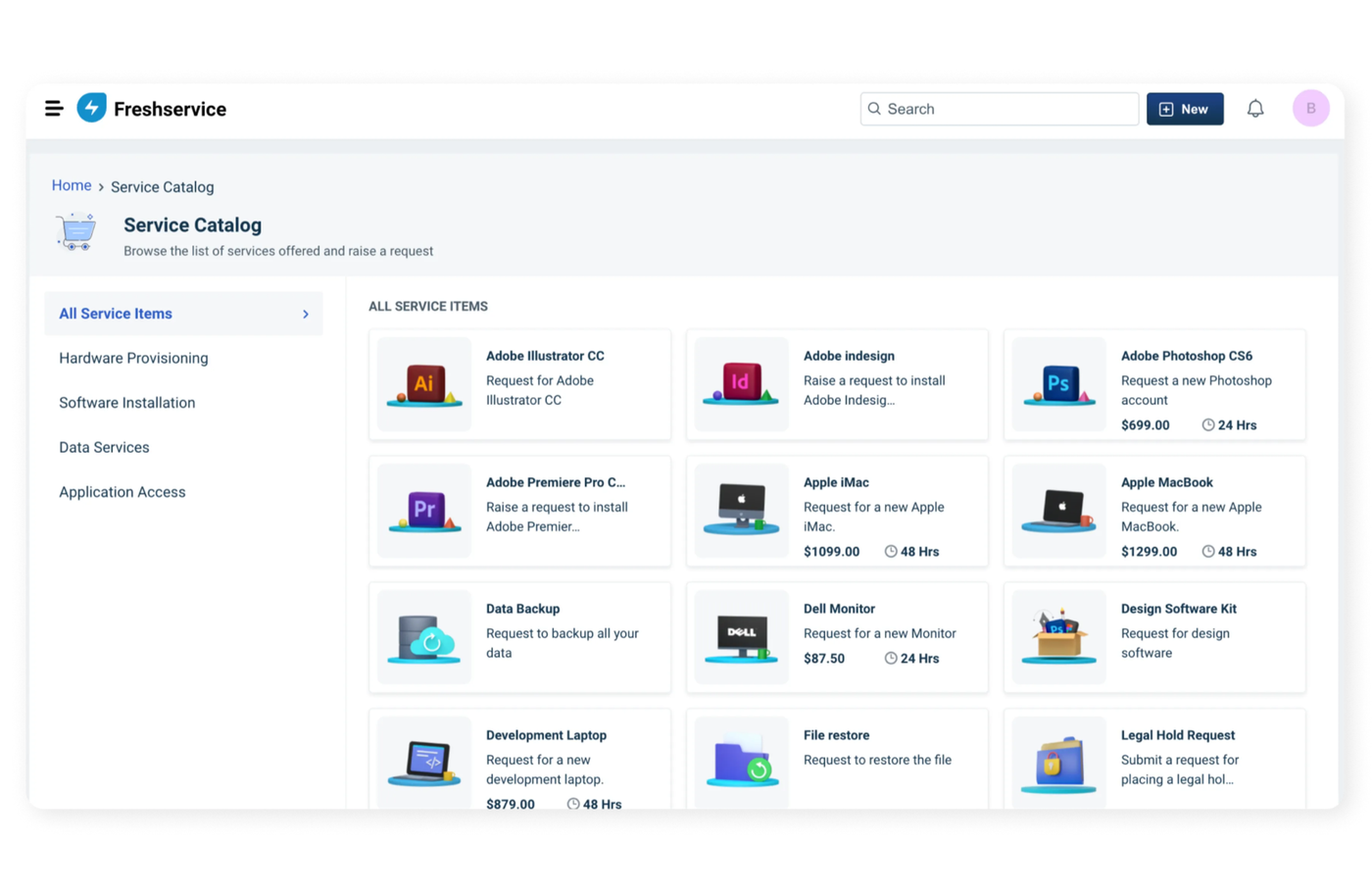
Freshservice covers the same incident, request, change and problem ground as ServiceNow ITSM, but it has a published price ladder and a setup measured in days instead of months.
A request reaches Freshservice by email, phone, chat, the portal, the service catalog or the ServiceBot in Microsoft Teams and Slack. The Workflow Automator, a drag-and-drop rule builder on every plan, sets category and priority and assigns the ticket, and round-robin assignment spreads the load.
SLA management and the service catalog start on Growth. Change, problem, release and major incident management start on Pro, where the SLA policy uses a time-priority matrix counted in business or calendar hours. That's the same split ServiceNow draws between Foundation and Advanced, with prices attached.
- you want ServiceNow's process coverage with a published price and a short implementation
- you expect to add asset management later and want it in the same tool
- you want change and problem management at a low price: they need Pro at $99 per agent per month
- you want AI drafting included: Freddy AI Copilot is an extra $29 per agent per month
- Users like
- a clean interface and quick adoption, per Capterra reviewers
- Users dislike
- reporting that is hard to customize, per Capterra reviewers
- Source: Capterra, 805 reviews
Moving from ServiceNow
What you give up: Freshservice automation is rule-based and metered. Orchestration transactions are capped per account per month (1,000 on Starter, up to 20,000 on Enterprise), with extra packs at $250 per 1,000. Asset Units, which meter the CMDB, are sold in packs of 500 and Growth includes 100.
What carries over: Teams, Slack, Jira and Azure AD discovery are native, and NinjaOne's documentation shows it creating Freshservice tickets from device alerts.
On Capterra, Freshservice holds 4.5 out of 5 from 805 reviews. Reviewers praise a clean interface and quick adoption. The recurring complaint is reporting that's hard to customize.
- Starting price
- Asset management from the Growth plan at $49 per agent per month billed annually, with 100 Asset Units included; standalone ITAM plans are quote only
- Discovery
- Discovery Agent and Discovery Probe
- Asset metering
- Asset Units; a server counts 4, a desktop 1
- Plan gate
- Not on Starter
- Plans
- Starter $19, Growth $49, Pro $99 per agent/mo, billed annually
- Change and problem
- From Pro
- Trial
- 14 days, no free plan
ManageEngine ServiceDesk Plus
ManageEngine ServiceDesk Plus
Lowest published price, with an on-premises option
ServiceDesk Plus is the cheapest way to get an ITIL-style desk from a known vendor: Standard is free for up to 5 technicians and the cloud ladder starts at $13 per technician per month.
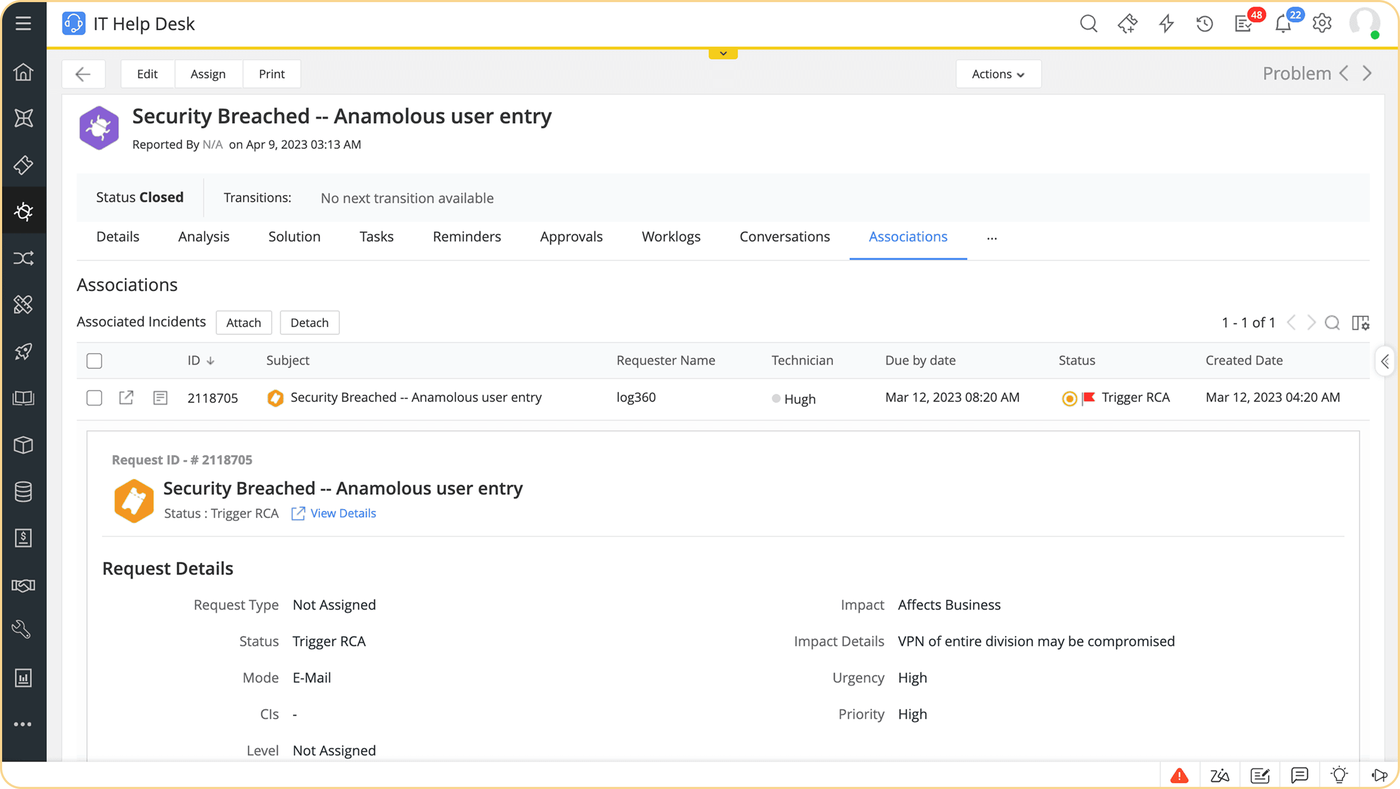
Requests arrive by email, portal, phone, chat, WhatsApp, Teams, the virtual agent or an alert from monitoring tools. Business rules or predictive AI categorize them, and auto-assign picks a technician by round robin or load. An SLA attaches by priority, impact, urgency, department or VIP status, the timer pauses while the ticket waits on the requester, and multi-level escalations fire before or after a breach.
The catch for ServiceNow switchers is packaging, not features. On Standard and Professional, the service catalog, problem, change, release and project management are paid add-ons, and asset management starts at Professional. The CMDB, catalog, problem, change and release management come built into Enterprise.
- you want a free desk for up to 5 technicians and a clear price ladder to grow into
- you want the option to run the tool on your own server
- you want every ITIL module on the entry edition without add-ons
- you want Zia Agents on a budget plan: they're Enterprise only
- Users like
- easy to use, customizable and integration-friendly, per G2 reviewers
- Users dislike
- limited functionality for some teams and support that could be quicker, per G2 reviewers
- Source: G2, 253 reviews
Moving from ServiceNow
What you give up: add-on simplicity. Professional and Enterprise pricing also scales with the number of IT assets (250 to 3,000 included, depending on edition). Free users pay US$35 per technician per year for support.
What carries over: Microsoft Entra ID SSO and user sync, Intune, Jira, Slack and Teams integrations, and a mobile app on iOS, Android and Windows.
On G2, ServiceDesk Plus holds 4.2 out of 5 from 253 reviews. Reviewers like how easy it's to use and customize. The recurring complaints are limited functionality for some teams and support that could be quicker.
- Starting price
- Free for up to 5 technicians; cloud paid from US$13 per technician per month billed yearly (US$16 billed monthly)
- SLA management
- Multi-level SLAs and escalations, all editions
- Self-service portal
- Portal and KB in base edition
- AI
- Included in all editions, Zia Agents Enterprise only
- Cloud editions
- Standard $13, Professional $27, Enterprise $67 per technician/mo, billed yearly
- Free
- Standard, up to 5 technicians
- Enterprise for 5 techs
- $3,895 per year with 500 assets
Jira Service Management
Jira Service Management
Best if your developers already live in Jira
Jira Service Management gives a team of 3 agents a free service desk and lets IT and engineering work the same ticket, which ServiceNow only does through extra integration work, though that depends on your setup.
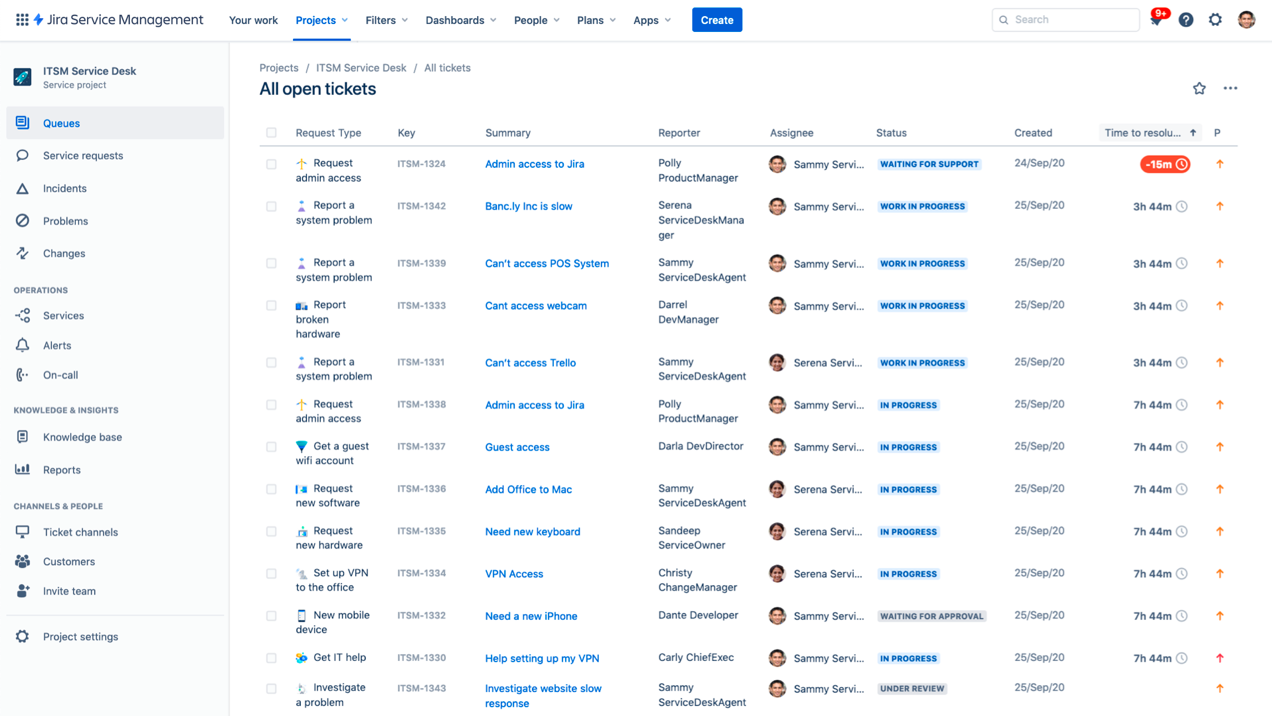
Employees raise requests through the portal, email, Slack or Teams. Requests land in queues, rules assign them, and SLA goals for first response and resolution track the deadline with automated escalation. Linked Jira work items let a developer join the same ticket.
Change management with a change advisory board (CAB) or AI risk assessment, advanced incident and problem management, and the virtual service agent are Premium features. Assets, Atlassian's CMDB, arrives on Standard with 5,000 objects included.
- you have 3 or fewer agents and want a free desk with portal, email, Teams and Slack intake
- your developers run on Jira and Confluence and should see the same tickets
- you need change and problem management at a low price: Premium costs $55.28 per agent per month
- nobody has time to configure workflows, permissions and automation limits
- Users like
- customizable workflows and Atlassian integration, per G2 reviewers
- Users dislike
- steep learning curve and complex setup, per G2 reviewers
- Source: G2, 986 reviews
Moving from ServiceNow
What you give up: Jira's workflows are configurable but the setup isn't light. Automation steps, Rovo AI credits and Assets objects are metered per plan, extra objects cost from $0.02 per object per month, and SSO with SCIM needs Atlassian Guard, which is included in Enterprise only. The price shown on Atlassian's page is the monthly rate at a 75-user tier, so check the rate for your agent count.
What carries over: Standard adds multi-region data residency and audit logs, which helps if you're leaving ServiceNow partly over where your data lives.
On G2, Jira Service Management holds 4.3 out of 5 from 986 reviews. Reviewers praise customizable workflows and Atlassian integration. The recurring complaint is a steep learning curve and complex setup, the same theme that drives people away from ServiceNow.
- Starting price
- Free for 3 agents; Standard $21.50 per agent / month, Premium $55.28 per agent / month (monthly billing)
- SLA management
- SLA goals with JQL and calendars
- Assets/CMDB
- From Standard, 5,000 objects
- AI
- Rovo credits; virtual agent on Premium
- Plans
- Free for 3 agents, Standard $21.50, Premium $55.28 per agent/mo
- Change management
- Premium
- Assets (CMDB)
- From Standard, 5,000 objects
HaloITSM
HaloITSM
Every module at one per-agent price
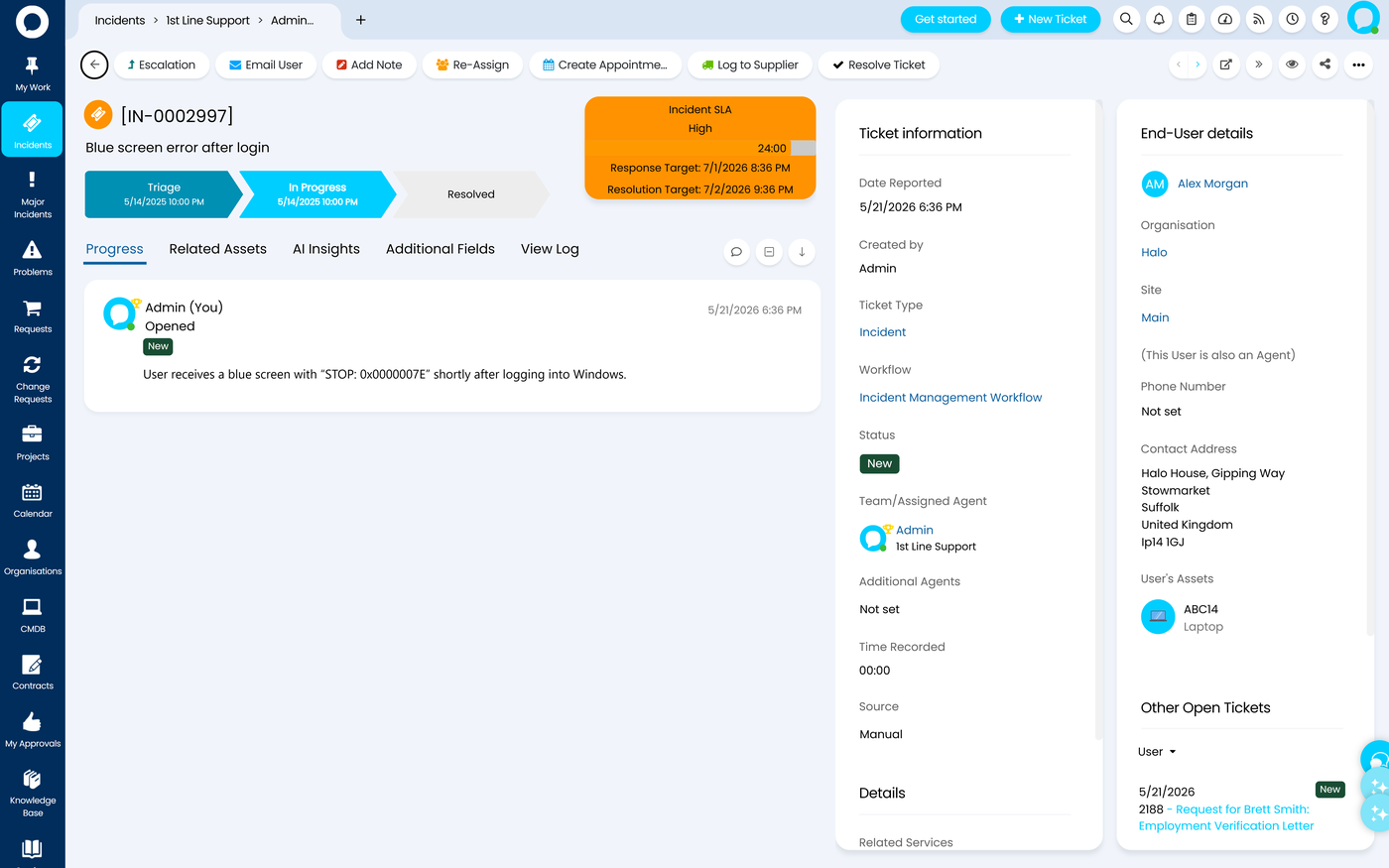
HaloITSM sells one plan with every module and its AI agents included, so you don't hit the plan gates that ServiceNow and most of its alternatives use to raise the bill.
Tickets arrive by email (the mailbox scan runs every 3 to 5 minutes, or near instantly with Azure webhooks), the portal, Teams, phone, the API or monitoring alerts. Rules and AI classify, prioritize and route the ticket to a team or agent. An SLA or operational level agreement (OLA) with response and resolution targets attaches to it, with warnings and escalation as targets approach.
Change management (standard, normal and emergency changes, CAB, risk checks, calendar and rollback plans), problem management with known errors, and the CMDB with dependency mapping are in the single plan.
- you are tired of checking which plan unlocks change management, problem management and the CMDB
- you run an MSP, or IT and customer service share one team, and HaloPSA on the same platform may follow
- you need a free tier, or anything cheaper than US$99 per agent at 5 to 10 agents
- you need the full implementation cost up front, because the mandatory onboarding package is quoted separately
- Users like
- easy setup and ease of use, per G2 reviewers
- Users dislike
- limited UI and workflow customization and report building needing SQL, per G2 reviewers
- Source: G2, 22 reviews
Moving from ServiceNow
What you give up: we found no equivalent of the ServiceNow Store of certified apps. The published USD price needs the region switched to United States on the pricing calculator, since the default view for UK visitors is in pounds.
What carries over: Microsoft Entra ID, Okta, Intune, Jamf, NinjaOne and Teams integrations, with the portal embeddable in Teams.
On G2, HaloITSM holds 4.8 out of 5, but from only 22 reviews, so treat the rating as a small sample. Reviewers praise easy setup. The recurring complaints are limited UI and workflow customization and report building that needs SQL knowledge.
- Starting price
- US$99 per agent per month billed annually at 5 to 10 agents, falling to US$85 at 100 or more; onboarding package required
- SLA management
- Unlimited SLAs and OLAs, all included
- Self-service portal
- Included, embeds in Teams
- AI
- AI agents included, no separate licence
- Price
- US$99 per agent/mo at 5 to 10 agents, US$85 at 100+, billed annually
- Modules
- All included, no tiers
- Onboarding
- Mandatory, price not published
SysAid
SysAid
AI included in the base plan
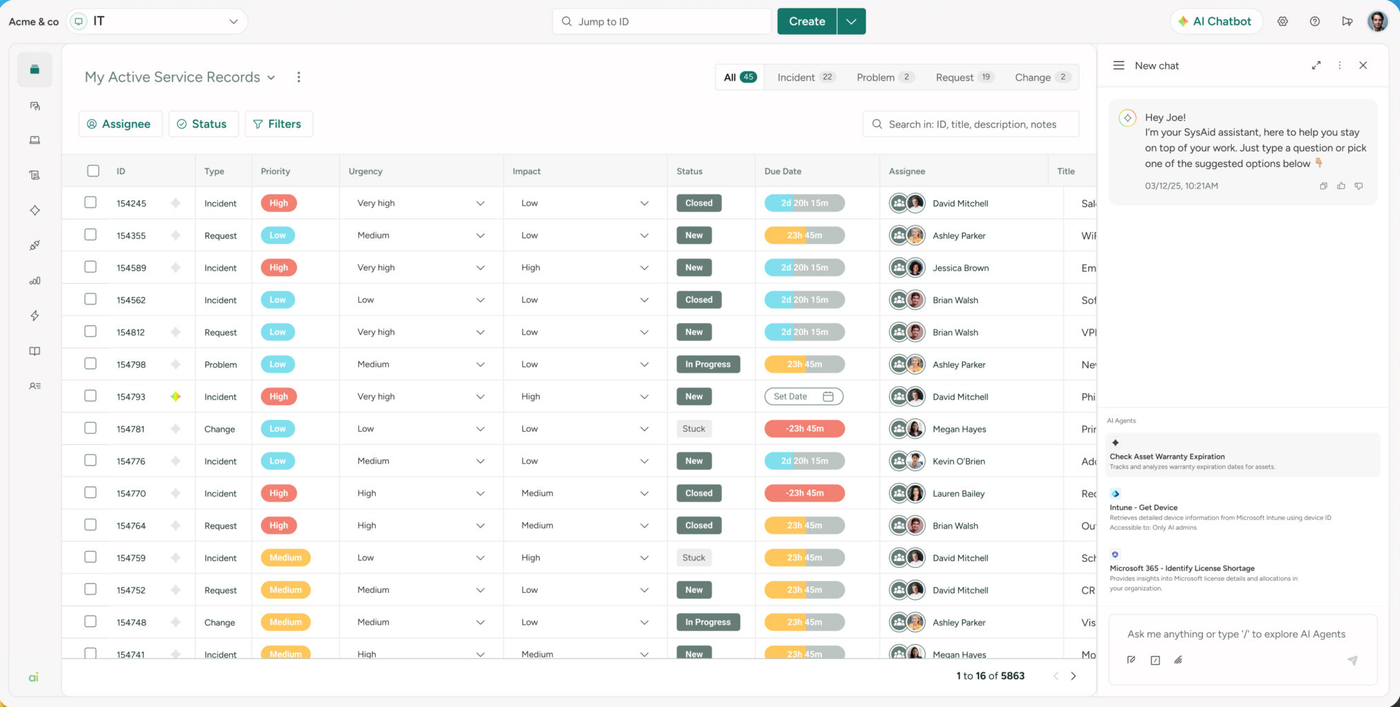
SysAid puts change, problem, asset management and its AI Copilot in the Professional plan, so the AI features that ServiceNow bundles into higher packages come with the entry plan.
A request comes in through the AI chatbot, portal, email or Teams. The chatbot first tries to resolve it from the knowledge base and prebuilt AI agents, such as password resets and device diagnostics. If that fails, it collects the details and creates a ticket. Routing rules or AI triage set category, priority and assignee, and escalation rules, which run every five minutes, notify, reassign or raise priority around the SLA deadline.
Professional includes incident, request, change and problem management, asset management with a CMDB (250 assets included), a knowledge base and the portal.
- AI Copilot and prebuilt AI agents matter to you and you would rather not pay per AI action
- you have somewhere between 5 and 50 agents and are fine with a quote and a trial before buying
- you want to buy without talking to sales: Professional is sold by quote
- you have under 20 agents but need the Enterprise plan, which starts at 20
- Users like
- ease of use, helpful support and automated ticket routing, per G2 reviewers
- Users dislike
- complexity and learning curve, with a clunky interface in places, per G2 reviewers
- Source: G2, 756 reviews
Moving from ServiceNow
What you give up: Professional keeps data for 2 years where Enterprise keeps it for 7, support is 24/6 with a 3-hour P1 response, and sandbox, tailor-made AI agents and advanced BI are Enterprise only. Patch management, remote support and discovery add-ons cost extra.
What carries over: Teams, Microsoft Entra ID application discovery, Intune, Jamf, Okta and OneLogin integrations.
On G2, SysAid holds 4.5 out of 5 from 756 reviews. Reviewers praise ease of use, helpful support and automated ticket routing. The recurring complaint is complexity and a learning curve, with a clunky interface in places.
- Starting price
- US$89 per agent per month on the Professional plan (quote required, billing period not stated); Enterprise custom from 20 agents
- SLA management
- Routing, escalation and alerts in Professional
- Self-service portal
- Portal and KB in all plans
- AI
- Copilot and 100+ AI agents in both plans
- Price
- US$89 per agent/mo on Professional, quote required, billing period not stated
- Assets
- 250 included, more in paid packs
Atera
Atera
Best for MSPs and device-heavy teams
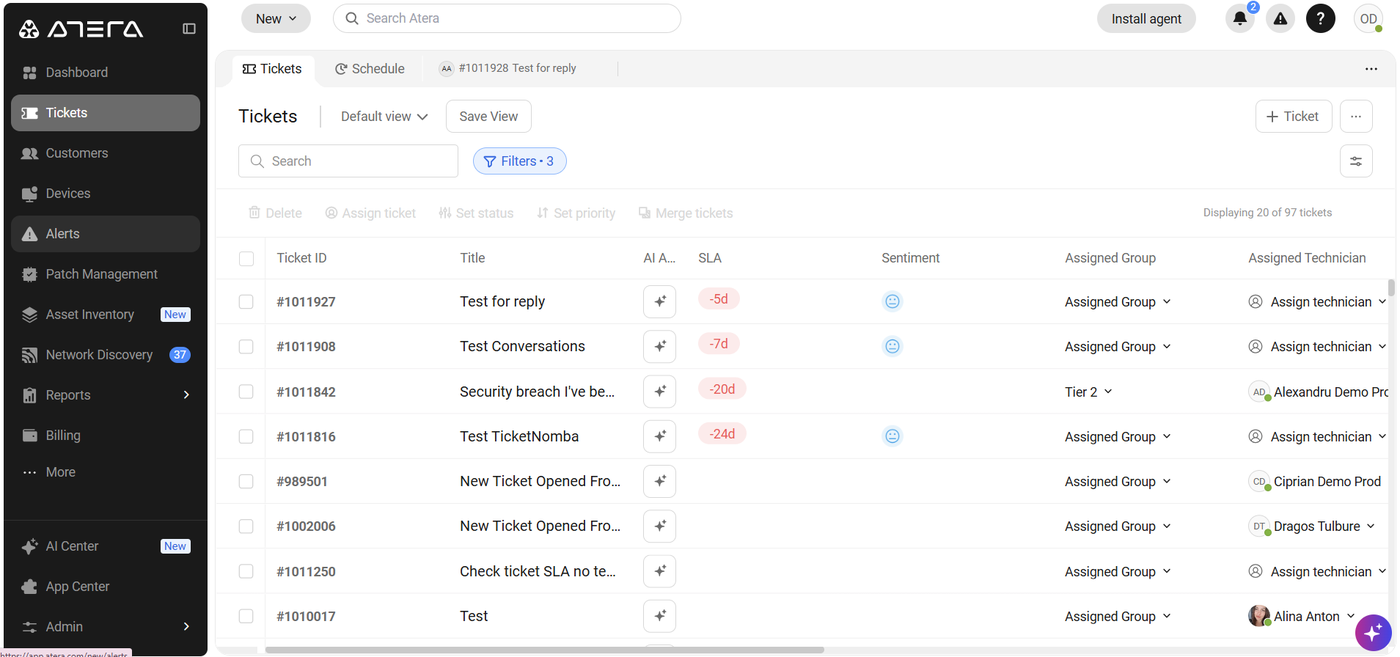
Atera replaces ServiceNow with a help desk that sits inside a remote monitoring and management platform, priced per technician with no cap on devices.
A request becomes a ticket from email, the service portal, Teams, Slack or a device alert, under the requester's customer or site. Ticket automation rules assign it, routing can use skill, workload and availability, and an SLA policy applies First Response and Closed Ticket targets by impact. The technician works the ticket with AI Copilot and remote access to the device, and the SLA clock pauses while the ticket is Pending.
This is a desk built around devices rather than ITIL processes. There's no formal change or problem module, so if you need a change advisory board, you'll miss it.
- one console for tickets, remote access and patching beats three separate tools for you
- you are an MSP and want tickets tied to device alerts, contracts and billing
- your auditors expect ITIL change records, problem records and a CMDB
- you need dollar prices or a free plan: Atera lists euros and offers a 30-day trial
- Users like
- ease of use and one dashboard for tickets and device health, per G2 reviewers (G2 lists Atera as Remote Monitoring and Management)
- Users dislike
- some missing features such as checklists, per G2 reviewers
- Source: G2, 1,281 reviews
Moving from ServiceNow
What you give up: ITIL depth. Every console user needs a technician licence, so a manager who only reads tickets still counts as a seat. The plan-by-plan gating of SLA, asset management and reports between Professional and Master isn't shown on the pricing page, and the Robin autonomous agent has no published price.
What carries over: Microsoft Entra ID user sync, Teams and Slack intake and portal SSO.
On G2, Atera is listed under remote monitoring and management with 4.6 out of 5 from 1,281 reviews. Reviewers like one dashboard for tickets and device health. The recurring complaint is some missing features, such as checklists.
- Starting price
- Professional 149 € per technician per month billed annually (169 € monthly), Expert 189 €, Master 219 €; EUR shown on the pricing page, unlimited endpoints
- Endpoint cap
- None, unlimited devices per technician
- AI
- Copilot in every plan; Robin agent is an add-on
- Channels
- Email, portal, Teams, Slack
- Price
- Professional 149 EUR per technician/mo billed annually (169 EUR monthly)
- Devices
- Unlimited per technician
Zendesk
Zendesk
Best if HR and IT share one desk
Zendesk's Employee Service Suite handles IT and HR requests with a service catalog, approvals and asset actions, and it suits teams that already run Zendesk for customers.
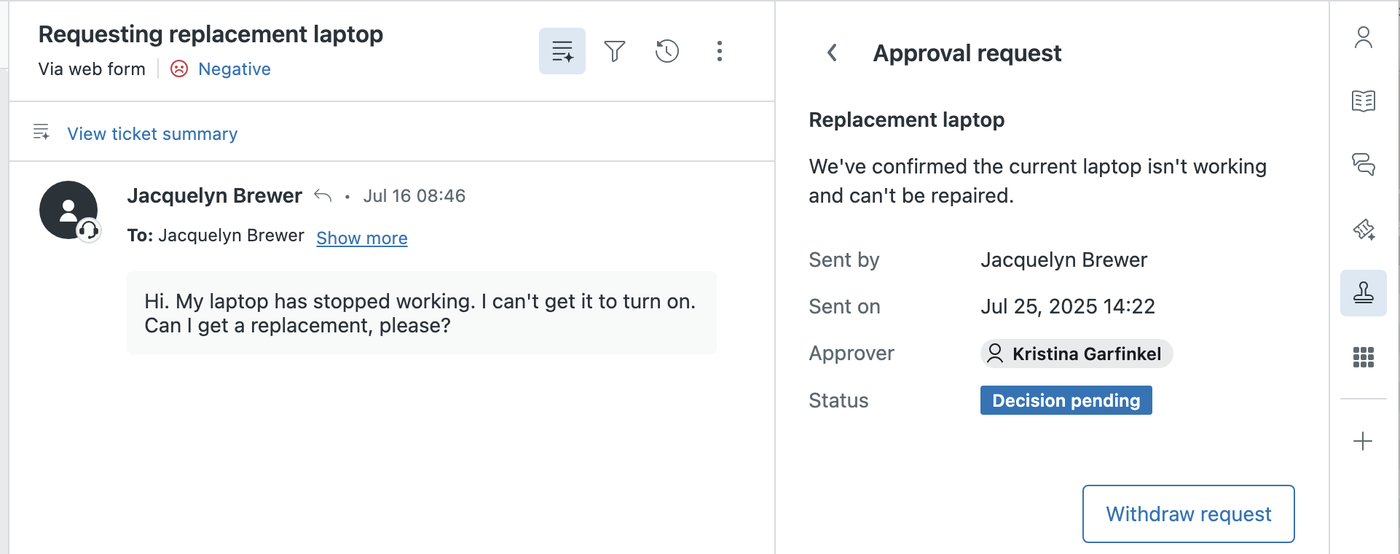
An employee request arrives by email, web form, catalog item, Slack or Teams. Triggers and omnichannel routing send it to the IT group, an AI agent can answer first from the knowledge base, and an SLA policy sets first reply and requester wait targets. The agent works it in the Agent Workspace with an approval request, a task list and asset actions in the sidebar, such as assigning a laptop or erasing a device.
The service catalog, IT asset management and SLAs start on Growth at $59 per agent per month.
- you already run Zendesk for customers and want IT and HR requests in one tool
- you want a polished agent workspace with catalog, approvals and AI agents, hosted for you
- you need a CMDB or formal change and problem management: we found no full module on the pages we read
- you need a low flat price: Copilot adds $50 per agent per month and AI resolutions are metered
- Users like
- ticketing, automation and multichannel support, per G2 reviewers (rating covers Zendesk for Customer Service)
- Users dislike
- cost per agent and setup complexity, per G2 reviewers
- Source: G2, 7,107 reviews
Moving from ServiceNow
What you give up: ITIL process depth. Zendesk markets IT service management, but the pages we read show tickets, incidents, knowledge, asset management and change workflows with task templates, not a CMDB or a full problem module. The US page redirected to euro pricing from our location, so the dollar figures come from an archived US page dated August 28, 2026, which matched the euro numbers.
What carries over: Slack, Teams, Workday in the ticket sidebar and a marketplace of more than 1,800 apps.
On G2, the Zendesk rating of 4.3 out of 5 from 7,107 reviews covers its customer service product, not the employee suite. Reviewers praise ticketing and multichannel support. The recurring complaints are cost per agent and setup complexity.
- Starting price
- Employee Service Suite from $29 per agent per month paid yearly (Team); SLAs and service catalog from Growth at $59; USD from the archived US page dated 2026-08-28, live page served EUR at the same numbers
- SLA
- Growth plan ($59) and up
- AI cost
- Copilot $50 extra, AI resolutions metered
- Free trial
- 14 days
- Employee Service Suite
- Team $29, Growth $59, Professional $99 per agent/mo, paid yearly
- SLA and catalog
- From Growth
- Trial
- 14 days
GLPI
GLPI
Best for hosting control and no licence fee
GLPI is a free, open-source ITSM and asset management suite with tickets, SLAs, a CMDB and a knowledge base, and the only tool here you can run entirely on your own servers without a vendor contract.
A user opens a ticket from the self-service interface, a form or email. An email receiver polls the mailbox on a schedule and converts new mail into tickets, with replies becoming follow-ups. Business rules set entity, category and assignment, and an SLA applies Time to Own and Time to Resolve targets from a calendar with escalation levels. Technicians work the ticket with linked assets from the CMDB and knowledge articles.
Problems, changes, a service catalog and projects with Gantt and Kanban views are part of the free edition. Entities isolate departments or customers inside one instance, which MSPs find useful.
- a teammate can run and patch a PHP and MySQL app, and you want tickets, SLAs and a CMDB without a licence fee
- you would rather not pay per seat for end users and assets
- nobody has time for upgrades and you want a polished, AI-first tool that works out of the box
- you need Teams or Slack intake that works without a plugin
- Users like
- easy to use and customizable open source, per G2 reviewers
- Users dislike
- reporting and plugin updates between versions, per G2 reviewers
- Source: G2, 42 reviews
Moving from ServiceNow
What you give up: a vendor to call. The free edition means you host, patch and secure it yourself, with community support only. Hosted Public Cloud is run by Teclib' on OVHcloud with a 97 percent annual availability commitment, and prices are in euros excluding VAT.
What carries over: LDAP, OAuth2 single sign-on, SCIM user sync, native inventory through the GLPI Agent, and notifications to Teams, Slack and Mattermost through a paid plugin.
On G2, GLPI holds 4.5 out of 5 from 42 reviews. Reviewers praise ease of use and customizable open source. The recurring complaints are reporting and plugin updates between versions.
- Starting price
- Free self-hosted (open source); Teclib' cloud from 19 € per user per month excl. VAT; self-hosted support subscriptions 100 € to 4,500 € per month; EUR only
- Free plan
- Self-hosted, no license fee
- SLA
- SLA and OLA with TTO and TTR
- Cloud
- 19 € per agent per month
- Self-hosted
- Free, community support
- Hosted by Teclib'
- 19 EUR per agent/mo public cloud, excl. VAT
- Self-hosted support
- 100 to 4,500 EUR per month, by team size
What you give up when you leave ServiceNow
Moving to a lighter tool typically means giving up three things: the one-platform depth of the CMDB, change and problem management that ship together, and the ServiceNow Store of certified apps. The table shows where each alternative restores change management and the CMDB, and what it charges for them.
| Tool | Change management starts at (USD per agent per month) | CMDB or asset records |
|---|---|---|
| Freshservice | Pro, $99 per agent per month | Asset Units from Growth, 100 included |
| Jira Service Management | Premium, $55.28 per agent per month | Assets from Standard, 5,000 objects included |
| ServiceDesk Plus | Built into Enterprise; paid add-on below | Asset management from Professional; CMDB is an add-on there, built into Enterprise |
| HaloITSM | Included in the single plan | Included |
| SysAid | Professional | Included, 250 assets |
| Zendesk | No full module found | IT asset management from Growth; no CMDB found |
| Atera | No formal ITIL change module | Not a CMDB product in the pages we read |
| GLPI | Included, free or hosted | Included |
What the alternatives cost for 5 and 10 agents
For five agents, the lowest plan that includes change management costs between $3,317 and $5,940 a year on the published dollar prices, and GLPI hosted costs 1,140 euros. The table uses the plan where change management starts, because that's the plan ServiceNow's Advanced package is closest to.
| Tool | Plan used (USD or euro per agent per month) | 5 agents per year | 10 agents per year |
|---|---|---|---|
| Freshservice | Pro, $99, billed annually | $5,940 | $11,880 |
| Jira Service Management | Premium, $55.28, monthly rate | $3,317 | $6,634 |
| ServiceDesk Plus | Enterprise cloud, published totals | $3,895 | $7,795 |
| HaloITSM | Single plan, $99 at 5 to 10 agents | $5,940 | $11,880 |
| SysAid | Professional, $89 if billed monthly | $5,340 | $10,680 |
| GLPI hosted by Teclib' | Public Cloud, 19 euros per month | 1,140 euros | 2,280 euros |
| Atera | Professional, 149 euros annual, no change module | 8,940 euros | 17,880 euros |
| Zendesk | Growth, $59 annual, no change module | $3,540 | $7,080 |
SysAid's $89 comes without a stated billing period, so its total assumes monthly billing and needs a quote. ServiceDesk Plus totals include 500 assets. Jira's price is the rate Atlassian shows at a 75-user tier.
Migration checklist: moving off ServiceNow
Export before you cancel. According to ServiceNow's documentation, you can export records from any list to CSV, Excel, PDF or XML. CSV and Excel exports include only the fields shown in the current list view, and the XML option is limited to users with the admin role. So you'll want to build your export views deliberately instead of exporting once and hoping.
- Export incidents, requests, changes and problems from list views with every field you need shown
- Export CMDB configuration items and their relationships, and decide which are worth importing
- Export knowledge articles and rewrite or retire the stale ones
- Export users, groups, locations and assignment rules
- List every SLA definition and escalation so you can rebuild it
- Map each integration that creates or updates tickets, including email, monitoring and HR feeds
- Run both tools in parallel for one sprint on a single team before cutting over
- Keep read access to ServiceNow until the contract ends for audit questions
G2 reviewers report an average implementation of 5 months for ServiceNow. Most alternatives here advertise days to weeks, but your own time will go into cleaning up categories, SLAs and knowledge articles rather than into the install.
The gap no service desk closes: who owns each service account
Whichever desk you choose, tickets won't tell you who owns each service account or when it was last reviewed. That question sits between your directory and your auditors.
For more on picking a desk for a small team, read our service desk software comparison and the IT asset management software guide.
Frequently asked questions
What companies are competitors of ServiceNow?
For IT service management, the main competitors are Freshservice, Jira Service Management, ManageEngine ServiceDesk Plus, HaloITSM, SysAid, Zendesk and Atera, plus open-source GLPI. Larger rivals such as BMC Helix and Ivanti also compete at enterprise scale; we did not research them.
Which module is best in ServiceNow?
The best ServiceNow module depends on the job. For an internal IT team, the ITSM module is the one most alternatives replace: ITSM Foundation covers incident, request, asset management and the CMDB, and change and problem management start in ITSM Advanced.
Does ServiceNow have a future?
ServiceNow is an actively developing vendor: it completed its acquisition of Moveworks on December 15, 2025 and lists AI agents inside its ITSM packages. For a small team the question isn't whether the vendor will survive, it's fit and price.
Is there a free ServiceNow alternative?
A free ServiceNow alternative exists in three forms. Jira Service Management is free for 3 agents, ManageEngine ServiceDesk Plus Standard is free for up to 5 technicians, and GLPI is open source and free to self-host.
Is there an open source alternative to ServiceNow?
GLPI is the open-source option in this comparison. It includes tickets, SLAs, a CMDB and a knowledge base with no licence fee, but you host, patch and secure it yourself unless you pay Teclib' for hosting.