Endpoint management software keeps laptops, desktops and servers patched, configured and reachable from one console. For a small IT team that means five jobs: patching the operating system, patching third-party apps, deploying software, inventorying what's installed and getting remote access when a user needs help. This page compares eight tools for teams of roughly 3 to 50 people and MSPs. Endpoint security tools such as EDR, XDR and antivirus are a different job and aren't ranked here.
The choice usually comes down to two questions: what operating systems you run, and which console you already pay for. A Microsoft 365 shop already owns Intune. A mixed fleet with remote workers fits a cloud patching tool or an all-in-one platform, and an Apple-only team fits Jamf Pro. Five of the eight tools publish a usable price, and three have a free tier or free edition, so the tables below show the price unit next to every number.
- endpoint management tools compared
- 8
- have a free tier or free edition (Action1, Endpoint Central, Jamf Now)
- 3
- publish a price per user, endpoint or technician
- 5
- patch only computers and servers, with no phones or tablets (Action1, Automox)
- 2
Answer, picks by situation and compare table
 Best if you already pay for Microsoft 365Microsoft IntunePlan 1 ships inside Microsoft 365 Business Premium and E3, and Windows update rings come with it. Third-party app patching is a $2 per user add-on.
 Best free option up to 200 endpointsAction1Patching, software deployment, inventory and browser-based remote access with no feature limits on the first 200 endpoints. Support is community only.
 Best published price listManageEngine Endpoint CentralFive editions with per-endpoint prices on the page, a free edition for 25 endpoints and 1,000+ third-party apps to patch.
 Best for MSPs and mixed fleetsNinjaOneRMM with patching, scripting, remote access and multi-tenant management, priced per device on a quote.
 Best for cloud-only OS patchingAutomoxPatch OS plan at $1 per endpoint per month for Windows, macOS and Linux. Third-party patching sits in the quote plans.
 Best for Apple-only fleetsJamf ProDeep Mac, iPhone and iPad control with Smart Groups and zero-touch enrollment, at the cost of a learning curve and a quote.
| Tool | Type | Operating systems | Patching approach | Price (USD unless noted) |
|---|---|---|---|---|
| Microsoft Intune | Cloud MDM from Microsoft | Windows, macOS, iOS, iPadOS, Android, Linux enrollment | Windows update rings; third-party apps need the Enterprise App Management add-on | $8 per user per month for Plan 1; included in Microsoft 365 Business Premium and E3 |
 JumpCloud JumpCloud | Directory-led device management | Windows, macOS, Linux, iOS, Android | OS update policies for Windows, macOS and Ubuntu; patch policies are a paid premium feature | Device Management $9/user/mo; SSO $11/user/mo; Device Identity Management $13/user/mo, billed annually; Platform packages quote-only |
| NinjaOne | RMM with an MDM module | Windows, macOS, Linux; mobile through MDM | OS and third-party patching with approval rules and scripting | Quote based; the platform range is $1.50 to $3.75 per device per month and the page does not say if MDM is included |
 Atera Atera | RMM plus help desk for IT teams | Windows, macOS, Linux agents | Windows and macOS patching, third-party updates via WinGet, Chocolatey and Homebrew | Professional 149 € per technician per month billed annually (169 € monthly), Expert 189 €, Master 219 €; EUR shown on the pricing page, unlimited endpoints |
| ManageEngine Endpoint Central | Unified endpoint management, cloud or on premises | Windows, macOS, Linux, ChromeOS, iOS, Android | OS patching plus 1,000+ third-party apps, test groups and automated deployment | Free up to 25 endpoints; paid editions per endpoint per month, billed yearly with a 50-endpoint minimum: Professional $1.32, Enterprise $1.57, UEM $1.82, Security $2.82 |
| Action1 | Cloud patch and endpoint management | Windows, macOS, Linux; no mobile | OS and third-party patching with update rings and approvals | Free for the first 200 endpoints with no feature limits; above 200 endpoints quote only |
| Automox | Cloud patching and automation | Windows, macOS, Linux; no mobile | Policy-based OS patching; third-party titles on the quote plans | Patch OS $1 per endpoint per month with annual commitment; Automate plans quote only |
| Jamf Pro | Apple-only MDM | macOS, iOS, iPadOS, tvOS only | Managed Software Updates for macOS; patch policies for third-party titles | Quote only; Jamf Now is free for up to 3 devices |
Ratings sit in each tool entry below, because we could read the review pages for only some of the eight.
Here's how to read the table. Prices count different things: Intune and JumpCloud charge per user, Atera per technician, and Endpoint Central, Automox and NinjaOne per endpoint or device. A 20-person team with 25 devices pays differently under each unit, so the cost section later in the page puts them on one scale where the prices are published.
What endpoint management software does and what it doesn't
Endpoint management is the routine work of keeping devices current and consistent. In practice it covers five jobs: OS patching, third-party patching, software deployment, hardware and software inventory, and remote support. Bigger suites add configuration baselines and mobile device management on top.
Naming is messy. Vendors say UEM (unified endpoint management) for tools that cover computers and phones, MDM for phone and tablet management, and RMM (remote monitoring and management) for tools built for MSPs, which usually add scripting, alerting and ticketing. Many products here are more than one of those.
What this category doesn't do is detect or stop attacks. EDR, XDR and antivirus products watch for malicious behavior, and they're bought separately even where a vendor bundles an add-on. If you came here for threat detection, you'll want a different shortlist. For phone-first buying, our guide to mobile device management software goes deeper on enrollment and Apple and Android controls.
How we chose these tools
We picked tools a small IT team can run without a dedicated endpoint engineer, and we checked four things for each: how patching works from detection to reboot, what software deployment and remote access require, what the price counts and which plan gates which feature, and what the vendor's own documentation says it can't do. Where reviewers on Capterra or G2 were readable, we recorded what they praise and what they complain about.
Prices were read from vendor pages between October 18 and 26, 2026. Atera showed euro prices only on our connection, so we give euros. Capterra, G2 and TrustRadius refused our automated reads for Action1, Automox and Endpoint Central, so those three entries carry no rating, and some vendor help centers were unreadable, which we mention where it matters. No tool vendor paid for a place here, and we don't link to vendor sites.
Directory-led and Microsoft-centred tools
Intune and JumpCloud start from identity. If your people already sign in through Microsoft Entra ID or a cloud directory, the device layer attaches to accounts you manage anyway.
Microsoft Intune
Prices and Microsoft Learn docs read October 18 and 26, 2026
The device manager most small teams already own without knowing it, because Plan 1 is included in Microsoft 365 Business Premium and E3.
From enrollment to patched. Devices join Entra ID, enroll in Intune and receive an update ring policy. Rings set deferrals, deadlines and restart behavior, and feature, quality and driver update policies run through Windows Autopatch, with hotpatch on by default for eligible devices. Autopatch-backed policies need devices that are Entra joined or hybrid joined, and the page says they also need a Windows license that includes the Autopatch entitlement, so check your edition before counting on them.
Third-party apps are a separate purchase. The Enterprise App Catalog, part of the Enterprise App Management add-on at $2 per user per month, holds Microsoft-prepared Windows apps such as Chrome, 7-Zip and Zoom and updates them automatically for Required assignments. Microsoft says most catalog updates arrive within a day of ingestion, auto-update has no rollout rings and no rollback, and the catalog is Windows only. Anything else is packaged by hand as a .intunewin file.
Remote help costs extra too. Remote Help is a $3.50 per user per month add-on, so budget for it if remote support matters to you.
- you already pay for Microsoft 365 Business Premium or E3 and want Windows, Android and iPhone in one console
- you want Windows Autopilot setup and Conditional Access tied to Entra ID
- your fleet is mostly Macs and you want Apple-specific depth without learning a large admin console
- you have no Microsoft 365 licensing and want simple per-device pricing
- Users like
- Autopilot deployment and one admin portal save time, per Capterra reviewers
- Users dislike
- slow support and a complex, frequently changing console, per Capterra reviewers
- Source: Capterra, 42 reviews
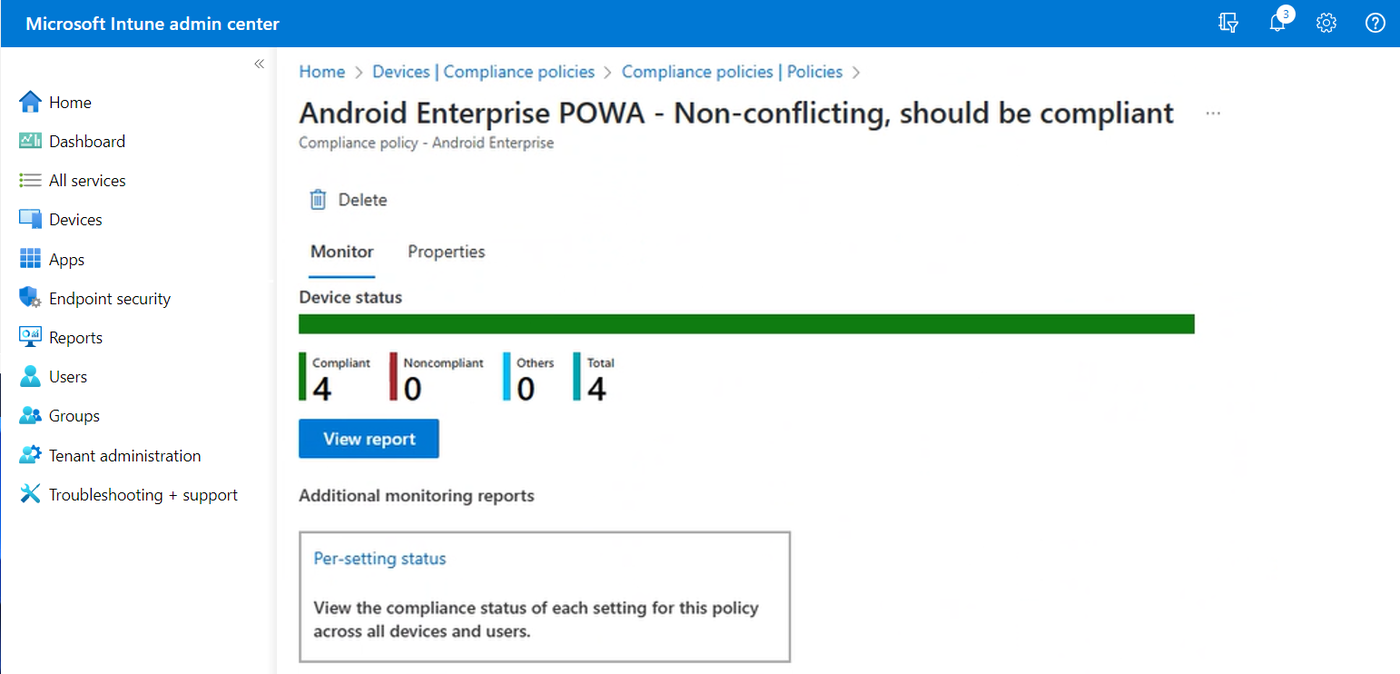
How it works in practice
What that team misses. Microsoft's update documentation we read covers Windows. Mac and Linux fleets need other policies or other tools, although Intune can still enroll them. Win32 app installs must be silent, the management extension checks for new assignments about once an hour and an app can be up to 30 GB, so a package that needs a click won't install, and that's certainly a constraint. Reviewers describe a console that is complex and changes often, and some call support slow.
- Starting price
- $8 per user per month for Plan 1; included in Microsoft 365 Business Premium and E3
- Platforms
- Windows, macOS, iOS and iPadOS, Android, Linux
- Plan 1
- $8 per user per month standalone
- Included in
- Microsoft 365 Business Premium and E3
JumpCloud
Prices and support pages read October 23 and 26, 2026
Cloud directory, SSO and device management from one vendor, with Windows, macOS and Linux managed through an agent and a public per-user price.
From enrollment to patched. You install the JumpCloud agent, bind the device to a user and assign an OS patch policy. On Windows the policy uses Windows Update for Business settings: install day and time, quality update deferral up to 30 days, pause up to 35 days, feature upgrade deferral up to 8 months and a forced restart 15 to 180 minutes after install. macOS policies defer minor updates for 1 to 90 days (default 30) and need MDM enrollment. Default policies come in deployment rings from Vanguard to Late Adoption, and a device gets one patch policy.
Patching is a paid add-on. JumpCloud's own help page calls patch management policies a premium feature that needs an additional fee, so the $9 per user per month Device Management price doesn't cover it by itself. Linux OS patching works on Ubuntu only.
Remote access. Remote Assist works across Windows, macOS and Linux, with one session per device at a time and a 120 minute default timeout.
- you want directory, SSO and device management from one vendor with a public per-user price
- you run Mac, Windows and Linux and want MDM for phones as an add-on
- you need the deepest mobile controls, which reviewers say are still evolving
- you only need mobile management and have no use for the directory layer
- Users like
- easy onboarding and unified management of identity and devices, per G2's summary of reviewer themes
- Users dislike
- Windows group policy gaps, MFA gaps with LDAP and a learning curve, per G2's summary of reviewer themes
- Source: G2, 4,121 reviews
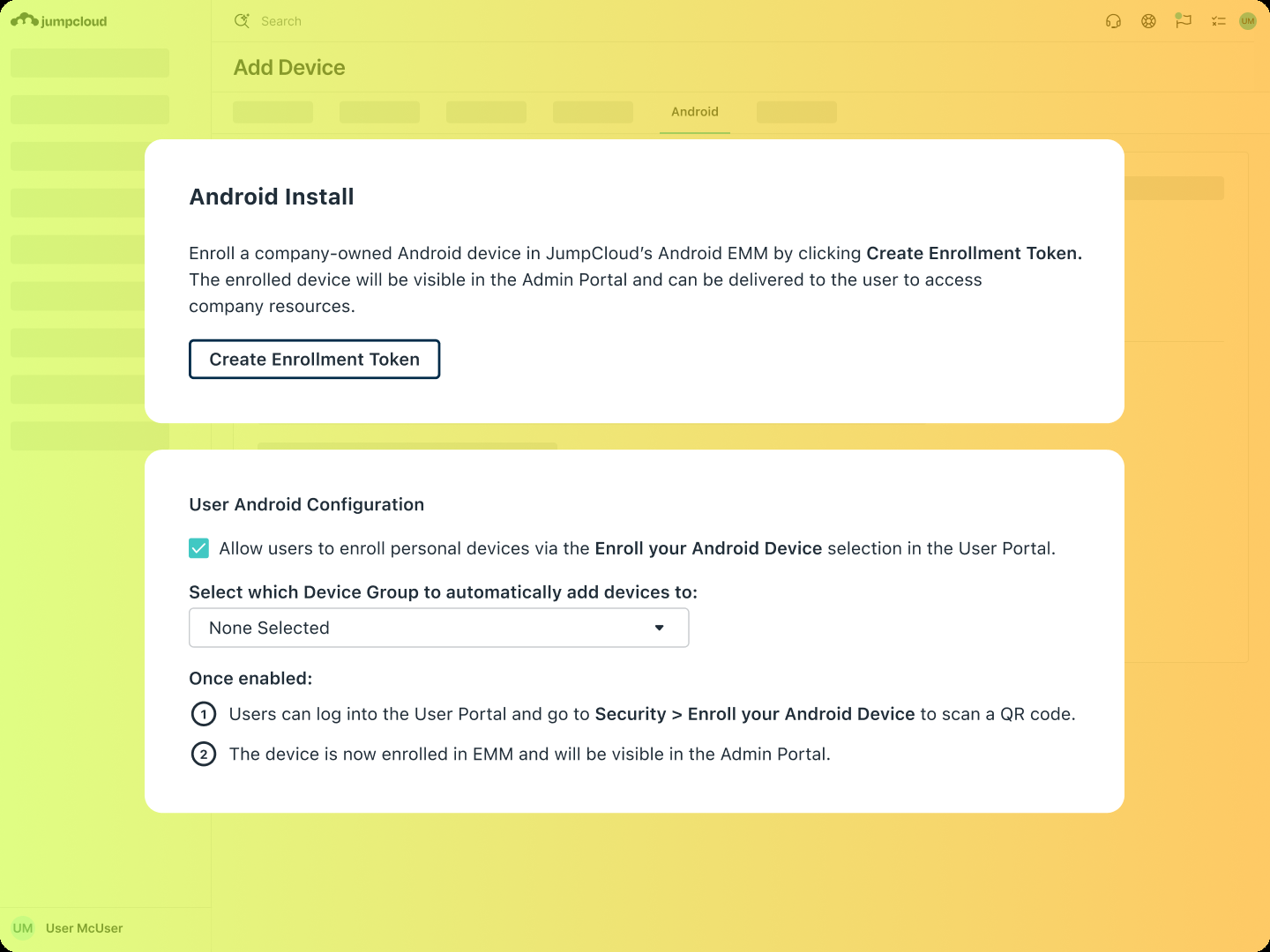
How it works in practice
What that team misses. We couldn't confirm third-party app patching or software deployment from the pages we read, so ask for a demo of your top ten apps. The directory is the point of the product, so if you only need patching, you pay for a layer you don't use. For the identity side, see our JumpCloud pricing breakdown.
- Starting price
- Device Management $9/user/mo; SSO $11/user/mo; Device Identity Management $13/user/mo, billed annually; Platform packages quote-only
- Entry price
- $9 per user per month, annual
- MDM add-on
- $5 per user per month, annual
- Trial
- 30 days
- Public Device Management
- $9/user/mo annual
- Public SSO
- $11/user/mo annual
- Public Device Identity Management
- $13/user/mo annual
- Platform packages
- Contact Sales
- Legacy free
- Only eligible pre-February 2024 accounts
All-in-one RMM and endpoint platforms
RMM-style platforms bundle patching, scripting, monitoring and remote access in one agent. They suit MSPs and teams that want one tool for the daily break-fix work, but they do need setup time: policies, automations and alert rules don't configure themselves.
NinjaOne
NinjaOne docs read October 26, 2026; prices October 18, 2026
The RMM that reviewers praise for reliable patching and remote access, priced per device and sold on a quote.
From enrollment to patched. Install the agent, put the device in an organization and apply a policy. For Windows, the policy sets Approve, Manual or Reject per patch category, with per-patch overrides, and separate scan and update schedules (defaults are a scan at 8 AM and updates at 5 PM device time, with a one hour gap recommended). Reboot handling is configurable: prompt the user, notify, restart automatically or do nothing, and a pending reboot blocks the next scan until it happens.
Third-party apps. NinjaOne's patching page gives two different catalog sizes, 8,800+ in one place and 6,000+ in another, so ask for the list and check your apps. It validates the file signature and publisher but doesn't test updates for you. macOS apps fail to update while open unless force-close is set.
Deployment and scripts. Built-in policy deployment is Windows only. For macOS and Linux you use scripts, which NinjaOne supports in PowerShell, shell, batch and other languages.
- you already run NinjaOne for endpoints and want phones and tablets in the same console
- you are an MSP that needs policies and app deployment across several clients
- you want a published mobile price before talking to sales
- your fleet is Apple heavy and you need the deepest MDM controls
- Users like
- reliable patching, remote access and automation, per Capterra reviewers
- Users dislike
- extra effort to set up policies and automation, per a Capterra reviewer
- Source: Capterra, 298 reviews
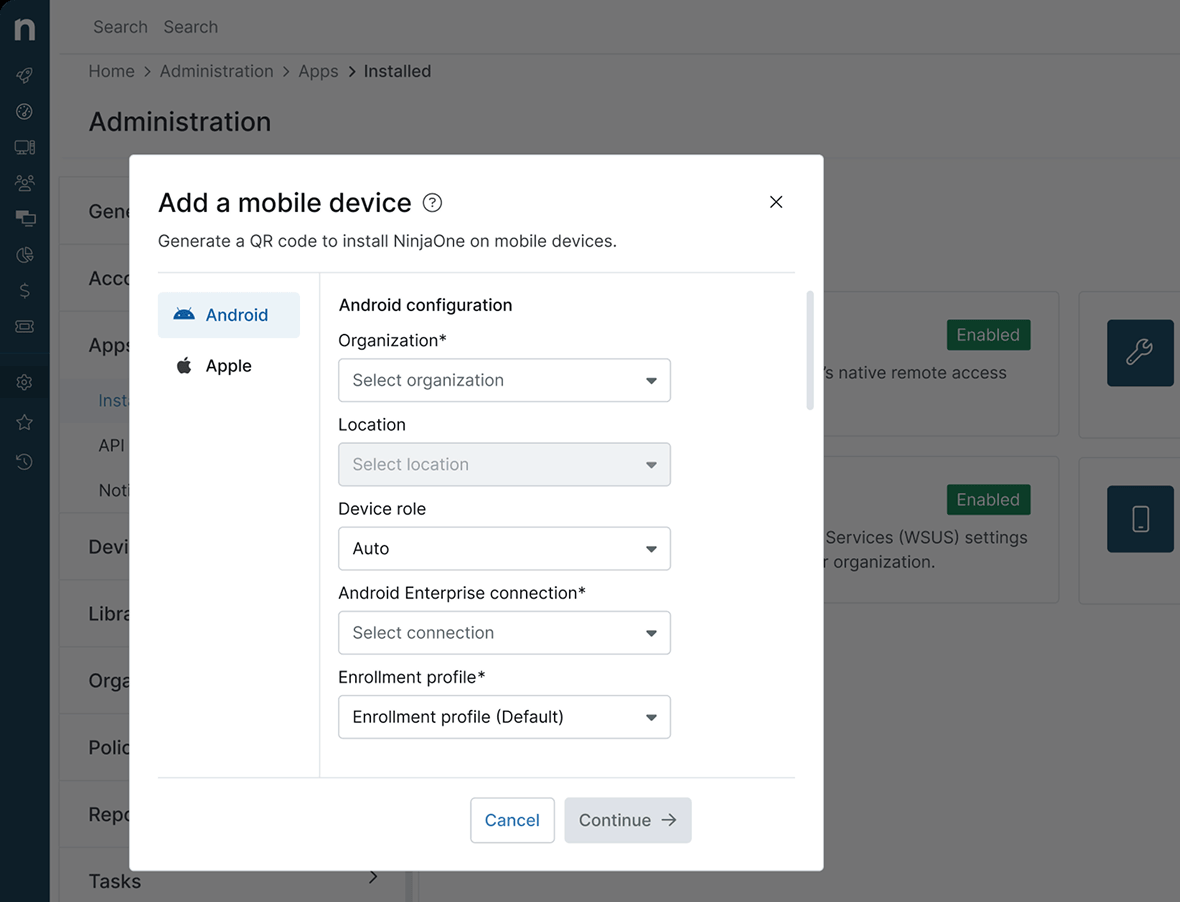
How it works in practice
Cost in practice. The public pricing page shows a range of $1.50 to $3.75 per device per month by volume and says full pricing comes by quote, with free implementation and unlimited support. A Capterra reviewer notes the extra effort to set up policies and automation. For phones and tablets, NinjaOne has an MDM module covered in our mobile device management guide.
- Starting price
- Quote based; the platform range is $1.50 to $3.75 per device per month and the page does not say if MDM is included
- Mobile OS
- iOS, iPadOS, macOS, Android
- Pricing
- Quote based
- Windows and Linux
- Through the RMM, not MDM
Atera
Atera pricing read October 22, 2026; help pages via search summaries, October 26, 2026
RMM and help desk in one platform, priced per technician with unlimited endpoints, which favors small teams with many devices.
From enrollment to patched. The Atera agent reports a device, and patching is managed through IT Automation Profiles. Windows patches are approved per profile, failed patches can be retried from the Patch Management Dashboard and the dashboard shows error codes for Windows. On macOS the agent uses the native Software Update tool, and Mac updates can be postponed up to 30 days before approval. Profiles don't restart devices by default: a restart happens only if an installed patch needs one, and it can be pushed outside active hours.
Third-party apps are updated through WinGet and Chocolatey on Windows and Homebrew on macOS, but coverage is whatever those catalogs carry. We couldn't read Atera's help center directly, so these patching details come from search summaries of its pages.
Remote access. Remote sessions run through Splashtop or AnyDesk, which Atera lists as included on its higher plans, and TeamViewer and ScreenConnect can be brought in. Custom remote apps can't be added.
- you want help desk, remote access and patching in one tool and your team is small enough that per-technician pricing beats per-user or per-device
- you run an MSP or an internal team that needs ticketing tied to device alerts and billing
- you need formal ITIL change, problem and CMDB management
- you need a USD price list or a free plan; Atera lists EUR prices and offers only a 30-day trial
- Users like
- ease of use and one dashboard for tickets and device health, per G2 reviewers (G2 lists Atera as Remote Monitoring and Management)
- Users dislike
- some missing features such as checklists, per G2 reviewers
- Source: G2, 1,281 reviews
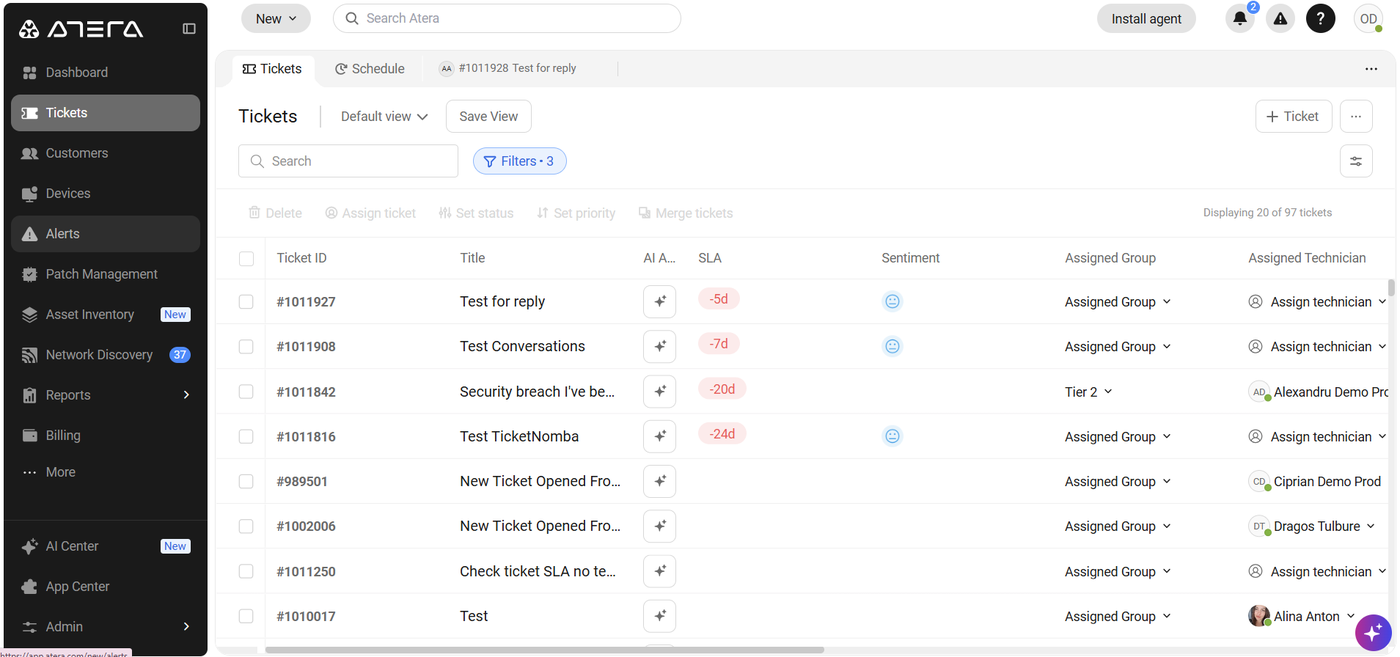
How it works in practice
Cost in practice. Professional is 149 euros per technician per month billed annually (169 monthly), shown in euros on our connection, with unlimited endpoints. Reviewers on G2 like the single dashboard for tickets and device health and mention missing features such as checklists. If tickets matter more than patching, read our service desk software comparison.
- Starting price
- Professional 149 € per technician per month billed annually (169 € monthly), Expert 189 €, Master 219 €; EUR shown on the pricing page, unlimited endpoints
- Endpoint cap
- None, unlimited devices per technician
- AI
- Copilot included, Robin agent extra
- Channels
- Email, portal, Teams, Slack
ManageEngine Endpoint Central
Pricing and help pages read October 26, 2026; no review page could be read
A full endpoint and mobile management suite with a price list on the page and a free edition for 25 endpoints.
From enrollment to patched. The server syncs a patch database on a set interval, agents scan for missing patches on their next refresh cycle, and approved patches deploy in the next deployment window. Automated Patch Deployment keeps going on each agent until no missing patches match your criteria. The product page describes test groups first and auto-approval after a set number of days. It covers Windows, macOS, Linux and more than 1,000 third-party applications.
What each edition gates. Professional ($1.32 per endpoint per month) has patching, software deployment and packaging, asset discovery and remote troubleshooting. Enterprise ($1.57) adds a self-service portal, USB control, remote control with screen recording, and driver and BIOS patching. UEM ($1.82) adds remote lock and wipe for laptops and OS imaging, and Security ($2.82) adds vulnerability remediation and DLP policies.
Mobile. MDM for iOS, Android and Windows is in the suite, with BYOD in Professional.
- you want published per-endpoint prices and a free edition for up to 25 endpoints
- you manage laptops, servers and phones and want one tool that also handles mobile devices
- you want a light console for a handful of devices, because the edition and add-on structure takes time to learn
- you need remote control with session recording or driver and BIOS patching but only want the cheapest edition, since both start at Enterprise
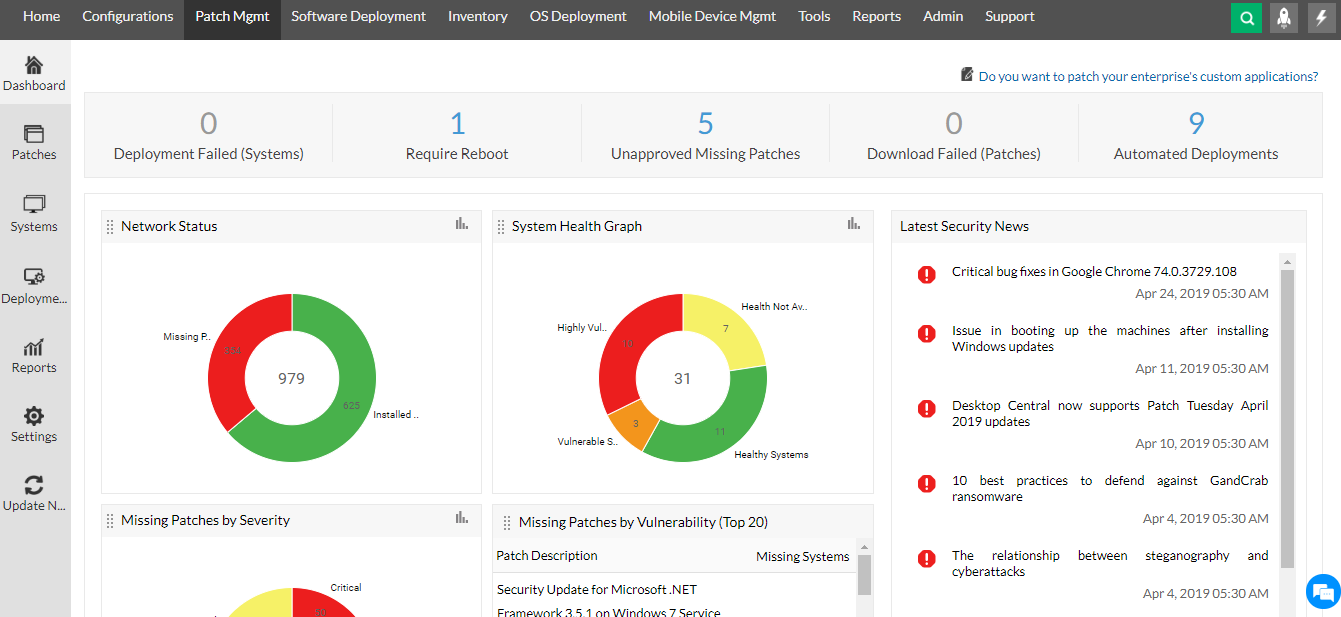
How it works in practice
Cost in practice. Paid editions are billed per year with a 50-endpoint minimum, for example $795 a year for Professional. Servers, extra technicians and add-ons are priced separately by quote. The free edition covers 25 endpoints, but the pages we read don't say which features it includes. The trial runs 30 days. The screenshot is from ManageEngine's product page and shows an older version of the console.
- Starting price
- Free up to 25 endpoints; paid editions per endpoint per month, billed yearly with a 50-endpoint minimum: Professional $1.32, Enterprise $1.57, UEM $1.82, Security $2.82
- Free edition
- Up to 25 endpoints
- Smallest paid band
- 50 endpoints
- Third-party patching
- 1,000+ applications
- Trial
- 30 days
Patch-first tools for Windows-heavy fleets
If the job is patching and you don't need a ticket system or a directory, a focused cloud tool can be the cheapest way in. Both tools below use a lightweight agent and need no VPN or on-premises server.
Action1
Action1 pages read October 26, 2026; no review page could be read
The free option: the first 200 endpoints get the full product, with no feature limits and no expiry.
From enrollment to patched. Install the agent and missing updates appear with the vulnerabilities they address. You approve individually or by rule, deploy to endpoint groups on a schedule and use update rings: start with pilot endpoints, move on when success rates meet your threshold and pause a bad update. Maintenance windows and reboot controls apply, and endpoints that were offline retry when they reconnect. OS patching covers Windows 10 and 11, Windows Server, macOS 12 and later and many Linux distributions. Third-party patching covers Windows and macOS apps from a tested catalog Action1 calls PatchAssurance, with no title count published.
Deployment, inventory and remote access are all in the same product. Remote access is browser based, needs no inbound ports or VPN and is described for Windows endpoints.
- you manage up to 200 Windows, macOS or Linux endpoints and want patching, deployment, inventory and remote access with no license fee
- your team works remotely and a VPN or on-premises server isn't an option
- you manage phones or tablets
- you need vendor support on the free tier, which is community only
How it works in practice
What that team misses. There's no mobile device support on the pages we read, and vulnerability detection is named for Windows and macOS only. On the free tier, support is community only, through a Discord server. Above 200 endpoints pricing is by quote with no published per-endpoint figure. Action1's own pages cite 4.8 of 5 on Gartner Peer Insights as of May 2026, but we couldn't open the review pages to confirm it, and its documentation site wasn't reachable for our read.
- Starting price
- Free for the first 200 endpoints with no feature limits; above 200 endpoints quote only
- Free tier
- First 200 endpoints, no feature limits, never expires
- Support on free tier
- Community (Discord)
- Mobile devices
- Not covered
Automox
Automox pricing, platform and docs pages read October 26, 2026; no review page could be read
Cloud patching for Windows, macOS and Linux, with an entry plan priced at $1 per endpoint per month.
From enrollment to patched. Policies live under Automate and come in several types: Patch All, Severity (critical to low by CVE score), Patch Only, Manual Approval, Patch All Except and Advanced. A policy needs at least one device group. Advanced policies filter by source, severity and patch age from 1 to 180 days, and a preview shows which packages the policy would patch. With manual approval, an admin approves or rejects packages one by one or in batches and approved patches install at the next scheduled run.
Plan gates. Patch OS at $1 per endpoint per month, billed annually, covers OS patching. Third-party patching (633+ titles), software deployment, device configuration and API access need Automate Essentials, and Worklets, multi-organization management and Core Remote Control sit in Automate Enterprise. Both are quote only.
- you want OS patching across Windows, macOS and Linux at a published price per endpoint
- you have remote machines and want no VPN or on-premises server
- you manage phones or tablets, since the OS list is Windows, macOS and Linux only
- you need third-party patching, software deployment or remote control without a sales call, because those sit in the quote-only plans
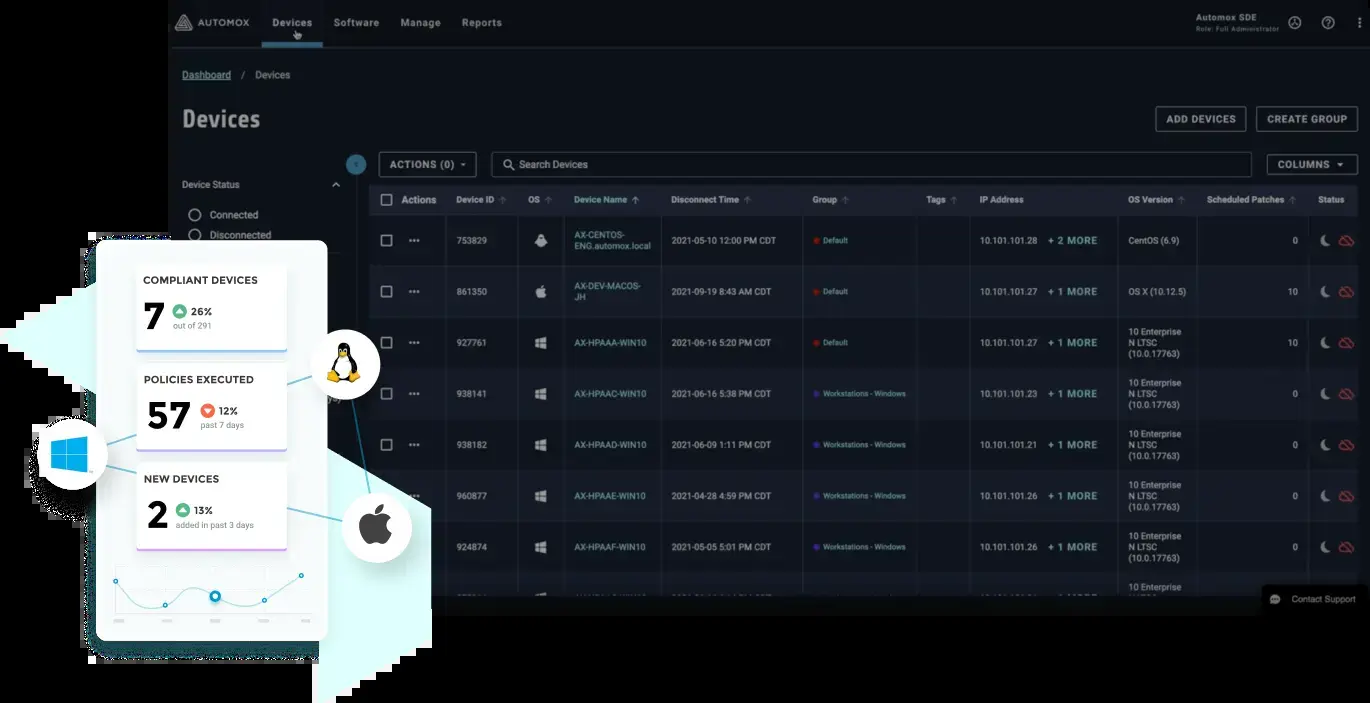
How it works in practice
What that team misses. No mobile devices: the OS list is Windows, macOS and Linux. Automox's own pages give three different third-party counts (580+, 633 and 633+), so check the catalog for your apps. Remote access is an add-on called Automox Resolve, built on Splashtop, with no price shown. The trial is 15 days. We couldn't read a review page for Automox.
- Starting price
- Patch OS $1 per endpoint per month with annual commitment; Automate plans quote only
- Entry plan
- Patch OS, OS patching only
- Third-party titles
- 633+ on Essentials
- Trial
- 15 days
The Apple option
Jamf Pro
Jamf pages read October 18 and 26, 2026
The standard answer for Apple-only fleets, with depth that general platforms don't match and a price you get on a call.
From enrollment to patched. Zero-touch enrollment puts Macs, iPhones and iPads under management at first boot, Smart Groups sort devices by attributes, and Blueprints use Apple's declarative device management. For third-party Mac apps you configure a patch management software title, attach a package to a version definition and create a patch policy that updates the title. macOS itself is different: Jamf's documentation says the patch management workflow can't update macOS, which goes through Managed Software Updates.
Fit. Jamf for Mac, Jamf for Mobile and Jamf Now are the three offers. Jamf Now targets organizations under 25 employees, and the product page says it manages up to 3 devices for free.
- your fleet is Apple only and you want deep Mac, iPhone and iPad control and automation
- you have an admin who will learn Smart Groups, PreStages and scripting
- you manage any Windows or Android devices and want one console
- you need a public per-device price and a light console for a few dozen devices
- Users like
- easy enrollment and app deployment, per Capterra reviewers
- Users dislike
- a steep learning curve, scripting for common tasks and price, per Capterra reviewers
- Source: Capterra, 547 reviews
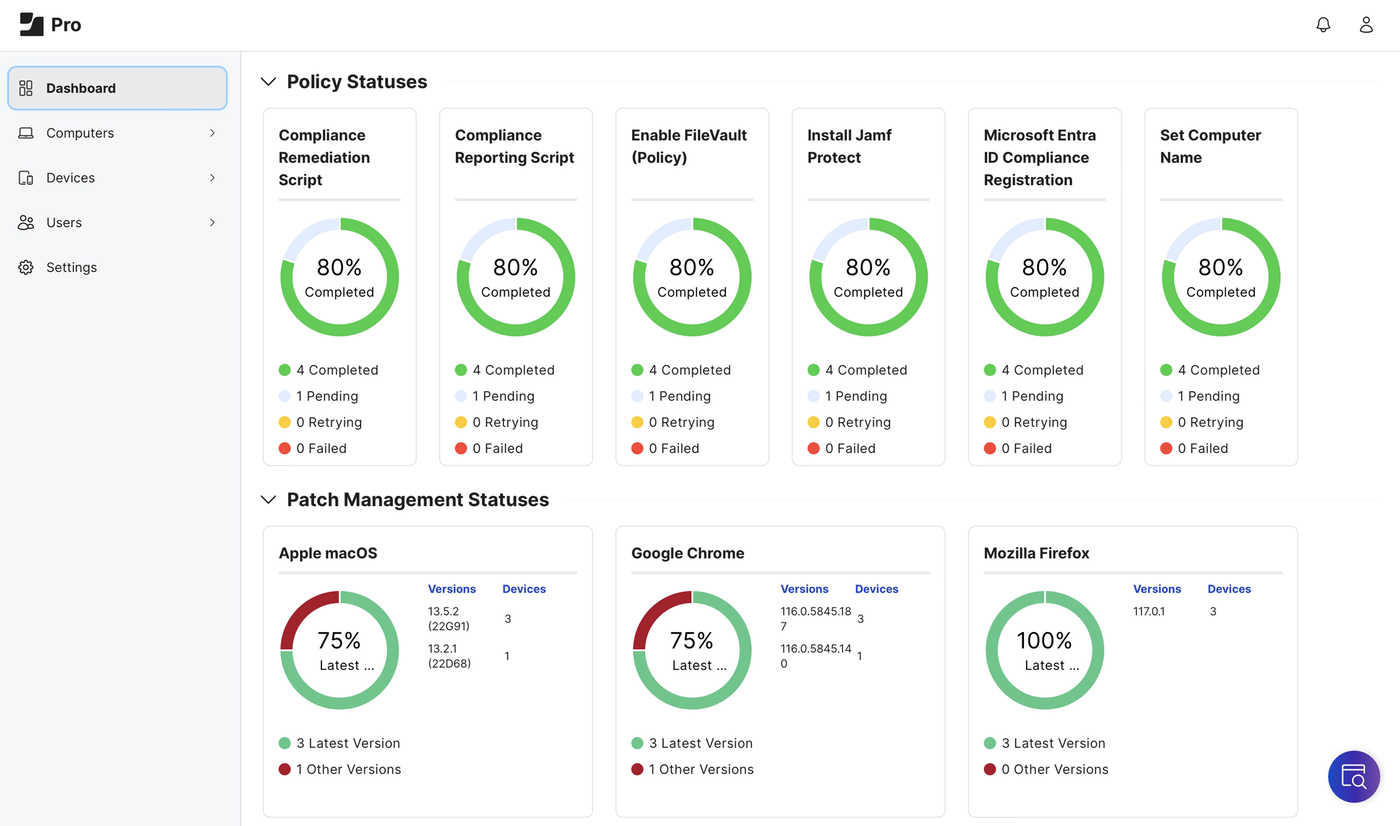
How it works in practice
What that team misses. Anything that isn't Apple. If you have even a few Windows PCs, you'll definitely need a second tool. Capterra reviewers praise easy enrollment and app deployment and complain about a steep learning curve, scripting for common tasks and price. Jamf Pro has no published price and offers a 14-day trial on request.
- Starting price
- Quote only; Jamf Now is free for up to 3 devices
- Platforms
- macOS, iOS and iPadOS, tvOS, visionOS
- Pricing
- Contact sales (Jamf Now: 3 devices free)
- Hosting
- Cloud for the current bundles
Which tool fits which fleet
- Microsoft 365 shop, mostly Windows laptopsIntune, then add Enterprise App Management only if third-party apps are the pain
- Up to 200 mixed computers, no budgetAction1, with community support only
- Published prices and phones in the same consoleManageEngine Endpoint Central
- MSP or internal team that wants patching, scripting and remote access in one agentNinjaOne, or Atera if you also want tickets and pay per technician
- Cloud-only OS patching for Windows, macOS and Linux at a published priceAutomox Patch OS
- Directory, SSO and devices from one vendorJumpCloud, with the patching fee confirmed up front
- Apple onlyJamf Pro, or Jamf Now for very small teams
Shortlist two tools and simply test them on ten real machines, including one that's usually offline and one with an awkward app. A patching tool looks much the same in every demo, but the difference shows up when a laptop wakes after a week.
What endpoint management costs for a small team
Endpoint management prices count different things, so a headline number misleads. Intune and JumpCloud charge per user, Endpoint Central and Automox per endpoint, Atera per technician, and NinjaOne and Action1 above its free tier by quote. The calculator below covers the five tools with a public price per user or endpoint, and assumes one device per person for the per-user tools.
Monthly list prices read October 2026. Atera (149 euros per technician), NinjaOne and Jamf are left out because their price isn't per endpoint or isn't published.
A patching routine for a small team
Any of these tools works better with a short routine. The tool automates the install, but someone still decides when and what to hold back, and that's usually the IT lead.
- IT adminCheck the vendor's patch list, mark known problem updates and set the exception list Patch Tuesday week, day 1
- IT adminDeploy to a test group of 5 to 10 machines, including one Mac if you run any day 1 to 3
- IT leadReview failures and pending reboots, then approve for the rest of the fleet day 4
- IT adminRoll out in rings with a reboot window outside working hours day 5 to 10
- IT leadPull the missing-patch report and chase devices that haven't checked in for 14 days day 14
What endpoint tools don't answer: who owns the service accounts
An endpoint tool patches the server and lists what's installed on it, and it can't tell you who is responsible for the service accounts that run on it. A nightly job runs under an account nobody on the current team created, and an auditor asks who owns it and why it still exists. Our service account inventory template shows what to record for each one.
The IT Lead covers that question. It imports service accounts from a CSV, asks the nominated owner to confirm ownership and purpose by email, and keeps the review trail. It doesn't patch devices, rotate passwords or disable anything, and today it reads from CSV, not from live directory connections.
Endpoint management software FAQ
What is endpoint management software?
It's software that keeps laptops, desktops, servers and sometimes phones patched, configured and inventoried from one console, and lets IT deploy software and connect remotely. It isn't the same as endpoint security software, which detects and blocks attacks.
Is endpoint management the same as EDR?
No. Endpoint management installs updates, deploys apps and enforces settings. EDR watches device behavior for attacks and helps you respond. Most small teams need both, from separate products or from a suite with an add-on.
Is Intune the same as Microsoft Endpoint Manager?
Microsoft Endpoint Manager was a brand that covered Intune and Configuration Manager. Intune is the cloud service, and Microsoft's current documentation uses the Intune name.
What is the cheapest endpoint management software?
Action1 is free for the first 200 endpoints with no feature limits, though support is community only. Endpoint Central has a free edition for 25 endpoints, and Automox starts at $1 per endpoint per month for OS patching.
Can one tool manage Windows and Mac together?
Yes, one tool can manage Windows and Mac together. Endpoint Central, NinjaOne, Atera, JumpCloud, Action1 and Automox cover Windows and macOS, with differences in how deep each goes on the Mac. Jamf Pro covers Apple devices only, and Intune covers both but with less Apple-specific depth.