A user access review checklist helps IT and security teams confirm that each account still needs its current permissions, record who made that decision, and prove that unnecessary access was removed. A useful review has four outputs: a complete account snapshot, named reviewer decisions, verified remediation, and a retained evidence package. A signed spreadsheet without proof of completed changes isn't enough.
Use the checklist below for a new review cycle or to repair a process that currently ends when managers click Approve. It covers employees, contractors, guests, privileged users, local application accounts, and non-human identities. The included register works in a spreadsheet and doesn't require an identity governance platform, so there's no need to buy anything before your first cycle. When you outgrow the spreadsheet, our access review software comparison covers eight tools.
- Freeze the in-scope systems, account population and source-export timestamps.
- Reconcile accounts against current people, owners, roles and business needs.
- Capture Keep, Reduce, Revoke or Investigate decisions from accountable reviewers.
- Close remediation only after a second source-system check confirms the change.
- Archive extracts, decisions, tickets, exceptions and final sign-off together.
User access review checklist you can copy
Here's the operational checklist. Treat every checked item as an artifact or action that someone can verify. The stages below are designed to work for a small team using CSV exports and tickets or for a larger team with a review platform.
- Name the control owner, review period, scope, deadline and escalation owner.
- Inventory in-scope applications, directories, cloud accounts and local accounts.
- Record the snapshot time and export owner for each account and entitlement list.
- Reconcile employees, contractors, guests and service identities against authoritative records.
- Flag leavers, movers, dormant accounts, shared accounts and orphaned owners.
- Separate privileged permissions and sensitive-data access for explicit review.
- Assign a knowledgeable reviewer who isn't certifying their own access.
- Record one Keep, Reduce, Revoke or Investigate decision per account-entitlement pair.
- Capture the reviewer, decision timestamp and business justification.
- Open a tracked remediation item for every Reduce or Revoke decision.
- Confirm the change in the source system with a fresh export or equivalent evidence.
- Resolve Investigate items and document approved time-limited exceptions.
- Obtain accountable system-owner sign-off after remediation is verified.
- Archive the population, decisions, changes, exceptions and sign-off under a cycle ID.
A review shouldn't quietly turn an unanswered item into an approval. Put missing responses in an escalation queue. When a decision isn't clear, label it Investigate and assign an owner rather than guessing that the access is acceptable.
Who should own each stage?
The IAM or IT operations lead coordinates the campaign, but the person who understands the business need should make the access decision. For example, an engineering manager may know whether a developer still needs production access, while the cloud platform owner understands the effective privileges of a role. Security validates the process and handles risky exceptions; the administrator implements approved changes.
- IAM / IT operationsDefine scope, freeze exports and reconcile account population Before review launch
- HR / contractor ownerConfirm active employment, assignment and end dates Before decisions
- Manager / application ownerDecide Keep, Reduce, Revoke or Investigate with reasons During review
- System administratorImplement approved changes in the source system After decisions
- Independent verifierCheck fresh access evidence and close remediation tickets Before sign-off
- Control ownerAccept exceptions and sign the final evidence package At cycle close
Don't allow self-certification for privileged access. If the application owner is also the sole administrator, ask another accountable owner or security lead to review that owner's permissions. The reviewer should have enough context to challenge a role and shouldn't merely recognize the employee's name.
Step 1: Define scope and the review rules
Start with a system inventory, not a list of employees. One person can have multiple accounts and several different permission grants. A directory-only export can miss local application accounts, break-glass identities, third-party accounts and permissions granted through cloud roles. Include applications with sensitive data, production infrastructure, financial approval functions and administrative consoles according to your organization's risk criteria.
Record the system owner, data sensitivity, authentication path, source of truth, reviewer and exception approver. State whether each system is in scope and why any system is excluded. If an application uses SSO, don't assume that disabling the SSO account necessarily removes every local account or token. Confirm the application's actual access path. It's fine for a first cycle to cover only the riskiest systems, as long as the scope states what's excluded and why.
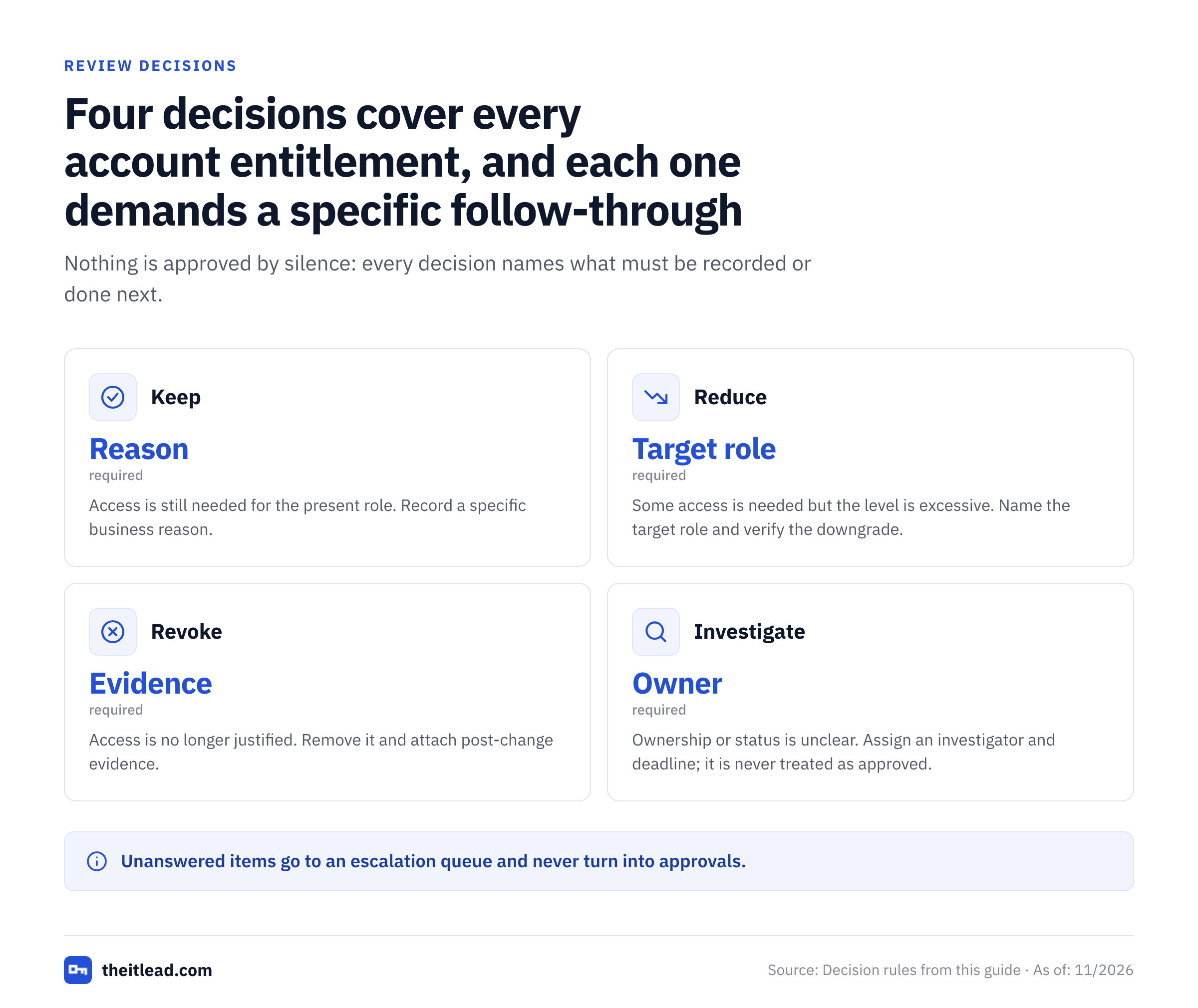
Define what a review decision means before sending requests.
| Decision | Reviewer meaning | Required follow-through |
|---|---|---|
| Keep | The current access remains necessary for the person's present role. | Record a specific business reason. |
| Reduce | Some permission is necessary, but the existing level is excessive. | Name the target role or entitlement and verify the downgrade. |
| Revoke | The access isn't justified anymore. | Remove it and attach post-change evidence. |
| Investigate | Ownership, employment status or effective access isn't clear. | Assign an investigator and deadline; and never treat it as approved. |
Use a review cadence established by your policy and applicable requirements. A quarterly cycle is a practical planning example, though it's not a universal legal or SOC 2 requirement. Review higher-risk access more often when that's warranted, and trigger out-of-cycle checks after departures, role changes or incidents. The control owner should be able to explain why the chosen interval fits the risk.
Step 2: Export a complete, dated account population
Ask each application owner for an export that includes account ID, account type, assigned roles or groups, status, last observed activity when available, and the extraction timestamp. Preserve the original export as read-only evidence; it's the record you'll point to later. You'll transform a copy into the review register so that an auditor can trace a decision back to the source row.
Build the review at the account-entitlement level where possible. A single row reading “Alex has AWS access” hides whether Alex can view logs, administer IAM or modify production resources. For a large role, a reviewed role assignment plus a separately documented role definition may be more workable than exploding every permission into thousands of rows. State that modeling choice in the review methodology.
Before routing decisions, run a completeness check: compare source-system account totals with your imported rows, identify duplicate account IDs, and flag missing owner or reviewer fields. Count unmatched accounts separately rather than discarding them. If the export is incomplete, fix the population first; approvals against a partial list can't establish full coverage.
For cloud permissions, collect the evidence from the actual cloud authorization model. AWS IAM last-accessed data can support least-privilege analysis, but AWS cautions against deciding solely from absent tracking data. Google Cloud Policy Analyzer can show principals and permissions represented in IAM allow policies; it doesn't account for every other access mechanism. They're review inputs, not substitutes for owner decisions.
Step 3: Reconcile people, owners and entitlements
Join the exported accounts to the current HR roster, contractor register and system ownership map. Check the relationship between the named account, current job function, manager and approved access baseline. For a service identity, replace the employee-manager question with the technical owner, workload purpose and accountable business owner.
Prioritize the exceptions that can be acted on immediately.
- Leaver with active access: verify termination timing and open a high-priority revocation or security investigation as appropriate.
- Mover with inherited rights: compare current duties with legacy group memberships and application roles.
- Dormant privileged account: ask for its operational purpose, emergency use procedure and activity evidence.
- Guest or contractor: verify sponsor, engagement end date and resource-specific need.
- Unowned service account: identify the workload and owner before deciding whether to retire it. See the service account ownership matrix.
- Shared account: determine whether named access can replace it and whether credential handling needs separate remediation.
For separation-of-duties conflicts, document the exact conflicting capabilities. “Finance access” isn't specific enough. “Can create a supplier and approve payment to that supplier” gives the reviewer a concrete conflict to accept, mitigate or remove. Don't automatically revoke access needed for a live operational dependency without coordinating the change.
Step 4: Collect explicit reviewer decisions
Give reviewers the identity, system, current role, access rationale, employment or sponsor context, risk flag and available activity signal. Ask one decision per entitlement or reviewed role assignment. A manager who sees only a list of names can't judge whether the permissions are excessive.
Here's a short reviewer instruction: “Confirm whether this exact permission is still required for the current job. Choose Keep, Reduce, Revoke or Investigate, and add the business reason. Escalate access you can't evaluate.” Require a reviewer name and timestamp. For privileged access, include an independent second look if the risk warrants it.
Microsoft Entra access reviews illustrate why the final decision needs interpretation. Microsoft documents review options for group membership, enterprise application access and role assignments. Its access-package review workflow also has a Don't know response that maintains access, so an unanswered or uncertain review shouldn't be presented as a successful revocation. Microsoft also notes that denied access isn't removed immediately in that workflow; results are applied after the review closes. Your evidence process must distinguish the reviewer decision from the resulting access state.
A decision record that survives an audit
A good decision states what was reviewed, who decided, when, why, and what happened next. Compare the weak and strong versions of the same record in this table.
| Weak record | Stronger record |
|---|---|
| “Approved” | “Keep read-only billing reports. Analyst supports monthly close; reviewer: Finance Ops lead.” |
| “Remove admin” | “Reduce from production admin to deployment viewer; change ticket IAM-142; verify against new export.” |
| “Inactive, remove” | “Investigate: no recent login visible, but break-glass account may be intentionally idle; owner to confirm.” |
The example ticket and names are made up. Store actual decision timestamps and reviewer identities in your own system.
Step 5: Implement changes and verify them
A manager's Revoke decision isn't the same as a completed revocation. Create a ticket or change record containing the review cycle ID, account ID, system, target entitlement, approved action, implementer and due date. Track exceptions where the change requires coordination, such as a production service identity with dependent workloads.
The person executing the change should update the authoritative permission source. Removing a user from a directory group may not revoke a separate local application role or a persistent credential. Likewise, disabling a login doesn't automatically prove that API keys or sessions have been invalidated. The exact checks you'll need depend on the application.
Use a second extract, a configuration record or another authoritative read-back to confirm the target permission is gone or reduced. Save the verification timestamp and verifier. If a ticket says Completed but the role still appears, reopen the remediation. If the account has multiple access paths, check every path the decision covers.
Record the approved change
Link the exact account, entitlement and reviewer decision to a tracked remediation item.
Apply the change at its source
Use the appropriate directory, application, cloud policy or credential workflow, with change controls where required.
Read back the effective state
Collect a fresh export or configuration result and compare it with the target entitlement.
Close only with evidence
Capture verifier, time, evidence location and any residual access or exception.
That's the step most spreadsheets skip, and it's the one an auditor will test first. Escalate potentially compromised leaver accounts, unexpected privileged grants or unexplained sign-ins to your security incident process. A periodic certification isn't a substitute for immediate response to a suspected incident.
Step 6: Build the evidence package and sign off
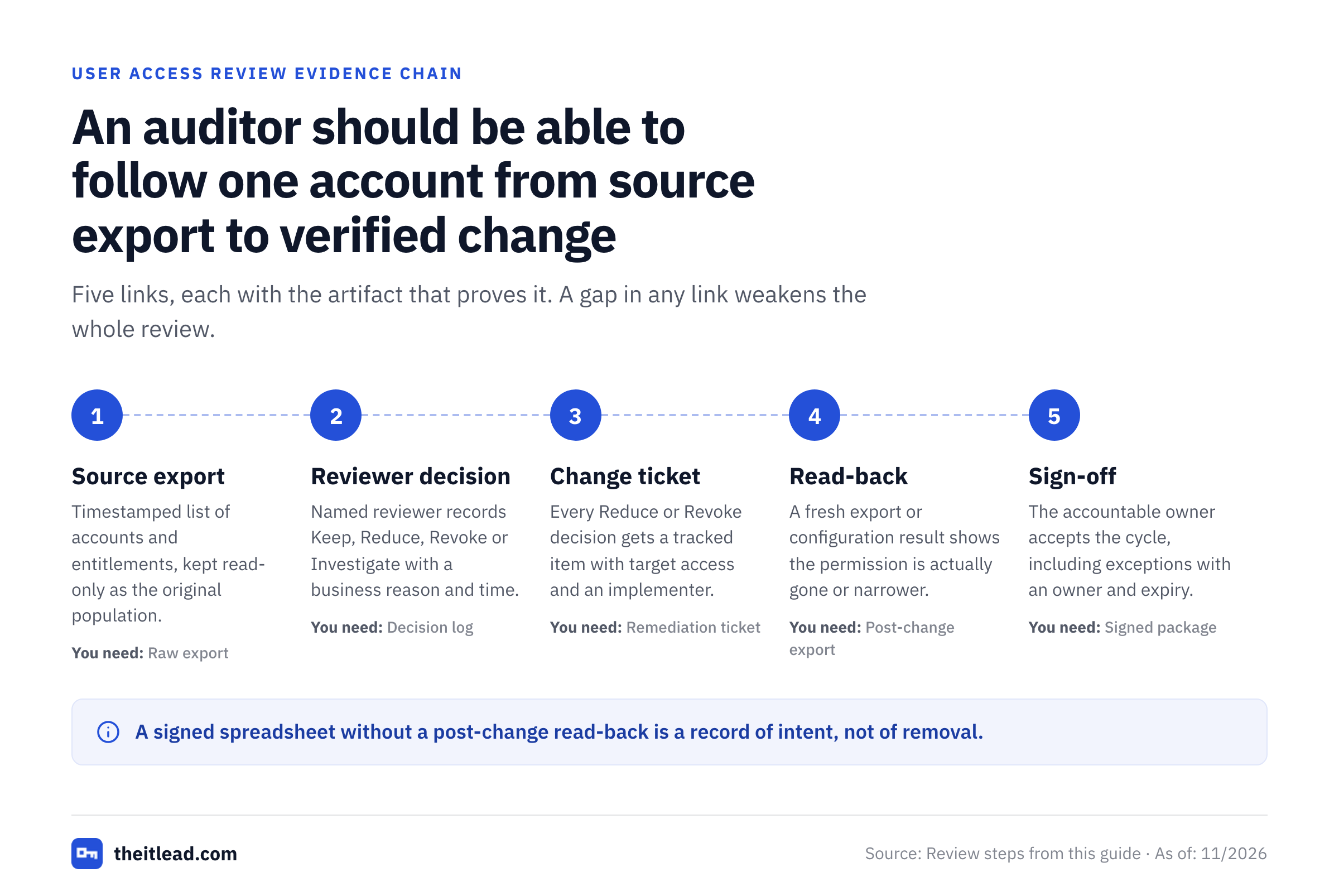
Organize the package by cycle ID. An auditor or control tester should be able to select an account from the original population and follow it through the review decision to the resulting access state. Keep the artifacts in this table together.
| Evidence | What it proves | Owner |
|---|---|---|
| Approved scope and methodology | Which systems and accounts were intended to be reviewed | Control owner |
| Raw source exports with timestamps | Which accounts and entitlements existed at the snapshot | System owners |
| Population reconciliation | How complete the review population was | IAM lead |
| Reviewer decision log | Who made each decision and the business reason | Reviewers |
| Remediation tickets | What changes were requested and implemented | Administrators |
| Post-change verification | Whether the target access state actually changed | Independent verifier |
| Exception register | Why any risky access was retained and when to revisit it | Risk owner |
| Final sign-off | Whether the accountable owner accepted the completed cycle | Control owner |
Don't overwrite the source export with a cleaned spreadsheet. Keep the original and a documented transformation, because that's what lets an auditor trace a row back to its source. If the review spans several systems, reconcile the total source accounts with the total reviewed, excluded and unresolved. Record exclusions explicitly, rather than forcing the completion rate to look perfect.
Simple metrics that expose weak reviews
Measure decision coverage as decisions recorded divided by in-scope account-entitlement rows. Measure remediation verification as confirmed changes divided by changes requiring action. Report unresolved Investigate items separately. For example, a cycle with 120 rows, 114 recorded decisions and 6 pending items has 95% decision coverage. If 20 changes were requested but only 16 independently verified, remediation verification is 80%. Those numbers are worked arithmetic, not benchmarks.
Don't count an exception as remediated. A time-limited approved exception remains an open risk decision with a named owner and expiration date. Review overdue exceptions in the next cycle and, when risk demands, sooner.
Copy-ready user access review register
Paste the header into a spreadsheet or CSV file. Use one row per account and reviewed entitlement, with a stable cycle ID and source record ID. Keep the same column names across cycles so you'll be able to compare results without rebuilding the process.
CSV header to paste:
cycle_id,system,source_export_at,source_record_id,account_id,identity_type,person_or_workload,hr_or_sponsor_status,business_owner,current_role_or_entitlement,privileged,last_activity_at,reviewer,decision,decision_reason,decided_at,remediation_ticket,target_access,remediation_status,verified_at,verifier,evidence_ref,exception_expiryThree sample rows show how the columns read in practice. The table repeats the most important fields; the full register keeps all 23 columns.
| System | Account | Entitlement | Decision | Reason | Ticket | Status |
|---|---|---|---|---|---|---|
| Finance ERP | alex@example.test | AP-Read | Keep | Required for invoice review | None | Not needed |
| Cloud IAM | blair@example.test | Production-Admin to Production-Viewer | Reduce | Deployment duties no longer need admin | IAM-142 | Verified |
| Build System | svc-build@example.test | Runner-Write | Investigate | Workload owner must confirm necessity | None | Open |
The sample rows use fictional identities. Don't copy them as evidence. Replace them with current source-system data, and protect the file as sensitive access information. Don't store secrets, passwords or access tokens in the review register.
Field rules that prevent ambiguous outcomes
Here's the short version of each field. source_export_at is the time the access snapshot was collected, not the date the reviewer opened the file. current_role_or_entitlement is the actual permission being reviewed. target_access is the post-review state, such as a narrower role or None. remediation_status should distinguish Not needed, Open, Implemented and Verified. verified_at and verifier remain blank until a separate read-back confirms the change. exception_expiry isn't required unless there's an approved temporary exception; retain the approver and rationale in the linked evidence record.
If you can't reliably extract one row per entitlement, document the aggregation level. For example, one row may represent a reviewed cloud role assignment with the policy definition stored as a separate artifact. The goal isn't an artificially large spreadsheet; it's a reproducible decision.
How to handle Entra ID, AWS and Google Cloud
Microsoft Entra ID
For groups and enterprise application access, use the available access review features where your license and configuration permit. Microsoft also documents reviews for privileged role assignments through PIM and access-package assignments through entitlement management. Map the export back to the group, app or role being certified. Don't assume all review features are included in every license; the feature's licensing requirements differ by scenario. Keep the review decision and the applied result as separate evidence.
AWS IAM
Start with role and user assignments, attached and inline policies, cross-account access where relevant, and the accountable workload owner. AWS IAM Access Analyzer can help surface unused access, but you have to create a separate analyzer for unused-access findings. Last-accessed information has tracking limitations and isn't proof that a permission is safe to remove. Review policy scope and workload dependencies before making changes. A fresh policy read-back should show the target role or permission was removed or narrowed.
Google Cloud IAM
Use policy analysis to understand which principals can access resources through IAM allow policies. Include users, groups, service accounts and relevant workload identities. Google notes that Policy Analyzer relies on best-effort data freshness and that it doesn't account for other access mechanisms such as IAM deny policies. Pair the output with resource-owner context and fresh policy state before closing a remediation. For service accounts, record both the account's purpose and who can impersonate it when applicable.
How often should user access be reviewed?
There's no single review frequency suitable for every organization or every permission. The right interval follows the governing policy, relevant framework or contractual obligation, and risk. A high-impact administrative role can merit more frequent checks than a low-risk read-only application account. Also perform event-driven reviews when an employee changes roles, a contractor's assignment ends, or an incident reveals questionable permissions.
A SOC 2 audit doesn't automatically mandate quarterly reviews. A SOC 2 control is evaluated in the context of the organization's control design and commitments. Likewise, a calendar cadence isn't a complete review. A well-documented quarterly campaign with unresolved revocations may provide weaker evidence than a properly closed campaign with a different justified interval.
Common mistakes and how to prevent them
Only reviewing the identity provider. The SSO directory may omit local accounts, standalone apps and cloud-specific entitlements. Reconcile to the application inventory and capture the exceptions.
Assigning the wrong reviewer. A line manager may know employment status but doesn't necessarily know what a powerful cloud role permits. Route technical permissions to a knowledgeable system owner and add independent oversight where needed.
Treating missing activity as a removal order. Telemetry gaps, scheduled workloads and emergency accounts can look idle. Combine usage signals with business context and policy definitions.
Approving a group instead of its actual risk. A group named “Operations” may contain permissions far beyond what the label suggests. Keep a reviewed role definition or effective permission view alongside the decision.
Closing tickets without confirming the source. A ticket plainly proves that a workflow ran, not that a permission changed. Require a post-change check, since that's the only thing that settles it.
Ignoring non-human identities. Workload credentials and service accounts may lack a manager but still need an accountable owner. For a deeper workflow, use the service account access review template and the service account audit checklist.
Discarding unresolved items. Keep Investigate rows and exceptions visible with an owner, due date and documented disposition. Silence definitely shouldn't count as approval, and you won't want an auditor finding that out for you.
If your review keeps stalling on service accounts because nobody can say who owns them, fix ownership first and run the campaign second.
Final quality check before closing the cycle
Ask an independent reviewer to select a leaver, a privileged account, a retained access decision and a revoked entitlement. The reviewer should be able to reconstruct the source state, rationale, approval and final state for each of those. If that isn't possible, fix the evidence trail before signing off. That's what a repeatable process looks like: another person can audit it without asking the original operator to remember what happened.
What is a user access review checklist?
It's a repeatable set of tasks for defining the account population, assigning reviewers, recording access decisions, verifying changes and retaining evidence.
What should a user access review include?
Include source exports, account and entitlement details, named reviewer decisions, remediation tickets, post-change verification, exceptions and final sign-off.
Is a quarterly user access review mandatory for SOC 2?
Don't assume a universal quarterly rule. The appropriate cadence depends on the organization's control design, commitments, risk and applicable requirements.
Who should approve user access?
A manager or application owner who understands the business need should make the decision. Privileged access may warrant an independent second reviewer.
Does a completed revocation ticket prove access was removed?
Not by itself. Verify the target permission or account state in the authoritative source and retain the read-back evidence.
Should service accounts be part of user access reviews?
Include them in the relevant access governance scope with a technical owner, business purpose, entitlement decision and evidence of any resulting changes.