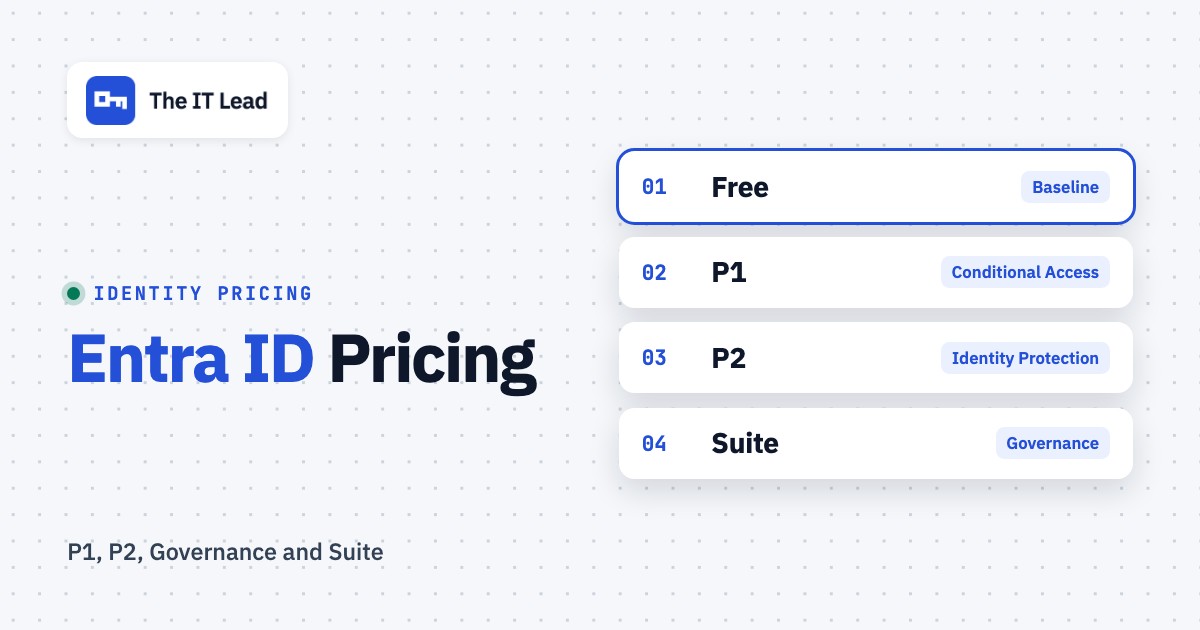
Microsoft Entra ID pricing starts with a free identity tier. The published US standalone rates are $7 per user per month for P1 and $10 per user per month for P2, both paid yearly. Microsoft Entra Suite lists at $12 per user per month, but it requires an underlying P1 entitlement. Microsoft Entra ID Governance is a separate $7 per user per month offer. Those numbers are useful for budgeting, but they're not a quote for your tenant.
The main pricing question isn't P1 versus P2. It's whether you already own the rights through Microsoft 365, which people need a premium capability, and whether an apparently inexpensive governance project will pull reviewers and reviewed users into its licensing scope. For IT leads, a service account inventory also belongs in the budget conversation because workload identities have a different product and billing unit.
This guide separates Microsoft's published list prices from illustrative calculations, explains the feature boundaries, and gives you a worksheet-style method to build a defensible purchase request. Prices and licensing statements were checked against Microsoft's US pricing and Microsoft Learn documentation on October 24, 2026. Your reseller, agreement, region, tax treatment and product terms can differ.
Microsoft Entra ID plans and US list prices
The published prices below are per user per month with an annual subscription unless a different unit is shown. Free, P1 and P2 describe the core identity tiers; Governance, Suite and Workload ID aren't interchangeable upgrades. Don't add every row together; that would plainly overstate the cost. Select the capabilities your organization will actually use, then check which of them your subscriptions already include.
- Entra ID FreeFree with qualifying Microsoft cloud subscriptions
- Directory and group management
- Single sign-on and basic security baseline
- No custom Conditional Access policies
- Entra ID P1$7 per user/month, paid yearly
- Conditional Access
- Hybrid identity and employee self-service
- Advanced reporting
- Entra ID P2$10 per user/month, paid yearly
- All P1 capabilities
- Identity Protection and risk-based Conditional Access
- Privileged Identity Management and basic access reviews
- Entra ID Governance$7 per user/month, paid yearly
- Lifecycle Workflows
- Expanded access reviews and entitlement management
- Check base entitlement and license scope
- Microsoft Entra Suite$12 per user/month, paid yearly, P1 required
- ID Governance and ID Protection
- Internet Access and Private Access
- Verified ID premium capabilities
- Workload ID Premium$3 per workload identity/month
- Premium protections for application identities
- Standalone SKU, not included in user suites
- Different unit from human-user licenses
Published US list prices checked October 24, 2026. Annual commitment and auto-renewal appear on Microsoft's pricing page. Workload ID is priced per workload identity, as stated in Microsoft's Workload ID FAQ. Entra Suite requires an existing P1 entitlement.
Free: a solid identity baseline, not customizable Conditional Access
Entra ID Free comes with qualifying Microsoft cloud subscriptions. It supports users and groups, basic sign-in protection, single sign-on and directory synchronization. For a small tenant that needs central identities and a standard MFA baseline, that's often enough for now. Free does not unlock custom Conditional Access policies, so an IT team that wants rules by application, device or location should evaluate P1.
The distinction matters when a security assessment says simply "enable MFA." MFA isn't one paid feature with one price. Security defaults and custom Conditional Access are different operating models. Write down the policy behavior you need before choosing a license.
P1: the starting point for custom access policies
P1 includes Conditional Access and the identity administration capabilities listed by Microsoft, such as hybrid identity support and more advanced reporting. In practice, an IT lead might use P1 to require a managed device for a sensitive application while letting a less sensitive application use a different rule. The administrator still needs to design, test and monitor the policies, and that's real work. The license doesn't configure a safe rollout for you.
If your organization already uses Microsoft 365 Business Premium or E3, verify the P1 entitlement before buying standalone seats. A duplicated license line won't improve access security; a working policy and an accountable owner will.
P2: risk signals and privileged administration
P2 includes P1 capabilities plus Identity Protection, risk-based Conditional Access and Privileged Identity Management (PIM). It also includes basic access reviews and basic entitlement management. The word "basic" matters here: some advanced governance workflows require the separate Governance entitlement, even when the tenant already has P2.
P2 makes sense when an organization needs sign-in risk to influence access decisions or wants eligible, time-limited administrator role activation. A team that only needs Conditional Access should challenge a proposal to buy P2 for everyone. Conversely, if you buy P1 and then expect risk-based policies to work, that's a licensing mismatch.
Governance and Suite: two different expansion paths
Governance adds lifecycle workflows and advanced governance capabilities. It doesn't make every person involved in a review free to include. P2 retains certain basic review capabilities, but advanced review types and Lifecycle Workflows sit in Governance.
Suite combines Governance, ID Protection, Internet Access, Private Access and premium Verified ID capabilities. Suite requires P1 or a package containing P1. For an organization without that base, the published $12 Suite line isn't the whole identity cost. For an organization with P1 through Microsoft 365, the relevant question is the incremental Suite entitlement, not a second standalone P1 purchase. Suite already contains Governance, so don't price Governance on top of it.
What you may already own through Microsoft 365
A licensing inventory often saves more than a negotiated discount. Microsoft's licensing documentation lists P1 in Microsoft 365 E3, E5, E7, F1, F3 and Business Premium, among other offers. It lists P2 in Microsoft 365 E5 and E7, as well as certain Defender and Enterprise Mobility + Security offers. Entra Suite is included in Microsoft 365 E7. Don't treat this as a complete list of all possible contracts, and don't assume the entitlement is assigned correctly merely because the parent subscription appears on an invoice.
| Subscription or existing entitlement | Relevant Entra rights to check | What IT should verify |
|---|---|---|
| Microsoft 365 Business Premium | Entra ID P1 | Are intended users assigned the plan and covered by policies? |
| Microsoft 365 E3 | Entra ID P1 | Is standalone P1 duplicated on the invoice? |
| Microsoft 365 E5 | Entra ID P2 | Are PIM and risk-based policies needed and configured? |
| Microsoft 365 E7 | P2 plus Entra Suite | Which extra capabilities are actually deployed? |
| Microsoft 365 F1 or F3 | Entra ID P1 | Do frontline user assignments match the planned scope? |
| Standalone P1 or P2 | Rights depend on SKU and assignment | Does another suite already cover the same users? |
Start with the actual SKU and service-plan export from your tenant and the purchase agreement, not a spreadsheet maintained before a migration. Then map the protected population to its entitlements. A Microsoft 365 tenant may contain employees, frontline workers, administrators, guests and application identities. They don't all have the same billing unit or licensing rule.
For a multi-vendor identity comparison, see our Okta versus Microsoft Entra ID guide. That guide covers implementation fit; this page stays on license economics.
Example budgets: what Entra costs at different scopes
The figures below are illustrative list-price calculations, not vendor quotes. They assume that all the shown paid human-user seats are newly purchased, aren't already included in Microsoft 365, and use the annual-commitment rates above. Taxes, contract discounts and additional services are excluded. The monthly figures are the annual-plan monthly equivalents, not a claim that month-to-month purchase is offered at the same rate.
| Illustrative scenario | Monthly equivalent (USD) | Annual commitment (USD) |
|---|---|---|
| 25 standalone P1 users | $175 | $2,100 |
| 25 standalone P2 users | $250 | $3,000 |
| 100 standalone P1 users | $700 | $8,400 |
| 100 standalone P2 users | $1,000 | $12,000 |
| 100 users on newly purchased P1 plus Governance | $1,400 | $16,800 |
| 100 users on newly purchased P1 plus Suite | $1,900 | $22,800 |
| 20 Workload ID Premium identities | $60 | $720 |
A useful middle case is a company with 100 people, 80 requiring only P1 and 20 requiring P2. At published standalone rates, the mixed scope costs $760 per month equivalent, or $9,120 annually, compared with $1,000 per month equivalent, or $12,000 annually if all 100 are assigned standalone P2. That's a $2,880 annual difference. It's a budgeting example, not a recommendation to limit licenses without checking the actual feature scope.
Illustrative standalone P1 list-price monthly equivalent. Multiply the result by 12 for an annual commitment. Excludes existing suite entitlements, taxes, discounts and add-ons.
The calculator isolates one component so it doesn't silently assume P2, Governance or Suite for everyone. For a mixed population, price each licensed cohort separately and then combine the subtotals. For example, a privileged admin cohort may require P2 while a much larger workforce is covered by an existing P1-bearing suite.
Four cost drivers that are easy to miss
The first invoice line rarely describes the full cost of an identity program. These four checks show where the licensing model and the operating model can diverge.
1. Suite pricing sits on top of a P1 base
Microsoft says the Suite requires P1 or an equivalent package. If you're buying both standalone from scratch, the list-price illustration is $7 plus $12, or $19 per user per month. If P1 is already in your Microsoft 365 subscription, you shouldn't automatically buy a duplicate P1 seat. Ask the seller to show you the eligible base entitlement and the exact Suite SKU in the quote.
2. Reviewers may need licenses too
An access review involves more than the people whose access is being reviewed. Microsoft's Governance licensing guidance says the feature needs licenses for your organization's member users, including all employees who review access or have their access reviewed. Before proposing a quarterly certification program, you'll want to identify who is reviewed, who reviews, which features are used, and which license each person already has. Don't extrapolate a single rule to every review type, especially where P2 basic capabilities or guest billing rules apply.
3. Workload identities are not employee seats
A service principal that authenticates a script or automation isn't another human user, but it's still an identity Microsoft can bill. Microsoft's Workload ID Premium documentation identifies a $3 per workload identity per month standalone SKU and states that it isn't bundled into other premium plans. The feature set includes workload-specific Conditional Access and protection options. An ordinary managed identity can use free capabilities without a Premium license. Count only the identities and premium controls that you're planning to cover, then verify the licensing method with Microsoft or your reseller.
That is separate from assigning a business owner to a service account, recording its purpose and collecting an attestation. The IT Lead's service-account ownership workflow is designed around CSV imports, owner nominations, attestations and an audit trail. It doesn't rotate passwords, discover accounts automatically or synchronize live with your directory. Treat it as an ownership-review workflow, not a replacement for Entra security controls.
4. Annual commitment isn't the same as flexible monthly pricing
Microsoft's public P1, P2 and Suite pages display monthly equivalent prices paid yearly, with annual subscriptions that auto-renew. That doesn't establish your reseller's cancellation window, seat-reduction rights or renewal-notice requirement. Ask for the actual order terms and product terms before committing. If your headcount is volatile, model the contracted seat floor as well as the expected workforce.
Which Entra plan should an IT lead choose?
The minimum sensible plan depends on the control you intend to operate. This decision table is a starting point for procurement, not a substitute for checking the precise feature matrix and contractual entitlement.
- Central identities, standard sign-in baseline and SSOCheck Entra ID Free first.
- Custom Conditional Access rules for workforce applicationsP1 or an existing Microsoft 365 package that includes P1.
- Risk-based Conditional Access and PIMP2 or an existing package with P2 rights.
- Lifecycle Workflows or advanced access-review scenariosEvaluate ID Governance and license the relevant participants.
- Identity governance plus private and internet accessEvaluate Entra Suite with an existing P1 entitlement.
- Premium protection for application or service-principal identitiesEvaluate standalone Workload ID Premium by workload identity.
- Documented ownership attestations for service accountsUse a dedicated ownership process; Entra licensing alone doesn't assign a business owner.
For a smaller IT team, the best starting point is often the Microsoft 365 bundle they're already paying for. For a mature security team, the choice is more likely to be about which advanced control needs P2, Governance or Suite, and how narrowly the licensed population can be defined without leaving unlicensed users in scope. Indeed, that scoping step is where most of the savings sit. For a mixed environment, separate the identity policy purchase from the work of collecting evidence for audits.
A practical procurement checklist before you buy
Use the checklist in your license review meeting. The output should be an approved scope, a line-item quote, a deployment owner and a documented renewal decision.
- Export current Microsoft 365, Entra and add-on SKUs, including assigned users.
- List the exact controls required: Conditional Access, risk protection, PIM, access reviews, lifecycle workflows and network access.
- Separate human users, guest identities and workload identities before counting licenses.
- Identify who is protected, reviewed, approving and administering each premium feature.
- Mark existing P1 and P2 entitlements from Microsoft 365 and other suites.
- Ask the seller whether Suite or Governance is incremental to your existing contract.
- Get a quote with unit, quantity, billing frequency, commitment term, tax treatment and renewal conditions.
- Assign an owner to each control and schedule an evidence check after deployment.
A quote that only says "Entra P2, 100 seats" is incomplete for an approval decision. It doesn't tell Finance whether those rights are already included, Security which users will be protected, or IT who will own the policies. Add a deployment plan: which Conditional Access policies are report-only first, how PIM activations will be tested, and who can resolve an access-review exception. Those are implementation questions, and they're not extra Microsoft list-price line items.
For service account governance, use the service account inventory template to record purpose, owner and dependencies before deciding whether a premium workload-identity control is required. The service account audit checklist can structure the follow-up evidence review. Neither template changes the license requirement for a Microsoft feature.
Frequently asked questions about Microsoft Entra ID pricing
These answers use Microsoft's published US prices and licensing documentation checked October 24, 2026. They aren't individualized license advice, so don't treat them as a quote.
How much does Microsoft Entra ID P1 cost?
Microsoft lists P1 at $7 per user per month, paid yearly. Check whether Microsoft 365 Business Premium, E3 or another package you already have includes it.
How much does Microsoft Entra ID P2 cost?
The published US standalone P2 price is $10 per user per month, paid yearly. It adds risk-based Conditional Access, Identity Protection and PIM to P1 capabilities.
Is Microsoft Entra ID free with Microsoft 365?
Entra ID Free is included with qualifying Microsoft cloud subscriptions. Higher rights depend on the specific Microsoft 365 SKU: Business Premium and E3 include P1, while E5 includes P2.
Does Entra Suite include P1?
Microsoft says an Entra ID P1 subscription or a package that includes P1 is required for Entra Suite. The $12 Suite rate doesn't include that base. If you're buying standalone, budget the P1 seat as well.
Does P2 include all access reviews and Lifecycle Workflows?
No. Microsoft lists basic access reviews under P2, while its licensing matrix places Lifecycle Workflows and certain advanced review capabilities in Entra ID Governance or Suite. Verify the exact scenario before you buy.
Are service accounts priced as normal Entra users?
Not necessarily. Microsoft Entra Workload ID Premium is a separate SKU priced per workload identity, and ordinary managed identities have free capabilities. Review your actual service-principal population and the premium features you're planning to enable.
The safest budget is the one that starts with what you've already got, identifies the exact premium feature and its licensed population, and records who will deploy and verify it. Use Microsoft's live offer and your contract as the final authority; they're what you'll be billed on.