Incident management software helps an IT team declare an incident, page the right person, coordinate the response, tell users what is happening and review what went wrong afterward. This page compares seven tools for IT teams of roughly 3 to 50 people and MSPs. It covers IT and operations incidents. Workplace incident reporting for safety, HR or facilities, security incident response platforms and SIEM tools solve different problems and aren't ranked here.
The tools fall into three groups: chat-first response tools, on-call and monitoring tools, and service desks that treat an incident as a ticket. The choice usually comes down to where your responders already talk (Slack, Teams or Jira), whether you need paging by phone, and whether the status page has to live in the same product. Every price below is a US list price with its unit named, read on the vendor's pricing page on November 3, 2026, because per user, per agent and per responder don't add up the same way.
- incident management tools compared
- 7
- have a free plan with on-call or incident features (PagerDuty, incident.io, Jira Service Management)
- 3
- list price per user, agent or responder per month, from Splunk On-Call to Freshservice Pro
- $5 to $99
- the day Atlassian shuts off Opsgenie, so it isn't ranked
- Apr 5, 2027
Best incident management software at a glance
The short answer: pick the tool that sits where your responders already work. incident.io and Rootly run the incident inside Slack or Teams, PagerDuty, Better Stack and Splunk On-Call start from the page to the on-call person, and Jira Service Management and Freshservice start from a ticket.
 Best for Slack and Teams teams that want one productincident.ioDeclare in chat, get a channel, roles and timeline, and add on-call and a status page. A free Basic plan covers single-team on-call and one public status page.
 Best if you also need monitoring and a status pageBetter StackUptime checks, escalation policies, unlimited phone and SMS alerts and one status page in one seat, from $29 per responder per month billed yearly.
 Best for deep escalation across many monitoring toolsPagerDutyMulti-level escalation policies, 750+ integrations and a free plan for 5 users. Status pages beyond external ones and runbook automation cost extra.
 Best for Slack-native response with written retrospectivesRootlyTimelines and retrospectives are generated from the incident. Response and on-call are two $20 products.
 Best if your developers already work in JiraJira Service ManagementAn incident links to the Jira issue that fixes it. Alerts and on-call are on the free plan for 3 agents, major incident handling starts at Premium.
 Best if incidents are tickets firstFreshserviceSLAs from Growth and major incident management from Pro, inside a service desk with a clean agent interface.
 Lowest list price for paging, up to 10 seatsSplunk On-CallPaging, rotations and escalations from $5 per user per month. The incident flow is not described in detail, so check it in the trial.
| Tool | Type | Price (USD) | On-call | Status page | Rating |
|---|---|---|---|---|---|
| incident.io | Slack/Teams-native incident response and on-call | Free; $15 to $25 per user per month, on-call +$10 to $20 | Single-team on Basic; add-on on Team and Pro | 1 public page on every plan, internal page on Pro | 4.8 (238) |
| Rootly | Slack-native incident management with on-call | $20 per user per month per product | Separate On-Call product | Included with Incident Response | 4.8 (167) |
| PagerDuty | On-call alerting and incident response platform | Free for 5 users; $21 per user per month billed yearly | Yes, 1 schedule and 1 policy on Free | External only from Professional, 250 subscribers | 4.5 (978) |
| Better Stack | Uptime monitoring with built-in on-call, incidents and status pages | $29 per responder per month billed yearly | Yes, with a Responder seat | 1 included, extra pages $15 per month | 4.8 (344) |
| Splunk On-Call | On-call alerting and incident response (formerly VictorOps) | From $5 per user per month, up to 10 seats | Yes, core product | Not in the published vendor pages | 4.5 (52) |
| Jira Service Management | ITSM service desk for Atlassian teams | Free for 3 agents; Premium $55.28 per agent per month | Yes, on the free plan | Through the Statuspage integration | 4.3 (1,001) |
| Freshservice | Service desk with a discovery agent | $19 to $99 per agent per month billed yearly | From Growth ($49) | Publish from the incident page, plan not stated | 4.6 (1,383) |
Prices are US list prices read on vendor pricing pages on November 3, 2026. Ratings are G2 scores with the review count shown in each entry, read on November 3, 2026. Jira Service Management is priced on monthly billing; the others on annual billing where a choice exists.
Read the price column with its unit in mind. incident.io, PagerDuty and Splunk On-Call charge per user, Better Stack per responder, Jira Service Management and Freshservice per agent, and Rootly per user per product, so a team of five pays a different multiple on each.
What incident management software does and where it stops
Incident management software gives a team one place to run an outage from the first alert to the review afterward. In practice that means five steps, and each tool in this list covers a different share of them.
- Detect and log: a monitoring alert, a user report or a ticket creates the incident record.
- Triage and declare: someone sets the severity and names who leads the response.
- Respond and communicate: the on-call person is paged, responders work in one channel, and users or customers get status updates.
- Resolve: the service is restored and the incident is closed with a timeline of what happened.
- Review: the team writes down the cause and assigns follow-up actions with owners.
Three neighbouring tools are easy to confuse with it. Monitoring finds the problem but doesn't coordinate people. A service desk handles requests and incidents as tickets, as covered in our guides to service desk software and IT service management software, but most don't page someone at 3 a.m. An on-call tool pages and escalates but may leave the written review to a different product. The seven tools here each combine at least two of those jobs.
How we compared the tools
We judged each tool on five things a small team feels in the first month, and we kept price and review data in the same place for every tool. The five criteria follow.
- Paging and escalation: who gets paged, by which channel, and what happens if nobody answers.
- Where the incident runs: a chat channel, a ticket or the vendor's own console, because that decides how many tabs responders juggle.
- Customer updates: whether a status page is included, how many, and on which plan.
- After the incident: timeline, post-incident review and follow-up actions.
- Price and plan gates: the unit, what a free plan covers and which plan unlocks major incident handling.
We read each vendor's pricing page, a product page, a docs or help page showing how an incident flows, and the tool's G2 page. We didn't run the tools hands-on, and where a page was not available, the entry says so. Ratings and review counts are G2's, read on November 3, 2026, and the recurring themes are the ones G2 lists for each product. Vendors are named in plain text and not linked.
Chat-first tools: incident.io and Rootly
incident.io and Rootly run the incident where responders already talk. The incident channel, roles and timeline are created for you, and the tool's value is that nobody has to remember the process at 2 a.m.
incident.io
Pricing, on-call, status page and incident docs read November 3, 2026
A team that already runs its work in Slack or Microsoft Teams and wants the incident, the rota and the status page in one product.
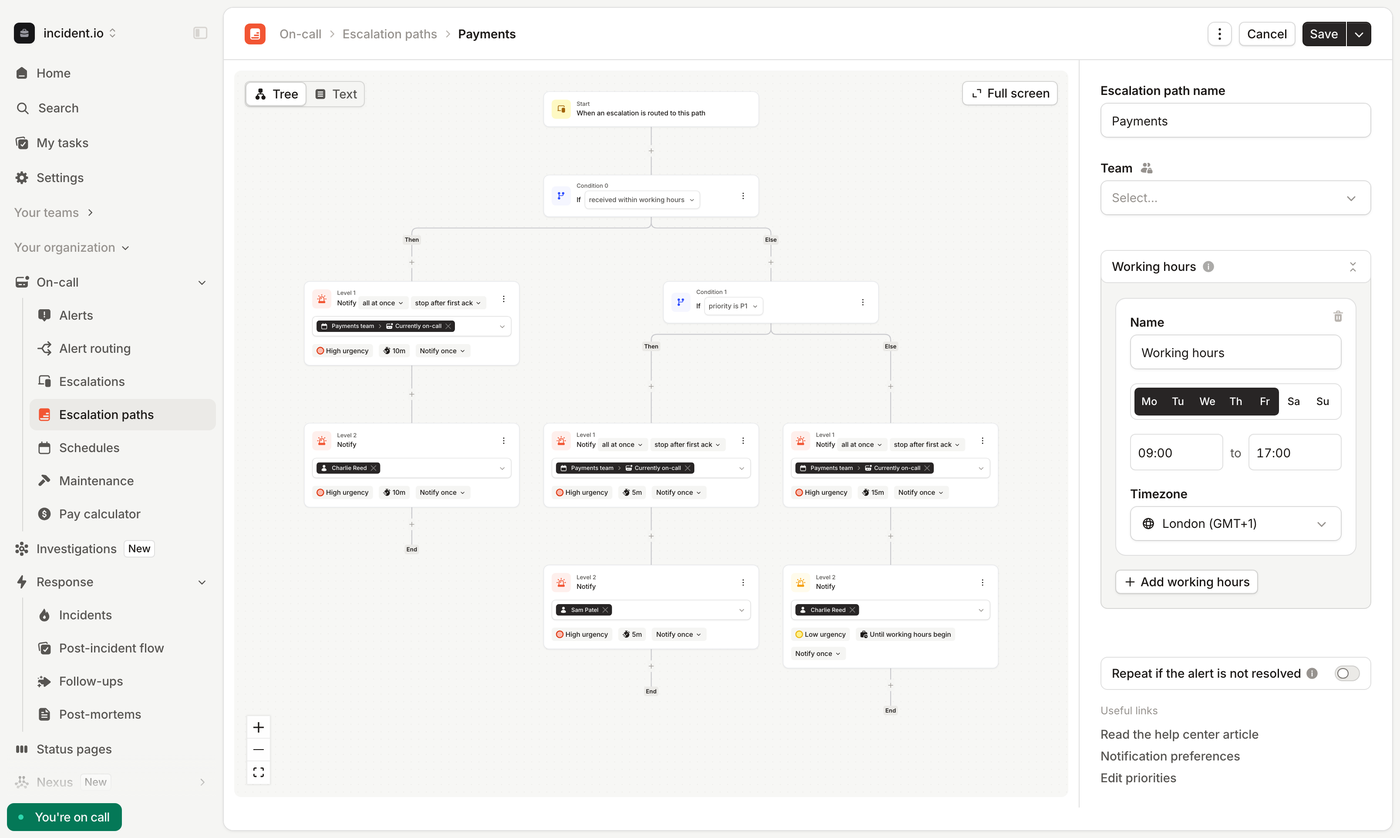
How an incident runs. Someone types /incident in Slack, uses the incident.io tab in Teams, or opens inc.new. The tool creates a channel, a video call, a linked Jira or Linear ticket and an announcement in #incidents. Incident Lead and Reporter roles exist by default, and you can add roles such as Communications Lead or Scribe and fill them by hand or from the on-call schedule. The timeline builds itself from severity changes and pinned messages. Follow-ups are created with an emoji or /incident follow-up, and after the incident an AI draft of the post-mortem exports to Google Docs, Notion, Confluence or SharePoint.
What each plan caps. Basic, the free plan, allows 1 workflow, 1 custom field, 2 integrations and 1 on-call schedule, with single-team on-call and one public status page. Team raises that to 3 workflows, 3 custom fields, 2 schedules, unlimited integrations and multi-team on-call. Pro adds unlimited workflows, AI post-mortems, private incidents and a second, internal status page. On-call is an add-on on Team (+$10 per user per month) and Pro (+$20).
- Your responders already coordinate in Slack or Microsoft Teams and you want the incident channel, roles, timeline and follow-ups created automatically instead of by hand.
- You need on-call plus incident response plus a status page from one vendor, and you want to start on the free Basic plan (single-team on-call, 1 public status page) before paying.
- You need more than 1 workflow, 1 custom field, 2 integrations and 1 schedule: those are the Basic plan caps, and Team only raises them to 3 workflows, 3 custom fields and 2 schedules, so growing teams end up on Pro.
- You want predictable, low per-seat cost with on-call: on-call is a paid add-on (+$10/user/mo on Team, +$20 on Pro), so a Pro seat with on-call is $45/user/mo, and Pro has no annual rate listed.
- Users like
- ease of use, support and the Slack integration, per G2 reviewers
- Users dislike
- missing and limited features, per G2 reviewers
- Source: G2, 238 reviews
How it works in practice
What that team misses. The plan caps bite early: a team that wants more than three workflows ends up on Pro, and a Pro seat with on-call comes to $45 per user per month by our arithmetic ($25 plus $20). Pro lists no annual rate. SAML SSO is a Pro feature, and SCIM and audit logs are Enterprise. G2 reviewers rate it 4.8 from 238 reviews and praise ease of use (29 mentions), support (27) and the Slack integration (24). The most common complaint theme is missing features, with 8 mentions.
- Starting price
- Free; Team $15/user/mo annual ($19 monthly); Pro $25/user/mo
- Free plan (Basic)
- Single-team on-call, Slack or Teams incident response, 1 public status page, 1 custom field, 1 workflow, 2 integrations, 1 schedule
- Team plan
- $15/user/mo billed annually, $19/user/mo monthly; unlimited integrations, multi-team on-call, API and webhooks
- Pro plan
- $25/user/mo (no annual rate listed); unlimited workflows, AI post-mortems, 1 internal status page plus 1 public, private incidents
- On-call add-on
- +$10/user/mo on Team, +$20/user/mo on Pro; standalone on-call product $20/user/mo
- Status pages
- Basic and Team: 1 public page, no internal pages, no metrics; Pro: 1 public + 1 internal with metrics; Enterprise: unlimited
Rootly
Pricing, status page and incident lifecycle docs read November 3, 2026
A team that runs incidents in Slack or Teams and wants the timeline and the retrospective written for it.
How an incident runs. An alert pages the on-call responder in Slack or Teams, and the acknowledgement is recorded for time to acknowledge. A signal you haven't confirmed yet can sit in Triage with limited notifications. Once it is confirmed, the incident moves to Started, roles are assigned and a channel opens. You can mark it Mitigated while the root cause is still open, and Resolved is the point where many teams trigger a workflow that generates the retrospective from the timeline. An optional Closed status means the follow-up action items are done. Cancelling is only possible in Triage, for false alarms and duplicates.
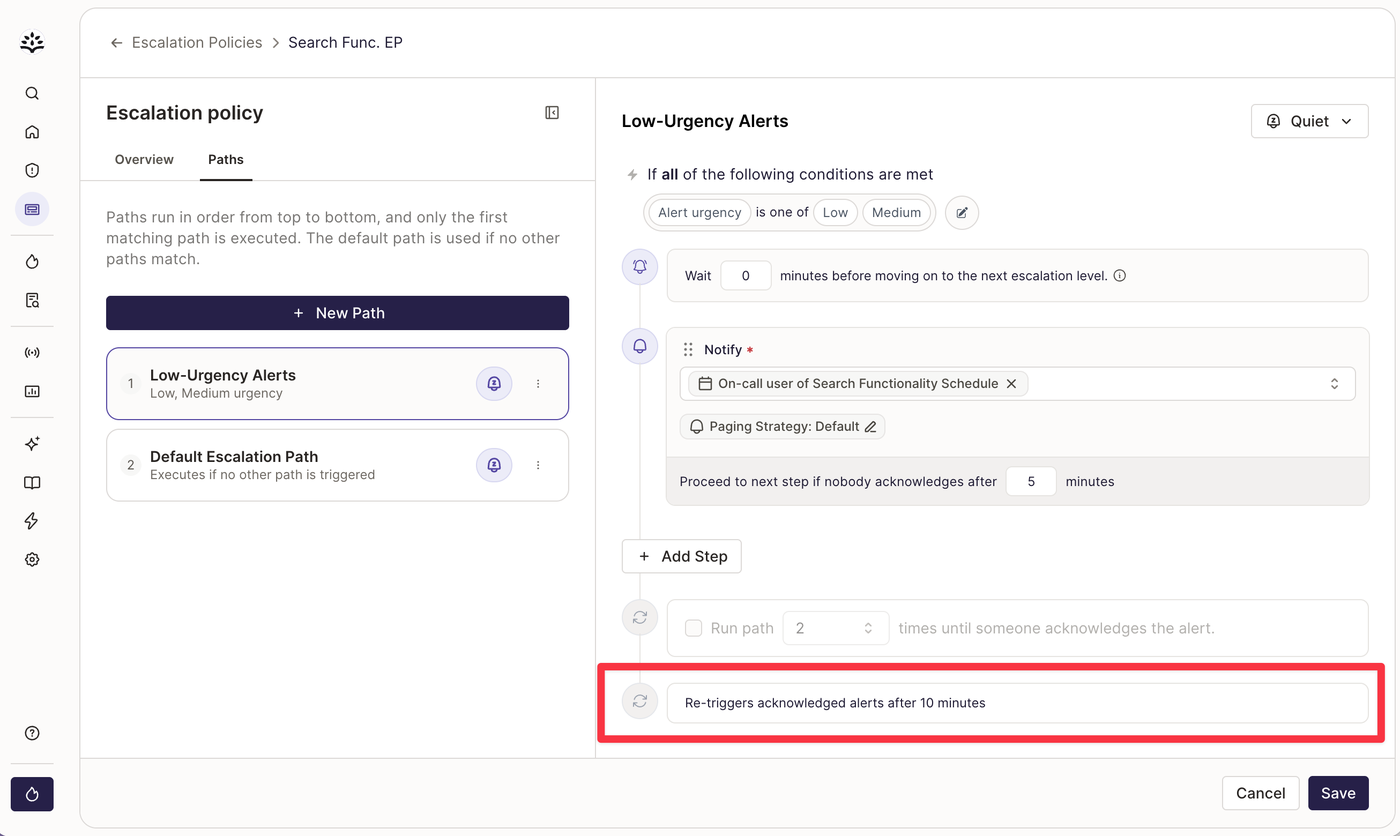
What is included. Incident Response covers status pages, AI timelines and retrospectives, workflows and the service catalog. Paging is the separate On-Call product, so a team that wants both pays for two products. The lower tiers list 20 schedules and escalation policies, one phone number, and one external and one internal status page. SCIM, audit logs, unlimited schedules and private incidents are Enterprise only.
- You want incidents declared, managed and documented in Slack or Teams with automatic retrospectives.
- You have fewer than 25 employees or are an early-stage startup and can use the startup program (up to 50% off, pay-what-you-can from $1 under 25 employees).
- You only need paging and rotations: on-call is a separate $20 per user/month add on top of Incident Response, so a pure paging tool costs less.
- You need unlimited schedules, SCIM, audit logs or private incidents: those sit on the custom-priced Enterprise tier, and lower tiers list 20 schedules and escalation policies.
- Users like
- ease of use, Slack integration and automation, per G2 reviewers
- Users dislike
- missing features and some integration problems, per G2 reviewers
- Source: G2, 167 reviews
How it works in practice
What that team misses. Two $20 products put a team that wants response and paging at $40 per user per month at list price, against $25 for incident.io Team with on-call. Rootly's startup program lists pay-what-you-can pricing from $1 per user for companies under 25 employees and up to 50% off above that. G2 shows 4.8 from 167 reviews, praised for ease of use (10 mentions), the Slack integration (7) and automation (7), with missing features and integration problems at 3 mentions each. Rootly's on-call docs are not cited, so the paging step above is taken from the pricing page.
- Starting price
- $20 per user/month per product
- Incident Response
- $20 per user per month
- On-Call
- $20 per user per month, separate product
- AI SRE
- Custom pricing
- Free trial
- Typically two weeks; no free tier listed
On-call and monitoring tools: PagerDuty, Better Stack and Splunk On-Call
PagerDuty, Better Stack and Splunk On-Call start from the page. They are strongest at getting the right human awake, and they differ in how much of the response and the status page they take on afterward.
PagerDuty
Pricing, incident lifecycle and post-incident review docs read November 3, 2026
A team that needs dependable escalation across many monitoring tools and can live with paying extra for add-ons.
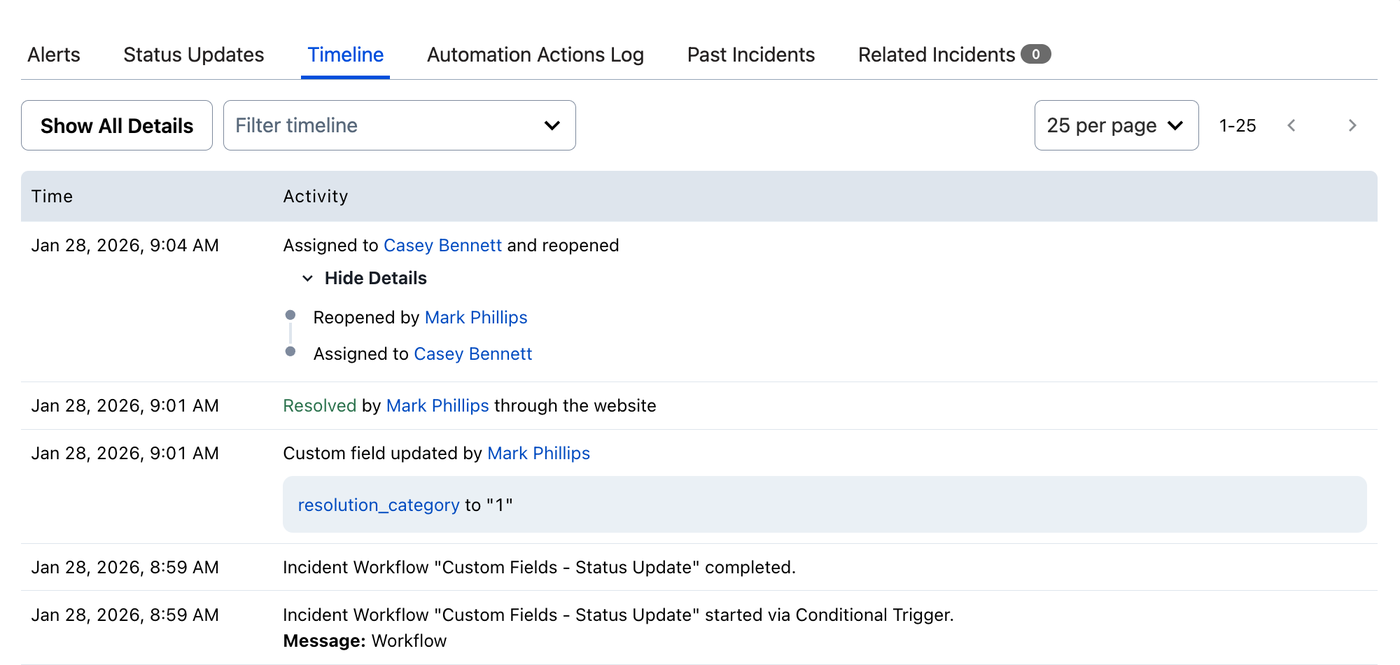
How an incident runs. A monitoring tool sends an event to a PagerDuty service, which creates an alert and an incident in Triggered status. The escalation policy decides who is on call, and each person's notification rules decide whether they get a push, SMS, phone call or email. If nobody acknowledges before the policy's timeout, the incident moves to the next level. Acknowledging stops the escalation, but if the acknowledgement timeout runs out before anyone resolves it, the incident returns to Triggered. Roles, tasks and updates can be run from Slack or Teams, and a post-incident review can be started from the incident or from Slack, with a timeline, optional AI drafting and Jira follow-up sync.
Where the plan lines fall. The Free plan covers 5 users with 1 on-call schedule, 1 escalation policy and 100 SMS and phone notifications a month. Professional adds post-incident reviews, with one custom template, and external status pages with 250 subscribers. Internal and private status pages start at the Essential platform plan, which costs $12,000 a year. Runbook automation is an add-on on every paid tier.
- you need dependable multi-level escalation, phone and SMS paging and rotations across several services
- you run many monitoring tools and want one hub that groups events and routes them to the right responder
- you need a public status page on a small budget: Free has none and Professional offers external pages only, with 250 subscribers
- you want runbook automation or the full AI suite: runbook automation is an add-on on every paid tier and the full AI suite starts with the $12,000 per year Essential platform plan
- Users like
- reliable alerting and notifications, easy integrations, per G2 reviewers
- Users dislike
- price for small teams and complex setup, per G2 reviewers
- Source: G2, 978 reviews
How it works in practice
What that team misses. For a team of 3 to 10 people the platform plans are out of reach, so everything past paging and basic reviews is a bolt-on. The pricing page states 750+ integrations while another page says 370+ native, so ask which of your tools are native before you count on it. G2 shows 4.5 from 978 reviews. Reviewers praise notification alerts and alert management, and the most frequent complaints are price (8 mentions) and complexity (7).
- Starting price
- Free (5 users); Professional $21/user/month billed annually, $25/user/month billed monthly
- Free plan
- 5 users, 1 on-call schedule, 1 escalation policy, 100 global SMS/phone notifications per month, 3 months history
- Professional
- $21/user/mo annual, $25/user/mo monthly
- Status pages
- Not on Free; Professional external only (250 subscribers); internal, external, private from Essential tier
- Post-incident reviews
- Professional and up, 1 custom template on Professional
- Integrations
- 750+ stated on the pricing page
Better Stack
Pricing, escalation policy, status page and post-mortem docs read November 3, 2026
A team that wants monitoring, paging and a status page from one vendor, with phone and SMS alerts included in the seat.
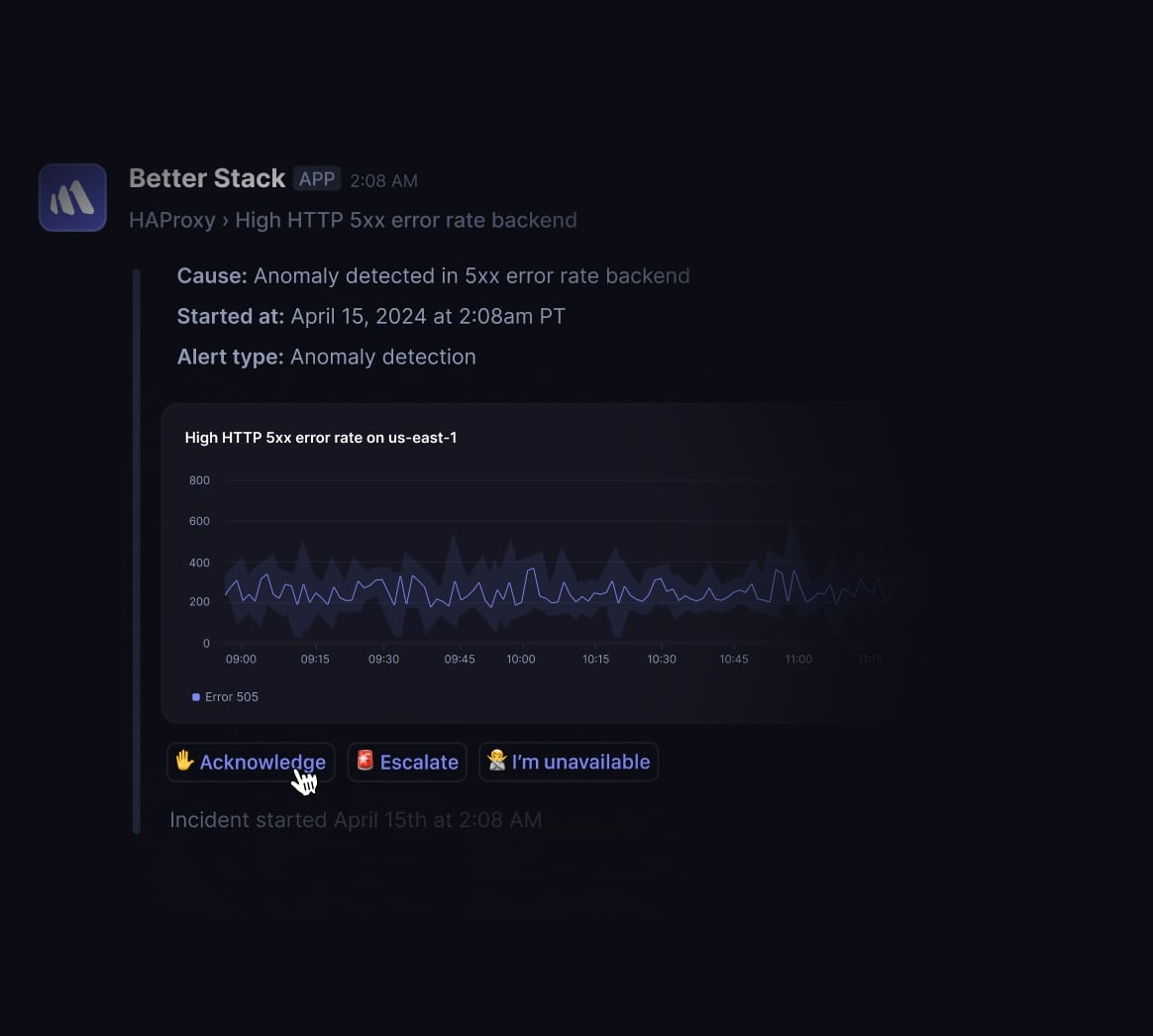
How an incident runs. A monitor or heartbeat fails and opens an incident. The escalation policy runs in steps: call, text or push the person on call, wait a set number of minutes, then move to the next person, a Slack or Teams channel or a webhook, until someone acknowledges. Steps can route by severity, post a to-do list or runbook link into the incident timeline, repeat, or fall back to another policy. Responders can acknowledge and resolve from Slack, and monitors can be added as components on a status page. A post-mortem starts when someone adds an incident comment containing the phrase post mortem, written in Markdown. The marketing page says AI drafts post-mortems from the timeline, but the published docs page didn't confirm it.
What is and isn't in the seat. Incidents and on-call need a paid Responder seat, while teammates who only look at telemetry are free. One status page with 1,000 subscribers is included, extra public pages cost $15 a month each, and white-label, SSO or IP allowlisting costs $250 per page per month. Channel and thread based Slack or Teams workflows cost $9 more per responder per month.
- You want monitors, on-call paging and a customer status page from one vendor and one bill, with a few responders.
- You need unlimited phone call and SMS alerts included in the seat price instead of metered per-alert fees.
- you need channel or thread based Slack or Teams incident workflows on a tight budget: they cost $9 more per responder per month on top of the seat
- you only need a status page: extra public pages cost $15 per month each after the first
- Users like
- ease of use and quick setup, per G2 reviewers
- Users dislike
- missing features and price once you leave the free tier, per G2 reviewers
- Source: G2, 344 reviews
How it works in practice
What that team misses. The free tier has 10 monitors and one status page but no responder access to incidents or on-call, and the AI SRE assistant is billed by usage per million tokens. G2 shows 4.8 from 344 reviews, praised for ease of use (114 mentions) and easy setup (93). Missing features and price are the top complaints, at 22 mentions each.
- Starting price
- Free; Responder $29/month billed yearly ($34 monthly)
- Responder seat
- $29/month billed yearly, $34 monthly
- Free tier
- 10 monitors and heartbeats, 1 status page, Slack and email alerts
- Phone/SMS alerts
- Unlimited for uptime monitoring and heartbeats; unlimited calls and SMS listed for on-call
- Extra status page
- $15/month ($12 yearly) each; 1,000 subscribers included, +1,000 for $40/month
- Slack/Teams workflows
- $9 per responder/month; basic single-channel integration included
Splunk On-Call
Product page and pricing read November 3, 2026; help center overview had no flow detail
A team of ten or fewer that wants inexpensive paging, rotations and escalations, particularly if it already runs Splunk.
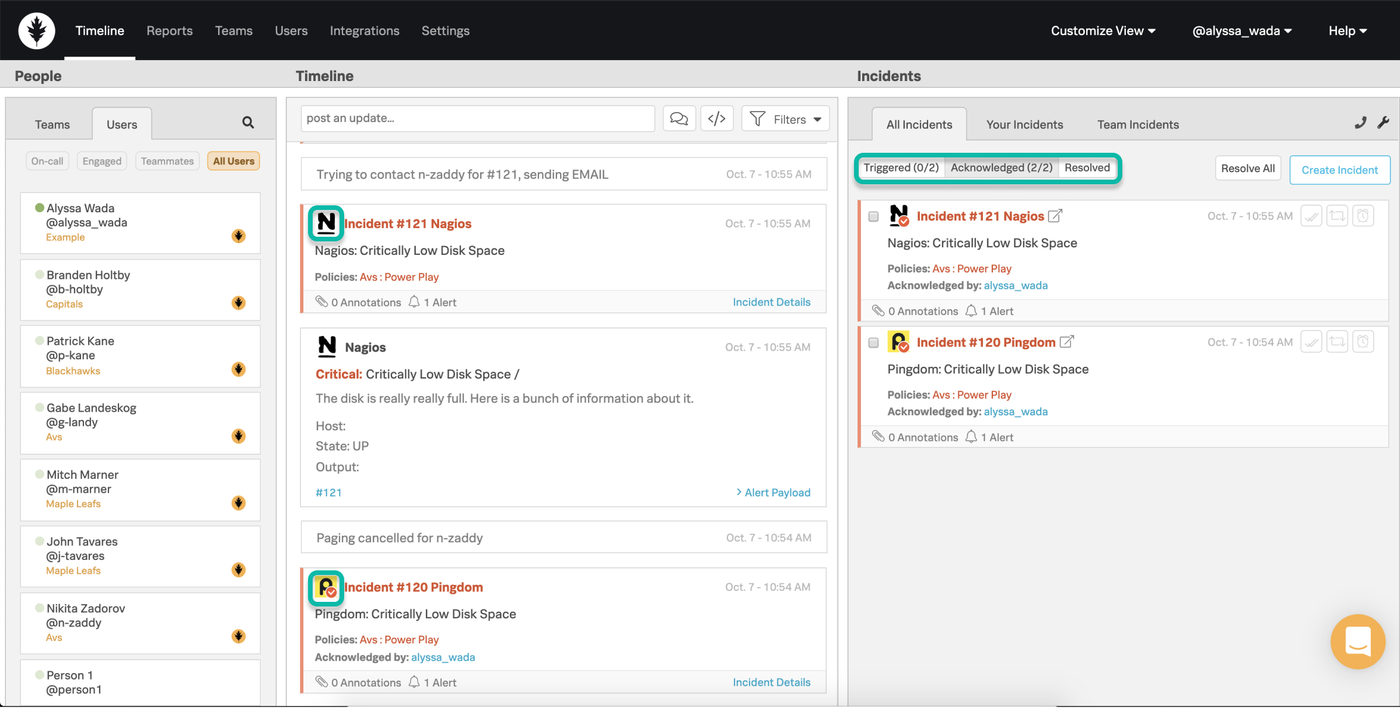
How an incident runs. An alert from a monitoring tool arrives as an incident with its context attached and notifies by app, phone or other channels. The responder can acknowledge, resolve, reroute or snooze from the mobile app. Escalation policies move the incident on if nobody answers, and rotations and overrides decide who is paged. A rules engine can attach runbooks, articles and dashboards, responders talk in a war room, and after resolution reports show incident frequency, time to acknowledge and time to resolve.
What we could and couldn't confirm. Splunk's page lists $5 per user per month billed annually for up to 10 seats and asks larger teams to get a quote. Third-party listings show higher tiers up to about $45 per user, which we couldn't confirm on a Splunk page. The product was formerly VictorOps and is sold by Splunk, which is now part of Cisco. We found no end-of-sale notice and the product page and free trial are live, but the help center overview gave no step-by-step incident flow, so the description above comes from the product page.
- You are a team of 10 or fewer who mainly need paging, rotations and escalations at the lowest list price.
- You already run Splunk Observability and want alerts and runbooks attached to incidents.
- you want a Slack-first incident workflow with automatic retrospectives: the product page describes post-incident reviews and reports, but not that automation
- you need public prices beyond 10 seats: Splunk lists $5 per user per month for up to 10 seats and quotes larger teams
- Users like
- on-call scheduling and easy configuration, per G2 reviewers (only 52 reviews)
- Users dislike
- complexity and a hard-to-customize interface, per G2 reviewers (single mentions)
- Source: G2, 52 reviews
How it works in practice
What that team misses. The published vendor pages didn't mention a status page, a Slack-first incident channel or automatic retrospectives. G2 shows 4.5 from 52 reviews, too few to read themes from: on-call scheduling and easy configuration each get 2 mentions, and complexity comes up once. Check the roadmap with Splunk before a multi-year commitment, and run the trial against a real alert.
- Starting price
- From $5 per user/month, billed annually (up to 10 seats)
- Starting price
- $5 per user per month, billed annually, up to 10 seats
- Larger teams
- Quote
- Free trial
- Yes
- Product line
- Formerly VictorOps, sold by Splunk (Cisco)
Service desks with incident management: Jira Service Management and Freshservice
Jira Service Management and Freshservice treat an incident as a ticket in a queue. They fit teams that already run a service desk and want major incidents handled in the same place, and they are lighter on noisy alert routing.
Jira Service Management
Pricing, features and Opsgenie migration pages read November 3, 2026
A team that already works in Jira and wants an incident to link straight to the developer ticket that fixes it.
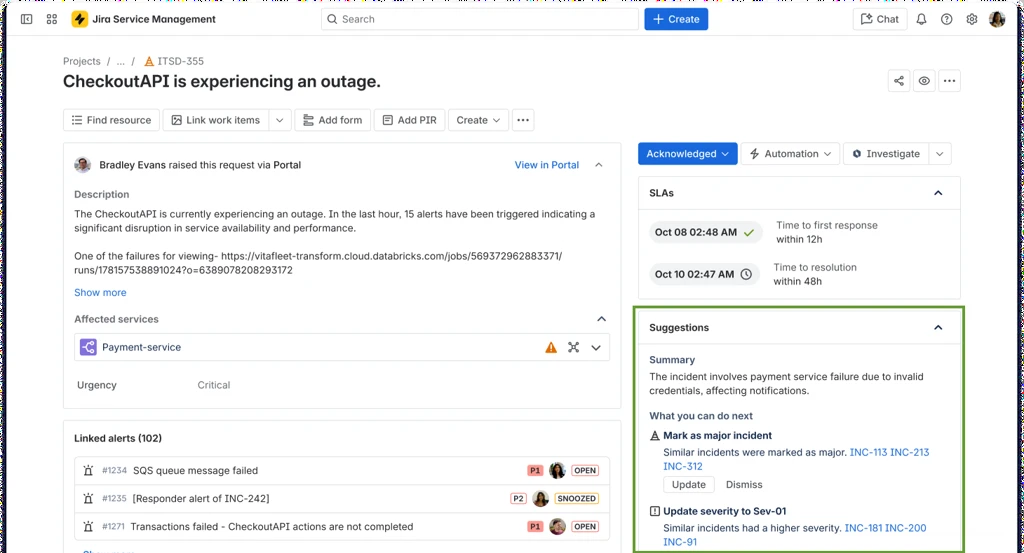
How an incident runs. A monitoring tool sends an alert into Jira Service Management. Routing rules and an escalation policy page the on-call engineer through the on-call schedule, who acknowledges the alert, and an agent turns it into an incident on the service request queue. For a larger outage an agent marks the incident as major (Premium), which alerts the responders for the affected service and opens a shared channel. Developers get a linked Jira issue, so the fix is tracked in their own backlog. Customer updates go out through the Statuspage integration, and after resolution Premium adds a post-incident review and the root cause can become a problem ticket.
What each plan gets. Alert routing, escalation policies, on-call schedules and an incident template are listed on the Free plan, which covers 3 agents. Standard adds Assets and audit logs, but advanced incident and problem management, including post-incident reviews and alert grouping, starts at Premium. The Opsgenie features now live here, since Opsgenie stopped new sales on June 4, 2025.
- you have 3 or fewer agents and want a free service desk with portal, email, Teams and Slack
- your team already works in Jira or Confluence and wants dev and IT on one ticket
- you need change and problem management at a low price, since they require Premium at $55.28 per agent / month
- nobody on the team has time to configure workflows, permissions and automation limits
- Users like
- ease of use, integrations and automation, per G2 reviewers
- Users dislike
- a steep learning curve and complex setup, per G2 reviewers
- Source: G2, 1,001 reviews
How it works in practice
What that team misses. Statuspage is a separate Atlassian product with its own plan, and we couldn't verify which Jira Service Management plan includes status pages, because the pricing page lists them without a clear plan. G2 shows 4.3 from 1,001 reviews. Reviewers praise ease of use (49 mentions), integrations (33) and automation (32), and a steep learning curve is the largest complaint (35 mentions), followed by complexity (29).
- Starting price
- Free for 3 agents; Standard $21.50 per agent / month, Premium $55.28 per agent / month (monthly billing)
- SLA management
- SLA goals with JQL and calendars
- Assets/CMDB
- From Standard, 5,000 objects
- AI
- Rovo credits; virtual agent on Premium
- Incident gating
- Alerts, on-call and an incident template on Free; advanced incident and problem management with post-incident reviews from Premium
Freshservice
Pricing, major incident and post-incident report help pages read November 3, 2026
A team whose incidents are tickets first, with SLAs and a major incident process inside one service desk.
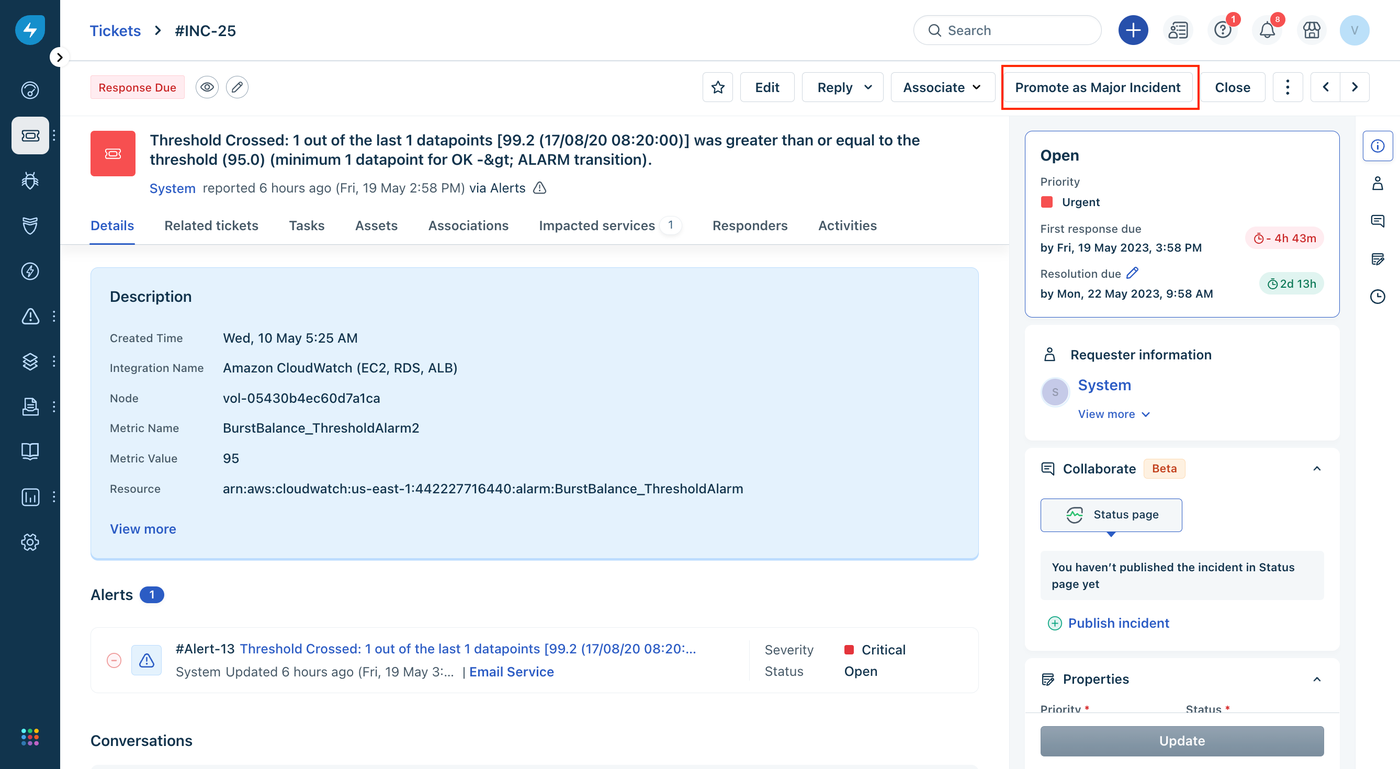
How an incident runs. An employee reports an outage by portal, email or chat, and Freshservice creates an incident ticket with a priority and, on Growth and above, an SLA timer. When the issue affects many people, an agent promotes it to a major incident on Pro and attaches the related tickets as child tickets. From the Collaborate widget the agent emails stakeholders from a template, publishes the incident to the status page by choosing the affected services, and starts a Microsoft Teams or Zoom channel once admins have installed those apps. On-call schedules route escalation to the right agent. After the status is set to Resolved, the agent creates a post-incident report with symptoms, root cause, impact, resolution, prevention and action items.
Where the plan lines fall. Incident management is on all four plans. SLA management and on-call management start at Growth ($49 per agent per month billed annually), and major incident management starts at Pro ($99).
- you also need a service desk and want assets, relationships and tickets in one place
- your team values fast adoption and a clean interface over deep configuration
- you only want asset tracking: the Starter plan has no asset units and Growth starts at $49 per agent
- you need contracts and software asset management: those sit in the ITAM Pro tier
- Users like
- ease of use and automation, per G2 reviewers
- Users dislike
- missing and limited features, per G2 reviewers
- Source: G2, 1,383 reviews
How it works in practice
What that team misses. It is ticket-first, and deep alert routing and noise reduction weren't part of the ticket workflow we read about. The help article lists Slack collaboration for major incidents as coming soon, and we couldn't confirm which plan includes the status page. G2 shows 4.6 from 1,383 reviews. Reviewers praise ease of use (158 mentions) and automation (75), and missing features (54) and limited features (42) are the top complaints.
- Starting price
- Asset management from the Growth plan at $49 per agent per month billed annually, with 100 Asset Units included; standalone ITAM plans are quote only
- Discovery
- Discovery Agent and Discovery Probe
- Asset metering
- Asset Units; a server counts 4, a desktop 1
- Plan gate
- Not on Starter
- Incident plans
- Incident management on all plans; SLA and on-call management from Growth ($49); major incident management from Pro ($99), per agent per month billed annually
How an incident moves through each tool
The table follows one outage, a database server that stops answering, from the page to the review, and shows where the incident record lives. Each cell comes from the published docs and product pages.
| Tool | Where the incident lives | Who gets paged | Customer update | After the incident |
|---|---|---|---|---|
| incident.io | A Slack or Teams channel | On-call add-on | One public status page on every plan | AI post-mortem draft on Pro |
| Rootly | A Slack or Teams channel | Separate On-Call product | Status pages in Incident Response | Retrospective from the timeline |
| PagerDuty | The PagerDuty incident, with Slack or Teams | Escalation policy | External page from Professional | Post-incident review from Professional |
| Better Stack | An incident timeline, with Slack or Teams | Escalation policy by phone, SMS or push | One included status page | Post-mortem as an incident comment |
| Splunk On-Call | An incident with a war room | Escalation policy and rotations | Not mentioned in the published vendor pages | Post-incident review and reports |
| Jira Service Management | The service request queue plus a linked Jira issue | On-call schedule and escalation policy | Statuspage integration | Post-incident review on Premium |
| Freshservice | An incident ticket or a major incident record | On-call schedules from Growth | Published from the incident page | Post-incident report on Pro |
What incident management costs for a small team
The calculator uses list prices read on November 3, 2026 and counts only the people who respond to incidents. It includes on-call where the tool sells it separately.
Excludes taxes, add-ons such as PagerDuty runbook automation or Better Stack's Slack workflows, and extra status pages. Free plans cost nothing at small sizes: PagerDuty up to 5 users, incident.io Basic and Jira Service Management up to 3 agents.
Which tool fits which team
- Your responders live in Slack or Teams and you want incidents, on-call and a status page in one toolincident.io
- You want uptime monitoring, paging and a status page from one vendor and one billBetter Stack
- You run many monitoring tools and need multi-level escalation with phone pagingPagerDuty
- You want timelines and retrospectives written automatically from a Slack incidentRootly
- Your developers work in Jira and the fix should link to the incidentJira Service Management
- Incidents are tickets first and you need SLAs and a major incident processFreshservice
- You have 10 or fewer people and only need paging and rotations at the lowest list priceSplunk On-Call
If you have no budget at all, three tools have a free plan with on-call or incident features: PagerDuty for up to 5 users, incident.io Basic with one schedule, and Jira Service Management for up to 3 agents. Each free plan stops short of something you will want, whether that is a second schedule, a status page or a post-incident review, so use it to run a drill and not to run a business.
A two-week setup routine for a small team
Any of these tools works better with a short routine around it. The tool automates the paging, and the routine decides whether the right person is paged and what happens next.
- IT leadList the services that can page someone, name one owner for each, and write a two-sentence definition of what counts as a severity 1, 2 and 3 incident Week 1, day 1
- SysadminConnect monitoring and chat, then build the escalation policy: first responder, the next person after 5 minutes, the IT lead after 15 minutes Week 1, day 2
- On-call engineersInstall the mobile app and set notification rules so a phone call comes through at night, then test it from the tool's test button Week 1, day 3
- IT leadCreate the status page, write a template for the first customer message and decide who is allowed to post it Week 2, day 1
- Whole teamRun a 30 minute drill: send a fake alert, acknowledge, let one escalate, resolve it and write the short review Week 2, day 3
- IT leadAfter the first real incident, give every follow-up action one owner and a date, and check them after 30 days After each incident
The review step is where many teams find the gap behind the incident: a service account nobody owns, or a credential nobody rotated. Our guides to the service account ownership matrix and the non-human identity lifecycle cover how to track that, and The IT Lead is built for that one job. It isn't an incident tool.
Incident management software FAQ
What are the 5 steps of incident management?
The five steps are detect and log, triage and declare, respond and communicate, resolve, and review. Detection creates the record, triage sets the severity and the lead, response pages people and updates users, resolution restores the service, and the review assigns follow-up actions with owners.
Is there free incident management software?
Yes, three tools in this comparison have a free plan with incident or on-call features. PagerDuty's Free plan covers 5 users, incident.io's Basic plan covers single-team on-call and one public status page, and Jira Service Management is free for 3 agents. Each limits schedules, workflows or advanced incident features.
What happened to Opsgenie?
Atlassian stopped new Opsgenie sales on June 4, 2025, and support ends on April 5, 2027, when access is shut off and data that hasn't been migrated is deleted. Atlassian's in-app migration tool moves alerting and on-call into Jira Service Management, with Compass as the other target.
What is the difference between incident management software and a service desk?
A service desk handles requests and incidents as tickets in a queue, with SLAs and a knowledge base. Incident management software focuses on paging the right person, running the response and publishing status updates. Jira Service Management and Freshservice combine both, and the on-call tools focus on the second.
Does a small IT team need on-call software?
A small team needs it as soon as someone has to respond outside office hours. Without an escalation policy a single missed phone call means an outage lasts until someone notices. A free or low-cost plan with one schedule and one escalation policy is enough to start.